Virtual Events And Facebook

May 20, 2010

With 400 million active users worldwide (and counting), Facebook is enormous – in fact, Facebook recently surpassed Google as the #1 web site in the U.S. (as measured by visits).

While recent announcements have stirred up privacy concerns and caused some users to delete their accounts, Facebook continues to generate millions of new sign-ups per day.  All of us know friends, family and colleagues who use the site on a daily (or hourly) basis.

Let’s consider avenues for virtual event planners to tap into the power that Facebook can provide.

Integration 0.1: Share on Facebook

More than half of my Facebook friends (54%) are work-related acquaintances – current colleagues, current business partners, former colleagues and former business partners.  The balance (46%) are friends and family.  I’m by no means the “average” Facebook user.  I believe the typical user tends towards a 65%/35% split between family/friends and work – and, uses Facebook for a family and friend focus rather than work.

That being said, it’s clear to me that Facebook users “friend” their work contacts – and I believe that over time, a growing percentage of your Facebook friends will be work-related contacts, as our personal and work lives blend and mix online.

What does this mean for virtual events?  With a B2B focus (today), this means that a “viable” audience exists (on Facebook) for you to share the virtual events that you’re attending.  Virtual event platforms should make it easy to “share the event” on Facebook, in the same way that users share a web site’s movie review, restaurant listing or product listing.

To make virtual event sharing effective, the “shared items” should include:

  1. A simple and easy to understand title (Facebook grabs the “page title” from the virtual event page you’re sharing)
  2. A suitably sized image (on Facebook, the “sharer” can choose among the images listed on the shared page)
  3. A hyperlink for interested users

If done right, 20 attendees might share your virtual event with their 200 Facebook friends – and you’ve just allowed your audience to promote your event (on your behalf) to 4,000 potential attendees (who otherwise would not have known about your event).

Integration 1.0: Live Stream Box

CBSSports.com used it for live streaming of NCAA March Madness – so did CNN.com for the live stream of President Obama’s inauguration.  As the name implies, Facebook’s Live Stream Box is useful for the “streaming” of “live” events or occasions.  The stream box provides an “Everyone Watching” tab – to submit a comment to that tab, users must authenticate to Facebook.  Even if you don’t have a Facebook account, you’ll still be able to view the running commentary from “Everyone Watching”.

Comments posted to the “Everyone Watching” tab (in the virtual event) also appear on the submitting user’s Facebook Wall.  Thus, participation in a Live Stream Box helps promote the virtual event – users’ comments appear in the News Feed of their Facebook friends, which generates awareness of the virtual event.

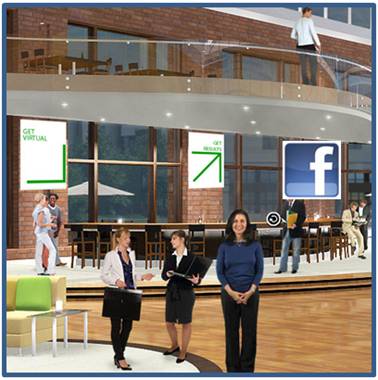
Facebook members have the added benefit of a “Friends” tab, which allows users to view their Facebook News Feed, right there from the stream box.  In a virtual event, the Live Stream Box can be placed in the Auditorium (where live sessions are broadcast), the Lounge (where visitors drop by to engage with one another) or Exhibitor Booths (where booth visitors can engage with the Exhibitor – and, one another).

Integration 2.0: Open Graph

“Share on Facebook” goes in one direction (the sharer -> her friends); “Live Stream Box” combines multi-directional interaction with a corresponding one-way share.  Facebook’s Open Graph API, announced in April 2010 at Facebook’s F8 Developer Conference, takes things to the next level.

Now, users can go beyond sharing “the event” and be much more granular in what they “like” (recommend/share) in a virtual event.  I may “like” a session, a virtual booth, a document, or even another user.  And with the Open Graph, I need not share each and every “like”, posting it to my Facebook Wall.  Instead, the “likes” can be aggregated (e.g. by the virtual event platform).

Now, when I login to the virtual event, I may choose to view the activities (and likes) of Facebook friends who opted in to the sharing service.  When I’m making a purchasing decision on a complex product or service, I can poll my Facebook friends to see who’s in the same boat.  If a former colleague attended a virtual trade show in the morning, I may login during the afternoon to view the sessions and exhibitor booths that she “liked”.

Taken at a more granular level, I may choose to see the specific product collateral that she “liked” in the virtual event, or seek out the exhibitor representative that she chatted with and “liked”.  By leaning on those whom I trust, my journey through a virtual trade show just got more productive.

Conclusion

Facebook and its 400+ million users cannot be ignored.  There will be more and more business decisions guided (and made) on Facebook – it can be a great place to “share” your virtual event, both the event as a whole and individual elements within it.

Tweet this posting:


Virtual Events 101: Tips For Creating Your Virtual Event Survey

May 16, 2010

Satisfaction surveys are a key tool in a virtual event planner’s arsenal.  Among their many benefits, a virtual event survey can serve to:

  1. Gain valuable feedback to improve the experience for subsequent virtual events
  2. Gain data, insights and comments that can be leveraged for public relations and future sales/sponsorship opportunities
  3. Establish a baseline of metrics that can be used to gauge your virtual event on an ongoing basis (e.g. overall event ratings, speaker satisfaction ratings)

Here are some tips to consider when creating your event’s satisfaction survey.

Determine what’s important to you

Identify the key components of the virtual event experience – those elements that are most important to you.  Then, incorporate survey questions around those components.  Samples include:

  1. Content
  2. Sessions
  3. Navigation
  4. Exhibitors
  5. Event duration
  6. Event time (i.e. time of day)
  7. Helpfulness of online event staff

Don’t wait until after the event!

During the planning process, you should be defining overall objectives for your virtual event.  Craft your survey questions during the planning process – the survey, then, becomes one means by which you evaluate whether the event met your defined objectives.  Sending a follow-up email (with the survey) after the event is fine – but, be sure to make the survey available within the event experience – either via a built-in feature of the virtual event platform, or by incorporating a third party survey, such as SurveyMonkey or Zoomerang.

Without being intrusive, make the survey “hard to miss” from within the virtual event experience – consider placing links to the survey in the event’s main navigation and in banner ads, your Help Booth and Auditorium.  If the virtual event platform supports it, schedule a periodic “notification pop-up” to inform attendees of the existence of the survey.

Stay true to your survey goals

Remember that a survey is about collecting input and not about qualifying leads and prospects.  Avoid asking qualifying questions in the survey (e.g. “Would you like a sales representative to contact you about ..”) and stick to the goal of understanding the attendee’s overall experience. A survey that’s disguised as a qualifying form will turn off potential submitters – and you’ll likely end up with fewer completions than you had planned.

Similarly, determine whether you want to request “attributes” from survey submitters (industry, country, email address, etc.) or allow submitters to be completely anonymous.  Submitter attributes allow you to segment the survey responses by “qualifier” (e.g. event ratings by industry), while an “anonymous survey” may yield more submissions.

Easy to complete

Place a reasonable limit on the number of survey questions and the number of survey pages.  I’d recommend no more than 10 questions and no more than 2 survey pages (e.g. a limit of 2 survey pages with 5 questions on each page).  Pay attention to the question wording – don’t write an essay on the question or in the multiple choice selections.

Use a combination of quantitative measures (e.g. a rating from 1 to 5) so that you can track particular metrics over time – and qualitative input, such as a free-form text box that invites submitters to leave feedback in the form of a comment.  Try to estimate the amount of time required to complete the full survey and provide that up front to survey takers (e.g. “Spend five minutes – provide us with valuable feedback to improve the event experience for you”).

Include an incentive

Incent survey respondents by offering some value in return.  You could provide a small offer to all submitters (perhaps a $5 gift card) – or, offer a larger prize that’s awarded by random drawing.  Consider the trade-off with an incentive – while you’ll generate more survey submissions, the integrity or quality of the survey data may be slightly compromised, as some users will quickly complete the survey (via random selections) simply to qualify for the prize.

Define your action and response plan up front

A survey serves you limited purpose if you don’t follow up and respond to the collected feedback.  When creating the survey questions, determine the actions that will be taken based on the responses.  For instance, for quantitative measures, define your targets (e.g. an average satisfaction rating of 4.0 [on a scale of 1.0 – 5.0]).  If you score lower than your target, drill down to determine why and apply those learnings to your next event.

If your attendees rated your event low on navigation, determine whether that was the “fault” of the event platform, your own experience design or both.  For attendee feedback focused on the platform, hold a meeting with your virtual event platform provider to discuss further – they’ll appreciate the input and may already have plans (in the product pipeline) to address the concerns.

Conclusion

Surveys can be effective tools for virtual events – be sure to align your survey questions to your overall goals, make it easy and convenient for event attendees to complete it and properly follow up on the feedback delivered.  Keep using surveys for subsequent events, so that they get better and better (and better).

Related Links

  1. Browse the Virtual Events 101 Index Page
  2. Download the eBook, “Virtual Events: Ready, Set, Go

Note: I invite you to connect with me on .


Virtual Events 101: What Is A Virtual Event?

May 12, 2010

Definitions, definitions.  Terms can be best explained by breaking them down into their component parts.

“Virtual event” – let’s cover the second part first, the “event”.  An “event” can mean many things to many people; however, I like the following definition from Dictionary.com:

Source: Dictionary.com

An event is “something that occurs in a certain place during a particular interval of time”.  With a virtual event, the same definition applies – however, the “certain place” happens to be “online” or “on the web”.  For “virtual event”, the Dictionary.com definition could be re-worded to:

something that occurs in a certain web destination during a particular interval of time

Of course, like any loosely worded definition, many “things” fit this description, which you and I typically would not consider a virtual event (e.g. a multi-party instant messenger chat qualifies, but isn’t typically considered a virtual event).  In my mind, a virtual event is

a web and occasion-based gathering that facilitates information sharing, collaboration and interaction.

To date, the look and feel of virtual events have been modeled after a physical counterpart (e.g. a trade show, user conference, sales meeting or job fair).  As the industry evolves, the experience will evolve as well – and unique, web-based experiences will emerge.  For instance, expect to see virtual trade shows that look and feel nothing like their physical counterpart (hence the power of the web).

There are no “bare minimum requirements” for a virtual event (e.g. Auditorium, Exhibit Hall, Networking Lounge, Booth) – an experience with no Auditorium and no booths can still qualify.  Virtual events come in many flavors – with many more on the way.  There are a variety of use cases and objectives that can be achieved virtually.

Virtual events are known for the following benefits:

  1. Green technology that minimizes carbon emissions
  2. Supports a global audience
  3. Convenience – participate from your home, office, beach
  4. Ongoing showcase – the event is not required to be “torn down” at the conclusion of the live date(s)
  5. Granular engagement tracking – activity is recorded an deep engagement profiles generated

Variations

While virtual events occur on the web without a physical (face-to-face) component, some event planners are creating hybrid event experiences, whereby a face-to-face event is combined with a virtual component.  The virtual component can occur before, during or after the face-to-face event – when done concurrent to the physical event, interesting opportunities arise for blending the physical and virtual experiences.

While events occur “during a particular interval of time”, some virtual event planners are creating 365 day/year virtual communities, which have a focus around periodic “events”.  So rather than create a virtual event that’s live for a single day, event planners create an evergreen (and virtual) business community that sees consistent activity throughout the year, with spikes of activity during scheduled days of “live event activity”.

Conclusion

Virtual events are here to stay – the broad definition of a virtual event will hold – however, more specific definitions will morph over time, as the industry and experience grow and evolve.  Tomorrow’s virtual events may look (and feel) nothing like today’s.

Related Links

  1. Browse the Virtual Events 101 Index Page
  2. Download the eBook, “Virtual Events: Ready, Set, Go

Note: I invite you to connect with me on .


Virtual Events 101: Tips For Planning Your Virtual Event

May 7, 2010

Previously, I provided tips on selecting a virtual event platform.  In that posting, I covered team, technology and customer service considerations for selecting a platform.  Now, I’d like to cover the very important process of planning your virtual event.  A successful virtual event originates with a sound, strategic plan – one that’s researched, developed and documented well before the topic of platform selection is even broached.

Virtual events involve technology – however, as with physical events, it’s about the experience first.  Technology, while important, is there to provide the means to address your experiential goals.  Get the planning done right and technology decisions will fall out naturally from there.

Understand Your Audience

A virtual event planner must act like a product manager – to build the best “product” (i.e. event), you need to first understand your target audience / target customer.

Product managers need to employ “customer empathy”, while virtual event planners need to employ “attendee empathy”.  Product managers develop user personas – profiles of different users of the product.  Similarly, you ought to create attendee personas.

Identify the attendee profiles – and for each profile, document the “average user”.  Questions you ought to ask about your audience:

  1. Are they inclined to experience an event virtually?
  2. What topics/subjects are they most interested in?
  3. What online sites do they frequent the most?
  4. When they’re not online, what are they doing?
  5. How do they prefer to consume content?
  6. How do they prefer to interact with one another?
  7. What would prevent them from interacting, engaging, etc. online?
  8. What motivates them?
  9. What is their preferred form of reward (e.g. recognition, money, etc.)?
  10. How do you hold their attention?

There are many more questions you could ask.  Understanding your audience is one of the most important planning steps, so make sure you invest the right amount of time and energy here.  When done, document your “audience profiles” and share the document with your extended team.  Ensure you’re all on the same page with regard to your target audience.

Identify Your Funding Sources

The virtual event never happens if you’re not able to pay for its costs.  Are you an association that aims to fund the event with association or per-event fees?   Are you a non-profit organization who submitted a bid for a grant?  Or, are you a B2B publisher who aims to fund the event by selling sponsorships at a virtual trade show?

For virtual trade shows, identify possible exhibiting companies and forecast the amount of revenue you can generate from the sponsorships.  Review past events you’ve produced (whether physical or virtual) – and, review competitors’ trade shows to see which companies are exhibiting at them.

Regardless of the scenario, ensure that your funding model is identified – and, that the funds are “firm”.  It does you no good to spend a month profiling your target audience, only to have that work go to waste when you’re not able to obtain funding for the event.  If possible, seek to have your funds secured before you begin the subsequent planning steps.

Define your Format, Venue, Style, Personality

There are many types of virtual events: virtual trade shows, virtual career fairs, virtual product launches, etc.  Chances are, you already have a format in mind and that’s good.  Following that, however, you ought to consider the additional details of the design, style and personality of your virtual event.

The most direct (and cost effective) approach is to select from the pre-existing “event templates” of your virtual event platform provider.  They’ll allow you to select a theme from their template library and you can apply customizations on top of the base image.  While this approach is time and cost efficient, keep in mind that it’s more challenging to distinguish your event, especially if your competitor uses the same platform and selects the same theme.

If you have the budget (and time) to create a unique experience, consider the venue and theme – a virtual experience is not bound by physical space limitations (or, by gravity), so there are endless possibilities.  Do you want an outer space experience?  Perhaps not, but that’s possible if you so choose.

If budget allows, consult with a creative agency or design firm – you’ll first want to “storyboard” the event experience in the same way you’d map out a new web site.  In addition to event components, storyboard the user journey and user experience – map out how you’d like attendees to move through your environment.

Identify the Event’s Content

Most virtual event planners associate “content” with “sessions” (e.g. Webcasts, Videocasts, etc.).  Sessions are indeed important – invest the time and effort to identify hot topics, develop session tracks and recruit speakers and presenters.  Once that’s complete, identify additional content formats to include:

  1. Break-out Sessions
  2. Training Sessions
  3. Scheduled Chats
  4. Quizzes
  5. Games

Virtual events no longer need to be focused around the session schedule – as you can see from the list above, many content formats are available – and some are more effective at engaging and involving the audience.

Identify Potential Dates

Who knew that virtual event planning would be similar to wedding planning?  With regard to date selection, your first step is “conflict avoidance”.  You want to eliminate important dates within your organization (e.g. the date of your annual customer conference) – as well as important dates within your industry.  Then, review competitive events and related events in your industry, as you want to avoid those too.

Finally, consider seasonality dependencies, such as the December religious holidays or the week leading to Labor Day (in the U.S.), during which many families with school kids are out of town.

Once you’ve done the “elimination” of dates, consider events or occasions that would work well for your event – you might want to plan your virtual event around an existing physical event of your’s – or, plan for event around a key product launch you have scheduled two quarters from now.

Identify the Event’s Duration

Single-day events are the most common today.  Your event, however, should have a duration that’s driven by your goals and objectives.  For instance, if you have more content than can be consumed (or scheduled) in a single day, consider the multi-day event.  If your event is based around an ongoing game, with points accrued over days (or weeks), then the game parameters will dictate the event duration.

For multi-day events, be sure you have an audience engagement strategy in place to incent Day 1 attendees to return for Day 2 (and Day 3, etc.).  In addition, keep in mind that multi-day events require staffing and support to be available for each live date, which adds hard and soft costs to the equation.

Conclusion

Hold your horses! Technology is fun and exciting, but before you jump into that step, be sure to spend the necessary time and effort to complete the planning steps outlined here.  In the end, you’ll be rewarded with a successful event.

Related Links

  1. Browse the Virtual Events 101 Index Page
  2. Download the eBook, “Virtual Events: Ready, Set, Go

Note: I invite you to connect with me on .