How I Curate (and Share) Content on Twitter

April 13, 2012

Book store / library image.

Introduction

I once had a pile of old books that I no longer wanted. I brought them into a bookstore that buys and sells used books. After placing my pile of books on the counter, the owner proceeded to examine each one. He carefully examined the cover, opened the book to read the chapter of contents, and then skimmed quickly through a few pages.

I was expecting him to accept each of my books, but he only took a third of them. When I asked him about his evaluation process, he told me that it’s driven by limited shelf space, along with his understanding of what his customers want.

To become a regarded sharer of content on Twitter, you need to act like the used book shop owner. His shelf space has a fixed amount of space, in the same way that your Twitter followers have a fixed amount of attention. The store owner can’t sell every used book he comes across and you can’t (well, shouldn’t) share every single link you find.

So speaking of sharing, I thought I’d share the process I use for curating and sharing content on Twitter.

Curation

The Process

Like many of you, I have a daily “surfing routine,” in which I visit a number of “go to” sites each morning. For the national (and global) scene, my favorite site is NYTimes.com, for which I gladly pay to gain access. For the local tech scene here in the Bay Area, I visit SiliconValley.com, a web site of the San Jose Mercury News.

In addition to these go-to sites, I use the somewhat old fashioned method of maintaining 40+ RSS feeds, which I read via Google Reader.

I then behave like the used book store owner. To gain credibility and respect, I like to share links (content) that my followers (and even folks who are not following me) find useful. If I blindly tweet out a large volume of tweets and my followers don’t find them useful, then I’m sure to lose followers.

Content Review

While I’ve committed the sin of tweeting an article solely based on a captivating headline, I prefer to read the article entirely – or, at minimum, to skim the article to get a sense for it. Recall that the book store owner did the same thing.

When you read the article, it helps you understand what you’re sharing. Wouldn’t it be embarrassing to share an article in which the body didn’t match the title at all? Yes, that could annoy followers who clicked on the link.

Another benefit to reading the article? Including a fact or quote from the article in your tweet. I like to include my own thought(s) in my tweets, rather than just tweeting the article title and link. In short, I believe that “curate and comment” is better than just “curate.”

Selection Criteria

For something to be shareable, I look for the following:

Timely: I prefer to share content that’s been published in the past 0-2 weeks. If I find a really useful article that’s 1+ year old, I mention that in my tweet (e.g. “From 2010, but still quite relevant”). Timely also refers to “what’s hot” (a trending topic, if you will). Timely topics that I’ve shared of late include Pinterest, Instagram, mobile apps and Google+.

Interesting: If everyone is writing about Pinterest (and they are), I prefer to share bloggers or journalists who provide a unique spin on the latest trend. Early on during the trend, however, an “introduction to” or a “how to get started” article is, in fact, interesting.

Useful: Related to the introductory articles that I mention above, I like to share content that helps my followers learn something new or do their job better. I often use the rule that if I find it useful, that you may as well.

Sharing

Tweet Button

I estimate that 60-70% of my tweets come from the Tweet button. Almost every site that I frequent (including most blogs) has social sharing buttons. So I share as I read. It’s efficient, because I share as I surf – and, because the Tweet button makes it so easy.

Attribute Authors

If the Tweet button doesn’t include the author’s Twitter handle, I like to search for the authors, to see if they have Twitter accounts. If they do, I like to include their handles in the tweet. This is useful for your followers (i.e. they can follow the author, if they like) and, it lets the authors know that you’ve tweeted their article.

Buffer

I’ll also use a neat tool called Buffer to schedule certain tweets be sent out at particular times. There can be times where sharing becomes too frequent. Buffer allows me to “save up” a bunch of tweets and send them at a later time or date.

You can even schedule tweets with Buffer directly from Google Reader, which I find quite useful.

Retweets

Retweeting (“RT”) is even easier than the Tweet button, as you can perform the action directly from your Twitter client, or from Twitter.com. I use the same selection criteria (listed above) when retweeting. There’s an added benefit here: the act “sends a little love,” if you will, to the person who posted the original tweet.

Conclusion

And there you have it. If you’re still with me, then I hope this insider’s look at my processes (and thought process) was useful. Use the comments section below to tell me how you go about curating and sharing on Twitter.

Note: I invite you to connect with me on .


5 Reasons I’m Breaking Up With You, TweetDeck

February 27, 2012

Introduction

We’ve had a great time together, TweetDeck. And believe me, it’s not you, it’s me. Breaking up is hard to do, so I’ve decided to compose this posting to let you know. Yes, yes, that was quite impersonal of me. Let me explain why I feel the way I do.

1) Curbing Application Proliferation.

Despite the emergence of SaaS, we have more and more applications running on our desktop or laptop. If I could accomplish all of my Twitter activity within my browser, then you, unfortunately, are one less application I need to have running (I’m so sorry).

And I’ll tell you a dirty little secret about social streams: they consume lots of memory! My browsers tend to consume 250-700+ MB and you, while consuming less, still needed 100-200+ MB of tender loving RAM. With one less application, my computer is already running faster. Like I said, it’s me, not you.

2) The New @Connect Tab.

Yes, yes, it seems I’m already seeing other services. This one happens to be called Twitter.com. The New Twitter (or is it the “New New New Twitter”?) has a nifty “@Connect” tab. Under “Interactions,” it lists everything I want to know:

  1. Mentions.
  2. Retweets.
  3. When someone “Favorites” my tweet.
  4. New followers.
  5. When someone adds me to their Twitter List.

You, TweetDeck, had columns available for mentions and new followers, but I’d often miss seeing retweets. And, to have this all in a single place is useful to me. So in this case, TweetDeck, I’m afraid it’s you and not me.

3) Twitter “Home” Got Better.

Yes, the new love of my life, Twitter.com, improved the “Home” tab. I remember the day I first laid eyes on you, TweetDeck. When I entered a URL, you’d auto-shorten it for me. And oh, did I love that. But this is now a standard feature on most tweet services, including Twitter.com.

In addition, I like glancing at the “Who to follow” area of “Home” and always seeing someone I recognize. I don’t mind the fact that it really should be “Whom to follow,” as I’m not a stickler or anything like that.

And finally, when my tweet stream is flying off the edge, I like how Twitter.com shows, “372 new Tweets” (or whatever the number is) and forces a click (from me) to display them. I think we were moving too fast together, TweetDeck, as your tweet stream would constantly flow.

4) Nifty new #Discover tab.

I like the nifty new #Discover tab on New Twitter. It’s rendered like a newspaper site, with key topics as headlines. I can follow a link and see tweets on the selected topic. And there’s always a single content piece (article) beneath the headline. So I can browse interesting articles, if I’m so inclined. My oh my, TweetDeck, I wonder if Twitter has crossed over from technology provider to media company?

5) But Wait.

But here’s the one thing Twitter.com cannot provide me. Your columns, TweetDeck. I could set up a number of columns for topics and hash tags and be able to glance at the related streams. I used to monitor mentions of my employer, along with the #eventprofs hash tag. On Twitter.com, I need to manually check those “feeds” from time to time.

Conclusion

Well, TweetDeck, you were certainly my first love. But you know what? Twitter acquired you in May 2011, so while I’m leaving you, I’m certainly staying in the same neighborhood. And I bet that your parent doesn’t mind that I’m now exclusively using Twitter.com. Take care and perhaps we’ll see each other again.

Subscribe

Did you enjoy this blog posting? If so, you can subscribe to the feed here: https://allvirtual.me/feed/

Note: I invite you to connect with me on .


Ask Me a Question on Virtual Events (#engage365 Twitter Chat)

December 1, 2011

Join the chat now via tweetchat: http://tweetchat.com/room/engage365

Introduction

Are you ready for a Twitter chat? I’ll be answering questions on virtual events during an #engage365 “Water Cooler Chat” hosted by Jenise Fryatt (@JeniseFryatt) of Icon Presentations (@IconPresentsAV).

Date: Friday, December 2, 2011

Time: 1PM EST

Location: On Twitter.

How to Participate

If you’re using a Twitter client, simply add a column that pulls in tweets with the tweetchat’s hash tag: #engage365. Here’s a look at how I’ve done it in TweetDeck:

There’s also a neat (and free) service called tweetchat (@tweetchat). I plan to use this service for the Twitter Chat. You can use this URL to take you directly in to the chat:

http://tweetchat.com/room/engage365

Finally, you can find more information on the Engage365 “Water Cooler Chats” here:

http://engage365.org/2010/02/water-cooler-chat-226/

Hope to “tweet you” there!


Why Twitter Should Stay at 140 Characters

July 23, 2011

Introduction

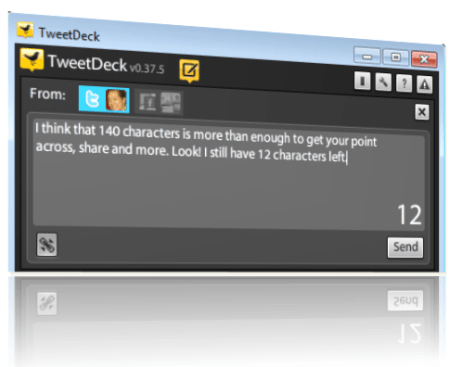
I’m selfish. I like Twitter just the way it is, which means that it should retain its 140 character limit on tweets. On Slate.com, Farhad Manjoo (@fmanjoo) wrote a piece titled “The End of 140.” Twitter’s 140 character limit relates to the 160 characters available in SMS messages (text messages), for which the service was originally designed.

Manjoo argues that “very few Twitter users now access the system through SMS” and the 140 characters “prevents meaningful interaction between users.” Manjoo urges Twitter to consider a doubling of the character limit, from 140 to 280 characters. I hereby present my reasons for Twitter to “keep it the way it is.”

Makes Us Better Writers and Sharers

When all you have is 140 characters, you get right to the point. Extraneous details get dropped and you become a “pro at prose.” When tweets are more efficient, you win, and more importantly, your followers win. The world would be a better place if other content (e.g. TV commercials, marketing content, conference calls [ha ha]) were limited to 140 characters!

Of course, as Manjoo rightly points out, it does happen that the 140 character limit “turns otherwise straightforward thoughts into a bewildering jumble of txtese.” But I think 140 characters raises the bar and challenges users to do better. Manjoo cites a sample tweet from Senator @ChuckGrassley:

“Pres Obama while u sightseeing in Paris u said ‘time to delvr on health care’ When you are ‘ hammer’ u think everything is NAIL I’m no NAIL.”

Here’s how I would have written the tweet:

“President Obama said: ‘Time to deliver on health care.’ When you’re a hammer, you think everything is a NAIL. I’m no NAIL.”

Eliminated some extraneous details and I’m left with 18 characters to spare. This can work at 140, right?

Link Sharing Works Great As Is

Let’s face it – Twitter is used by many to find and share content. The current system works great. Users post an article title, sprinkle in a few words of commentary and then provide a shortened link to the page. Perhaps they’ll append a hash tag or two. In a world of 280 available characters, tweets become messier and users become lazier.

So I have 140 extra characters? I can keep that long URL unshortened. I can add a few more random thoughts. Yes! I can append another 5 hash tags that are not related. With 140 characters, I can promote a blog posting as such:

In This Era of Digital and Social, The Extended Family is Closer than Ever: http://bit.ly/oySJ18

With 280 characters, it’s too easy for that to become:

In This Era of Digital and Social, The Extended Family is Closer than Ever: https://allvirtual.wordpress.com/2011/07/16/in-this-era-of-digital-and-social-the-extended-family-is-closer-than-ever/

The former is more elegant and easier to parse.

280 Characters Fundamentally Changes Things

And that brings me to perhaps the most important point. Moving from 140 to 280 characters would fundamentally change the entire Twitter experience. It would turn Twitter from micro-blogging to mini-blogging. With 2x the available capacity (per tweet), browsing through your tweetstream takes on a whole new feeling.

Instead of scrolling past short, concrete thoughts, you’d now see short thoughts intermixed with longer thoughts (that could ramble on). With Twitter at 140, I can scan. With Twitter at 280, I’d have to read. And reading through a tweetstream would significantly slow me down and make Twitter less useful for me.

Conclusion

Dear Twitter, I like you (love you?) at 140 characters. Three cheers for the status quo.

Feel free to tweet that. You’ll have 52 extra characters.

Related Content

  1. Why changing Twitter’s 140-character limit is a dumb idea, by Matthew Ingram at GigaOM.

Subscribe

Did you enjoy this blog posting? Subscribe to the feed here: https://allvirtual.wordpress.com/feed/


How I Use Twitter in 2011

May 14, 2011

The Many Uses of Twitter

Introduction

I use Twitter much differently today than I did in 2008. Three years ago, I was just getting my feet on the ground, trying to understand the difference between an at-reply and a direct message. My primary goals were to share content on a single topic (virtual events) and to drive traffic to this blog, which I had just launched. Fast forward to 2011 and I look to Twitter as a swiss army knife – many, many uses.

Notable Changes Since 2008

My mindset on Twitter has been evolving. Some notable changes since 2008:

  1. Mix it up.  I wanted my tweetstream to be focused on virtual events content, so I maintained a 98/2 balance on virtual events and “other” tweets. Today, the balance is more like 85/15, in favor of “other.”
  2. Open up.  I used to stay laser focused on business topics, fearing that including personal interests would cause me to lose followers. But then I saw prominent tweeps (on the business side) do otherwise, so now I’ll include occasional tweets about my Yankees (MLB) or Sharks (NHL) – or, other personal interests.
  3. Make people laugh or think.  10% of my tweets are now conceived while I’m in the shower, where I generate random thoughts (ask a though-provoking question) or random observations (make you laugh [or so I hope!]).
  4. Follow back and interact.  I used to believe that “followers” should be a far greater count than “following.” I also believed that I just couldn’t keep up when following 250+ tweeps. Then I realized that by not following, I’d be missing out. So now I follow back many users who follow me. And, I use at-replies more often, to engage directly with other tweeps.

My other uses of Twitter…

Content Sharing

Whenever I read something interesting, I like to share it with on Twitter. The topics I share tend to be on events (virtual, face-to-face and hybrid), social media and start-ups.  2010 was a big step forward for my sharing abilities, due to a key new feature from Twitter: the tweet button (which you now find on most web sites).

Now, sharing is done with one click. When I share, I like to add my a thought or comment, so that it’s a bit personal and customized. Of course, other tweeps are finding great content, too. So when I see something I find interesting, I’ll often retweet (“RT”). I like to use the official retweet function (from Twitter), so that I don’t have to worry about keeping the RT under 140 characters.

Content Discovery

Being part of “Twitterville” allows me to discover great content. But the most powerful aspect is discovering the content by way of interesting people.  So for me, “discovery” is as much about the people I follow (and connect with) as it is about the wisdom they share.  In this way, Twitter has changed the world.

Twitter’s “unidirectional” following model (i.e. I can follow you without you following me) means that people can share thoughts and insights with “me”, which otherwise would never have happened.

Yes, Hollywood celebrities are cool to follow, but for me, it’s the founder of a great company, the author of a book I’ve just read or an A-list blogger. In fact, Twitter has turned some users into celebrities in their own right, with larger (and more engaged) followings than the celebrities from Hollywood.

Sidebar: Following New Tweeps

As an aside, here’s how I follow new tweeps:

  1. Content: When I read an interesting article, I look to see if the author’s Twitter handle is listed. If so, I immediately follow. If not, I’ll Google the author’s Twitter handle and follow her.
  2. Businesses: If I see “interesting” businesses (or brands) active on Twitter, I’ll follow them.
  3. Athletes: It’s great to see so many athletes take up Twitter in a big way. If my favorite teams have active Twitter users, I’ll follow those athletes.

Events

When I attend an event, whether it’s face-to-face or digital, the first thing I check for is the event hash tag. Twitter has forever changed events, in a good way. It allows me to put a finger on the pulse of the event, from the attendees’ point of view. I’ll find a session that I otherwise would have missed and I’ll often find 20-30 new people to follow. For weeks after the event is over, I’ll continue to watch the hash tag for interesting content. Twitter has helped extend the shelf life of events.

Selling Books

In 2010, I wrote a book on virtual events and placed a link to the Amazon listing page in my Twitter profile. The topic of the book piqued the curiosity of Adam Penenberg (@Penenberg), so we exchanged a few Twitter direct messages (DM) about it. The DM exchange concluded with Adam writing, “Just bought it, you can thank Twitter for the sale.”

Adam listed his own book (“Viral Loop”) in his Twitter profile. Adam’s book “examines the engine driving the growth of web 2.0 businesses,” which aligned perfectly with my interests.  So I bought his book (here’s my review of Viral Loop). It’s fascinating what Twitter enables: content discovery, people discovery and book sales.

Conclusion

First and foremost, thank you, Twitter – you’ve been a big part of my life the past few years. I’m excited to continue using (and adapting) the service and curious to see, in 2013, what I’ll write about regarding my usage patterns.

Leave a comment below, to share thoughts on how you use Twitter. And finally, feel free to follow me – I’m @dshiao. Chances are good that I’ll follow you back.