IBM’s Second Life ROI: The Headline Beneath The Headline

March 4, 2009

Source: Linden Lab Case  Study

Source: Linden Lab Case Study

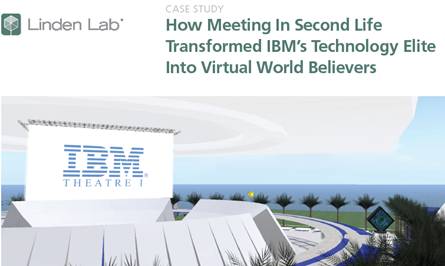
A Case Study published by Linden Lab (the company behind Second Life), documents IBM’s use of Second Life to hold a Virtual World Conference and Annual Meeting.  The meeting, organized by IBM’s Academy of Technology, brought together 200+ participants from across the globe (virtually) and had an ROI estimated (by IBM) to be $320K.

The $320K is derived from taking initial hard costs of $80K, then factoring in $250K in savings from travel and venue costs and $150K from productivity gains (since attendees participated from their desks – and could presumably do on-the-job tasks while in-world).  So that’s ($80K – $250K – $150K) = $320K in total savings.

So that’s the headline story – and what a great story it is.  I can understand why the Case Study led with this angle – in this economic environment, any talk of significant cost savings is going to score points with the CMO, CFO, CEO and Board.  And while I’m not one to diminish cost savings that’s simultaneously eco-friendly, what excites me most about the ROI equation here is the value add that virtual provides – the headline beneath the headline.

If IBM had convened this meeting at a physical location, I’m sure the event would have been equally valuable – but, at the event’s conclusion, the walls come down and participants leave with some photographs, business cards and memories – and may never be incented to re-gather and collaborate again, aside from the next scheduled (and organized) gathering.

With virtual, however, what IBM discovered was a build it once and reap the continued benefits phenomenon.  The island(s) built for this virtual event remain available on an ongoing, 7×24 basis.  So, participants who met and collaborated with specific colleagues may want to arrange for follow-on in-world meetings to further brainstorm their ideas together.

Additionally, IBM found a way to leverage the event to support an unrelated gathering – the Academy of Technology’s Annual General Meeting, originally scheduled in Florida.  The general meeting moved virtual and included live webcasting and videoconferencing – while leveraging the pre-built island in Second Life to support 120 poster sessions.  The beauty with the ROI equation here is that the more IBM can leverage what they’ve already built, the more “R” they generate in “ROI”.  And of course, this sort of re-use is eco-friendly.


Virtual Events 101 For Corporations

February 16, 2009

Some of us learn through observation – and I’ve had the privilege of observing (and learning from) many corporations in their use of virtual events and virtual worlds. First, I will provide “newbie” corporations with some pointers on how to best leverage virtual events (by way of links to some past blog posts).  Then, I will summarize some recent examples of virtual events (and virtual worlds) by corporations – all of which I admired.

How to Leverage Virtual Events

  1. Get closer to your customers – by understanding customers’ current challenges (which may differ from the challenges they faced when they originally purchased your product), you can create solutions, make your customers more satisfied and generate additional revenue (https://allvirtual.wordpress.com/2008/12/16/get-closer-to-your-customer-with-virtual-tradeshows/)
  2. Launch your next product – whether you complement your physical launch – or, do it exclusively online, the virtual event platform allows you to conveniently launch your next product online to a global audience – and, track all the interactions generated with customers, sales prospects and analysts/press (https://allvirtual.wordpress.com/2008/12/22/launch-your-next-product-online/)

Virtual Events: How Corporations Are Leveraging Them

  1. Quest Software produces an annual virtual event titled Quest Connect to provide information on their products and services (https://allvirtual.wordpress.com/2009/01/02/marketers-as-event-organizers/)
  2. Lenovo utilized Nortel’s 3D-based web.alive platform to drive interest and product sales of its laptops during (and after) CES 2009 (https://allvirtual.wordpress.com/2009/01/08/review-lenovos-elounge-virtual-world/)
  3. Adobe held a virtual product launch in Second Life to complement their real-world launch of eLearning Suite (https://allvirtual.wordpress.com/2009/01/25/adobes-real-world-launch-is-suppplemented-with-virtual-launch/)
  4. Trend Micro teamed with Virtualis to host an internal training event titled Trend Technical University in Second Life (https://allvirtual.wordpress.com/2009/02/05/virtualis-and-trend-micro-put-on-quite-a-show/)
  5. VMware launched an online companion to their physical VMworld conference, running on Jive Software’s platform (https://allvirtual.wordpress.com/2009/02/07/vmworld-complements-physical-conference-with-virtual-conference/)

So if you’re a newbie on virtual events, read up on what these companies have done – and decide whether (and how) virtual events and virtual worlds can benefit your company.  Better yet, if you have ideas on new ways corporations can leverage virtual events, be sure to leave a comment below.  Either way, I’m excited to see and hear about the new things that are in store.


Real World Meetings In A Virtual Office

February 11, 2009

Amanda Van Nuys, Linden Labs’ Director of Enterprise Marketing (and known in-world as Amanda Linden) has an interesting blog posting titled “Working in the Virtual World“.  Amanda describes her use of Second Life for work-related meetings and collaboration.  A neat physical/virtual tie-in was done with a conference room:

The physical conference room—Isabel—has a virtual counterpart that is an exact replica—Virtual Isabel. A camera in Isabel captures what’s happening in the room and displays it in the virtual space. Simultaneously, the participants in Virtual Isabel are projected on the wall of physical Isabel. The result is a seamless experience—two conference spaces, one real and one virtual, merge into one.

As for Amanda’s use of Second Life for meetings, she describes it as such:

These days, I’m spending at least 2-3 hours a day in Second Life, meeting with my colleagues distributed all over the world—collaborating, brainstorming, learning, and decorating my new office space in LindenWorld.

For companies with a highly distributed workforce, virtual worlds and their associated virtual meeting places can be a win-win scenario. I once met an employee of a Fortune 500 company who noted that he’d never met his manager, nor had he met any member of his entire team — except that he’ “met” them online, in web meetings, conference calls, Skype sessions, etc.

I’m a remote worker – I’m in the Bay Area, while the majority of my company is in the Chicago area.  Fortunately for me, my company provides an internal virtual office platform that serves as an interactive intranet plus meeting and collaboration space.  The virtual office is simply an application that rides on top of same platform that services virtual tradeshows, virtual career fairs and virtual sales meetings.

To be set up for a virtual meeting on our platform, here’s what I do:

  1. Login to the virtual office platform (via the web) – my co-workers and I do this as our first task once the computer boots up
  2. Activate my webcam
  3. Put on earbuds (so that the folks you’re speaking with don’t hear their voices reflect back into their sessions)
  4. Request a meeting with a co-worker within the platform

It’s as simple as that.  I tend to have a few meetings per week in the virtual office, mixed with the more conventional meeting via telephony conference call.  Here are the efficiencies I’ve seen with virtual office meetings:

  1. Lower overhead to start a meeting – since the virtual office provides presence indication, I know when a colleague is logged in.  I can initiate a webcam session with a colleague in the same manner that I’d start up an Instant Messaging session.  Compare this to the typical meeting “set-up”, where emails and Outlook invitations are sent and the meeting organizer awaits replies.
  2. Facilitates ad hoc, spur of the moment collaboration – similar to the gathering at the water cooler – or, the spontaneous brainstorming session around the whiteboard.  But in the virtual office, the spontaneity occurs while you’re still at your desk.  Additionally, requesting a virtual meeting session is very convenient – compare it to walking over to a colleague and tapping her on the shoulder.  Here, your colleague accepts/declines the session with the click of a mouse.  If she’s busy, she goes right back to what she was doing.  It’s like IM’ing a colleague rather than calling her on the phone.
  3. Material related to the meeting is at your fingertips (or a mouse-click away) – my virtual office session is simply a tab in my Firefox browser.  Information I need for a meeting is likely in another browser tab – or, in an application like Excel or Word.  It’s highly convenient to toggle between these apps and have the information I need at my fingertips.
  4. Immediacy – ever attend a face-to-face meeting and  take on an action item to send out a URL to all the meeting participants (when you get back to your desk)? In a virtual meeting, you can find that URL and copy/paste it into your messaging session. Now, your colleague(s) can review the URL in real-time and you can resolve issues (or obtain the necessary feedback) sooner.
  5. True facial expressions – in an avatar-based virtual space, I can emote via gestures or text comments. In a webcam-based virtual meeting, however, my colleagues can read my true facial expression.  The virtual office platform that I use supports multi-user webcam chats (of up to 9 participants), so we can all see one another, as if we all piled into the same conference room.

I haven’t even mentioned the savings in carbon emissions and cost (i.e. the use of IP technologies and the bypass of the telephony network).  I’ll always want to connect with colleagues in person – but, today’s technologies help remote workers get the job done – while increasing efficiency and productivity.  A long day in the (virtual) office never felt so good!


Virtualis and Trend Micro Put On Quite A Show

February 5, 2009

Trend Micro

Source: Trend Micro

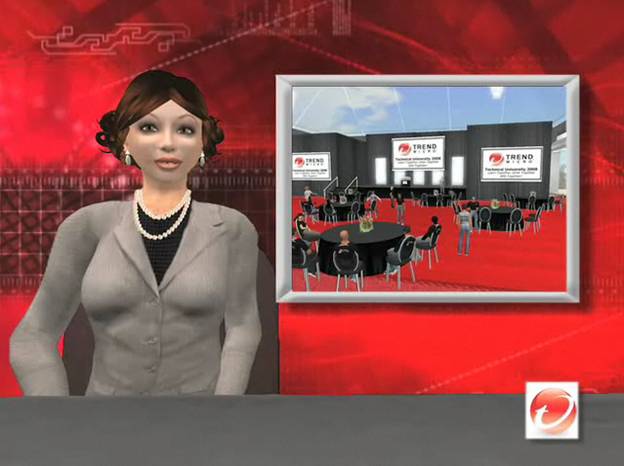
The Virtualis Convention and Learning Center is an island within Second Life that’s produced by California-based Corporate Planners Unlimited.  Trend Micro, a technology provider of endpoint, messaging and web security, recently hosted a 2-day live event within the Virtualis’ Second Life convention center.  Virtual Worlds News has detailed coverage of the event here:

http://www.virtualworldsnews.com/2009/02/corporate-planners-unlimited-growing-virtual-events-in-second-life.html

Dan Parks, President and Creative Director at Corporate Planners Unlimited (and Founder of Virtualis) is quoted extensively in this article regarding the demand for virtual events (and Virtualis), their cost efficiency and uses of Virtualis by other clients of his.  As interesting as the technology is (and it sure is cool), I found the virtual event planning (by Virtualis and Trend Micro) to be most interesting.

In the Virtual Worlds News article, you can view a 2 minute video overview of the event (given by a Second Life avatar / news reporter, no less).  Alternatively, the same video is available on this page: http://silverandgoldie.com/trendmicro.htm (Machinima by Silver & Goldie, who [presumably] produced this nifty segment).

Virtualis and Trend Micro named the event Trend Micro Virtual Technical University – an internal-facing training venue for 75 Trend employees (also called Trenders) across 5 locations.  Day 1 started with an introduction (and keynote of sorts) by Harry Coit, Trend Micro’s Director of Technical Support, North America.  Harry welcomed the Trenders, who sat around round tables in folding chairs.  Harry’s goals for the 2 days:

  • Collaborate
  • Building strong relationships
  • Have some fun

The in-world sessions were spread across two tracks – product sessions and educational sessions.  The product sessions provided product updates on emerging technologies, along with case studies on the latest web threats.  The educations sessions included creativity sessions, which were held in futuristic settings (where avatars sat around in Jetson-like furniture).

Trend Micro

Source: Trend Micro / Virtualis

For fun, the event included four unique technical challenges.  In a parachute challenge, avatars descended from the sky in parachutes and had to score points by grabbing balls that flew by.  A treasure hunt challenged participants to find specified items throughout the island – scores were tabulated and the top 2 teams squared off in a Trend Micro Tech Challenge – a live game show that was played in front of the entire audience.

Trend Micro

Source: Trend Micro / Virtualis

At the end of the first day, a night club hosted dancing, along with music from “one of Second Life’s most popular entertainers”.  All in all, quite a show.  I admire the attention to detail paid by Virtualis and Trend Micro in planning the events – this was truly a melding of virtual world benefits with the full trappings of an all-day physical (corporate) outing.  The typical applications of virtual worlds and virtual tradeshows –  lead generation, marketing, exhibiting products and services, internal training – has now taken on a new angle.  We’re now seeing internal training, complete with virtual team building!


Adobe’s Real World Launch Is Suppplemented With Virtual Launch

January 25, 2009

PRWeb / Adobe

Source: PRWeb / Adobe

When launching a product suite with “eLearning” in the title, what better a place to hold launch activities than the virtual world?  Last week, Adobe launched two new product suites, Adobe eLearning Suite and Adobe Technical Communication Suite 2.  This coming week, Adobe will be holding virtual launch activities of eLearning Suite in the virtual world of Second Life.  The virtual launch is the work of Moderne Interactive, a digital advertising agency whose practices include “custom and private virtual worlds”.  Details of the launch activities planned in Second Life:

Adobe Product Evangelist RJ Jacquez will lead an interactive demonstration from Second Life at Noon Pacific Time (12 p.m. SLT) both days. Jacquez will showcase the powerful features that the new Captivate 4 and eLearning Suite products can offer to education, government, and other communities. In addition to live product demonstrations by Jacquez, Adobe and Moderne representatives will be on hand to distribute free trials of the innovative software, to answer questions, and to direct users to further resources.

At 7 p.m. on Monday and at 4 p.m. on Tuesday, the Adobe eLearning Island will also hold a celebration of Second Life community that will feature resident Second Life musicians and artists who will share their talents with the gathered crowds.

A virtual world is a great place to demonstrate a product – vendors provide a rich, 3D representation of the product (or, in the case of software, a 2D representation of the actual software) and prospects can see the product in action.  Prospects may also be able to interact with the product directly.  Moderne Interactive and Adobe were wise to provide parallels to a physical launch – such as the free trial giveaways (of the software) and the obligatory musical entertainment.

What’s another neat feature of the virtual world?  The ongoing presence.  With a physical launch event, you tear down the event once the day is over.  Your booth comes down, you bring your product collateral and launch material back to your office and all participants go home.  With a virtual launch, you keep your launch material online, making it available 24×7 to anyone across the globe.  And that’s precisely what Adobe is doing:

During and after the launch events, Adobe will keep its eLearning Island open to the public to highlight its eLearning Suite and Captivate 4 products via, which launched early this week. The island features several interactive elements meant to educate and entertain audiences about Adobe’s eLearning products. Adobe’s eLearning Island can be reached in Second Life at the following location: http://slurl.com/secondlife/Adobe%20eLearning/38/38/37.

“Educate and entertain” – a great approach not only in leveraging the virtual world, but a best practice for launching a product in general.  If you’re a product evangelist (like RJ Jacquez at Adobe), a product marketer or a product manager, I suggest that you learn the logistics and customs of virtual worlds.  Pretty soon, your VP Products or CMO may have you supplementing your trade show and physical launches with appearances in the virtual world!

Here’s hoping that Moderne Interactive and Adobe provide some archived footage from their Second Life events for those of us who aren’t able to attend live.  After all, when RJ is providing a demo of Adobe Captivate 4, I’m sure someone else can be using that same software (in the real world) to record a screencast for us!  Best of luck on a great SL event.

Related links

  1. SLentrepreneur Magazine: Adobe in Second Life: Moderne Interactive Builds Immersive Learning Center for Adobe

Economic Downturn To Spur Virtual Job Fairs

January 10, 2009

On Friday, the U.S. Bureau of Labor Statistics reported that the nation’s unemployment rate hit a 16-year high of 7.2%, with 11.1 million Americans out of work.  Many of the unemployed are turning to sites like Yahoo HotJobs, Monster.com, Dice.com and Linkedin.  With such a wide pool of available talent, companies looking to fill positions will receive no shortage of attention (and job submissions). While this is a good thing for the hiring companies, they’ll be challenged to efficiently filter through the submissions and find the right candidates for the jobs.

Let’s consider today’s dynamic for hiring companies:

  1. Large potential applicant base (11.1 million unemployed)
  2. Applicants are cash-strapped
  3. Hundreds (or thousands) of submissions generated for a given job posting

What’s a good solution to address this combination of factors?  The virtual job fair.  With the unemployed less likely to incur expense to attend a physical job fair, placing the event online means that you’ll attract a larger (and potentially global) audience.  And while you won’t be face-to-face with potential hires, there are plenty of advantages of flooring such an event virtually.

First, let’s consider your job at the job fair. While your ultimate goal is to source attractive candidates, it’s just as important to sell your company (amd the benefits of working there) to these candidates. Some possibilities to consider for the virtual job fair:

  1. Place detailed information about the job (and your company) in your virtual booth – supplement with external links (back to your corporate site)
  2. Invite senior executives to the event (not just the hiring manager, but the hiring manager’s manager) – including your CEO!  Your CEO’s participation is quite possible with a virtual event, but may not be practical at a physical event
  3. Invite employees who hold the same (or similar) position – and have them network with candidates
  4. Host presentations about your company (e.g. webinars)
  5. Include on-demand video in your booth – so that candidates can hear (and see) from your company representatives
  6. Host sesssions in the event that show candidates how your company operates.  For instance, if you’re supplementing your software development team, stage a developer meeting for folks to observe. Virtual worlds like Second Life or web.alive can facilitate such a session. 

As for filtering through the candidates, you’ll want to review the chat transcripts that they had with your company representatives and review activity reports (e.g. booth visits, documents downloaded) to gauge their interest level in your company.  Additionally, work with your platform provider on applications you might leverage, such as surveys or quizzes to differentiate candidates.

On the attendee side, I recommend the following:

  1. Carefully select your avatar, since it’s a representation of you in the virtual world.  You’re sending a signal to your potential employer. Picking an unsuitable avatar is equivalent to attending a physical job fair unshowered and in your pajamas
  2. Take care in all your touchpoints.  Potential employers will be able to pick up on your writing abilities within text chat, for instance. Does your resume claim, “excellent written communication skills”?  Well, be sure to demonstrate them!
  3. Bring useful and relevant resources to supplement your candidacy – e.g. writing samples, code excerpts, etc. Additionally, look up potential employers online (e.g. on Linkedin) for additional context.

TMP Worldwide (parent company of Monster.com) hosted a number of virtual job fairs in Second Life during 2007.  EMC, Accenture, GE and U.S. Cellular exhibited, among other companies.  You can still visit the Network in World site here.

On January 14, 2009, P&G is hosting a U.S. Diversity Virtual Career Fair (full disclosure: my employer [InXpo] is powering this event).  I expect to see several more virtual job fairs in 2009, especially as job openings begin to pick up again from hiring companies.  If you have plans to attend or exhibit at a virtual job fair this year, leave a comment below with some details!


A Real Government Goes Virtual

January 4, 2009

Washington Post

Source: Washington Post

O Brave New World That Has Such Avatars in It! That’s the title of a Sunday article in The Washington Post by Michael Laris, in which he describes the efforts of the Arlington County (Virginia) government to create a presence in Second Life.  Here’s the basic idea:

Curious executives can swing by to gather market research aimed at luring grocery chains to Arlington. County officials can conduct presentations on an interactive white board as they promote the region to corporate prospects. And later this month, anyone interested will be able to join a confab on how to launch a business in Arlington.

Apparently, the Washington area has become a hotbed activity for virtual worlds:

The Bethesda-based National Library of Medicine, for instance, has created in Second Life a potentially noxious world of everyday health hazards called Tox Town, where clicking on a tower in a dusty construction site produces a list of the chemical properties of neighborhood runoff.

At the University of the District of Columbia, criminal justice students practice investigations and patrols and deal with such imaginary perp behavior as the attempted theft of Professor Angelyn Flowers’s pink convertible.

Other designers have created in Second Life a virtual Capitol Hill, where plans are afoot for a white-tie inaugural ball Jan. 20. Instructions are forthcoming on how to find a good tux.

I admire this initiative by Arlington County and encourage other governments (local, county, State and Federal) to follow suit.  I see the following benefits:

  1. The world becomes flatter and smaller, as governments get closer to their constituents (and vice versa)
  2. Governments may be able to save costs (imagine that) by utilizing the online/virtual world to connect with residents, rather than connecting in person at physical locations
  3. Assuming a critical mass of audience within the virtual world (I know, we’re not yet there), governments can efficiently distribute information, in the form of updated rules/regulations/bylaws, government news.  Also, how about regular visits by the County Executive within the virtual world
  4. Residents/constituents will feel more connected to their government, which will spur increased involvement in the community

The man behind Arlington’s virtual presence if John Feather, who is volunteering his time to make it happen.  For me, the following quote from Feather hits home:

For Feather, helping nudge the county into Second Life has opened a creative spigot.

In November, he started working on a 3D map of Arlington’s major buildings. Touching images on the map calls up Web pages about them, and he and his colleagues want to add real-time rent data and detailed visuals from architects and developers so that “when you click on that building, you go in the door.”

Such technology will eclipse standard Web sites, including the county’s, Feather said. “You’ll start to walk around places instead of going to flat pages.”

I agree – web pages will increasingly have the same 3D and interactive elements found in virtual worlds.  Web 2.0 has been fun, but the next phase of the Internet is going to be Web 3D-dot-oh.


Bringing Virtual Worlds to The Blind

December 30, 2008


IBM alphaWorks Services

Source: IBM alphaWorks Services

According to Wikipedia, approximately 40 million people in the world are blind.  IBM’s alphaWorks Services division has embarked on a noble project aimed to benefit these 40 million.  Called “Virtual Worlds User Interface for the Blind”, an overview can be found here:

http://services.alphaworks.ibm.com/virtualworlds/

And an FAQ document here:

http://services.alphaworks.ibm.com/virtualworlds/virtualworldsFAQ.pdf

The service currently works with Second Life (only), but IBM may support additional virtual worlds in the future.  If they do add such support, they’ll tie new virtual worlds into the existing client, so that users only need to learn a single application.

With the IBM application, a virtual world is rendered via text (no graphics) and sighted users have the ability to annotate objects of the virtual worlds via text descriptions or recorded audio.

The implementers chose to leverage some open source and off-the-shelf technology:

The user interface is a Web application, a thin client running locally in the Firefox browser that communicates with Second Life through an agent on our server. The application is implemented partly with the JavaScript programming language, and it uses Dojo Toolkit widgets to provide a virtual world user interface that is entirely keyboard-navigable and screen reader-friendly. Nothing is permanently installed on the user’s computer. 

The system also uses Quicktime (to play event sound prompts and verbal annotations) and NVDA (an open source screen reader).  IBM recommends the use of the open source software Audacity for recording the verbal narrations).

I commend IBM for this effort and admire the flexibility and openness they’ve chosen in the implementation.


Real Growth in The Virtual World

December 26, 2008

With a recession stifling business activity across the globe, what economy is expected to generate growth in 2009?  The virtual world economy, of course!  I believe that with consumers affording less these days, they’ll naturally spend an increasing amount of time online (in social networks and virtual worlds) and in video games.  Consider the following chart from Linden Lab:

Monthly User Hours from Second Life residents is at an all-time high.  Linden Labs’ data also shows that User to User Transactions had strong growth in 2H 2008 totalling over $100MM in Q3 2008 alone.  Strong growth should continue through 2009 for Second Life and other virtual worlds.  The virtual world platforms will benefit both from new member sign-ups, as well as increased activity from existing members.  We should see a network effect take place, where new users sign up via encouragement from their in-world friends.

Sale of virtual goods will also see strong growth.  Jeremy Liew of Lightspeed Venture Partners estimates that Facebook is generating virtual goods sales at a clip of $35MM per year.  That’s pretty good – and I expect that virtual worlds platforms can benefit from similar volume/revenue.  After all, virtual worlds are a natural venue to exchange virtual goods.  Linden Labs tracks user to user transactions and I think a trend in 2009 will be user to merchant transactions, in Second Life and elsewhere.

Another area of interest is in video games, where in-game advertising and commerce seem to be a natural fit.  I believe that gamers are more engaged in their activity compared to virtual worlds users or social networkers.  And while that may result in sensitivity to advertising, I think that relevant and useful ads can receive significant response rates and that in-game commerce can be huge.  We’ll want to watch this area in 2009 and beyond.


Interview with Ian Hughes, Metaverse Evangelist (part 2 of 2)

December 17, 2008

And here’s Part 2 of my interview with Ian Hughes, Metaverse Evangelist at IBM:

  1. What do you see as the biggest opportunity for users of virtual worlds? For users, well we are all users. As a user there is the opportunity to gather the right people, the right resources and do what you want to do. This applies to web 2.0 as much as to VW’s specifically in my opinion. That means as a social user, connecting with friends, as a business user connecting with customers and colleagues. As a mastery of these environments lets people choose to lead groups and people choosing to follow, to gather the right people they need to complete some task it removes the need for many structures that add cost and overhead. Virtual worlds and the web in general lets people get things done, just by doing it. With a connection you don’t need to find property to have an office, you don’t need to all be in the same physical place at the same time, local becomes global.  That leads to a new breed of entrepreneur, that already exists and that can be anyone. So there are a whole host of business problems that can be solved, and opportunities to be explored. In a sense it has made all business open source, not just the operating system, browser or software platform. That leads to innovation and opportunity. Or you can just have fun too 🙂
  1. What’s the best business use you’ve seen in a virtual world? Most of the best business uses I have seen really has been around internal communication inside the enterprise. To be able to seamlessly gather your colleagues for a meeting, to have a pre-event mingle as often happens, to then launch into the crux of the meeting with all the resources available to you, to action the decisions whilst in the meeting then to leave the virtual world and carry on. That is the best business use. That is done on all sorts of platforms, in all sorts of ways. It is not one application, not one use, but it does weave into general day to day workflow. The post event conversations, the serendipity, the memory of the meeting “oh when you sat opposite in Hursley house and you said….” are all fantastic secondary benefits to the one of not having to travel quite as much.
  2. What’s the neatest consumer application you’ve seen? One of my favourite consumer applications has to be Timeless Protoype’s multi-gadget in Second Life.  In particular the fact that it has those wonderful multi-chairs. They indicate to people the dynamic nature of the spaces in virtual worlds. You simply drop a chair and table, or fire and log, and if you sit down, it creates another chair, someone else sits and the circle widens again. Its an instant meeting point of reference, chair and table a little more formal than log and fire. Those chairs are all over the place, in many meeting places and for us in eightbar also seem culturally significant.
  3. What keeps you up at night? Trying to figure out why everyone has not got the point of all this yet, why there is still a fear, or a suspicion about how these things all work. Why the heck people don’t share more information with colleagues and friends. The important thing is not that we have the perfect implementation right now, because that can’t happen. 1) This has to keep evolving 2) even if it was perfect people would still be scared as there is a huge cultural change in communicating on the web anyway.
  4. What’s next? We should keep in mind there could be a revolution waiting to happen to. A mode of interacting that is not the common model that 99% of metaverses currently use, of avatars and islands, rooms, spaces.  The real what’s next though in my mind is 3d printing, or rapid fabrication. We have an increasingly cheaper way to make data come to life as a physical object. To make the virtual real. Virtual worlds then become a design and delivery platform for product. If you need something buy it online, don’t have it shipped, but print it out locally. Its taking the principles of long tail usually applied to data only products, like music and film and changing that to apply to mobile phone covers, cups and saucers, washers, toys almost anything. The 3d printers we have today are getting very much cheaper, the design tools for 3d have got more accessible with the rise of virtual worlds. We can have things designed, even try them out in the virtual world, buy them, use them virtually, but have them also brought into physical form. I had my avatar printed by http://www.fabjectory.com a few years ago now. The avatar is my design, my green hair, my leather jacket, my eightbar t-shirt and wearing the Reebok trainers bought and customized in-world.   Imagine being able to print anything you need anywhere in the world, a local 3d printer in a remote village would allow an engineer to deliver a solution to broken water pump in seconds, not require mass parts built all over the world, shipped all over the world and packaged in non eco-friendly boxes. Just print what you need, when and where you need it.  It’s not perfect, not there yet, but going the right way.  The rise of the fabricaneur  in virtual worlds is the next wave of manufacturing and design.