Virtual Worlds: Where We Were, Where We’re Going, What Does It Mean to YOU?

September 30, 2009

On September 25, 2009, FountainBlue held a conference at Sun Microsystems’ Santa Clara (California) campus.  The title of the conference, “Virtual Worlds: Where We Were, Where We’re Going, What Does It Mean to YOU?”.

What follows is an event summary and guest post by Linda Holroyd – CEO, FountainBlue

Introductory remarks, framing the discussion were provided by:

  1. Michael Gialis, New Business Development for Sun Microsystem’s Lab and Chief Technology Office, Founder of Virtual Worlds Roadmap Group
  2. Barry Holroyd, CTO, Masher Media

An Overview of the History of Virtual Worlds – What is it, Where Has it Been was provided by Benjamin Duranske, Associate, Pillsbury Winthrop.

Our first Panel Discussion: Virtual World Business Trends featured:

  1. Moderator Sibley Verbeck, CEO, The Electric Sheep Company
  2. Panelist Joshua Bell, Director, Technology Integration, Linden Lab
  3. Panelist Tim Chang, Principal, Norwest Venture Partners
  4. Panelist Benjamin Duranske, Associate, Pillsbury Winthrop
  5. Panelist Michael Gold, CEO, Electrotank

Our Second Panel Discussion: Virtual World Case Studies featured:

  1. Moderator Jeffrey Pope, Founder of Virtual Worlds Roadmap Group, Former Virtual Worlds VC and Virtual Worlds Entrepreneur
  2. Panelist Jack Buser, Director of Sony Playstation Home
  3. Panelist David Helgason, CEO, Unity
  4. Panelist Damon Hernandez, Lead, Web3D Outreach, Web3d Consortium
  5. Panelist Greg Nuyens, CEO, Qwaq

Below are notes from our conversation, along with resource links from our presenters.

Virtual Worlds offer a dynamic, ever-changing landscape of technology, community, interaction. Although Virtual Worlds have evolved over the past few decades, it is now coming to the mainstream, and its impact is deep and broad. It affects many facets of the way we do business from the financial, economic, technology and legal aspects, as well as HOW business is done, leveraging software the enables creative and dynamic interaction between people with virtual presences and online communities overall.

Virtual worlds are evolving from the walled gardens of the 1990s to more and more dynamic, interactive and creative sites that incorporate user content and creativity. This seems to be following the familiar evolution of the web itself; America Online and Prodigy became supplanted by more open browser standards from Mosaic.

Indeed, Virtual Worlds are evolving from a fad and a toy to a valuable business tool, serving and connecting various stakeholders. The graphics abilities introduced in the 80s and 90s brought in the era of avatars and games which were wildly popular, with some running still today. Now these graphics are being harnessed in virtual environments to effect value in a variety of non-game related use cases.

As more people got more deeply engaged, user communities arose and questions on policies, procedures and how users can interact and communities can grow arose. In addition, a business model evolution is now occurring where we are redefining who developers, publishers and retailers are and how they work together, as well as who is funding, marketing, and servicing these individual users and user communities. Users continue to raise the bar for what they can do and how they can do it, increasingly demanding more customized solutions and experiences tailored to themselves personally, and to the communities they join.

Adoption has not reached explosive double-digits figures yet for most virtual world communities, but with that said, in general the virtual worlds for kids sub-industry has benefited from the fastest and broadest adoption rate and continues to grow, showing that this is not a transient fad, but a real opportunity. Indeed, savvy publishers, manufacturers, producers and others selling to the kids market are factoring in web sites, books, toys, and virtual world communities as part of their marketing and outreach efforts. Successful examples of this maturing mass market segment include Webkins and Club Penguin.

Both panels remarked on the huge opportunities available in the media and entertainment industry. According to latest PriceWaterhouseCoopers Q2 2009 report, media and entertainment investments, totaled $115B, averaged $2 million per deal and totaled 52 deals, mostly from Silicon Valley (19), but also 10 from New York, and 6 from LA/Orange County. https://www.pwcmoneytree.com/MTPublic/ns/print.jsp?page=industry&industry=7100&region

The panelists and presenters had the following advice for virtual worlds entrepreneurs and intrapreneurs:

  1. The growth of an individual virtual world, and the industry altogether might grow in fits and starts, depending on technology availability, user communities, adoption of standards, bandwidth constraints and other factors. Awareness of these challenges and addressing them headlong, in collaboration with other stakeholders will help drive the growth of the industry.
  2. Minimize the barrier to adoption and drive the user base for your community: making adoption friction-less a critical factor for success. Make sure that there are no technology hassles (installing separate plug-ins and technologies), process hurdles (logging in, taking surveys, confusing steps), or marketing/branding confusion (they have to know where to go and that their trusted colleagues have recommended the experience), for example.
  3. Take advantage of the ‘Hybrid Tiered Solution’, where general users (about 85%) get in free, and a certain percentage (around 15%) pays through micro transactions for premium services and a smaller percentage (1-3% for example) pays for ongoing subscription levels. The successful organization will offer a solution which would serve the individual needs of all three types of users, treating them all as valuable members.
  4. Leverage the social communities (FaceBook, Twitter, iPhone, etc.) of the audience to leverage the growth of your community.
  5. Content is king. Everyone wants more content, richer interaction, more activities, more engagement, etc. The successful company offers solutions which engages users while also setting appropriate controls and boundaries.
  6. Focus on the needs of your target audience, whether they are frequent texters, or users of Twitter or FaceBook, creating a virtual world that lets them interact the way THEY want to will attract the audience you’re targeting.
  7. Research patents in your space, and consider IP issues associated with user-generated content. Find the edge of the law to remain competitive, but stay on the right side of the law to avoid litigation and other problems.
  8. Policies, regulations and enforcements in the virtual worlds space are rapidly evolving. Leverage resources to stay informed and be prepared to help shape, respond to these changes.
  9. Adoption of hardware such as headsets and webcams etc. will continue to occur, but not nearly at the pace of the evolution of software. Therefore, if your virtual world incorporates hardware components, create games which work with existing hardware, and leverage existing markets.
  10. Create a simple communication device to share information to the whole community, like a leader board, as it would generate discussion, invite more engagement, and help with the viral growth of the community.
  11. Ease of use can be defined as the first 30 seconds, the first 30 minutes, the first 30 hours, and the first 30 days. Strategies for retaining and securing users for each of the ‘first 30s’ may vary, but they are also inter-dependent, and must always focus on the needs of the customers.
  12. When designing a virtual worlds solution, speak to the people who would use it, like nurses or service station attendees rather than doctors (if they are not the ones who will use the solution) and managers (if they are not the ones serving the customer).

The panel raised some questions which could lead to hot virtual world business opportunities:

  1. What are the challenges and opportunities in synchronist and asynchornistic communication? How can solutions bring more people from more places together and more richly interact?
  2. How can virtual worlds assist with visualizing and modeling to support the innovation process and more cost-effectively make real technology- based solutions?
  3. What opportunities can data analytics and data visualization provide?
  4. Solutions across sectors offer opportunities. What might work for the education market, for example, might also serve a life science market. In addition, the technology for conducting a quest for a game might be adapted to organizational and productivity tools for businesses. What could this mean for YOUR company?
  5. What are the intersections of where gaming meets music or education or homework and what solution could you create to serve the needs of that market?

In summary, our panelists and presenters have shown and told us that Virtual Worlds:

  1. Are not only becoming more and more useful, they are also engaging and fun and potentially profitable.
  2. Are being adopted in different ways to create and serve communities for personal and business benefit.
  3. Are being increasingly more integrated into everyday business functions from training to education to service, branding and outreach. As such, challenges such as IP, security, privacy, and other factors will arise.
  4. Are mature enough that metaphors and examples exist, making it easier for potential customers and partners to understand new technology and business model solutions. Second Life, early games, Mosaic, Silicon Graphics, Tivo, Qwaq and other others have forged the business, technology and cultural grounds and helped grow the industry. They have been around long enough so tools and technologies and solutions are available, and the technology adoption curve is not as steep.
  5. Is not dominated by the US, as adoption of virtual goods and mobile platforms for example is 4-5x faster in Asia and Europe.

Additional information and resources:

  1. Presenting Entrepreneur Brian Bauer, OnTrack Health, winners in the Enterprise, Other Category (Collaboration in Health Care): http://ontracktechnology.blogspot.com
  2. Panelist Joshua Bell, Director, Technology Integration, Linden Lab http://www.lindenlab.com
  3. Linden Lab: Second Life enters the realm of the enterprise. Joe Miller, VP of Platforms and Technology Development, at Linden Lab talks to CNET’s Dan Farber about the challenges in developing dynamic and reliable backend operations for the 3D virtual world of Second Life. Miller also discusses how they’re incorporating new hi-tech conferencing tools for business users such as VoIP solutions and video streaming technologies. http://video.zdnet.com/CIOSessions/?p=310
  4. Linden Lab’s Blog on the Economy https://blogs.secondlife.com/community/features/blog/2009/04/16/the-second-life-economy–first-quarter-2009-in-detail
  5. Second Life Starts To Grow Again, Wagner James Au, Wednesday, April 15, 2009 http://gigaom.com/2009/04/15/exclusive-internal-second-life-data-shows-returning-growth/
  6. Panelist Jack Buser, Director of Sony Playstation Home: http://www.playstation.sony.com
  7. Panelist Tim Chang, Principal, Norwest Venture Partners http://www.nvp.com
  8. Presenting Entrepreneur Dustin Clingman, Immediate Mode Interactive LLC, winners in the Enterprise, Virtual Meetings Category: http://www.immediatemodeinteractive.com
  9. Presenter, Sponsor and Panelist Benjamin Duranske, Associate, Pillsbury Winthrop
  10. Entrepreneur with display booth, Andrew Filev, CloudMach, http://www.cloudmach.com
  11. Emcee and Sponsor, Michael Gialis, New Business Development for Sun Microsystem’s Lab and Chief Technology Office, Virtual Worlds Roadmap Group and Survey: http://virtualworldsroadmap.blogspot.com/
  12. Panelist Michael Gold, CEO, Electrotank http://www.electrotank.com
  13. Presenting Entrepreneur Sherry Gunther, CEO, Masher Media, winners in the Consumer, Six to Twelve Category: http://www.mashermedia.com
  14. Panelist David Helgason, CEO, Unity: http://www.unity3d.com
  15. Panelist Damon Hernandez, Lead, Web3D Outreach, Web3d Consortium http://www.web3d.org
  16. Presenting Entrepreneur Troy Hipolito, CTO and Owner, ISO Interactive, winners in the Consumer, Teenagers to Adult Category: http://www.isointeractive.com
  17. Presenter Barry Holroyd, CTO, Masher Media, http://www.mashermedia.com
  18. Presenting Entrepreneur Stevan Lieberman, SpotON3D, winners in the Enterprise, Other Category (Virtual Real Estate and Office Tools): http://www.spoton3d.com
  19. Entrepreneur with display booth, Greg Howes, IdeaBuilder, http://www.ideabuilderhomes.com
  20. Panelist Greg Nuyens, CEO, Teleplace, formerly Qwaq http://www.teleplace.com
  21. Demo presentation by Chris Platz, Creative Director, Sirikata, Stanford Humanities Lab and Computer Science, projects: Virtual Museum and Virtual Live Music Performance: http://www.sirikata.com and http://shl.stanford.edu
  22. Panel Moderator Jeffrey Pope, Founder of Virtual Worlds Roadmap Group, Former Virtual Worlds VC and Virtual Worlds Entrepreneur, and Founding Partner, Spark Sky Ventures: http://www.sparksky.com
  23. Presenting Entrepreneur Terry Thorpe, Chairman, KohdSpace, winners in the Enterprise, Virtual Events and Tradeshows Category: http://www.kohdspace.com
  24. Panel Moderator Sibley Verbeck, CEO, The Electric Sheep Company http://www.electricsheepcompany.com
  25. Demo presentation by Nicole Yankelovich, Principal Investigator, Collaborative Environments program including Wonderland v0.5, Sun Labs will demo the new features / functionality and capability of our re-architected platform: http://www.projectwonderland.com

In conclusion, the opportunities in the virtual worlds space are massive, with the convergence of technologies and markets and solutions. And it will take basic business principals, including strategic leadership and superior execution, constant education, lots of hard work, and a network of influential contacts to remain competitive in this rapidly growing and evolving space.

At FountainBlue, we support transformative leadership, one conversation, one leader, one organization at a time. We therefore hope that you have enjoyed the meeting, and that the meeting and these follow-up notes, along with the attached updated list of attendees, and the attached bios, provide you with both food for thought and great connections. We will also post our notes to our community on both BigTent https://www.bigtent.com/groups/fountainblue and LinkedIn and invite interactive conversations around these notes through those communities. Although we welcome you to share our notes, with proper acknowledgment to FountainBlue and our sponsors and speakers, we ask that you DO NOT forward the contact list as it is intended to be shared with fellow attendees only.


From Web 2.0 to Webinar 2.0

September 28, 2009

Source: flickr (User: Werkplay)

Source: flickr (User: Werkplay)

In this age of social sharing, participation, “users as publishers”, Facebook updates and Twitter tweets, the webinar is a seeming anachronism.  In your typical 60 minute webinar, the presenters speak for 45-50 minutes – and the only “participation” from the audience occurs when the presenter selects your question to be answered.  Users are not able to see questions submitted by other viewers – in fact, they rarely know how many other users are also viewing the webinar.

At the Feeding the SAP Ecosystem blog, there’s an interesting posting titled “SAP Virtual Events: A Work in Progress“.  Here’s a great quote about webinars:

Or the presenters drone on too long, overloading the audience with slides and not coming up for air until there is a few minutes left and the participants are too burned out to even attempt a last minute question. Webinars that incorporate reader chat and questions throughout the broadcast, rather than exiling them to a shrinking time slot at the end, are much more effective.

I agree wholeheartedly with this observation.  I believe that webinars can be much more engaging if they adopted an unconference model.  According to Wikipedia, “an unconference is a facilitated, participant-driven conference centered around a theme or purpose”.  As a webinar presenter (or sponsor), you’ll still want to define the topic and prepare a set of slides to reinforce your speaking points and presentation objectives.

But, what if you were to hand over some control back to the audience?  It requires a leap of faith, I know.  But when the audience is directly involved, I think you create a more rewarding user experience – and, you stand to benefit as well.  User involvement should directly result in engagement, retention and satisfaction.

Here are some simple ideas from Web 2.0 that can be applied to create Webinar 2.0:

  1. Audience drives the content selection – the presenter flips through two potential slides to the audience and then pushes out a survey to the audience.  The survey prompts the audience to select which slide they’d like to see covered.  The presenter then publishes the survey results and advances to the slide that won the vote.  This addresses one issue I’ve had with webinars – I attended the live webinar because the topic intrigued me; however, the content didn’t quite hit the mark.  If presenters gave more control and input to the audience, they’d have a better chance of giving viewers what they want.
  2. Audience members render their own slides – akin to a virtual meeting (e.g. WebEx, GoToMeeting, Adobe Connect), where the meeting host passes control to another participant, who then shares his/her desktop.  For webinar platforms that support this, imagine how powerful this could be.  Viewers would need to know to come prepared with slide content – but imagine the presenter asking for real-world case studies of a given technology and allowing a viewer to render a slide about his real-world implementation experience.  Again, this is a leap of faith and a “risk factor” in surrendering control of the content.  However, isn’t that what Web 2.0 is all about?
  3. Better balance between PowerPoint content and Q&A – a typical webinar has an 80/20 split (or more) between the PowerPoint presentation and Q&A.  I think it should be more like 50/50.  Scheduling frequent pauses (to answer questions) provides a lot of value to viewers – it means that they don’t have to wait until the 50 minute mark to have questions answered – and it signals to the audience that the presenters are “listening” to them.  Along these same lines, the webinar platform should allow all viewers to see all questions submitted by attendees.  And to cap it all off, follow up after the webinar by publishing an FAQ – list commonly asked questions along with their answers.
  4. Answer questions coming from the statusphere – define a Twitter hashtag for your webinar and have staff available to monitor the tweets – then, have presenters address and answer interesting questions that were posed via Twitter (and other social tools).  This allows you to extend the audience of your webinar – and engage with users who might not be able to attend.  Additionally, have staff members tweet back (with the answers), so that users monitoring the tweet stream know that you’re not only listening, but participating back.

I’m sure we’ve just gotten started – what tactics do you have to recommend for bringing Web 2.0 to Webinar 2.0?


How To Create A Vibrant (And Virtual) Business Community

September 25, 2009

Source: flickr (User: Samuele Storari)

Source: flickr (User: Samuele Storari)

The virtual events industry got its start in replications of a physical trade show or conference – the very first virtual events were virtual tradeshows, whereby platform providers re-created the look and feel of a physical trade show within a web-based environment.  These sorts of virtual events continue to gain traction and I expect to see continued growth as additional corporations (and entire industries) enter the mix this year and into 2010.

Due to the flexible nature of virtual event platforms, however, we’re seeing parallel growth occurring via many other virtual applications that ride atop the same shared infrastructure and platform.  As I wrote in a blog posting titled “Virtual Events: Available In Many Flavors“, we’re seeing virtual job fairs, virtual sales kickoffs and virtual partner summits running on vendors’ virtual event platforms.

Another application/venue that’s gained traction in 2009 is the virtual business community.  Rather than a discrete and fixed event that occurs over a live date (or a series of live dates), the virtual business community is a 365 day/year service that users leverage for explicit business benefits.  In my opinion, the Intranet of 2001-2008 will be moving towards virtual business communities, powered by the same platforms that service virtual tradeshows.

For me, the concept of intranet does not inspire much excitement or enthusiasm.  I’ve used intranets to find information (specifications, pricing, a phone number, etc.), but have never yearned to log into the intranet while bringing up my morning email.  “It’s just there” was the mentality I used to have.  I believe that virtual event platforms can create a vibrant and virtual business community, significantly moving the intranet concept up the value chain.  In fact, the business community becomes a virtual office, tearing down physical walls (and cubicles) to turn a globally distributed workforce into a close-knit and collaborative team.

Here are key tactics in building a vibrant business community:

Get users to keep coming back

You want your user base to login to the business community each morning before they even fire up their email client.  In fact, a truly successful business community may support email-like communications within the platform, making users less dependent on email.  To get your users to return over and over, you need:

  1. Content – it needs to be timely, relevant and useful.  Business-critical content should be housed here – the type of information that users need to get their job done – pricing sheets, internal contact information, customer contact information, product documentation, competitive analysis, etc.  Don’t lose sight of the timely angle – have your executives post company updates/news and make them available via videocasts or video webcam.
  2. Network effect – a bit of a chicken-and-egg problem here – but, you need to get a critical mass of engaged and sought-after employees interacting in the business community.  Once you have that critical mass, you’ll see the community grow, as the “draw” will be access to and interactions with key colleagues.  This is the same network effect that AOL Instant Messenger, Facebook and Twitter enjoyed – users sign up because their friends, family or colleagues were already there.
  3. Enable social and interactive tools – today’s intranet needs to be empowered with the capabilities of AIM, Skype, Twitter and Facebook.  This way, I not only find documents to download, but I interact with key people who have the answers I need.  If I’m a product manager and need an answer from a lead software developer, he might not answer my phone call or return my email right away, but if I connect with him via text or video chat, perhaps he will.  After all, I’m finding him in an (online) environment that he’s most comfortable operating in.

Enterprise-enable your Business Community

Today’s most successful social networking sites/services are used in a consumer setting (i.e. friends and family) – ask yourself what makes them successful and determine how those features can be adopted in a 100% (internal) business social network.  I could see parallels of the following services made available internally within the business community platform:

  1. flickr
  2. Yahoo Answers
  3. Skype
  4. Facebook
  5. Twitter
  6. StumbleUpon
  7. del.icio.us
  8. Google
  9. digg

The key, I believe, is not just to enable social tools for the sake of being social – it’s to enable social tools while simultaneously connecting those tools to your business applications and business processes.  Possible ideas:

  1. Integration with your HR / Human Capital Database – if you have a rich profile on each employee (birth date, interests, job function, etc.), expose shareable information within your social tools and auto-fill that information to make it convenient for all users.  So if I’m sending out an internal tweet, my user ID is hyperlinked to a rich profile that describes all shareable information about me and my job role.
  2. Integration with CRM Database – are users posting links to industry news and analysis?  How about doing a keyword search by company and matching those up to sales opportunities in your CRM database?  If an article was posted about Acme Corporation’s latest product launch, let Acme’s sales rep know, so that she can contact them about applicable services that you offer.
  3. Integration with ERP systems – perhaps a crazy idea, but what if you could tweet about your latest business trip and have the expense management system parse your (internal) tweet and auto-generate a row in your online expense report?

All told, the possibilities are endless and quite exciting.  I foresee the virtual business community (powered by a virtual event platform) to be a significant trend in the coming year.  I believe this to be the future of the intranet for 2010 and beyond.


How To Run A Virtual Event Command Center

September 19, 2009

Source: flickr (User: Verizon Business)

Source: flickr (User: Verizon Business)

Your extended team worked weeks and months to plan and strategize for your virtual event – now, it’s time to deliver.  While your attendees enjoy the convenience of joining the virtual event from anywhere, the functional leads on your team ought to convene in a single physical location while supporting the event.  As I wrote in a posting on Virtual Tradeshow Best Practices, it’s a good idea to set up a virtual event war room – or, what I prefer to call a Command Center.

The notion is ironic – attendees gather virtually, but the support team gathers in person?  Well, there’s tremendous value to face-to-face when supporting a large scale event.  The benefits include:

  1. Instant communication – If I discover an important issue, I can yell out my discovery and have the entire room hear me.  Those responsible for addressing the issue can jump right onto it.  I suppose you could set up an audio conference bridge to accomplish this sort of coordination, but sitting around the table (in the same room) makes it all the more convenient.
  2. Better facilitates instant collaboration and problem solving – if there’s an issue that requires triage, I can lean over and look over the shoulder at my colleague’s monitor.  We can troubleshoot the issue together and call over other functional leads as necessary.
  3. Quick turnaround on requests –  in any virtual event, there’s a series of requests that one functional team requires another to implement.  Rather than handle the request communications via email or IM, it can be easier to walk to the other side of the room, communicate what’s needed and receive instant confirmation that the request is being addressed.
  4. Builds camraderie – whether it’s the large cheer in the room when the two thousandth attendee enters or the laughing and joking at a team member’s expense, being in the same physical location builds a sense of team closeness and camraderie that’s hard to achieve over a conference bridge.

I fully expect that technologies will emerge to make a virtual command center an intriguing possibility – for now, however, I’m a firm believer in gathering the support team face-to-face.  Here are some best practices in configuring and running the command center:

  1. Carefully select the command center staff – you don’t want too many people in the room – however, you do want a lead from each functional area (e.g. Operations, Engineering, Marketing, Strategy, Communications, Support, etc.).  Make sure the right staffers are present – and communicate to the rest of the extended team via IM, email and virtual meetings.
  2. Arrange the command center seating strategically – similar to how a business might arrange employees’ cubicle assignments, determine the common collaboration paths – and seat applicable combinations of people close to one another.  This way, Operations doesn’t need to walk across the room to huddle with Engineering – instead, they can tap one another on the shoulder.
  3. Configure large-screen displays with dashboards – use the displays to show the virtual event in action – also create dashboards of key metrics that allow the team to spot trends or issues.  For instance, a real-time graph of simultaneous users can flag a system issue if the upward trend line suddenly drops.  Additionally, use displays to monitor attendee feedback, such as chat room activity and Twitter comments.
  4. Schedule regular checkpoint meetings – make sure the team has a chance to stop what they’re doing and take a step back to collectively review where things stand.  You want to provide a summary of recent happenings (or metrics), highlight issues that need addressing and identify any key trends for the team to be aware of.  Take a moment to review your key metrics and ask all functional leads to provide an update.  With everyone moving at a fast pace, it’s important to pause and get a handle on the bigger picture.

And finally, what’s one last benefit of the command center?  At the successful conclusion of your big event, you all get to go out together for the celebratory dinner.


The Advantages Of Virtual Meetings

September 5, 2009

Source: Forbes Insights

Source: Forbes Insights

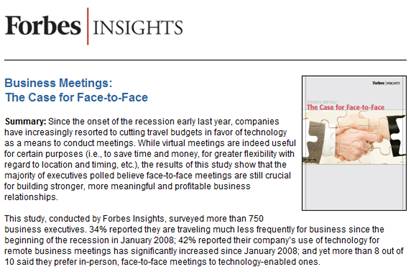
Forbes Insights published a study titled “Business Meetings: The Case for Face-to-Face“, in which the key finding was this: “the majority of executives polled believe face-to-face meetings are still crucial for building stronger, more meaningful and profitable business relationships.”  Excellent points were made in the blogosphere this week regarding this study:

  1. Forbes in a Funk over Virtual Meetings and Events (Virtual Edge)
  2. Virtual Augments Face-to-Face – Reply to Forbes and HSMAI Surveys (Virtual Insights | InXpo)

I don’t wish to question the conclusion of the Forbes Insights study – nor do I wish to have a debate on “face-to-face vs. virtual”.  Despite the fact that I’m passionate about virtual, I’m a true believer in the value of face-to-face.  What I would like to highlight is that face-to-face and virtual have unique capabilities.  Meeting planners must consider these capabilities and apply them appropriately.

With virtual, an often-touted benefit is that they’re green and carbon-friendly.  And while that’s certainly a nice side-effect, I think it’s important to focus on unique in-meeting capabilities of virtual – here are a few that come to mind:

  1. Participatory training with seamless presenter transitions – while it’s true that a face-to-face meeting is hard to beat with regard to audience participation – in a virtual meeting, there’s still plenty of room for audience participation.  In fact, with a shared whiteboard, participants can annotate a technical diagram simultaneously, which is trickier to do with more than 2 people (annotating) in a physical space.  In addition, participants can be “handed the ball” and take turns serving as the presenter – without having to stand up, walk to the front of the room and plug their laptop into the projector.  In an instant, a new presenter can start sharing her desktop applications for the rest of the meeting participants to see.  In a 3D virtual meeting (e.g. Second Life, Lotus Sametime 3D), participation becomes even richer, allowing medical students, fighter pilots (in training), computer technicians, etc. to learn by interacting with 3D objects.
  2. Meetings On Demand – what if your technical meeting needed to split up into a set of smaller focus groups?  In a physical meeting, you’d need to gather up each sub-group and go seek out new conference rooms (or, migrate into corners of the same room, which could be distracting for everyone).  Or, take another scenario whereby a senior executive wants to faciliate an ad-hoc face-to-face meeting during the coming weekend – all required participants would then need to make the necessary travel (and lodging) arrangements to get to the meeting venue.  With virtual, meetings are truly on demand – you create the meeting with the click of a mouse and the participants arrive with the click of a mouse.
  3. Putting the cards on the table – while this is difficult to quantify or prove, I believe that participants are more “at ease” in a virtual meeting and more likely to reveal thoughts that they’d otherwise be hesitant to do in person.  A virtual tradeshow is a good example.  Exhibitors have found that visitors to their booth are more transparent and revealing about budget, timeframe, decision making process, etc.  – when interacting via text chat.  The same person in a physical booth may be hesitant to reveal those details.  So for meetings that can stand to benefit from more transparency and openness (and not all of them do!), virtual can be a boon.
  4. More efficient person-to-person interactions – if you’re the chief executive of a company with 500 or more employees, I’m sure it’s hard for you to achieve the same quality time (with employees) as when you had 50 employees.  If you assemble the company at a physical meeting, it’s a challenge to mingle with the crowd and achieve any true quality – you’ll be more akin to a president or dignitary, who walks down a receiving line shaking hands and patting folks on the shoulder.  If you invite the same 500 employees to a virtual meeting or virtual event, you’ll find an easier ability to have meaningful interactions (via text chat) – including the potential to carry on multiple chats at the same time.  Employees will also find that they receive more access to the chief (and other execs) than they would in a (crowded) physical space.

So those are some advantages that come to mind for me.  What advantages have I missed?


The Importance Of The Virtual Event Debrief

August 30, 2009

postevent_review

Philosopher and essayist George Santayana was quoted as saying, “Those who cannot remember the past are condemned to repeat it”.  With virtual events, the “past” is fairly recent.  However, the spirit of Santayana’s quote holds true – we need to learn from our prior virtual event in order to make the next one better.

In the virtual events I’ve worked on, the conclusion of the virtual event is very much like crossing the finish line of a marathon – you’ve worked and trained hard and now it’s time to unwind, rest and relax.  The team that worked on a virtual event often has to move on to “the next project”, without much time to reflect on the event that just concluded.  As a virtual event show host, it’s your job to round up the team for a debrief meeting – you’ve all completed the marathon, but now it’s time for the half-mile cool-down jog to reflect back on the race.

The keys to a virtual event debrief:

  1. Define, measure and review virtual event goals and metrics – the first step in the debrief has to occur prior to the start of the project.  During or before your kick-off meeting, you and your team need to define the goals of the virtual event – and the associated metrics that you’ll use to quantify those goals.  Whether it’s “maximize sponsorship revenue”, “maximize user engagement” or “generate leads for exhibitors”, you’ll want to define measurable and non-subjective data points to serve as the basis of your virtual event report card.  So the first segment of the debrief is to review the data (i.e. the measured metrics).
  2. Review what worked – a combination of the metrics results – and, more subjective/anecdotal feedback regarding the overall event.  The key here is to understand why (or how) it worked and determine whether you want to repeat that success in your next event.  For the most part, what works in one virtual event should be carried over into the next.
  3. Review what didn’t work – again, a combination of metrics plus anecdotal feedback.  This is one of the most important components of the debrief – be honest in your assessments of what didn’t work – so that you are not “condemned to repeat it”.  My experience has been that when things don’t work, the reasons are usually “not enough lead time” / “too rushed”, “communications mix-up”, “human error” and “mismatch in expectations”.  Another category is “technology issue”.  I believe that all of these are correctable, with technology being the most straightforward and human error / communication / lead time being a bit trickier to nail down.
  4. Review and judge your constituents’ experiences – different event types will have difference constituents.  In a virtual tradeshow, the constituents include yourself (show host), attendees, exhibitors and presenters.  You may want to ask each constituent to complete a survey that’s specific to their experience.  Did attendees find the content useful?  How about the event experience – was it easy to navigate?  Did exhibitors have meaningful interactions with attendees?  For speakers, did they find the webcasting presenters’ interface intuitive?  Each constituent in a virtual event is important – if they were not 100% satisfied in this event, make it a goal to achieve 100% in the next event.

With the growth we’re seeing in this industry, chances are that when one virtual event concludes, you’re rushing off to your next one.  My recommendation is to stop and take a breath.  Take the time to gather the team and do a debrief.  Then, document the debrief and be sure to review it before you start planning the next event.


Virtual Events: Available In Many Flavors

August 25, 2009

Source: flickr (User: rkeohane)

Source: flickr (User: rkeohane)

In my Virtual Events Year In Review: 2009, I summarized key trends that I witnessed in the virtual events industry this year.  The trends for 2009 included global adoption, emergence of new industries (as virtual event show hosts), emergence of hybrid (virtual/physical) events, the shift to ongoing communities and the shift to multi-day events.  There was one trend I neglected to include – and it may be the number one trend for 2009: virtual events in many flavors (aka virtual events take on many shapes and sizes).

Virtual tradeshows still constitute the majority of virtual events in 2009 – however, new flavors emerged (or generated strong growth) in 2009.  Here’s how they’re different from virtual tradeshows:

  1. Virtual Job Fairs – first off, virtual job fairs are quite similar to virtual tradeshows, especially in structure.  There are exhibitor booths, lounges, presentations (live Webcasts or live Video), prize giveaways, a document Resource Center, etc.  Here’s a big difference with the job fair, however – attendees pursue the exhibitors more than the exhibitors pursue the attendees.  The virtual job fair brings a rather engaged attendee, who’s more keen to visit booths and interact with exhibitors (hiring companies) than typical virtual tradeshows.  Hosts of virtual job fairs will want to work with their virtual event platform provider to create unique tools/applications within the show – for instance, a resume wizard (builder), resume submission tools, attendee<->exhibitor match-making (i.e. find the right job for you – find the right candidate for the hiring company), etc.
  2. Virtual Sales Kickoff – that’s right, the annual sales meeting (for some companies) is moving 100% virtual.  Michael Doyle of Virtual Edge published an interesting article on Cisco’s Global Sales Experience.  For most companies, the goal of an annual sales meeting is to bring the entire salesforce together, reflect back on the past year (acknowledging and rewarding sales reps for their efforts) and talk about the year ahead (set priorities and goals).  Similar to a virtual tradeshow, education (e.g. live sessions) is a focus for this type of event.  Unlike a virtual tradeshow, however, there’s less pitching and selling (from exhibitors to attendees) and the need to network (e.g. find new contacts) is lessened.  It’s incumbent on show hosts to make the virtual sales meeting fun and engaging, as attendees are used to going out for dinner, drinks and parties after physical sales meetings.  Virtual cocktails don’t work too well, so be sure to make the virtual experience memorable and fun.
  3. Virtual Partner Summits – a virtual event platform makes perfect sense for a b-to-b vendor’s partner / reseller network – gather the network of partners virtually, give them the training and tools on your products and services and allow them to network with one another.  You improve relations between you and your partners – and, you encourage resellers to partner together to create joint solutions for the market.  Cisco Virtual Partner Summit ran concurrently with a Boston-based physical Partner Summit (June 2009).  Oracle has similar plans for a virtual partner summit.  PartnerPoint has created a 24×7 virtual community “to help connect Microsoft Customers with qualified Microsoft  Partners from around the globe”.  While virtual tradeshows tend to be “lead focused”, virtual partner summits revolve around networking among exhibitors [peers] – they’re unique in that the exhibitors and attendees are one and the same.

My prediction for 2010 – these three flavors will gain further adoption.  Virtual tradeshows will still carry the majority – however, we’ll be seeing more and more off these flavors, in the following order:

  1. Virtual Sales Kick-off
  2. Virtual Partner Summit
  3. Virtual Job Fair

Virtual Events: Year In Review 2009

August 18, 2009

virtually_actionpacked

Coming into this year, I considered 2009 a taking-off point for the virtual events industry.  Sure, virtual events and virtual tradeshows have been around for some time, but I felt 2009 would see enormous growth (in both event volume and in the breadth of industries entering the mix), as virtual event organizers (and virtual event platform providers) pushed the envelope with new technologies and new event models.

From my perspective, this has come to fruition – 2009 has had so much activity and excitement that I’ve decided to publish my year in review before the summer is out!  And maybe I should re-label this – I don’t intend to provide a review of the entire year – but rather, highlight the important trends that I’ve noticed in 2009:

  1. Virtual events go global – since I reside in the United States, it’s not surprising that many virtual events I hear about are produced by U.S.-based show hosts  (e.g. b-to-b publishers, corporations, etc. based here).  In 2009, I saw a marked increase in virtual events outside of the U.S. – including those for a global audience and those targeting a specific geography.  I saw a few “24 hour consecutive” virtual events that sought to follow the sun.  I saw the launch of ExpoNZ (a global showcase for New Zealand) and virtual job fairs in Europe, powered by IMASTE.  I expect to see this trend continue into 2010.
  2. Many new industries come on board – prior to 2009, b-to-b publishers and technology vendors took up the lion’s share of virtual events.  That’s no longer the case now.  In my Virtual Events Calendar, you’ll see events from the following industries: pharmaceutical, packaging, consumer goods, mortgage, travel, healthcare, retail, textile.  I’m sure there were other industries (not listed here) that saw their first virtual event in 2009 (e.g. auto, financial).  Expect this trend to continue as well – in 2010, additional industries will surely enter the mix.
  3. The emergence of hybrid events – it’s only logical to complement your physical event with a virtual component.  In the technology space, SAP and Cisco ran virtual events concurrent with their annual customer conferences.  In the minds of the virtual events industry, this trend is quite clear, as more and more physical events will be expected to have a virtual component.  I haven’t yet seen a scenario whereby a physical event was produced to complement an existing virtual event – so perhaps that’s a trend to come in 2010.
  4. The shift from event to ongoing community – the use of live show dates will continue with virtual events – but increasingly, show hosts are looking to take the audience generated for the event – and support post-event continuation, in the form of an ongoing community.  Virtual events are shifting from a single (or multi) day focus – to one of a 365 day/year community, sprinkled in with pre-scheduled live dates throughout the year.  Working hand-in-hand here is another important 2009 trend – the integration of social networks into virtual events.  Jeremiah Owyang had a very interesting blog posting on this topic.
  5. The shift from single-day to multi-day events – prior to 2009, the typical virtual event ran during the business hours of the show host’s local timezone (e.g. 9AM to 6PM ET).  In 2009, we witnessed some 24-hour consecutive virtual events, along with an increasing number of events that ran for 2 consecutive days or more.  Part of the multi-day trend runs in parallel with the hybrid event trend – for physical events that run multi-day, it’s only natural that a virtual event also span more than one day.

And that wraps up my 2009 trend watch for the virtual event industry.  Let me know which trends I missed!


Virtual And Social Technologies: A Perfect Fit

August 12, 2009

virtual_social

Jeremiah Owyang has an interesting posting on his Web Strategy blog titled “Web Strategy: How To Integrate Social Technologies with Virtual Events“.  Jeremiah notes that the integration of social technologies should apply to both virtual and physical events – by way of these principles:

Three Principles Of Modern Events
To be successful, virtual –and real world– event planners must abide by the following principles:
1. Events should integrate with existing communities and social networks where they exist.
2. Events should have a strategy that includes the before and after –not just during.
3. The audience can assert control over the event, so encourage audience participation and know when to get out of the way.

I left the following comment for Jeremiah:

blog_comment

I’m a big fan of social networks – today, my primary networks are Twitter, Facebook and Linkedin.  That being said, I’ve considered today’s social networks to be a Version 1.0 of Web 2.0.  Now that social networks have built a critical mass of audience/community, I think that some key technologies can advance us to Version 2.0 of Web 2.0.  Some examples:

  1. Presence Indication – While Jeremiah blogs that email was the first social network, I think of instant messaging as the dawn of social networking.  So all the way back in the mid 90’s, we had a technology to allow us to connect with friends, family and colleagues – and, provide presence indication.  I knew if my mom, colleague or best friend was online – and if they were online, they could indicate to me whether they were available or “Away from my desk”.  While some social network sites include in-page presence indication (including Facebook, with its Facebook Chat), I’m surprised that presence indication (and chat) have not been more tightly integrated into the core service of social networks.  If I’m running a social network site, but my users are using AOL IM or Skype for presence indication and text/webcam chat, then I’d want to build better presence/chat tools into my core platform.  Or, integrate existing technology, so that my users launch their IM client within my service.
  2. Personalized Spaces – Facebook has done a great job in allowing me to post pictures, videos, links, status updates, etc.  What about blending the existing technologies/applications within Facebook with virtual world technologies to create a virtual room (for personal use) or a virtual office (for b-to-b use).  Vivaty is thinking along these lines, as they’ve integrated their 3D virtal world technology into Facebook.  So within Facebook, I can build a personalized room with Vivaty and invite my friends (or colleagues) to visit and interact with the objects I’ve placed in that room (e.g. perhaps a link to a movie review).
  3. Profile Matchmaking to Extend Your Network – Virtual Event technologies have their roots in b-to-b use, in which virtual event show hosts tend to collect a deep registration profile on attendees.  This provides data points that allow the virtual event platform to recommend  like-minded attendees (who have similar profiles).  For personal use of social networks, matchmaking may not be relevant – you know whom your friends and family are and you’re probably not inclined to go find new friends (with the exception of a social site for online dating).  In a b-to-b setting, however (e.g. Linkedin), profile matching can be very powerful, as it allows you the potential to extend your network.  B-to-b networking sites that combine presence with matchmaking can create a powerful combination – imagine that I find like-minded people.  Instead of pressuring them to accept me as a connection, I can chat with them (based on presence indication) and introduce myself.  Later, both parties may be comfortable enough to become connections within that social network.

I’d be interested in your thoughts – what related technologies should social network sites look to build or integrate?


Low Cost Options For Virtual Events And Communities

August 5, 2009

Source: flickr (User: businesspictures)

Source: flickr (User: businesspictures)

Can you run a virtual event with zero budget?  Maybe, but maybe not.  Let’s consider one use case – the B-to-B Editor or Editorial Director.  For the Editorial side of b-to-b publications, virtual events can be quite productive and rewarding.  They put you in direct contact with your readers, allowing you to engage via interactive tools (e.g. text or webcam chat) while both parties remain in the comfort of their office or home.

During the virtual event, attendees (who often come from across the globe, no matter what the time of day) can provide direct feedback to Editors regarding the event content, theme, speakers, presentations, etc.  Often, Editors will also receive input regarding the online content they’re publishing (on their web site) – and even find sources for upcoming articles.  I’ve spoken to a number of Editors who were thrilled about the attendee/reader interactions they experienced at a virtual event.

There’s an economic model to a virtual event, however – and that rests on the fact that the event needs to generate revenue – enough to cover the cost of the event, with room for a profit margin.  Thus, at a b-to-b publisher, it’s not the Editor that drives the virtual event, but rather the Publisher, VP Sales or Sales Director.  If there’s no forecasted revenue around a particular event topic, budget isn’t approved and the event has no funding to move forward.

I was recently contacted by an Editor, who was interested in pursuing virtual events (or virtual communities) – he wanted to facilitate interactions around new topics.  However, as with many new topics, they were not mature enough to achieve the right revenue model for the Publisher.  As such, the Editor asked me for available low cost (or no-cost) options.  Here were my initial responses:

  1. OpenSim – according to the FAQ, “OpenSim is a platform for operating a virtual world, and supports multiple independent regions connecting to a single centralized grid. This is somewhat similar to the web, where anyone can run their own web server, tied together through the internet. It can also be used to create a private grid, analogous to a private intranet.”  I noted that OpenSim has no hard cost, but there’s soft cost (e.g. your time).
  2. BlogTalkRadio – a web-based, free service that allows you to create your own Internet radio show.  Your host and your guests call into a standard telephone bridge and the audio is streamed over the web in real-time.  For the free model, you may have house ads served up around your content – there are premium service options available, however.

So my off-the-cuff response was based upon two concepts: (1) try out a no-cost, 3D virtual world environment and/or (2) generate a community discussion (via streaming audio) with no hard costs.  In thinking about my response further, however, I realized I could do better.  First, about OpenSim.  I think OpenSim is great, but it’s probably not the tool of choice in this particular scenario.

First, the build instructions and configuration instructions indicate to me that a fairly technical person  (e.g. SysAdmin) needs to build out your grid.  Second, end users (e.g. the Editor’s readers) need to install an OpenSim client in order to participate.  That might work in some industries (e.g. a gaming publication), but probably not for a b-to-b audience (as they rarely use an OpenSim / SecondLife client on their work computer).

BlogTalkRadio has a lot of potential – in fact, I think b-to-b publishers would be well served by hosting live broadcasts for their readership.  However, the nature of a call-in radio show (even if you have active callers participating) is fundamentally different from the private and group chat activity that occurs in a virtual event.

Source: Metaplace

Source: Metaplace

Taking all of these considerations into account, I felt that Metaplace might be an interesting solution – it allows the creation of a customized 3D world (with avatars) that requires no software download (as it’s Flash based) and can be easily embedded in web pages or blogs.  That may fit nicely at a b-to-b site – in relevant blog postings or article pages, you cam embed the Metaplace world.  So you pair your created 3D world (it’s theme) with content you’re already developing  for your sites – and then use reader traffic to drive participation in the Metaplace world.  And then that community can grow on its own (hopefully).  Again, no software download and no hard cost.

After all that, I’m still not satisfied with my answer – what tools or technologies would YOU recommend to this Editor?