Comparing Virtual Events and Virtual Communities

April 30, 2009

While virtual event platforms can certainly support a 365 day-per-year virtual community, my estimate is that 95% of the use case (today) on these platforms is for the single day or multi-day live virtual event.  I’ve seen some pick-up in the “ongoing community” concept and I believe that by this time next year, the 5% share (for virtual communities) will be more like 15 or 20%.  As I’ve written several times before, there are plenty of ways in which a virtual event platform can support a virtual community:

  1. The future of newspapers as virtual communities
  2. Online dating, powered by a virtual event platform
  3. An ongoing virtual crisis center to combat swine flu

There are important distinctions to keep in mind when considering a virtual community.  If you’re a veteran of virtual events and want to consider the community concept, I outline five key differences between the two – differences that will change the way you fundamentally plan and execute each one.

  1. Outbound marketing vs. inbound marketing – with a live virtual event, 90% of your registrant and attendee base will come from outbound marketing.  And today, most of that outbound marketing comes in the form of email blasts to assorted lists.  With a virtual community site that’s available 365 days a year, attracting an audience is more about inbound marketing – such as search engine optimization (SEO) to attract visitors to your community from search engines.  You’ ll want to complement the inbound marketing with some outbound promotion, but you’ll start to wear out your lists by promoting your virtual community site too often.  One common tactic is to use social media (e.g. Facebook fan page, Linkedin Events listing, Twitter, etc.) to drive visitors and attendees to your virtual event and virtual community.
  2. Local vs. global access – most live events take place during the course of a business day – and typically within a narrow timezone (e.g. the schedule is arranged around a US/Eastern or US/Pacific schedule for US-based events).  While I’ve seen attendance at North American work-day events from visitors across the globe, it’s the middle of the night for these folks – so 60-80% of the audience participate from the local timezone(s).  So for live events, the top priority of the virtual event platform is to support the local language at that timezone (e.g. English).  For a virtual community, access is 7x24x365, which means that all languages can apply.  As such, the virtual event platform ought to support rendering in as many languages as possible, both single and double byte.
  3. Concentrated vs. intermittent audience – live events are great, because a large and captivated audience can result in valuable interactions between attendee and attendee, as well as between attendee and exhibitor.  For a virtual community, a large, ongoing and engaged audience is nirvana – but, the more likely experience is that a few attendees will be in the environment at the same time you are.  This places more onus on the community organizer to provide compelling content and useful asynchronous tools (e.g. blogs, message boards, etc.) to keep the visitor from wandering away and logging out.
  4. Large staffing commitment vs. minimal staffing commitment – for a live event, you want an entire team of booth reps who can “man” your booth for the extent of the live show.  For a 7x24x365 virtual community, it’s not practical to have booth reps online in the environment around the clock.  Here’s where technology innovation can help – virtual event platforms that support an auto-attendant, for instance – a “chat bot” that engages visitors in text chat, which attempts to provide automated answers to common questions.  Or, perhaps some auto-triggered notifications to booth reps.  For instance, 5 visitors happen to be in my booth right now – so I receive an email alert that encourages me to login to the environment right away.
  5. Intra-day support vs. ongoing support – for the virtual event producer, the priority is to provide support for the duration of the live event.  For a virtual community, you want to ensure the service has 100% availability, but it’s not practical to personally monitor the environment at all times.  Here, you might want to rely on automation to continually monitor key indicators and send you email alerts (or text messages) when exceptions occur.

Here’s a thought – do a little of both (above) – think of your virtual event as an experience that has a repeatable schedule.  Once a live event has concluded, it transforms into a 7x24x365 virtual community.  And when it’s time for the next live event, you simply “light up” the live features within the community.  Then, when the live activities have concluded, you dim the lights and return to the community focus.  Either way, make sure you think about the importance differences I’ve outlined.  And have fun!


A Virtual Battle To Combat Swine Flu

April 28, 2009

Source: US Centers for Disease Control & Prevention

Source: US Centers for Disease Control & Prevention

The number of deaths in Mexico has surpassed 150.  The Department of Homeland Security has delcared a public health emergency in the United States.  The European Union’s health commission urged people to avoid non-essential travel to the affected areas.  Confirmed cases have now been reported in the Middle East and Asia Pacific regions.

Clearly, the rapid spread of swine flu has become a serious, global issue.  With scientists and government officials (across the globe) leaping into action, now is the time to leverage web and virtual technologies to faciliate the global effort to combat the disease and outbreak.

To get through a crisis, information sharing is paramount.  To combat swine flu, it will be critical to faciliate:

  1. Information distribution – real-time updates, to help all parties have a global view of the situation.  We need to understand where the illness has spread, along with in-country updates on how (and how severe) the illness is affecting the local population
  2. Information exchange – experts in the field of medicine, outbreak, crisis management, etc. need to provide their insights to those who need it
  3. Collaboration and dialog – related to information exchange – key parties need to have real-time dialog and collaboration to discuss current conditions and strategize on next steps

Here’s why a virtual event platform would be effective as a crisis management platform:

  1. Global access – with travel a limited option, participants can access this platform from any location with an Internet connection.
  2. Simple technical requirements – a basic PC (or Mac) with Adobe Flash should do the trick, which means that most Internet-connected computers will be fine.
  3. Tracking and transcripts – collaboration among participants can be tracked, with transcripts of communications saved for later review.
  4. Facilitates document sharing and access control – virtual event platforms can store, index and catalog documents, presentations, rich media, etc.  In addition, some platforms provide for user-level access controls, which allow the administrator to provide sensitive or confidential documents to a selected set of participants.  While I’d argue that in a crisis, all information should be shared, there may be certain information during this crisis that is provided early on to selected members, to review before others.
  5. Facilitates ad-hoc discussions – place 25 scientists and government officials into a text-based group chat area (giving some the option to participate via webcam) and I think that many benefits will follow.

Here are some of the primary components that the platform could offer:

  1. Resource Center – make the platform the “home page” for crisis management.  Have the US CDC (Centers for Disease Control and Prevention) and the WHO (World Health Organization) place updates, documents, links, presentations, etc. into a folder structure – and, provide a robust search capability for participants to find the information they need.  As new information becomes available, it is placed in the Resource Center.
  2. Auditorium – allow those same organizations to provide live, streaming broadcasts (audio or video) to participants, to cover breaking news, status of the outbreak globally, etc.  In addition, representatives from the pharmaceutical industry can provide updates on the development of a vaccine to combat swine flu.
  3. Lounge – create structured chat areas for participants to exchange information and collaborate.
  4. Private Chat – for conversation that need to happen outside of the Lounge, private, one-on-one chat can be faciliated.
  5. End User Search – during times of crisis, it’s often useful to find and connect with others, who may be able to provide information, assistance, etc.  You might need to find an in-country expert in Asia Pac to help assess the situation there.  Or, you might be in need of an expert to analyze conditions that are unique to your region.  With the virtual platform, a robust end user search (based on users’ profile information) can facilitate these connections.

What are your thoughts – would such a platform be useful to help battle swine flu – and, how could this be organized in order to faciliate global participation?

Note: The World Health Organization has a useful FAQ on swine flu here: http://www.who.int/csr/swine_flu/swine_flu_faq.pdf


My Earth Day Visit To IBM’s Green Data Center

April 22, 2009

Source: IBM Green Data Center in Second Life

Source: IBM Green Data Center in Second Life

To commemorate Earth Day 2009, I decided to head off this morning and visit IBM’s Green Data Center.  However, to ensure that my visit was carbon neutral, I left my car keys on the coffee table, grabbed my coffee mug and visited the data center in my pajamas.  My visit took place in the virtual world of Second Life, in which IBM has built an impressive Virtual Green Data Center.  The screen capture that you see above shows my visit to the data center lobby, with an interior design around a green (colored) theme [of course].

My interest in IBM’s Virtual Green Data Center was based on an article in Virtual Worlds News, which describes IBM’s partnership with Conversive on the deployment of automated avatars that “will greet users, answer basic questions, and direct them to other locations. The avatar also offers a guided tour”.  I did receive a welcome from the avatar and here’s the transcript of our chat session:

Source: Transcript of author's chat

Source: Transcript of author's chat

I’ll have to try again, but on this visit, the IBM Concierge did not respond to my inquiries.  My journey continued, nonetheless – upon opening the door to the data center’s mantrap (“a small room with double doors used to control entry to the data center and temperature levels”), I walked through the mantrap and into the data center.  Here’s the view from the first floor:

Source: First floor of IBM's Virtual Green Data Center

Source: First floor of IBM's Virtual Green Data Center

After walking past several racks filled with servers, I decided to teleport to the second floor.  Upon arriving there, I skimmed through a number of information kiosks placed there by IBM.  On a small display monitor mounted to the wall, I clicked to view some video footage from IBM executives.  I then walked over to additional information kiosks that provided customer case studies – highlighting success stories of IBM data center customers.

Interestingly, clicking on a kiosk that asked for feedback on my visit launched an external web page, on which IBM provided the survey questions.  I thought it would have been neater to capture my feedback in-world – but perhaps this capability (and the associated tracking and reporting) isn’t yet available in Second Life.

All in all, I was impressed with the layout of the data center, along with the information available.  I think that 3D virtual worlds are effective vehicles for explaining and promoting a company’s products and services.  That being said, I found it interesting that on Earth Day, I did not come across any other visitors – and, while the data center is supposed to be staffed 7×24 by live sales assistants / avatars, I did not see any of those, either.  I’ll return in a week or two to try again.


How To Use Social Media To Stay Current On Virtual Events And Virtual Worlds

April 21, 2009

In 2009, I’ve seen a surge in the volume of content published around virtual events and virtual worlds – coverage in mainstream media, blog postings, videos, podcasts and even entirely new web sites developed to cover these specific industries.  It’s all great – but with a rising volume of information comes the challenge of how to efficiently stay current.  I’ll highlight a few social media services that I use to keep current on events, track emerging technologies and find relevant commentary on all things virtual.

  1. Twitter (http://www.twitter.com)  – I published a prior blog posting regarding some of the specific people I follow on Twitter for virtual worlds information. To stay current on virtual worlds, find the authorities in that space and start reading their blogs or articles.  If you like what you find, see if they publish their Twitter handle – or, search for it yourself – and start following them.  I can easily stay current on virtual worlds by following a few select experts.  Their posts to interesting content serve as a virtual wire service for me (pun intended).
  2. Tweetbeep (http://www.tweetbeep.com) – I follow over 300 people on Twitter.  And as you may know, some of the A-level Tweeps obtain that status because of  their verbosity.  I tend to notice that a core set of 15-20 people (that I’m following) contribute about 80% of the tweets that I scan at any moment.  What’s the downside to this?  Well, that virtual events pioneer who only sends 2 tweets per day gets lost in the shuffle, as I’ll miss his tweets.  That’s why I use Tweetbeep to set up Twitter alerts by email – it’s like a Google Alerts for Twitter.  I set up search terms such as “virtual event”, “virtual tradeshow”, “virtual worlds” – and when I wake up in the morning, the alerts are there in my email inbox.  Now, if that pioneer tweets about virtual events, I’ll know what he said.  Also, I do have parallel Google Alerts configured, so that I learn about new content that Google has crawled on these same search terms.
  3. Google Reader (http://google.com/reader) – I’ll find blogs and web sites that focus on virtual – and subscribe to them (via RSS) in Google Reader.  This requires a bit more time, to skim through RSS headlines and determine what’s worth reading (similar to scanning an email inbox).  So it’s not quite as efficient as Tweetbeep or Google Alerts, but very valuable nonetheless.
  4. Friendfeed (http://friendfeed.com) – similar to Twitter, but also different – I find myself following a unique set of people on Friendfeed – and the neat thing with this service is that I can see not only their tweets, but links they’re reading via Google Reader and pages they’ve bookmarked with del.icio.us, to name a few.  In addition, I’ll check in on a Friendfeed Room called Metaverse News, where Gaby Benkwitz posts links to interesting articles about the virtual world.
  5. Facebook (http://facebook.com) – I created a Virtual Events Strategists Facebook Group – so I’ll check in there from time to time to see what’s been posted by group members (articles, images, questions, etc.) – and I’ll try to contribute to the group by posting articles that I’m reading about the industry.  I’ve also noticed that virtual event producers are leveraging Facebook Groups to promote their event – which is neat.
  6. Linkedin (http://linkedin.com) – I’ll use Linkedin to connect with folks I meet in the industry – and to keep current, I’ll check in on a few Linkedin Groups when I can (e.g. Virtual Worlds, Virtual Edge, Virtuual Events Forum, Event Managers, etc.).  Some groups tend to be more “spammy” than others – so I’ll find those with the best signal-to-noise-ratio and receive postings via a weekly digest email.

All in all, this probably involves a bit more effort than it needs to – that’s why I think the future of staying current will be about services like Tweetbeep and Google Alerts – you configure what you want to see and an “agent” goes out, finds it and delivers it to your doorstep.  Virtually, of course!


How To Improve Virtual Event Interactions

April 19, 2009

Source: LiveOps

Source: LiveOps

In a recent New York Times article titled “Software That Monitors Your Work, Wherever You Are“, Damon Darlin profiles the technology and business model of LiveOps, a start-up based in Santa Clara, California.  LiveOps is in the call center business – without having a central call center.  Instead, they employ 20,000 home-based agents, who work as independent consultants for the company.  Sound different?  Well, it doesn’t end there.  The “brains” behind the service is software – what Darlin terms the “real middle manager”.

Maynard Webb, CEO of LiveOps, explains how the software works:

The software moves a company beyond simple cost-cutting. Mr. Webb says greater efficiencies can be found because the company’s software measures the results from each agent according to criteria determined by the client. If a client wants agents to persuade callers to buy additional products, the software tracks that — and then directs calls to the agents who do it best. Those agents prosper.

In the virtual events I’ve participated in, I’ve seen a wide variety of exhibitor personas.  The most effective exhibitors were the true subject matter experts – they have a wealth of information to share with prospects, potential partners and even competitors.  And they’re the rock stars of their virtual booth – highly in-demand and running a mile a minute trying to handle the influx of private and group chat requests.

What makes them rock stars is not just their expertise – it’s really their expertise combined with their desire to network, assist and collaborate.  They not only respond quickly to private chat questions, but they’re proactively commenting in group chats.  On the other extreme, I’ve seen the “don’t call one me” persona – analogous to the right fielder on the softball team who hopes the ball is not hit his way.  These exhibitors bring a limited scope of knowledge, combined with little desire to interact.

Perhaps virtual event platforms should adopt the LiveOps model – route the inquiries and chat requests to those exhibitors who are most likely to achieve the desired outcome.  Here’s how it might work:

  1. Build rating and request functions into the chat application – without some explicit indication from the attendee (booth visitor), the only way to know if the exhibitor (booth rep) was effective is to use natural language processing to interpret the content of the chat (which, indeed, would be a neat feature!).  Instead, build actions into the chat function, as dictated by the exhibitor.  One action might be “rate this chat session” or “rate this booth rep” – the data would be used to determine the worthiness of the rep for subsequent chats.  Another action might be “request more product information” – whereby clicks would increase the effectiveness rating of the booth rep.
  2. Define metrics to rate booth rep effectiveness – examples may include “mean time to answer a private chat request”, “mean time to a ‘request more info’ click” (where shorter times might be considered better) or “mean rating score”.  Of course, for booth reps who receive neither ratings nor requests for more info, perhaps the absence of action works against them.
  3. Distinguish the highest rated booth reps – just like department stores and supermarkets have the “Employee of the Month” parking spot or picture – virtual event standouts should be recognized as well.  Allow the highest rated booth reps to have a specially desigated avatar image (or logo) indicating that they provide excellent service.

Let me know what you think – would such a rating system help improve interactions between virtual event booth visitors and booth reps?


How A UC Davis Professor Leverages Second Life For Research

April 8, 2009

Professor Peter Yellowlees of UC Davis

Professor Peter Yellowlees of UC Davis

Dr. Peter Yellowlees, professor of psychiatry at UC Davis, has done some innovative work using Second Life to help educate people on schizophrenia.  I referenced Professor Yellowlees in an earlier blog posting about virtual worlds technologies that benefit the real world.  I contacted Peter to get some more information about his research and his thoughts on virtual worlds, Web 2.0 and the future.

  1. Tell us a little bit about yourself? I am a professor of psychiatry at UC Davis in Sacramento California, and I also run the UCD Health Informatics Graduate program, where we currently have over 40 graduate students enrolled in our masters and certificate programs. I trained in medicine in London, England, then spent 20 years in Australia, before being offered a position at UC 5 years ago. I am married to Barb and we have 4 grown children, and one “furry daughter” – a puppy called Lucy who  thinks she is human.
  2. Tell us how you are using technology (including virtual worlds) in your research? I use it to teach about the experience of schizophrenia. It is hard for students to imagine what it is like to hallucinate – to hear voices and see visions – and the capacity to have the avatar undergo those experiences is very helpful for the students and lets them understand about the lived experience of psychosis.
  3. When you heard of the concept of a virtual world, what was your first thought? I have been working with virtual reality for more than 10 years – I started with a CAVE (collaborative virtual environment) in Australia and developed software applications for that type of environment, and then moved “downscale” to the much cheaper more available internet environment when I came to the US.
  4. Besides Second Life, do you participate in other virtual worlds? Not currently, although I am constantly looking at other software systems, particularly the ones used by USC to model the Iraq war environment and treat PTSD.
  5. What’s missing in virtual worlds technologies that could benefit your research efforts? In SL the main missing element is the relative lack of realism of the environment – it is still rather cartoon-like and can’t compete for “reality” with the very expensive VR games that are now widely available. I would also like to see the avatars being able to change more easily on the fly, although the creation of avatar bots is great.
  6. What Web 2.0 services or social networks do you participate in? I blog regularly at http://informationagehealth.blogspot.com and am also on facebook and twitter. I have recently published a couple of ebooks at www.smashwords.com ( one of them is free) and have my own website at www.informationagehealth.com that is set up to both support patients that I see in the real world, as well as to promote my book on internet healthcare – “your health in the information age” published by iUniverse and available through Amazon and most online and f2f bookstores
  7. Do you see benefits of social networks as they relate to your research interests? I am very interested in them and would really like your readers to comment on how they think that social networks could be used in healthcare – they clearly can be a support and information system for patients but I feel they should have more capacity than this and am looking at how they can be combined with mobile environments –  I carry both a blackberry and an iPhone for instance, and am interested in how they could be used for monitoring behavior and symptoms.
  8. What are related fields of science that could benefit from virtual worlds? Certainly the social sciences – also probably genetics, by allowing us to link with unknown family members better…and many others…
  9. What does the future hold? Read my book!!!! – go to www.informationagehealth.com – the last chapter is all about the future of healthcare on the internet – lots of fascinating areas, and I think visualization of large data sets is particularly important – in 3D in virtual worlds – allowing scientists to literally get inside their data – amazing possibilities.

Virtual Berlin Relocates To Downtown San Francisco

April 6, 2009

Source: Twinity

Source: Twinity

At Web 2.0 Expo in San Francisco last week, one of the exhibitors who caught my attention was Twinity – the virtual world from Berlin-based Metaversum.  On occasion of their appearance at Web 2.0, the company issued a press release with the entertaining title, “Metaversum Takes 16 Square Miles of the German Capital to San Francisco with Twinty.”  I stopped by the Twinity booth (which, interestingly, was part of a larger presence from the city of Berlin) and received a demo of Virtual Berlin from Twinity’s CMO, Mirko Caspar.

Twinity is not unlike other virtual worlds businesses – but their unique angle is in the creation of real-life representations of cities, with each block, each building, each sidewalk recreated down to a pixel by pixel level of detail.  In fact, the Twinity motto is “powered by real life”.  I find their approach to virtual worlds interesting:

  1. Real world cities – with generic virtual worlds, any given resident has only a certain likelihood of visiting the land or island you create.  What Twinity does is start with world famous cities (e.g. Berlin, London [coming soon]) – places that everyone on Earth has heard of and might want to visit (virtually).  Whether I’ve visited Berlin or not, I might like to visit its virtual represetation – to explore a new city (if I’ve never been there) or to recall spots from my past visit – and, see how the current city has changed from the last time I visited.
  2. Land scarcity – unlike a generic virtual world, where land development is only limited by the dollars invested in new land sales, Twinity’s approach is a methodical launch schedule of selected cities.  This creates a certain level of demand and pricing power (in the cities that do exist) compared to a virtual land grab where hundreds of islands are developed over the course of a few months.  I compare it to a baseball park that consistently sells out its 30,000 seats (at a premium) vs. a McStadium of 70,000 seats that may never sell out a game.

The Twinity business model is based on four pillars:

  1. Dynamic in-world advertising (via partnership with JOGO Media)
  2. Product placement and sponsorship – with sponsorship, one can host events, in-world, for instance
  3. V-commerce and E-commerce – generate sales in-world – or, generate an e-commerce transaction that occurs outside of Twinity
  4. Virtual real estate market

In addition, Twinity has a freemium model, where basic membership is free, with premium membershp benefits available at additional cost.

I asked Caspar about the potential for cybersquatting of land assets in Virtual Berlin – for instance, what if I purchased the virtual office of a Fortune 500 company, but they come in later to claim the rights to it?  Caspar responded that certain real estate is reserved by Twinity (e.g. a national musuem, a government facility, etc.).  For business-related land, however, it’s all fair game and “first come, first served” with regard to virtual land purchase.

Twinity, however, enforces certain rules in its user agreement – if Adidas purchased the virtual land of Niketown, then Adidas would not be permitted to use their logo on virtual land associated with Nike (as an example).

Twinity is currently in public beta with Virtual Berlin the first available city.  Virtual London is on tap – and, Twinity was awarded a grant from the Singapore government to build a Virtual Singapore.  Given Twinity’s recent visit to the Bay Area, one has to wonder whether San Francisco is up next.


How Virtual Worlds Technologies Benefit The Real World

April 5, 2009

Source: Hopecam

Source: Hopecam

Let’s play word association.  “Webcam” – for me, the association is about keeping in touch with family or perhaps collaborating with colleagues and partners on business topics.  “Virtual Worlds” – my association here is 3D, fantasy, escapism and gaming.  While those associations will likely remain that way for quite some time, there have been numerous uses of virtual worlds technologies that go beyond the “neat and fun”.  It’s not an overstatement to say that they are helping humanity.

Take, for instance,  Hopecam, whose motto is “Connecting Homebound Children to LIFE”.  Founded in 2003, this Virginia-based non-profit connects children (undergoing treatment for cancer) with their friends at school with nothing more than a laptop, webcam and high speed Internet connection.  Hopecam has brought this “connection” to over 75 homebound children.  Their web site has an “Our Kids” section that profiles some of these children – and on this page, you can make an online donation to the organization.

Note: I did an earlier interview with a similar, Ireland-based non-profit, Vizitant.

The Washington Post published an article titled “Webcams Allow Students to Stay Connected“, which profiles 7-year-old Becky Wilson, who’s able to virtually attend class at Jamestown Elementary School in Arlington County via a webcam.  Becky, who was diagnosed with leukemia, is a full participant in classroom activities, according to her teacher, Lainie Ortiz:

The webcam has exceeded Ortiz’s expectations as an academic tool. When Becky tunes in for class and has a question, she raises her hand and Ortiz calls on her. During story time, Ortiz will bring the book she’s reading up to the computer, so Becky can see the pictures, too.

At the Baylor College of Medicine in Houston, Texas, researchers are leveraging a grant from the US Department of Education to “develop an intervention program in Second Life® that focuses on self-esteem, a critical element in health and wellness.”  For women with disabilities, virtual world technologies mean that access to rehabilitation services require nothing more than a computer, an Internet connection and a virtual world application:

“Second Life® allows women with disabilities to experience virtual life as an able bodied person,” said Dr. Margaret Nosek, professor of physical medicine and rehabilitation at BCM. “They can be who they want to be in the virtual world rather than living by the standards set by others,” said Nosek.

“Second Life® allows them to interact with other women while learning and practicing new self-esteem building skills in the virtual world,” she said.

The program will be available in late 2009 – the Baylor College of Medicine published a news article about this virtual intervention program.

Finally, a BBC News article titled “What it’s like to have schizophrenia” tells the fascinating story of Dr. Peter Yellowlees, professor of psychiatry at the University of California, Davis, who is leveraging Second Life to take you inside the mind of someone afflicted with schizophrenia.  Currently on a password-protected island, the purpose of this initiative is to educate people on the condition – there are clear benefits to understanding what it’s like to be afflicted schizophrenia:

“We welcome anything that proposes better understanding.”

“It broadens people’s experiences and narrows the gap between ‘us and them’.”

UPDATE: I published an interview with Professor Yellowlees regarding his use of Second Life.

The next time I login to Skype or Second Life, I’ll be thinking about the wonderful applications of these technologies and how they’re able to deeply improve the human condition.


Philip Rosedale On Building A Business: Practice Extreme Transparency

April 2, 2009

Source: Linden Lab

Source: Linden Lab

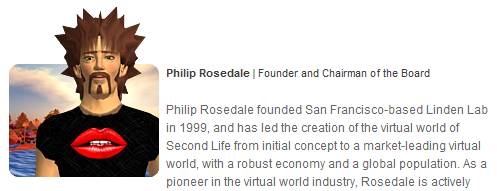
At the Web 2.0 Expo in San Francisco, Philip Rosedale (Founder and Chairman of Linden Lab) gave a fascinating presentation titled “Extreme Transparency: Virtual Worlds, the Love Machine, and Other Practical Things That Actually Work in a 300 Person Company“.  Rosedale spoke of his methodology for growing Linden Lab (creators of the virtual world Second Life) from a small team working out of a warehouse on Linden Alley (in San Francisco) to a 320-person, profitable company with multiple locations across the globe.

Instead of a top-down approach to building the business – which starts with a grand vision and then trickles down to all the details that allow that vision to unfold – Rosedale decided to take a bottom-up approach.  An Engineer (and physicist) by trade, Rosedale was very hands-on during the early days – code that he wrote back then still resides in the Second Life software today.

Rosedale’s concept of extreme transparency means that each individual knows what every other individual is working on, accomplishing, doing, etc.  His analogy is one of a sports team (where transparency comes in the form of player statistics).  That’s not to say that Rosedale believes employees should be represented by numerical scores – rather, information should flow freely regarding each and everyone.  When that occurs, Rosedale belives that traditional management (of people) is simplified – and you end up spending much less time managing and more time doing.

Rosedale spoke of an interesting internal application called The Love Machine – an internally developed web site that allows employees to send a message of thanks to another employee.  The web site lists “Sender”, “Recipient”, “Description”, “Time Posted” and scrolls in real-time as new Love is posted.  A posting of Love autogenerates an email, such that if Rosedale entered a posting, the recipient would receive an email with a Subject heading of “Love from Philip”.

I think the point here is that “thanks” is such an easy thing to say, but how often is it really done in a business setting?  Not enough – that is, unless you have a tool (like Love Machine) to foster and facilitate it.  Rosedale noted that transparency needs to be granular – and these love posts are as granular as it gets.  Linden Lab has a data and metrics-driven culture – so of course, Rosedale presented a slide that plotted average love received per employee – to show that the trend line goes up (as more people use the tool to give thanks).

Rosedale next spoke about a Linden profit sharing plan – a certain amount of the company’s profits are divided equally among all employees – everyone from Rosedale down to individual contributors receives the same amount.  But then, employees are asked to distribute their shares to colleagues whom they feel deserving of it.  Rosedale found that profits were shared equally across functional roles (so as an example, Development did not receive an unfair share of the profits compared to another department).  This goes against conventional wisdom, which might say that certain groups would receive more favor than others.

A neat side effect of this plan is that executives get to uncover the hidden heroes of your business – those who did not have full exposure to senior management, but are highly appreciated by the masses.  The result is that their visibility in the organization is heightened – and those heroes become better appreciated.

With regard to data – Rosedale suggests that companies define the metrics that are important to the business.  Then, visualize them and keep them constantly updated.  Linden Lab leverages flat panel displays in many of their offices to display key metrics (via real-time charts).  Total simultaneous users is an important chart – if the count suddenly drops, everyone stops what they’re doing!  Linden Lab provides each employee with a personalized dashboard tool, where metrics can be dragged and dropped in – so, each employee watches (in real-time) data that’s important to them.

On measuring engagement within Second Life, metrics of importance to Linden Lab include average session length, number of Linden dollars spent and retention (since 85% of new sign-ups are gone within the first month).  Of course, a natural platform for transparency within Linden Lab is Second Life itself – and Rosedale spoke of its use for internal meetings.  Rosedale did a demo of the famed Virtual Isabel conference room, which is an in-world representation of a physical conference room at Linden’s headquarters.  A video stream of the physical conference is piped in-world and in the physical conference room, folks can go in-world from their laptops.

One audience member asked how Rosedale handles the media hype cycle – with media coverage today not as positive regarding Second Life compared to a year or two ago.  Rosedale pointed back to his key metrics – and noted that those metrics (e.g. total hours, total Linden dollars spent, etc.) continue to maintain a steady and healthy trend upward.  And that’s what matters most to him (and not what the media thinks).  Rosedale then made a casual reference to the open source movement, in which he’s become more involved of late.

For more info on the culture of Linden, their web site has a page focused on The Tao of Linden.


Virtual Event: Digital Marketing World (Spring 2009)

April 1, 2009

Source: MarketingProfs

Source: MarketingProfs

If you’re an online marketer, you might want to attend “Digital Marketing World – Spring 2009” today.  It’s free to attend and the only travel required is to click on over to it  (it’s a virtual event).  If you’re not already registered, there’s an event registration page that you can fill out – and then enter the show right away.  The event generated over 12,000 pre-registered users – so, come on in and join plenty of your online marketing colleagues.

David Plouffe, Campaign Manager for Barack Obama’s 2008 Presidential Campaign is doing a video keynote presentation to kick things off.  I’ve seen lots of excellent chat occuring while David was speaking – many of the comments were around David’s presentation material around social media:

Source: screenshot capture during MarketingProfs' virtual event

Source: screenshot captured during MarketingProfs' virtual event

I’m online as an exhibitor at this event – so if you decide to join, come say hi – I’ll be in the InXpo booth:

Source: InXpo's booth at MarketingProfs' virtual event

Source: InXpo's booth at MarketingProfs' virtual event