The 5 Things I Do in the First Hour of My Day (Before Breakfast)

September 13, 2012

Introduction

Complete serenity. Early morning is my favorite time of the day. The coffee is brewing while the sun has yet to rise. There’s not a sound in the house (besides the slow drip of the coffee) and I’m basking in solitude. I suppose it’s “me time.” The first sip of coffee gets me started and I’m off to the races. I don’t try to solve the world’s problems in the first hour of my day, but I do just enough to set up the day for success.

Here are the five things I do in the first hour of every day.

1) Check on things that require an immediate response.

Sometimes, I’ll wake up (fully rested) before my alarm goes off. That’s usually a sign of a very productive day to come. More often, I’ll waken to the sound of my iPhone alarm. Then, without turning on the light, I’ll spend the next 5 minutes checking work and personal email.

It’s mostly a quick scan through the emails that arrived overnight, to see if there are any matters requiring immediate attention or response. Once I’ve completed the email check, I’ll get out of bed and fire up the coffee maker.

While the coffee is brewing, I’ll check Twitter. I don’t check on tweets, but I go specifically to “Interactions” to look at mentions, retweets, new follows, etc. Based on that, I suppose you could call me vain (and I’d admit it). I usually don’t check Facebook this early in the morning – that will come in the second or third hour of my day.

2) One word: COFFEE

The morning serenity is great, but nothing is more enjoyable to me than the morning cup of coffee. And I don’t do just a cup, mind you. I fill up a Thermos with about 14 ounces of fresh brewed Joe. My daily grind is two third’s Starbucks French Roast and one third Peet’s Major Dickason’s blend.

Call it a French Major, if you want – it tastes great. I like to savor the coffee, too – I’ll find myself taking the last sip more than an hour later. So coffee, if you will, completely comprises the first hour of my day.

3) Determine what to read, but I don’t actually read it.

Next step: grab the newspaper off the front stoop. Whoops! All of my newspapers are online. I have a set of 5 core web sites that I check every morning. If I’m ambitious, I’ll also peek at my RSS subscriptions in Google Reader.

The goal is to cobble together the interesting articles that I should be reading. At the same time, I’m identifying whether there are time-sensitive articles that I need to read right away. For the most part, though, I spend the first hour of my day curating, rather than consuming.

For each article I find interesting, I paste the content into a text document using Notepad on my Windows laptop. After I’ve completed my curation, I’ll paste the entire text document into Google Docs. From there, I can read all of the articles when my schedule permits – on laptop, tablet, smartphone, etc. – without all the banner ads, site navigation, pop-ups and web site overlays.

4) Create a short list of things that must get done (today).
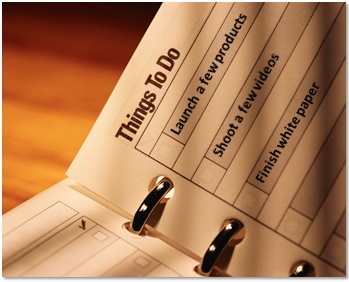
There are more things to get done than the day is long. So I try to be realistic. I’ll prioritize my task list and figure out the handful of the most important things (that must get done today).

Of course, as time permits, I’ll get to other items on the list, but I find that narrowing the list is quite effective. It ensures that I’m focusing on what matters most (that day) – and, I find that I do a better job on the smaller bites that I’m chewing.

5) Set up the rest of the day for success.

Like my approach to curating the morning headlines (rather than reading the articles entirely), I don’t try to accomplish everything in the first hour of my day. Instead, my goal is to get the framework in place to make the rest of the day productive.

I’ll scan my Outlook Calendar for scheduled meetings and mentally prepare for them. I’ll do some research to get me prepared for an upcoming meeting. I’ll also do some mental preparation around the short list that I’ve compiled. If I need to write a blog post or a product sheet, I’ll start thinking about headlines and outlines.

Conclusion

Right about now, I’m finishing up the last few sips of my coffee. I’m an hour into my day – and while I haven’t taken the world by storm, I’ve gotten the pieces in place for a good one. And with that, it’s time for … breakfast!

Note: I invite you to connect with me on .


Top 10 Tips for Social Media Time Management

August 17, 2012

Introduction

Whether you use social media for work, pleasure, personal branding or all of the above, one of the trickier questions is, “How do I manage my time on social media?” Like New York, social media is the “city that never sleeps” and there seems to be a new social network emerging every week. So how do you keep up? Consider these ten tips.

1) Understand that you have a fixed amount of time.

Time (in the day) is a zero sum game, at least for those of us who require sleep. The 20 minutes I spend fixing the kitchen sink is 20 minutes I won’t have to do something else. So think of your social media activities as a continual give and take. Give the effort that you’re comfortable with, but don’t let it take over your life.

2) Let automated tools assist you.

On social media, you can find a tool (or app) for just about anything. A good number of tools are absolutely free, while others are paid (or freemium) tools. The Next Web published an excellent list of “50 (mostly) free social media tools you can’t live without in 2012.”

One tool that I like to use is Buffer, which allows me to schedule certain tweets at specific times. If I have an article to share late one night (on the West Coast of the U.S.), it won’t be seen on the East Coast, as most everyone has gone to bed. So I’ll use Buffer to schedule it to be posted (automatically) the next morning.

3) Know what you’re good at.

Figure out what you’re good at, along with what you enjoy the most (they’re very often one and the same). Then, schedule your activities such that you’re focusing 60% (or more) of your time on that very thing. My primary focus is Twitter. Other social networks may come and go, but I’ve enjoyed Twitter the most. And that’s where I spend most of my social media time.

4) Get into a routine.

Just like the morning coffee, the afternoon walk or the after-dinner dish cleaning, social media is incorporated into my daily routine. I have social media with my morning coffee, in fact. As I’m checking the morning headlines, I’ll tweet some interesting articles. As I see what’s written about my favorite sports teams, I’ll check whether any images are worth pinning on Pinterest.

5) Find the right blend.

Don’t stick to one sort of activity (e.g. tweeting links). Find a good blend of activities, which include publishing, sharing and interacting. Jenise Fryatt (@JeniseFryatt) coined the term “EIR” (Engage, Inform, Retweet) and routinely lists (and thanks) Twitter users with the hash tag #EIR.

When I started with Twitter, my activities were all about publishing. These days, I find roughly 25% of my tweets are interactions (e.g. at replies, retweets, etc.).

6) Use social networks’ mobile apps.

On my iPhone, I’ve downloaded mobile apps for Facebook, Twitter, Google+ and Pinterest (to name a few). The mobile apps have been tremendous for time efficiency.

Now, when I’m stuck on a 30 minute security line at the airport, that’s 25 minutes I get to check in with friends on Facebook, see what’s happening on Twitter, etc. (the other 5 minutes is consumed by fumbling for my driver’s license and untying my shoe laces).

7) Use email notifications to alert you.

While some have declared a death to email (partially due to social networks), I find it to be the “glue” that connects all of your social media activities. In particular, email is great for notifying you to take action.

For instance, I get an email when someone mentions me on Twitter. I can read the details (in the email) and if I’m on mobile, I can tweet back to the user right away. Similarly, I receive emails when someone comments on my Google+ post, so I know to reply back when I get a chance.

8) Spend 15% of your time experimenting.

Craft a 15% budget towards R&D (or, trying out new things). When Google+ first came out, I didn’t jump on board right away. But when I did, I spent a good chunk of my time on it, to learn about Circles, Hangouts and more. While Twitter rules the roost for me, that may not be the case forever. And it’s this experimentation that may identify whatever comes next.

9) Use aggregation and recommendation services.

The best example I can give is Summify – their service is so neat that they were recently acquired by Twitter. Summify creates a “daily summary of the most relevant news from your social networks.” In a given hour, you may have 7,000 tweets in your stream. You need to skim through a lot of text to find content that interests you.

Summify finds the particularly popular links that people you’re following have shared. It’s now incorporated into the daily email (sent by Twitter). The recommendations are so good that I click on more than half of the links.

Related services include LinkedIn Today and Twitter Stories.

10) Take a break.

You shouldn’t be on social media all the time. It may be hard to do, but allocate periods of time where you go completely offline. Trust me, you’ll enjoy the break and you’ll return with a fresh perspective on things. I took a break from social media to go camping – and it was fabulous.

Conclusion

So in closing, I’ll reiterate a few of the key points:

  1. Find what you’re good at (and enjoy) and spend most of your time doing it.
  2. Technology (tools, emails, aggregation services) will aid in time efficiency.
  3. Find the right blend of publishing, sharing and interacting.
  4. Use email notifications to alert you to take action.
  5. Take a break and go offline.

Note: I invite you to connect with me on .


How Social Media Can Create Lifelong Friends (That You Never Meet)

July 12, 2012

Introduction

I thought it would be neat to create a Twitter List of people I’ve met “in real life” (you can find the list here: @dshiao/met-in-real-life). I’d scan both my Twitter stream and my “Interactions” tab and add people to the list.

And then a funny thing happened: for a few people, I had to think long and hard about whether we’ve met “in person.” For some people, I was about to add them to the list, then had to do a double take, think some more and realize that we’ve actually never met.

This exercise led me to conclude how wonderful social media can be. Some of these folks whom I’ve never met, I actually consider to be good friends. They may end up becoming lifelong friends, in fact, in which our interactions take place exclusively online.

Let’s consider a few other conclusions I’ve drawn from this.

The Killer Combo: Twitter and Facebook

In the early days of Twitter, I discovered #eventprofs, which I consider a community forged by a single hash tag. I followed active users, they followed me back and we’d check out tweets tagged with the #eventprofs hash tag regularly.

Some #eventprofs users (along with other, non-events folks I’ve “met” on Twitter) “friended me” on Facebook. I gladly accepted. In doing my Twitter List curation, I found Twitter+Facebook to form the killer combo. That is, if we follow each other on Twitter and are friends on Facebook, the lines blur to the point where I have to think hard whether we’ve met in person.

By looking at the links you share on Twitter, I’m able to better understand your interests (i.e. your interest graph). On Facebook, I learn about your interests – and much, much more. I’ll “hear” about your weekend plans, movies you’re watching, comments your kids made and updates on your favorite teams.

In addition, seeing pictures of your friends and your extended family makes me (by extension) a second order member of the family. The New York Times ran a piece about family estrangement in the Facebook Era, which made wonder whether I’m seeing pictures (in my Facebook Newsfeed) that some family members (of my Facebook friends) are not.

In any case, Twitter+Facebook are quite effective in sustaining friendships – and, in creating new friendships (online).

Status Updates Build a Complete Picture

Disney executive Bob Iger once said, “I’ve learned more about my daughters on their Facebook pages than I did while I was raising them.” (quote source).

I love that quote and happen to agree: family members can live in the same house, but learn more about each other from status updates. It’s a perverse thought that may be decried by the populace at large, to which I say: “it is what it is.” Here’s how status updates help to build a complete picture of yourself:

  1. Captures trivial moments. I may post about something that catches my attention or that I find entertaining. I may mention the moment to family members later on, but then again, I may not!
  2. Ongoing archive. Look back at your own Facebook Timeline. You’ll probably notice ideas, emotions, frustrations, elation and more. The series of status updates really do say a lot about you.
  3. Captures fleeting thoughts. Sometimes I’ll post a thought, idea or joke to Facebook that’s fleeting. If I didn’t post it at that moment, I might have forgotten about it. But I did, so it’s now part of that ongoing archive.
  4. Communicates goals and aspirations. Via status updates, people share what they want to do this weekend, what they want to achieve this quarter and what they want to do in life.
  5. Shows what’s important (to you) in life. Status updates also build a picture of what’s important in our lives: our family, our jobs, our values, etc.

Online Towns More Effective Than Physical Towns?

Let’s take all the people I’ve met online (and know fairly well) – let’s call it 250 people. Let’s put those same 250 in the same town as me. I wonder: would I have ended up meeting those people and getting to know them, in the same manner that I did online?

You know, I’m not so sure about that. Some of the 250, I may never have met in the first place – there are still families in my neighborhood less than ten doors away that I’ve yet to meet. This is again a perverse thought, but here’s why “online towns” facilitate more meet-ups:

Meeting doesn’t require serendipity.

In a small town, you often meet people via serendipity: you bump into someone at the post office or supermarket, or you take a run at the same time as a neighbor. There’s less serendipity online: people have a fixed presence and you can always find them, even if they’re not currently “online.”

Lower barrier to interaction.

When you meet someone face-to-face, there are certain social norms and customs that we follow. When you “meet” someone online, the social norms take a different dynamic and there’s often less holding us back.

For instance, I may tweet to someone about their awesome profile photo (on Twitter), whereas I’m less inclined to walk up to that same person (at the supermarket) and make a similar comment. As such, I wonder whether meet-ups and interactions I’ve had online would have worked out as well in person.

Lifelong Friends Should Meet (Eventually)

Now don’t get me wrong: despite my observations (above), I don’t believe in living life exclusively online. In fact, I crave face-to-face connections, especially meeting new people. So despite my observations of the “online town,” I’d love nothing more than a physical town, in which meeting others could be as convenient as happens online.

I have a colleague with whom I’ve had numerous conference calls, video conferences and related meetings. After a year working together, we had the chance to meet in person. I was prepared to say “great to finally meet you,” but she jumped in first. Her comment? “Nice to see you again.”

And that’s just the thing with these online friendships (or colleagues) – you develop such close ties online, that it’s a shame to never meet in person. At business conferences, I’ll run into people that I follow on Twitter (but have never met) and it’s a great feeling. You know each other so well that you tend to hug, rather than shake hands.

Conclusion

I often wonder what the world would be like if Facebook, Twitter and other social networks didn’t exist. Would I still meet new people? Would the Arab Spring have happened? I think the answer to both might just be “yes,” but one thing I know for sure: there’s just no way I could have “met” so many people from so many parts of the world without social networks. And when I come to a town near you, I may look you up (on Twitter).

Note: I invite you to connect with me on .


How Social Media is Similar (and Different) to Swimming

June 22, 2012

Introduction

I learned to swim in pre-school and continued with swimming lessons during my elementary school years. Besides wading in the water during pool parties, my swimming skills went largely unused for some time. Interestingly, to obtain my undergraduate degree, I was required to pass a basic swim test. So those early lessons helped me complete my education.

Recently, I supplemented my exercise routine by doing lap swimming at the local pool. It was there that I observed similarities (and differences!) between swimming and social media.

Similarities

It Works Out Every Part of Your Body

While I run more often than I swim, I find that swimming exercises far more parts of my body than running. After a long run, I may “feel it” in my legs and calves. After swimming many laps, I “feel it” all over.

I compare this to marketers’ use of social media. Effective social media marketing “exercises” many key ingredients of marketing:

  1. Understanding your market.
  2. Understanding your target audience.
  3. Curating content.
  4. Sharing and publishing content.
  5. Crafting the right messaging at the right time.
  6. Engaging with your target audience.
  7. Generating demand for your products and services.

Marketers who utilize social media marketing, then, are bound to stay in great shape.

Must Keep Moving to Stay Afloat

To stay afloat in the water, you need to move your arms and legs. But just staying afloat means that you’re not getting anywhere. It’s similar with social media: you need to maintain constant activity in order to feel like you’re getting somewhere.

If you launched a blog, but haven’t updated it in 4 months, then it’s basically under water. Users visiting a “non-current” blog are unlikely to subscribe to its RSS link. If you started a Twitter account, but haven’t tweeted in 2 months, then you may need a lifejacket.

The Hardest Part is Getting Your Face Wet

Sometimes, the hardest part about an activity is taking the first step. When I took my first swimming lesson, my biggest fears were (a) getting in the water and then (b) putting my face in the water.

With social media, the hardest step can be taking that first step. But once you sign up for that first account and get acclimated to the features and customs of the service, you may find that things start to come naturally – similar to how you quickly progressed from non-swimmer to beginner.

Play By the Rules

Whether it’s a pool or the beach, most swimming environments have a set of rules (e.g. no diving, no horseplay, etc.). If you violate the rules, you’ll be called out – and if you continue violating, you may be asked to leave.

In social media, the rules are less hard and fast. Instead, there are customs and acceptable behaviors, compared to defined rules. That being said, it’s similar to a pool: others will call you out if your behavior is unacceptable. And if your behavior is extreme, a service may ask you to leave by shutting down your account.

Jack of All Trades, Master of None

Photo credit: The Swim Channel’s Facebook page.

My best stroke happens to be the breast stroke. My current focus is to improve upon my freestyle. Not many of us can be Mark Spitz or Michael Phelps, all-time great swimmers who mastered a number of strokes.

Could you imagine if in swimming, new strokes were invented every week? Well, that’s what it feels like with social media. We all have a fixed amount of time to spend on social media, so it’s not practical to be a jack of all trades.

There’s Facebook, Twitter, Google+, Pinterest, Instagram and many other social networks. Find a handful of services to focus your time and energy on. The gold medal records (for social media) can wait.

Differences

Don’t Need Hands-On Instruction

It’s nearly impossible for toddlers (or adults, for that matter) to learn swimming on their own. Typically, children start out with a series of private lessons – they learn how to put their face in the water, how to float and how to perform the basic strokes.

With social media, you can learn by doing. I started on Twitter way back in 2007. Initially, I had a hard time grasping exactly what to do, so I got help from more experienced users. After that initial period, however, I learned by doing.

No Lifeguard on Duty

At most pools and beaches, there’s a lifeguard on duty. If you’re not able to stay afloat, the lifeguard will dive into the water and save you. There’s no lifeguard on social media. By tweeting or posting the wrong thing at the wrong time, people have lost their jobs and caused relationships to end. Social media can turn celebrities into villains and saints into Satan. So tweet with care.

Social Media is More Quantitative

You may not know it, but social media is highly quantitative, with a set of game mechanics built in. There’s connections on LinkedIn, followers on Twitter, friends on Facebook. Number of retweets, number of Like’s, number of re-pins. And of course, there’s influence scores, such as Klout and Kred.

If you’re a competitive swimmer, you time your laps and count how many you do in a given workout. But most people go to the pool or beach simply to hang out in the water and cool off. And there’s really nothing quantitative related to doing that.

You Don’t Need to Stay in Your Own Lane

When swimming laps at the pool, you must stay in your own lane. In social media, the lanes have been removed and that’s the great thing about it. You’re free to wander across the entire pool, meeting and learning from new people. You can join Twitter chats, publish comments on a blog posting and join Google+ Hangouts. This exploring and discovery has helped me learn a lot about social media.

Subscribe

Did you enjoy this blog posting? If so, you can subscribe to the feed here: https://allvirtual.me/feed/


In Case You Missed It: Posts on Pinterest, Twitter, Google Plus and Personal Branding

June 16, 2012

Topic: Pinterest

Topic: Twitter

Topic: Google Plus

Topic: Social Networks

Topic: Personal Branding


What the TV Commercials Tell Us About Twitter

June 14, 2012

Introduction

Twitter launched its first television commercials in conjunction with an event: The 2012 Pocono 400 NASCAR race. The commercials helped publicize the new hashtag pages from Twitter – they created a hashtag page for NASCAR that was promoted within the TV spots.

While I’m not a NASCAR fan, I had my TV tuned to TNT on Sunday afternoon, hoping to catch some of the commercials. Bad timing, combined with the shortness of the ads, prevented me from viewing them live. As a result, I went to YouTube to watch them there (the next day). Here’s one of the commercials:

So what do the commercials tell us about Twitter?

Core Value Proposition

Facebook and Google? They’re well understood by the average consumer. Twitter? Not so much. If you say “share what’s happening in 140 characters or less,” some people will “get it,” while others will get confused.

Judging by this first set of commercials, Twitter is defining its core value proposition around consumption, not sharing and publishing. In other words, you don’t have to tweet in order to find Twitter useful.

And it’s really a two-pronged value proposition:

  1. Consumption: for those who are inclined to “follow.”
  2. Sharing: for those who wish to stay connected with fans and followers.

On the consumption side, Twitter gives you behind the scenes access to your favorite celebrities, whether they’re athletes, actors, actresses, authors or politicians. Just look at the captions used in the six commercials – they’re all about receiving, rather than sharing:

  1. See what he sees.
  2. Follow them past the finish line.
  3. Where off the record is on the record.
  4. Get the POV from a VIP.
  5. What they see is what you get.
  6. See what else he writes.
  7. Put the pieces together.

Never before has the average consumer been able to connect (and even engage) so easily with celebrities. Now, you can journey inside a NASCAR racecar. And you can tweet to @justinbieber and get retweeted by him.

Striving for Mass Adoption, Part 1

Here was Google’s first foray into television commercials:

Notice the stark contrast? Google’s commercial was all about experiencing the product (Google searches), whereas Twitter’s commercials never showed the product (e.g. Twitter.com, Twitter desktop applications or Twitter mobile apps).

This relates directly to the core value proposition (above). The TV commercials show examples of how racing fans can become further engaged in following their sport. But it’s clearly a 50,000 foot view that doesn’t get into the mechanics of Twitter itself.

Twitter is clearly going after mass adoption – and that means our mothers, fathers, aunts, uncles, cousins and grandparents. I expect subsequent ad campaigns that continue the story to demonstrate how users go about using the product.

Striving for Mass Adoption, Part 2

While this particular campaign targeted a precise audience (fans of NASCAR), it’s interesting that Twitter chose television advertising over online advertising. Television still works, it seems, in its ability to efficiently reach a broad audience at a moment in time (and of course, online afterwards, via YouTube).

I expect Twitter’s TV commercials to address a broader audience going forward. A Super Bowl ad in 2013, perhaps?

Twitter and Events: Perfect Together

Ever since Twitter launched, event professionals (and attendees) found a natural use of the service at events: quoting speakers, sharing insights, generating awareness and following the event’s hash tag. On the NASCAR hash tag page, you’ll see the following:

Next race: Quicken Loans 400, Sun 12pm ET on TNT

Twitter and NASCAR are clearly looking to the hash tag page as the online focal point to NASCAR’s ongoing events. In addition to NASCAR, Twitter has organized some activities around the NBA Finals. In a post titled “Courtside Tweets” on their blog, Twitter shares related hash tags and lists 13 athletes who will provide color commentary (via Twitter) during the Finals.

My expectation: Hash tag pages become available for all types of events, especially in B2B for trade shows, conferences, product launches and more. Before long, every B2B event may get its on hash tag page. And beyond that, I expect to see Twitter roll out additional products and services suited to events. After all, Twitter and events are perfect together.

Conclusion

So what to the TV commercials tell us about Twitter? They tell me that Twitter is focusing on mainstream adoption. On the one hand, they want the mainstream to understand what the service is all about. On the other hand, they’re sending a message to stars and celebrities to use Twitter to connect with fans (rather than a Facebook page, for instance).

And at the same time, they’re making it known to brands (including event brands) that these hashtag pages (with perhaps more products to come) are a great way to connect with your customers, fans and attendees.

Note: I invite you to connect with me on .


How Social Networks Facilitate Discovery and Engagement

May 24, 2012

Introduction

Successful social networks rely on a combination of user growth and “stickiness” – discovering users, discovering content, connecting with users, and engaging with users and content. As I study some of the most successful social networks, I find that they use a common set of techniques to create and maintain this stickiness. Let’s take them one by one.

Second Degree Activity

“Second degree activity” refers to actions that your friends take within a social network.

The Quora home feed (pictured above) is a great example. When I login to Quora, my home feed does not display topics I’m interested in. Rather, it takes the set of users that I’m following on Quora and lists the actions they’re taking (e.g. “following a question,” “voted up,” “commented,” etc.).

The concept: if I’m following someone, then I’m interested in what they think and do. If they’ve published a comment, then I may want to read it (“what they think”) and if they’ve voted up an answer, then I may want to check it out (“what they do”).

Other examples of second degree activity include:

  1. Twitter’s Activity tab, which can be found on Twitter.com by visiting Discover -> Activity. For folks you’re following, it lists actions that they’re taking: follows, favorites, addition to lists and more.
  2. LinkedIn’s Home feed, which lists new connections (made by your existing connections), status updates, profile updates and more.
  3. Facebook’s Newsfeed, which lists new friends (made your by your existing friends), Like’s (on friends of friends status updates) and more.

Featuring Popular Content

Pictured: The “Popular” tab in the mobile app Instagram.

Featuring popular content is an excellent stickiness tactic, as it provides proof to users that there’s great content to discover and consume. Popularity is democratic, in that it’s measured by the “votes” of the social network’s users (e.g. views, likes, comments, etc.).

That being said, “popularity begets more popularity,” which means that once content is marked popular, it tends to get more popular, at the (perhaps) disservice of similarly worthy content. You see this same phenomenon with “Most Popular” and “Most Emailed” lists on many online news sites.

Examples of featuring popular content include:

  1. Instagram’s “Popular” tab.
  2. Pinterest has a “Popular” tab that lists popular pins.
  3. Google+ has an “Explore” tab that reads “Explore What’s Hot on Google”.
  4. Facebook posts receiving a high degree of engagement get “pinned” to the top of your Newsfeed.

Recommendations

Pictured: “Who to follow” on Twitter.

Amazon was an innovator in algorithmic recommendations, with its “Customers Who Bought This Item Also Bought…” LinkedIn, for some time, has had a similar feature, “People You May Know,” which is listed prominently in the upper right corner of the LinkedIn home page.

In addition to recommending other users, social networks have begun to recommend content. The thought behind this, of course, is the more interesting content you find, the longer you’ll stay.

Examples of User Recommendations

  1. Twitter’s “Who to follow” tab.
  2. Twitter’s “Browse categories” tab, which provides curated lists of Twitter users within particular categories. Here’s the category list for Technology: https://twitter.com/#!/who_to_follow/interests/technology
  3. LinkedIn’s “People You May Know.”
  4. Google+ lists people “You Might Like” on its “Explore” page.

Examples of Content Recommendations

  1. Twitter’s Discover tab, which lists a series of “Stories.”
  2. Twitter’s Trending Topics – an innovative feature that is particularly unique to Twitter.
  3. LinkedIn TODAY, “The day’s top news, tailored for you.” – visible in the top area of your LinkedIn home page.
  4. Facebook’s “Recommended Pages.”

Email Notifications

It seems we’ve been writing off email for years. The rise of social media has brought into question whether email is still relevant. Well, it is. Despite claims to the contrary, we continue to be dependent upon our inbox.

In fact, I consider email to be “the glue” that connects (and returns you) to your assorted social networks. Email helps inform you of activities that occurred on a social network – and, it provides reminders for you to return.

Examples of email notifications:

  1. New followers or connections.
  2. A mention (of you) by other user(s).
  3. Getting tagged in an uploaded photo.
  4. A new comment or “like” to a post that you’ve liked.
  5. Follow-up comments to a comment you left – this is particularly useful on blogs, as well as discussions within LinkedIn Groups.
  6. Direct or private communications from a particular user.

Full-Mesh Communities

Pictured: The home feed on Nextdoor.

Nextdoor is a neighborhood-based social network that was recently profiled in The New York Times. There’s a Nextdoor community in my neighborhood (The Highlands in San Mateo), for which I’m a member. Nextdoor uses a “full-mesh model,” (my term) in which everyone “follows” everyone else by default. The newsfeed on your home page, in fact, displays posts from everyone.

There’s an absence of a follow/follower model altogether. If the size of a community is manageable (i.e. the number of members is at or below the Dunbar Number), then this full mesh model is ideal:

  1. It “removes friction” for establishing connections. I don’t have to worry about whom to follow, since the system’s done that for me.
  2. It “removes the risk” of my missing an important post because I’m not following the poster.
  3. It allows for “everyone to know everything,” and I think that’s completely fine in an online community based on your neighborhood.

I think the full mesh model is well suited to the online communities of small to medium sized businesses (i.e. for tools like Chatter, Yammer and Jive).

In a small business, I’d argue that similar to Nextdoor, everyone should know everything – and of course, private groups are always an option for things like compensation and employee reviews.

Conclusion

A quick recap of what we’ve discussed:

  1. The more (and better) social networks can recommend users and content, the stronger they’ll be.
  2. Second degree activity is an effective way to promote both users and content.
  3. Popularity and recommendations are additional avenues for discovering users and content.
  4. Email is the glue that ties your social networks together and keeps you coming back.
  5. Full mesh networks can be effective for particular use cases.

Subscribe

Did you enjoy this blog posting? If so, you can subscribe to the feed here: https://allvirtual.me/feed/

Note: I invite you to connect with me on .


How I Curate (and Share) Content on Twitter

April 13, 2012

Book store / library image.

Introduction

I once had a pile of old books that I no longer wanted. I brought them into a bookstore that buys and sells used books. After placing my pile of books on the counter, the owner proceeded to examine each one. He carefully examined the cover, opened the book to read the chapter of contents, and then skimmed quickly through a few pages.

I was expecting him to accept each of my books, but he only took a third of them. When I asked him about his evaluation process, he told me that it’s driven by limited shelf space, along with his understanding of what his customers want.

To become a regarded sharer of content on Twitter, you need to act like the used book shop owner. His shelf space has a fixed amount of space, in the same way that your Twitter followers have a fixed amount of attention. The store owner can’t sell every used book he comes across and you can’t (well, shouldn’t) share every single link you find.

So speaking of sharing, I thought I’d share the process I use for curating and sharing content on Twitter.

Curation

The Process

Like many of you, I have a daily “surfing routine,” in which I visit a number of “go to” sites each morning. For the national (and global) scene, my favorite site is NYTimes.com, for which I gladly pay to gain access. For the local tech scene here in the Bay Area, I visit SiliconValley.com, a web site of the San Jose Mercury News.

In addition to these go-to sites, I use the somewhat old fashioned method of maintaining 40+ RSS feeds, which I read via Google Reader.

I then behave like the used book store owner. To gain credibility and respect, I like to share links (content) that my followers (and even folks who are not following me) find useful. If I blindly tweet out a large volume of tweets and my followers don’t find them useful, then I’m sure to lose followers.

Content Review

While I’ve committed the sin of tweeting an article solely based on a captivating headline, I prefer to read the article entirely – or, at minimum, to skim the article to get a sense for it. Recall that the book store owner did the same thing.

When you read the article, it helps you understand what you’re sharing. Wouldn’t it be embarrassing to share an article in which the body didn’t match the title at all? Yes, that could annoy followers who clicked on the link.

Another benefit to reading the article? Including a fact or quote from the article in your tweet. I like to include my own thought(s) in my tweets, rather than just tweeting the article title and link. In short, I believe that “curate and comment” is better than just “curate.”

Selection Criteria

For something to be shareable, I look for the following:

Timely: I prefer to share content that’s been published in the past 0-2 weeks. If I find a really useful article that’s 1+ year old, I mention that in my tweet (e.g. “From 2010, but still quite relevant”). Timely also refers to “what’s hot” (a trending topic, if you will). Timely topics that I’ve shared of late include Pinterest, Instagram, mobile apps and Google+.

Interesting: If everyone is writing about Pinterest (and they are), I prefer to share bloggers or journalists who provide a unique spin on the latest trend. Early on during the trend, however, an “introduction to” or a “how to get started” article is, in fact, interesting.

Useful: Related to the introductory articles that I mention above, I like to share content that helps my followers learn something new or do their job better. I often use the rule that if I find it useful, that you may as well.

Sharing

Tweet Button

I estimate that 60-70% of my tweets come from the Tweet button. Almost every site that I frequent (including most blogs) has social sharing buttons. So I share as I read. It’s efficient, because I share as I surf – and, because the Tweet button makes it so easy.

Attribute Authors

If the Tweet button doesn’t include the author’s Twitter handle, I like to search for the authors, to see if they have Twitter accounts. If they do, I like to include their handles in the tweet. This is useful for your followers (i.e. they can follow the author, if they like) and, it lets the authors know that you’ve tweeted their article.

Buffer

I’ll also use a neat tool called Buffer to schedule certain tweets be sent out at particular times. There can be times where sharing becomes too frequent. Buffer allows me to “save up” a bunch of tweets and send them at a later time or date.

You can even schedule tweets with Buffer directly from Google Reader, which I find quite useful.

Retweets

Retweeting (“RT”) is even easier than the Tweet button, as you can perform the action directly from your Twitter client, or from Twitter.com. I use the same selection criteria (listed above) when retweeting. There’s an added benefit here: the act “sends a little love,” if you will, to the person who posted the original tweet.

Conclusion

And there you have it. If you’re still with me, then I hope this insider’s look at my processes (and thought process) was useful. Use the comments section below to tell me how you go about curating and sharing on Twitter.

Note: I invite you to connect with me on .


5 Reasons “Words With Friends” Is Awesome

March 19, 2012

Introduction

While I may be late to the party, I recently started playing Words With Friends. While the game can create some interesting situations (e.g. I recently sat across from a friend at a café, as we silently traded turns from our smartphones – neither of us spoke a word to one another for quite some time!), it also has the power to connect long lost friends and discover new people who share a common interest.

It took me (and my family) 10 minutes before we were all hooked. Words With Friends is awesome. And here’s why.

1) It’s Universal.

You don’t have to be an English or language major to enjoy playing. In fact, words (and images, too) are the common language by which we share life’s experiences. While some games have difficulty crossing cultural boundaries, Words With Friends can be enjoyed in any language or culture. I’m interested to see whether Zynga expands usage of the game to other countries, languages and cultures.

2) It’s cross-platform.

You can play Words With Friends on iOS, Android and Facebook. In my household, we had games going across iPad, iPhone and iPod Touch among family members. And we also had contests going with friends, who were playing on Android phones and tablets. Several members of my parents’ generation are on Facebook (including my parents) – so I have the option of playing with them, too. And isn’t that an interesting statement in itself, where the major platforms include mobile operating systems and … FACEBOOK.

3) It’s cross-generational.

To my earlier point about word games being universal, I found it interesting that my daughter’s generation, who frequently use iPods and tablets, had an interest in playing the game with their parents. On a Saturday evening, my family had the following combination of games going on with another family (we were in our respective homes):

  1. Adults facing adults: 4 games.
  2. Adults facing kids: 2 games.
  3. Kids facing kids: 1 game.

So that’s seven simultaneous games across two families. Words With Friends is the new “Saturday night at the movies.”

4) It’s at a comfortable pace.

Unlike other games where there’s a “time and place,” the pace of Words With Friends is entirely dictated by the two players. And usually, that’s completely fine with both players. My “friend” could take 2 days to make a move, and I wouldn’t mind so much (though I may give him a call or send him a text message after 12 hours). Remember how excited you were to receive a new email, during the early days of email? I get the same excitement when I receive the “It’s your move” notification in this game.

5) It’s the “new social networking.”

While I’ll continue to enjoy reading people’s thoughts on Twitter and checking out friends’ purchases and song selections on Facebook, I think the “new social networking” is about shared experiences. What better a way to “network” with someone than to share the experience of word battles, which take place over the course of a day (or more).

Words With Friends has a convenient chat area, which means you can further share in the experience by passing compliments back and forth. Or, you can lament how the word “za” could be worth 31 points (and who even knew “za” was a word?). The “new social networking” is going to be less about status updates and more about in-experience updates.

Bonus reason: the new check-in (sort of).

I have ongoing Words With Friends contests with my wife. I often receive the “it’s your turn” notification (on my iPhone) during her commutes. In the morning when it’s my turn, I know that she’s safely boarded her commuter train. In the early evening when it’s my turn, I know that she’s on the way home. Isn’t that neat?

Conclusion

Thanks, Words With Friends, for the shared experiences you’ve enabled among family members and friends. To date, I’ve played with people that are geographically quite close to me. The real power, however, is staying with touch with people on the other side of the world through a shared experience.

And with that, I must be off – it’s my turn!


What Virtual Event Platforms Can Learn

March 12, 2012

Introduction

If imitation is the sincerest form of flattery, then virtual event platforms may be well served by sending some flattery to social networks. This post is a compilation of past posts and looks at areas from which virtual event platforms can learn.

Social Networks

What virtual event platforms can learn from Pinterest.

What virtual event platforms can learn from Twitter

What virtual event platforms can learn from Facebook.

What virtual event platforms can learn from Quora, Groupon and FarmVille.

Miscellaneous

What virtual event platforms can learn from physical events.

What virtual event platforms can learn from the airline industry.

Virtual Exhibits

Photo credit: The Pug Father on flickr.

What virtual exhibits can learn from the Apple Store.

What virtual exhibits can learn from farmers markets.

Subscribe

Did you enjoy this blog posting? If so, you can subscribe to the feed here: https://allvirtual.me/feed/