How Vendors Should Evolve Their Virtual Event Platforms

July 10, 2010

The following is a collaborative posting by Miguel Arias, Steve Gogolak and Dennis Shiao.

Content creation and collaboration was facilitated by a PBworks wiki – the wiki page can be found here: http://allvirtual.pbworks.com/How-Vendors-Should-Evolve-Their-Virtual-Event-Platforms

To evolve their platforms for enhanced experiences and broader adoption, virtual event platforms should consider the following:

Make it easier to experience

Most virtual event platforms are easy to use – on a first-time visit, users tend to grasp the overall user experience and can figure out where to go (and how).  That being said, for wide scale adoption, virtual events needs to be as easy as Facebook.  That is, our grandmothers need to be able to access the site and figure things out.  On Facebook, grandmothers can update their profile, read their “friends” posts and write updates to their Walls.  Can a grandmother login to a virtual event, update her profile and participate in a group chat?  We’re not so sure.  Similarly, navigation and interactions need to be easier.  Most virtual events are intuitive to navigate (e.g. Lobby, Auditorium,  Lounge, etc.) – but may not be so intuitive with regard to message boards, chat, blogging, rating, etc.

Along with a simplification of interfaces and the use of usability and navigation conventions, many customers and users seem to be demanding more immersive environments. While presenting a brand and hosting an interactive experience in a convention centre, it seems an interesting field to add some real-time rendered environments using engines like papervision3D or Unity3D. This said, it is unlikely that avatar-based real time rendered environments will make it to a mainstream audience. Key considerations (or obstacles) are plugins or applets downloads, system performance and learning curve barriers.

Make it easier to find

The typical “location” of a virtual event is quickly becoming outdated – microsite with registration page, with no ability to experience the event prior to completing all mandatory registration fields. The registration page serves as a “wall” not only to potential attendees, but to search engines as well.  Virtual event platforms need to move “outside the wall” and expose their technology on Facebook, on blogs and on publisher web sites.  Platforms should widen their distribution via widgets, embed code and application programming interfaces (API’s).  Facebook is not limited to Facebook.com – it has Facebook Connect, Facebook Open Graph and much more.  Virtual events platforms, on the other hand, seem to be restricted to “VirtualEventPlatform.com”

Make it easier to access

The most relevant virtual event platforms will introduce, or already have, Facebook Connect and Twitter API, and they will need to move to even wider standards like OpenID.  For public events, ease of registration is a must.  Using open methods for registering and/or connecting social networks have three-fold benefits:

  1. Registration is faster because basic information can be provided by services like LinkedIn, Facebook, etc.  Shorter registration forms increase completion, period.
  2. Intelligence gathered by the platform about the user’s existing social graph can enhance the experience within the event by automatically creating connections with other attendees based on that user’s connection outside the platform.  This will lead to more networking and awareness of actual people within the environment.
  3. Users opting into connections at the point of registration allows platforms to create publishable actions that can be spit out to twitter and facebook news feeds that can increase viral awareness of the event.  Marketing automation at its best.

On the other hand, desktop or mobile widgets to control your stand usage, statistics and reporting will be a must. Lastly, the platforms will have extensive APIs to manage their integration with various social networks, corporate databases, physical event managing software, etc.

Make the experience available on more devices

Most virtual event platforms support Windows, Mac and Linux.  They need to support more platforms, especially mobile.  On the mobile front, it’s important to consider iPhone/iPad, Android, BlackBerry, Symbian, Windows 7 Phone and WebOS (listed in our order of importance).  To start, we don’t believe the entire virrual event experience needs to be “ported” to mobile devices -rather, vendors should determine the most critical features for attendees and exhibitors – and prioritize based on importance.  For instance, chat is an important element of virtual events, so why not make a mobile app that allows exhibitors to staff their booth via their smartphone.

The entire 3D environment does not need to be supported on a mobile device, but the networking tools (visit card managing, real time conversation, etc) and the reporting tools certainly do. On the other hand, it will be interesting to see what happens with Flash and Apple, and see which vendors will try to develop their platforms using HTML5.

One of the key areas where mobile can play a huge role is the “reminder” needs that come from tons of scheduled activities within virtual events.  If attendees have the ability to build out a personalized agenda before the event and opt-in to either SMS reminders or download some kind of app that will push notifications at them throughout the day, it would be much easier to create a flexible agenda.  Currently we’re cramming so much into the shortest amount of time because we’re afraid of losing people.  If only we had better planning and reminding tools, driven by devices that never leave our pocket!

Make the platform more adaptable and flexible

Related to our point about mobile support, platform vendors have important decisions to make regarding the development platforms.  Virtual event platforms today are based on Flash, Flex, Silverlight, Java and JavaFX.  Are those the “right” platform technologies for the future – or, should platforms move in the direction of HTML5?  Does a combination off HTML5, Javascript and Ajax create a more adaptable and flexible platform?  What do we “lose” by shifting away from Flash, Silverlight, etc.?  And what are the mobile implications with the chosen direction?  All good questions for the platform vendors to consider.

Make the platform more adaptable for different customer needs and different usage

There are so many different kind of virtual events: trade shows, conferences, job fairs, corporate events, webinars, congresses… that vendors should decide in which market niche they are going to play. We will see generic platforms and other vendors delivering a tailored solution for one or many of the previous choices. It will become more and more complex to provide physical event managers with the features they need to handle their hybrid events at the same time as the platform is able to cope with the extensive data handling of the virtual job fair, or the networking tools of a professional tradeshow.

Take a hint from Apple and FaceTime

Video chat will, without a doubt, increase the effectiveness of networking.  It is the one key element that can be introduced that will get critics to come around to the idea that networking in an online environment can be as effective as the cocktail hour of a physical event.

Tweet this posting:


From Virtual Events To Virtual Business Communities

May 31, 2010

Increasingly, virtual event planners are keeping their virtual events “open” year-round.  The model is evolving from a focus on the annual live event to a focus on the overall business environment, which has live events scheduled throughout the year.

Hence the progression – first, the virtual environment is kept open year-round (“Come in, we’re open”).  From there, virtual event planners become virtual community managers to evolve the environment into an active and engaged community.

Your virtual business community is quite similar to a social network (e.g. Facebook, Twitter, etc.).  Thus, look to those social networks for effective community building and networking tactics.

Content

“Traditional” content forms the foundation of your business community: on-demand webcasts, videos, documents, articles, etc.  That being said “non-traditional” content is what makes a community shine and prosper – it includes other members and their associated user-generated content (e.g. 1:1 and group chat, message boards, blogs and old-fashioned community discussion).

Users may be drawn into your community for the professionally produced content – what makes them stay, however, are the connections with other members and the business conversations that unfold.

Draw them in – with Email

Some community sites (e.g. Facebook) are fortunate enough to have members login as their first stop on the web each day – today, it’s not likely that a virtual business community can achieve the same loyalty.  The key, then, is to provide community members with reasons to return, login and participate.

Email may be considered old fashioned by some, but it still works.  Want proof?   Look no further than Facebook, Twitter and LinkedIn, which all use email effectively to notify members of activity and bring members back into the community.  Examples:

  1. Facebook – I receive email when a Facebook friend has commented on my Wall posting – additionally, when I submit a comment on a friend’s posting, I receive email when subsequent comments are posted.
  2. Twitter – I receive email when new users follow me on Twitter; in addition, when a user sends me a “direct message” (DM), I receive an email with the text of the DM.
  3. LinkedIn – When I comment on a LinkedIn Discussion thread (in a LinkedIn Group), I can opt in to receive email notifications on subsequent comments posted.  This way, I’m instantly notified as other group members comment on my comment, with the email containing the text of the submitted comment.

For your virtual business community, utilize similar email notifications to alert members of new activity and draw them back in to the environment.

Once they’re in, keep them Engaged

Now that you’ve successfully drawn members into the community, keep them active and engaged.  Build tools like the Facebook Status Bar:

The Notification component of the status bar is an area that I check each time I login to Facebook – I want to know who’s “liked” my comment, picture, video or link – and what they wrote about it.

Notifications keeps you engaged once you’re in – and can even serve to draw you there (in the first place).  I occasionally login to Facebook solely to check for new Notifications!

Mobile Integration – Draw them in, from their device

Facebook, LinkedIn, Twitter, Foursquare, etc. provide a variety of mobile apps, developed by the companies themselves and by third party developers.  With mobile apps and mobile clients, members can stay constantly connected to their social networks and communities – they can always stay “in touch”, literally and figuratively.

With a virtual business community, mobile integration does not need to be about 3D spaces, multimedia or immersiveness – things we often associate with virtual events and virtual worlds.  Some day, we may be able to experience full immersiveness on a mobile device.  But in a business community, it’s more about user-to-user connections at a more basic level – e.g. the likes of Twitter @replies and Facebook wall discussions.

Conclusion

Our industry still centers around the occasion-based virtual event – as event planners begin to morph into event-based community managers, they’ll need to map out tools and technologies to keep their communities active, engaged and coming back.  Should be a fun ride.

Tweet this posting:


Virtual Events 101: Tips For Building Your Virtual Booth

April 13, 2010

Your company is exhibiting at a virtual event and you’ve been assigned the responsibility of building your company’s virtual booth.  You’ve had plenty of experience assembling a physical booth, but never before have you built one virtually.  What’s your first step?  To immediately resist the urge to start the virtual build.

Set/Confirm Objectives & Goals

The objectives and goals for your virtual booth should align with the goals for your company’s participation in the virtual event. If you do not set the direction yourself, be sure to round up the necessary decision makers and have a documented set of goals – publish them internally and be sure that all stakeholders have a copy.  Sample goals include:

  1. Obtain contact information from “X” number of prospects
  2. Generate “Y” number of meaningful prospect engagements in-booth
  3. Yield “Z” number of qualified sales opportunities
  4. Generate “X%” of brand uplift, as measured by “Y”

It’s absolutely critical that goal definition be your first step, as it drives the decisions you make regarding the build-out of your virtual booth.

Content is King

The main elements of a virtual booth are (1) content [e.g. images, signage, videos, documents, links, etc.] and (2) virtual booth staffers.  Your first job is “content curator” – review all content available and be selective about which content you’ll place in your booth.  It all goes back to the defined goals – the content you select should align with the goals.

So if your goal is demand generation, find the same White Papers that your marketing team is using to generate sales leads across the web.  If your goal is driving awareness around a product launch, grab that 2 minute video of your product manager and have it auto-play when visitors enter your booth.  Besides documents in your marketing library, be sure to cobble together useful links on your web site, along with third party articles, blog postings and product reviews that reinforce your objectives.

Booth Labels Are Like Headlines

Content in a booth is typically housed behind a set of “booth labels”.  Your next job is one of headline writer – you’ll want to craft captivating “headlines” for the booth label, along with attention-grabbing titles (and descriptions) for the underlying content items.  You’re like the home page editor for your favorite content site – you need to figure out how to write headlines (titles) that will grab your visitors’ attention.

While you certainly want to avoid the “bait and switch” (e.g. writing a label/title that intentionally deceives), your labels need not literally reflect the underlying content. For example, if you assemble a set of blog postings from your company’s blog, you need not label these “Blog Postings”. Instead, organize the blog postings into themes – a set of postings on best practices could simply be labeled “Best Practices” in your booth.

While I suggest you do not change booth labels while the event is live (that would significantly confuse your booth’s repeat visitors), you’ll want to review the activity reports from your booth to learn from the labeling decisions that you made.  You’ll begin to figure out what worked and what didn’t – and can use those learnings for your next event to more effectively use labels/headlines to achieve your goals.

Use A Call To Action – Not A Declaration

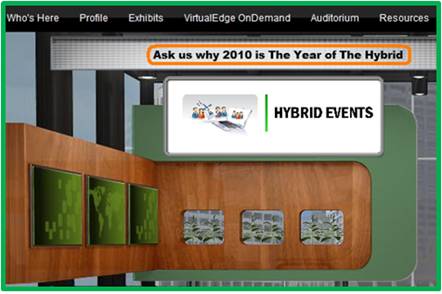
For signage within the virtual booth, I prefer to use a call to action (e.g. “Ask Us Why 2010 is The Year of The Hybrid” above) over a declaration. So instead of declaring, “The world’s leading producer of plastic widgets”, try a call to action, “Ask us why plastic widgets are the new metal widgets”.  The call to action initiates a conversation with your visitors, rather than telling them what they should know.  If visitors enter your booth’s group chat and proactively ask the question stated in your call to action, then give yourself a pat on the back.

Stand Out From The Crowd

You’ll likely have competitors exhibiting in their own virtual booths, which means that a key part of your job is to figure out how to separate your booth (and company) from the crowd.  Greenscreen video (aka an embedded video greeter) has been used at enough virtual booths that it won’t make your booth any different.

Instead, try an offbeat video that’s not yet made its way to YouTube.  Or, how about an avatar of your CEO whose mouth movements are synchronized to the words s/he is speaking.  Perhaps an animated avatar is the new greenscreen.  Thinking further outside the box, how about bringing one of your products to life – personalizing that product to the point where it speaks and delivers a message to visitors.  A good example (in general – not in a virtual event) is the DCX Man character created by Brocade:

Source: Brocade (dcxman.com)

Further information can be found here: http://www.dcxman.com/whois_dcxman.html

Optimize Your Content For Search

Search Engine Optimization (SEO) is not the sole domain of your web site or blog – it applies to virtual events as well.  How can this be?  Well, most virtual event platforms provide basic and advance search capabilities – they index all content in the event (e.g. documents, links, Webcasts, etc.) and some platforms even index the contents of uploaded documents.

As a result, keep SEO in mind for selecting documents to include in your booth, along with the labels, titles and abstracts that you use to catalog your booth content.  Taking a step back, be sure to write an SEO-optimized description for your company and booth – if attendees search for a key term and your booth is at the top of the search results, then all is good in the world.

Subject Matter Experts as Booth Staffers

While you’ll certainly want sales reps and sales engineers as booth staffers, it’s critical to work subject matter experts into the staffing schedule.  A visitor who asks specific product or service questions is a hot prospect – and telling that prospect “let me get back to you with an answer to your question” becomes a lost opportunity.  Even worse, that opportunity could fall into the lap of your competitor, whose booth is only one click away.

If you’re a technology vendor, try to have your product manager, chief engineer or event your CTO available within the booth.  While some technology folks may not be comfortable face-to-face with a customer, most feel quite at home in a text chat session.

Optimizing For: Demand Generation

If you’re looking to generate sales leads, cobble up all your best lead gen content – the latest White Papers, Case Studies, product sheets, videos, podcasts, customer testimonials, etc.  Be liberal and selective at the same time – that is, ensure there is a good mix of content choices, but be religious in making sure the content you select aligns with your goals – and relates to the theme of the virtual event.  The beauty of a virtual event is that registration occurs once – but all activity with your content is tracked.  So you’ll have rich activity profiles at your disposal to help you separate the cream of the crop leads from the visitors who came simply to enter your prize drawing.

Optimizing For: Thought Leadership

Are some of your co-workers experts or luminaries within your industry?  If yes, then have them be staffers within your booth!  Visitors will have a natural inclination to engage with them – and they’ll be able to funnel the ripest opportunities to sales reps within your booth.  If your employees have not achieved rock star status within your industry, leverage some of the luminaries to produce content on your behalf.

Perhaps it’s a research report authored by an industry expert – or, a video interview (hosted by the expert) with your CEO.  Better yet, a Webcast within the virtual event that features the expert(s) who provide a presentation prior to your own speakers.  If the experts are available to attend the virtual event, invite them to provide Q&A within your booth, as they’ll serve to draw interest and engagement from visitors.

Conclusion

While much of the logistics occur “online”, building a virtual booth will take longer than you think (if done right).  Be sure to clearly define your goals first – then, make sure your booth achieves those goals.  Take planned breaks from the virtual build to assess whether your booth aligns with the stated goals.  Finally, be sure to study activity data from the live event so you can make improvements for your next event!

Related Links

  1. Browse the Virtual Events 101 Index Page
  2. Download the eBook, “Virtual Events: Ready, Set, Go

Note: I invite you to connect with me on .


Bringing The Physical Event Experience To Virtual Events

March 30, 2010

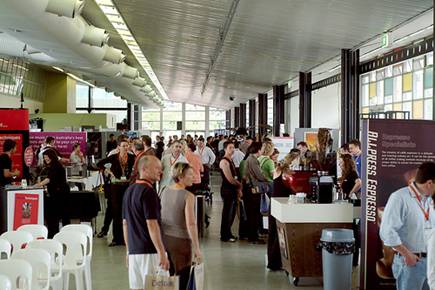
Source: flickr (User: cafebiz08)

Virtual trade shows got their start by creating 2D graphical replicas of physical trade shows: exhibit halls, booths, auditoriums, lounges, etc.  Most users are “wowed” in their first experience attending a virtual trade show – they enjoy the quality of the user interface and often comment that they felt like “they were  there” at a physical event.

Exhibitors, too, find the virtual trade show experience to be quite enjoyable – at the same time, they often highlight important differences between exhibiting virtually vs. physically.  In a physical event, for instance, you have some amount of guaranteed foot traffic on the show floor – a portion of which will naturally wander into your booth.  The “efficiency” of a virtual event means that users only enter your booth by explicitly clicking into it.  In a physical event, exhibitors can greet prospects with a friendly handshake – in a virtual event, the exhibitor may never see the prospect’s face.

How can virtual event platforms incorporate aspects of the physical event experience?   Let’s consider a few ideas.

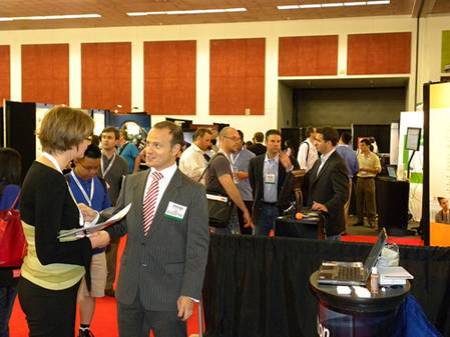
Source: flickr (User: ExhibitPeople)

How To: Gain Virtual Foot Traffic to Booths

On a crowded show floor at a physical event, an exhibitor knows that some percentage of attendees will visit their booth – additionally, exhibitors can increase their investment and receive strategic placement on the floor (e.g. near the entrance, near areas where food and drink are served, etc.).  In a physical event, as attendees walk towards (or past) your booth, there are tactics to catch their attention (e.g. making eye contact, telling them about a special sales offer, showing T-shirts that you’re giving away, complementing them on their laptop bag, etc.).  In a virtual event, you never see someone “passing by” your booth – they click directly to where they want to go.

The Guided Random Walk

Virtual event platforms could re-create the leisurely stroll down the show floor aisles.  Clicking on a “take me on a guided booth tour” button could allow the platform to become the auto-pilot and guide the attendee to the “store front” of randomly selected  booths.  At each  “stop”, the attendee is presented with an overview of the exhibitor, the products/services they provide and a list of staffers with whom they can engage.  The attendee can click to enter the booth – or, continue on with the “walk”.

Once they enter a booth, attendees would see a “resume walk” button to return to the guided tour.  Additionally, the virtual event platform could collect “interests” on the registration form (or on the attendee’s profile) to more efficiently recommend exhibitors (on the tour) to attendees.  Since most virtual attendees prefer to visit only those areas that interest them, this service would be completely optional.

Strategic Offer Placement

Virtual event platforms provide many avenues and areas for exhibitor branding and promotion (e.g. banner ads, jumbotron, etc.) – similar to a physical booth located near the food and drink, virtual event show hosts could map out the event hot spots (e.g. lobby, auditorium, etc.) and provide sponsorship opportunities for exhibitors.  For instance, the Auditorium could display banner ads that drive traffic to premium sponsors’ booths.  Since the virtual attendee is bound to navigate through key areas  (e.g. the Auditorium), promotions in those areas creates the equivalent of “passerby traffic” in a physical event.

Webcast Exit Actions

Imagine taking all attendees of a physical conference session and teleporting them to a specific sponsor’s booth at the conclusion of the session.  Well, a virtual event makes such teleporting possible.  If an exhibitor is presenting in one of the event’s Webcasts, have the virtual event platform provide an “exit action” to drive Webcast viewers to the exhibitor’s booth when it concludes.   Be sure to instruct the Webcast presenter(s) to inform viewers that additional questions can be addressed within the booth at the conclusion of the Webcast.  And, be sure those presenters also “exit” into their booth to provide the answers!

Source: flickr (User: SESConferenceSeries)

How To: Gauge Visitor Interest

When an attendee visits your physical booth, you can quickly judge their interest level based on facial expression and body language.  While these signals are not available from virtual booth visitors, you certainly can decipher interest based on the visitors’ mouse clicks.  Eloqua developed the concept of digital body language – and it applies directly to virtual booth visitors – “Digital body language can arm sales people with deep insights into the areas and levels of interest of every prospect.” (source: Eloqua)

The virtual event platform could provide real-time profiling of booth visitors, based on the actions they’re taking within the booths.  Inactive visitors can probably be left alone, whereas highly active users (lots of document views, document downloads, web site views, chat requests, etc.) may literally be raising their hand to engage in a conversation.

The virtual event platform could first characterize the nature of the prospect’s interest (e.g. map the requested documents to high level “interest categories” defined by the show host) and then place a subtle offer in front of the visitor (e.g. “An online representative is available to answer questions about telepresence – click here to engage in a 1:1 chat”).

Since this feature could be deemed too “Big Brother” by attendees, it would have to be tested (to gather feedback) and/or have an explicit opt-in setting that allows attendees to enable or disable the feature.

How To: Connect with Interested Attendees

During periods of high activity in a physical booth, visitors often walk up, see that all staffers are speaking with other attendees and decide to move on to the next booth.  Perhaps  later in the day, the same visitor returns to see if any staffers are available.  The observant exhibitor may recognize the visitor (from her prior visit) – and if so, provide special attention to her (since she made the effort to visit the booth and return a second time).

In a virtual event, all activity is tracked, which means that observant exhibitors need only turn to the services of the platform to let them know about repeat visitors.  Virtual event platforms ought to explicitly track repeat visitors and alert booth staff accordingly – perhaps the platform plays one audio alert for the first time visit  – and separate audio alert for the repeat visitor.

Additionally, the platform could allow exhibitors to build in rules and offers based on the amount of repeat visits.  For instance, on the fifth visit to the booth (within the same day), the visitor could be offered to download a free copy of the exhibitor’s software.  Exhibitors  could then leverage the resulting action to qualify the worthiness of the prospect (e.g. visited my booth 5 times + downloaded a copy of my software = have a sales rep follow up tomorrow).

Source: flickr (User: bilateral)

How To: Create Better Attendee Networking

One of the key attractions to an event is the ability for attendees to network with like-minded professionals – exchanging ideas, thoughts and business cards.  In a physical event, there are many “transitory phases”, where attendees migrate from one locale to another.  These phases create opportunities to meet or “bump into” random strangers.

That being said, meeting at a physical event is largely inefficient, based on the random nature of the meet-up.  Who knows if you’ll meet someone aligned with your interests or an uninteresting individual who’s there only for the free cocktails?  A virtual event can leverage the information available in user profiles to make meet-ups a bit less random – and far better “matched”.

In virtual, we can skip past the not-so-subtle glance at another attendee’s badge label – instead, we can auto-recommend like-minded individuals.  In my mind, the single most effective feature of LinkedIn is the “People You May Know” listing in the upper right of your LinkedIn home page.  Virtual events ought to create recommendations (of other attendees) with the same effectiveness.

The recommendation engine could be combined with an interface similar to ChatRoulette – whereby attendees enable their webcam and rotate through and chat with other attendees in roulette-type fashion.  It may not be quite the same as the physical experience, but the use of webcam can add a whole lot more than just text chat.

Conclusion

While it’s still true that virtual events can never replace the handshake – there are benefits of physical events that if modeled and implemented properly, can be a boon for virtual events.


The Business Benefits Of Second Life

March 23, 2010

Veronica Butler-Borrer

The following is a guest post by Veronica Butler-Borrer, known in-world as Pooky Amsterdam (@PookyMedia).

AVATAR started off being the word of the new decade, and for good reason.  The blockbuster movie, which allows a man to take on a completely new form through a kind of mental transfer, has made hundreds of millions of dollars. It also speaks to the new decade in terms of new possibilities.

While Second Life has been part of the Internet for a while, recent changes and upgrades have made it more compelling as a business and media platform.  Recent economic conditions have also required new strategy to save money on travel costs.  And increased attention to environmental changes has required us to look more closely at green alternatives to business.  Facts and figures plus improved opportunities are now encouraging us as a business community to re-examine Second Life.

Pooky Amsterdam's Second Life avatar

What makes doing business as an avatar in Second Life a good choice?

  1. You can virtually meet people from anywhere in the world easily and inexpensively
  2. Your Avatar can be an extension of yourself and increase personal investment for you and the business community you are addressing
  3. VoIP puts you in the same room with those you need to speak with
  4. You can share any documents you need to
  5. You can work in real time on those shared documents
  6. Any 3D product or place can be re-created cost-effectively and to scale for business decision making
  7. You save on time and travel expense by just logging in from your computer
  8. You can establish a secure environment by restricting access to your location
  9. Training and Education done in virtual worlds returns great results
  10. Video created in Virtual Worlds (known as Machinima) or cinema done on machine will get your message to the public through regular distribution channels (e.g. YouTube).  In addition, it will be available as video content on your web site, plus be something you can include in your video emails

These are the main reasons to think about doing business virtually.  Let’s look into this a bit further.

Analysis: Benefits of Doing Business Virtually

That’s right, once you download the free client which is Second Life, you can enter a 3D world where you can meet by prearrangement, those whom you would like to, from anywhere in the world.  Of course this will take some organization, but that is easy to facilitate.

Your Avatar is an identity that you construct to carry out your work in a virtual world.  Allowing this creation to personify you means you invest yourself in it, and interact as well.  This is also not a bad thing, as in creating an other self which is “better, faster, stronger” will also result in your being able to transfer some of those properties to your real world person.  If you saw a digital image of yourself running on a virtual treadmill, would you feel like going to the gym? Probably so, according to a Stanford study showing that personalized avatars can motivate people to exercise and eat right.

It doesn’t yet beat Skype for number of chat minutes a month, but the VoIP technology in Second Life is excellent, and has served over a billion minutes of voice chat a month.  That means you can speak to people anywhere in the world, in the same virtual room, sharing important documents or any 3D representation for absolutely free.

Second Life Viewer 2

The latest viewer for Second Life (Viewer 2) also allows for shared media within this Virtual World and that means you can view ANY content on the web in real time with people from (or outside of) your organization.

This includes of course, Google Docs and Etherpad.  So you can make decisions together from your office, or home, without having to fly anywhere.  This is a remarkable opportunity that is afforded people who are on this site.  Plus, being able to recreate objects in 3 Dimensions means you can build anything to scale, whether it be a building or an engine, and have your people discuss this matter, again in real time and vocally.

When you have your own location, you can also set permissions to that landing point and area so you are the only ones who have access to it. This will not compromise your security at all, when you are discussing matters of confidentiality.

Second Life Case Study

Consider the case study entitled, “Virtual World Simulation Training Prepares Real Guards on the US-Canadian Border: Loyalist College in Second Life,”

The executive summary reads:

Before September 11, 2001, Customs and Immigration students at Loyalist College spent three weeks closely tailing professional border guards to experience the daily routine of their future job. In a post-911 environment however, this was no longer allowed. Training suffered until the Director of Educational Technology at Loyalist College catalyzed a virtual border crossing simulation in Second Life for Loyalist students.

The amazing results of the training and simulation program have led to significantly improved grades on students’ critical skills tests, taking scores from a 56% success in 2007, to 95% at the end of 2008 after the simulation was instituted.

This is proof positive that training in a Virtual World environment has documented benefits.

I present a video which my company made to show you some of the amazing opportunities that the Virtual World of Second Life can afford.  Video is a hallmark of professionalism, and being able to have content on your website, and/or through video email is an important way to integrate your customer base.

Before embarking on a Second Life journey, you may want to seek expert help; it will save you time and ultimately money if you begin your investment with those who are knowledgeable about the world you are about to enter for business.  Just of course if you wanted to have a meeting in Paris, you would need concierge services there.  Pookymedia can help you get started.

Please feel free to contact Pooky Amsterdam at info@pookymedia.com.

Tweet this posting:


The Virtual Unconference

January 25, 2010

Source: flickr (User: Jill)

According to the web site Unconference.net, an unconference is “a facilitated participant-driven face-to-face conference around a theme or purpose”.  The basic concept of an unconference is to throw out all notions of your conventional conference – instead of a central planning figure, a pre-planned agenda and a set of presenters/speakers, the unconference has no meeting planner and no set agenda – and the content of the conference is driven solely by the attendees.

In fact, one of the key moments of the unconference is the setting of the session topics.  Attendees with ideas for session content grab markers and write their ideas on sheets of paper.  The papers are then taped against a large grid, which denotes the location and time of the given session.  For further details, Unconference.net has a great article titled “Facilitating unconference agenda creation Step-by-Step“.

With virtual events increasingly complementing face-to-face events, it’s only natural to ask whether an unconference can occur virtually.  My short answer – virtual event platforms need some tailoring and customization to effectively support the virtual unconference.  Let’s consider the pros and cons of virtual event platforms.

Source: flickr (User: scottamus)

Pro: Self Service Capabilities

Naturally, a virtual unconference requires a virtual event platform with self service capabilities.  The self service tools need to be placed in the hands of the attendees, so that they can set up meeting rooms and presentations.  A self-service webcasting/broadcasting tool is a must, so that an attendee who wants to jump right into a presentation or talk can do so with little to no set-up overhead.

The virtual event platform will need to provide the right tool for the job, however – it should support the broadcast of audio (and video, if desired) and allow two-way participation from the audience – they should be able to ask questions and have the ability to annotate a shared virtual whiteboard.  Since attendees do not arrive at the unconference with prepared PowerPoint presentations, the tool should also support desktop sharing (of the presenter’s desktop), with seamless passing of control to other attendees (and back).

Pro: Efficiency of (Virtual) Collaboration

Previously, I wrote about the advantages of virtual meetings – whereby certain types of collaboration are more efficient online vs. in-person.  For instance, annotating a shared document or diagram is easy to do with 1-2 active participants (in person), but gets trickier with a higher number of participants.  In a virtual whiteboard, many contributors can be collaborating on the space at once, as long as they’re not overwriting each other or stepping on (virtual) toes.

In addition, I’ve found the dynamics of text-based group chat to be interesting, especially during a high volume of chatter, with multiple voices contributing at once.  Imagine the heated conference call where everyone has something to say – if done in a text-based group chat, you often find less chaos and more efficiency.  Text-based group chat could be a nice complement to the session and an important component of the virtual unconference.

Pro: Navigation

Unconferences are all about free movement from one session to another.  If the session you selected is not right for you, get up and leave during the first 5 minutes – neither the attendees nor the speaker mind.  In a virtual unconference, finding the right session becomes even easier, since one can navigate to the next session without walking down the hall.  In this manner, you’re nearly guaranteed to find a session that’s right for you – simply click around until there’s a good fit.

Con: Virtual Agenda Creation

With today’s virtual event platforms, it’s challenging to re-create the agenda creation process, with its scrawling of proposed session topics and placement on the shared grid (wall).  I suppose the agenda creation could be handled via group chat, but that may take a while and is not efficient as the master grid.  Another possibility is the use of Google Wave, although the output of the wave will need to be imported back into the virtual events platform.

In the end, I think that an app would need to be created that specializes in the unique agenda creation process – the sheets of paper would take shape online and be placed onto a virtual grid.  Attendees could then click and drag to move sheets around on the grid or delete sheets altogether.  When final, the grid could then auto-populate the event’s Auditorium listing and allow attendees to conveniently navigate to their sessions of choice.

Con: Spontaneity (structured vs. unstructured)

Today’s virtual event platforms utilize a structured model behind the events they create – unconferences, on the other hand throw structure out the window and breed spontaneity.  For instance, if one particular group decided they wanted to move their session to the local Starbucks, that would be completely fine.  In a virtual event, the same sort of spontaneous decision is harder to fulfill.

Virtual event platforms can reach a similar level of spontaneity via self service tools – however, a balance needs to be reached so that the attendee creating the virtual coffee shop doesn’t take down the entire virtual event.  The virtual unconference may need to grant administrator rights to a small subset of attendees who have responsibility for overall virtual event production.

Conclusion

The notion of a virtual unconference makes a lot of sense to me – virtual event platform providers may have some work to do first.  And, similar to the in-person unconference, a business model will need to be established to subsidize the virtual event platform costs.

Tweet this posting:


What Virtual Events Can Learn From Twitter

October 13, 2009

Virtual Events - Twitter

Virtual Events - Twitter

In 2009, Twitter has taken the world by storm – in fact, it wouldn’t surprise me if Time magazine named Twitter their Person of the Year.  In my opinion, Twitter’s success hinges on its simplicity, celebrity (use by celebrities, that is) and portability (users stay connected to the service from nearly anywhere).

While virtual events have been around for a few years – they too took the world by storm in 2009 – mostly, the business-to-business world.  As we look forward into 2010, here’s what virtual events can learn from Twitter:

  1. 140 characters or less – I often find it a challenge to condense my thought into 140 characters – the usual trick is to lean on acronyms (or abridged versions of words) to get under the limit.  The better approach is to be more efficient, using less words to make the same point.  While I still get frustrated at times (having to distill my thought down to 140 characters) – other times, I find that my message comes across clearer and more elegant in the shorter form.  In virutal events, a lot of chatter (e.g. group chat in the Lounge) is long-winded.  It would be interesting to participate in a group chat in which each chat message was limited to 140 characters.  I get the feeling that the chat would be much more enjoyable and productive.
  2. Application Programming Interface (API) – Twitter was recently valued at $1B – it couldn’t have possibly reached that valuation without it’s excellent API and the rich ecosystem that’s been created by developers and start-ups.  The API has made possible desktop clients such as Tweetdeck and Seesmic Desktop, along with numerous third party services, such as Tweetbeep, Twimailer and many more.  Virtual event platform providers should look to “open up” their platform via API’s – allowing show hosts and exhibitors to tap into underlying registration data; customize the look and feel of their events; and develop functional mini-apps that ride on top of the platform.  As Twitter discovered, opening up the platform creates a “wealth” of opportunity.
  3. Mobile support – Twitter’s API allow for applications like TwitterBerry (for BlackBerry) and Tweetie (for iPhone).  Users are increasingly on the go these days – whereby less and less interaction with the web occurs from their desk and keyboard.  Virtual event platforms that can extend their reach to smartphones will stand to benefit greatly – adoption will increase, as will average session time and overall session counts.  Twitter also integrates with the Short Messaging Service (SMS) – making access nearly universal (e.g. from non-smartphone cell phones).  Perhaps there are capabilities in a virtual event that can also be triggered via “commands” transmitted via SMS.
  4. Connecting with others – Twitter’s growth in 2009 has resulted from (a) needing to connect with your friends, family and colleagues who are already on the service and (b) a desire to “follow” celebrities or sports figures.  In business-to-business virtual events, you won’t have this same sort of dynamic (wanting to follow others) – however, the platforms can do a better job of finding and recommending folks you should be following or connected to.  For instance, a CIO at a small-and-medium sized business (SMB) may want to know that a CIO from another SMB company is also in attendance.
  5. Self service / self starter – Many companies are now active on Twitter, to provide customer outreach, customer service, outbound marketing and even e-commerce sales.  Other than learning the basics of social media and Twitter etiquette, the process to get started with Twitter is very straightforward.  Virtual event platform providers ought to provide a means for curious/inquisitive users to set themselves up with a test event – some day, configuring your virtual event (a basic one, at least) should be analogous to creating a new blog in WordPress.

And there you have it – adopt these five principles and your virtual event platform may some day be worth $1B as well!


College Recruiting 2.0: The Virtual Campus Experience

October 7, 2009

Source: flickr (User: Heidi SeraKorea)

Source: flickr (User: Heidi SeraKorea)

I read an interesting article in the New York Times this week – titled “M.I.T. Taking Student Blogs to Nth Degree“, the article describes how M.I.T. (and other colleges and universities) is leveraging student blogs as a recruiting tool.  The idea is that the blogs allow prospective students to get a glimpse into life on campus – and help them determine whether they’d like to apply for admission.

The dean of admissions at Haverford College was quoted in the article: “High school students read the blogs, and they come in and say ‘I can’t believe Haverford students get to do such interesting things with their summers.  There’s no better way for students to learn about a college than from other students.”

While I’m certainly a big fan of blogs, it occurred to me that virtual world and virtual event technologies could extend this concept to a whole new level.

3D Virtual Worlds

Hundreds of colleges and universities have a presence in Second Life (and other 3D virtual worlds).  Professors have been using 3D virtual worlds to complement their real-world classes – and in some cases, classes have moved entirely into a virtual world.  Universities who created 3D replicas of their campus (in Second Life, for example) could leverage the existing island(s) as a recruiting tool.  One could provide links from the student blogs, inviting high school students (who are so inclined) to enter the virtual campus for a real-time and interactive experience.

Recruitment activities you could facilitate in a 3D virtual world:

  1. Student-led virtual campus tour – the same exact concept as the real-world – prospective students meet the student guide at a designated place and time and the guide takes visitors (and their parents!) on a tour of the campus.  Of course, in a 3D virtual world, visitors would be required to download the client (if needed) and familiarize themselves with the user interface – they’d also need to teleport to the tour site and learn the basics of navigation / walking.  For colleges who built extensive campus replicas, however, the virtual tour gives prospective students a great feel for the real-world campus.  Later, prospective students can return at their own leisure to explore the campus at their own pace – and have random encounters with enrolled students or other prospective students.
  2. Student blogs -> 3D virtual dorm rooms – existing student bloggers can create “in-world content” to complement their blogs.  How about an in-world replica of your real-world dorm room?  It would come complete with in-world residents (you and your roomates), along with renderings of your wall posters, unwashed clothes (strewn across the floor), collection of beer cans, etc.  What better way to give a taste of campus life than taking prospective students into some 3D virtual dorms?

Virtual Event Platform

While the 3D virtual worlds facilitate outreach from enrolled students to prospective students, virtual event technologies could be leveraged by admissions and administration (of the university).  Instead of an immersive 3D environment, admissions and administration could utilize a 2.5D rendering of the campus in a virtual tradeshow fashion:

  1. University Departments as “booths” – Admissions, Administration, Law, Chemistry, Mathematics, etc. – each department could have a “booth” in the virtual environment, where they provide information on the department – and, representatives can staff the booth to greet and interact with prospective students via text or webcam chat.
  2. University Resource Center – a convenient one-stop-shop for all content placed in the department booths, allowing students to find the documents, web pages, videos, podcasts, etc. that interest them.
  3. Auditorium – allows your administration and departments to put a face and voice to your university – by way of live (or on-demand) video, podcasts, etc.  How about a monthly live videocast from your University president, provost or dean of admissions?  Prospective students would get a lot of value from that.
  4. “Lead” and engagement tracking – by requiring prospective students to provide a minimum amount of demographic information, you can use activity reports (provided by the virtual event platform) as a gauge of applicants’ interest level in your university.  This type of data may be quite relevant to the admissions department.

I don’t think that virtual worlds and virtual events will be adopted by all prospective students – there will still be quite a few who prefer the simplicity and low-overhead of browsing blogs.  That being said, those who are so inclined to participate virtually may signify the more “engaged” of the prospective student base – and next Fall, they’ll be the ones leading the virtual campus tour.


How To Create A Vibrant (And Virtual) Business Community

September 25, 2009

Source: flickr (User: Samuele Storari)

Source: flickr (User: Samuele Storari)

The virtual events industry got its start in replications of a physical trade show or conference – the very first virtual events were virtual tradeshows, whereby platform providers re-created the look and feel of a physical trade show within a web-based environment.  These sorts of virtual events continue to gain traction and I expect to see continued growth as additional corporations (and entire industries) enter the mix this year and into 2010.

Due to the flexible nature of virtual event platforms, however, we’re seeing parallel growth occurring via many other virtual applications that ride atop the same shared infrastructure and platform.  As I wrote in a blog posting titled “Virtual Events: Available In Many Flavors“, we’re seeing virtual job fairs, virtual sales kickoffs and virtual partner summits running on vendors’ virtual event platforms.

Another application/venue that’s gained traction in 2009 is the virtual business community.  Rather than a discrete and fixed event that occurs over a live date (or a series of live dates), the virtual business community is a 365 day/year service that users leverage for explicit business benefits.  In my opinion, the Intranet of 2001-2008 will be moving towards virtual business communities, powered by the same platforms that service virtual tradeshows.

For me, the concept of intranet does not inspire much excitement or enthusiasm.  I’ve used intranets to find information (specifications, pricing, a phone number, etc.), but have never yearned to log into the intranet while bringing up my morning email.  “It’s just there” was the mentality I used to have.  I believe that virtual event platforms can create a vibrant and virtual business community, significantly moving the intranet concept up the value chain.  In fact, the business community becomes a virtual office, tearing down physical walls (and cubicles) to turn a globally distributed workforce into a close-knit and collaborative team.

Here are key tactics in building a vibrant business community:

Get users to keep coming back

You want your user base to login to the business community each morning before they even fire up their email client.  In fact, a truly successful business community may support email-like communications within the platform, making users less dependent on email.  To get your users to return over and over, you need:

  1. Content – it needs to be timely, relevant and useful.  Business-critical content should be housed here – the type of information that users need to get their job done – pricing sheets, internal contact information, customer contact information, product documentation, competitive analysis, etc.  Don’t lose sight of the timely angle – have your executives post company updates/news and make them available via videocasts or video webcam.
  2. Network effect – a bit of a chicken-and-egg problem here – but, you need to get a critical mass of engaged and sought-after employees interacting in the business community.  Once you have that critical mass, you’ll see the community grow, as the “draw” will be access to and interactions with key colleagues.  This is the same network effect that AOL Instant Messenger, Facebook and Twitter enjoyed – users sign up because their friends, family or colleagues were already there.
  3. Enable social and interactive tools – today’s intranet needs to be empowered with the capabilities of AIM, Skype, Twitter and Facebook.  This way, I not only find documents to download, but I interact with key people who have the answers I need.  If I’m a product manager and need an answer from a lead software developer, he might not answer my phone call or return my email right away, but if I connect with him via text or video chat, perhaps he will.  After all, I’m finding him in an (online) environment that he’s most comfortable operating in.

Enterprise-enable your Business Community

Today’s most successful social networking sites/services are used in a consumer setting (i.e. friends and family) – ask yourself what makes them successful and determine how those features can be adopted in a 100% (internal) business social network.  I could see parallels of the following services made available internally within the business community platform:

  1. flickr
  2. Yahoo Answers
  3. Skype
  4. Facebook
  5. Twitter
  6. StumbleUpon
  7. del.icio.us
  8. Google
  9. digg

The key, I believe, is not just to enable social tools for the sake of being social – it’s to enable social tools while simultaneously connecting those tools to your business applications and business processes.  Possible ideas:

  1. Integration with your HR / Human Capital Database – if you have a rich profile on each employee (birth date, interests, job function, etc.), expose shareable information within your social tools and auto-fill that information to make it convenient for all users.  So if I’m sending out an internal tweet, my user ID is hyperlinked to a rich profile that describes all shareable information about me and my job role.
  2. Integration with CRM Database – are users posting links to industry news and analysis?  How about doing a keyword search by company and matching those up to sales opportunities in your CRM database?  If an article was posted about Acme Corporation’s latest product launch, let Acme’s sales rep know, so that she can contact them about applicable services that you offer.
  3. Integration with ERP systems – perhaps a crazy idea, but what if you could tweet about your latest business trip and have the expense management system parse your (internal) tweet and auto-generate a row in your online expense report?

All told, the possibilities are endless and quite exciting.  I foresee the virtual business community (powered by a virtual event platform) to be a significant trend in the coming year.  I believe this to be the future of the intranet for 2010 and beyond.


How To Run A Virtual Event Command Center

September 19, 2009

Source: flickr (User: Verizon Business)

Source: flickr (User: Verizon Business)

Your extended team worked weeks and months to plan and strategize for your virtual event – now, it’s time to deliver.  While your attendees enjoy the convenience of joining the virtual event from anywhere, the functional leads on your team ought to convene in a single physical location while supporting the event.  As I wrote in a posting on Virtual Tradeshow Best Practices, it’s a good idea to set up a virtual event war room – or, what I prefer to call a Command Center.

The notion is ironic – attendees gather virtually, but the support team gathers in person?  Well, there’s tremendous value to face-to-face when supporting a large scale event.  The benefits include:

  1. Instant communication – If I discover an important issue, I can yell out my discovery and have the entire room hear me.  Those responsible for addressing the issue can jump right onto it.  I suppose you could set up an audio conference bridge to accomplish this sort of coordination, but sitting around the table (in the same room) makes it all the more convenient.
  2. Better facilitates instant collaboration and problem solving – if there’s an issue that requires triage, I can lean over and look over the shoulder at my colleague’s monitor.  We can troubleshoot the issue together and call over other functional leads as necessary.
  3. Quick turnaround on requests –  in any virtual event, there’s a series of requests that one functional team requires another to implement.  Rather than handle the request communications via email or IM, it can be easier to walk to the other side of the room, communicate what’s needed and receive instant confirmation that the request is being addressed.
  4. Builds camraderie – whether it’s the large cheer in the room when the two thousandth attendee enters or the laughing and joking at a team member’s expense, being in the same physical location builds a sense of team closeness and camraderie that’s hard to achieve over a conference bridge.

I fully expect that technologies will emerge to make a virtual command center an intriguing possibility – for now, however, I’m a firm believer in gathering the support team face-to-face.  Here are some best practices in configuring and running the command center:

  1. Carefully select the command center staff – you don’t want too many people in the room – however, you do want a lead from each functional area (e.g. Operations, Engineering, Marketing, Strategy, Communications, Support, etc.).  Make sure the right staffers are present – and communicate to the rest of the extended team via IM, email and virtual meetings.
  2. Arrange the command center seating strategically – similar to how a business might arrange employees’ cubicle assignments, determine the common collaboration paths – and seat applicable combinations of people close to one another.  This way, Operations doesn’t need to walk across the room to huddle with Engineering – instead, they can tap one another on the shoulder.
  3. Configure large-screen displays with dashboards – use the displays to show the virtual event in action – also create dashboards of key metrics that allow the team to spot trends or issues.  For instance, a real-time graph of simultaneous users can flag a system issue if the upward trend line suddenly drops.  Additionally, use displays to monitor attendee feedback, such as chat room activity and Twitter comments.
  4. Schedule regular checkpoint meetings – make sure the team has a chance to stop what they’re doing and take a step back to collectively review where things stand.  You want to provide a summary of recent happenings (or metrics), highlight issues that need addressing and identify any key trends for the team to be aware of.  Take a moment to review your key metrics and ask all functional leads to provide an update.  With everyone moving at a fast pace, it’s important to pause and get a handle on the bigger picture.

And finally, what’s one last benefit of the command center?  At the successful conclusion of your big event, you all get to go out together for the celebratory dinner.