How To Leverage LinkedIn For Your Virtual Event

May 26, 2010

With over 65 million registered users worldwide, LinkedIn has become an essential destination where business professionals connect and network.  Make it easy for attendees to connect and engage with their LinkedIn network and virtual event planners have much to gain.

The good news is that LinkedIn provides several convenient integration points – there are LinkedIn Events, LinkedIn Widgets and a full-blown Application Programming Interface (API).  Let’s consider a few possibilities.

LinkedIn Events

To promote your event, create a LinkedIn Event – it’s easy to “Add an Event” once logged in to LinkedIn.  Complete a few input fields and within 5 minutes, your event record is created.  There is a check box for “This is a virtual event” – you’ll obviously want to select that.  Once created, your event will appear at http://events.linkedin.com and be searchable by all LinkedIn members.

Your next step is to generate awareness of your event to LinkedIn members.  On your LinkedIn Event creation confirmation page, you’ll have the option of sharing the Event with selected LinkedIn contacts – and/or advertising the event with LinkedIn’s DirectAds advertising system.  In addition to these options, consider promoting the event to relevant LinkedIn Groups, including those that your company has created – or is active on.

As LinkedIn members find your LinkedIn Event, you’ll begin to generate registrations – members can also denote whether they’re “Attending”, “Interested” or “Not Attending”.  If they’re “Attending”, they can further define their role at the event (e.g. “Attending”, “Presenting” or “Exhibiting”).

Note that a member can denote that they’re “Attending” your virtual event (on LinkedIn), but will still need to complete your event’s registration page, typically hosted on your site or your vendor’s site and separate from LinkedIn.

Once a few members denote that they’re “Attending” your virtual event, LinkedIn’s sharing features kick in – as you see above, I can “Browse Events” and view all upcoming events that a LinkedIn connection (or connections) is attending.  I can click on the LinkedIn Event record to view all attendees – and, I can view which of my connections plans to attend.

This could help in two ways – first, knowing that other like-minded professionals are attending may tip the scales in favor of my own registration and attendance.  Second, I now know (in advance) that one or more of my connections plan to attend, so I’ll be on the look-out for them within the virtual environment.  Or, I may email them on the live event date to ask for their early impressions.

Here’s a useful article: Promote Your Event Using LinkedIn Events Application

LinkedIn as Your Registration Page

Registration page abandonment is a concern for all virtual event hosts – use a form that’s too long and potential registrants may give up and never return.  LinkedIn has a Profile API that can be used to retrieve certain attributes from a LinkedIn member’s profile.

The first step for users, of course, is to authenticate to their LinkedIn account, granting the virtual event platform permission to access their LinkedIn profile.  Once authenticated, the virtual events platform can use the Profile API to obtain some profile attributes.  This should cover 40-50% of a typical event’s registration questions.

By making it convenient for registrants, you’ll see a higher conversion rate and generate more registrations.  You’ll need to balance that by collecting additional information (that exhibitors may need) once registrants login to the event (e.g. email address, which the Profile API does not provide, street address, zip code, qualifying questions, etc.).

LinkedIn Widgets

LinkedIn makes it easy for you to incorporate functionality by way of Javascript-based widgets – LinkedIn provides you with a few lines of Javascript and you embed the code on your web page (or virtual event page).  There are three widgets currently available: Company Insider (see how many connections you have at a particular company), Profile (display a user’s LinkedIn profile) and Share on LinkedIn (share content with your LinkedIn Connections or Groups).

Your virtual event’s registration page is a logical place to embed the “Share on LinkedIn” widget – users registering for your event can share it with their LinkedIn network – or, with particular LinkedIn groups to which they belong.  As shown above, members can share the page via status update (on LinkedIn), via a posting to a selected LinkedIn Group or by emailing selected connections.

The registration page is the one page where sharing makes sense – the rest of the event sits behind the registration page.  Thus, sharing pages from within the event are less useful, since recipients would first need to complete the registration page prior to seeing the “shared content”.

Searching for LinkedIn Connections within the event

I occasionally attend a virtual event where I come across a former colleague in the Networking Lounge or in an exhibitor’s booth.  If not for the random encounter, I would have never known s/he was attending the same event.  The virtual event platform ought to provide me with the ability to search my LinkedIn Connections and then check to see if any of them are registered or online (right now!).

This would be useful for:

  1. Attendees – have the opportunity to connect with a former colleague or business partner, right there in the virtual event.  Additionally, be able to compare notes on exhibitors, sessions, etc. with folks you know.
  2. Exhibitors – invite contacts (connections) to visit you in your virtual booth and get them caught up on your latest product offerings.  Also, be alerted to existing customers and business partners who are attending – whom you may not have known were online in the environment.
  3. Show Hosts – be alerted to business contacts who are attending your event – and be able to check in with them (or connect with them afterwards) to ask about the event experience.

Conclusion

Leveraging LinkedIn can bring many benefits to a virtual event planner – you can generate awareness and additional registrations via LinkedIn Events and the “Share on LinkedIn” widget; you can create an accelerated registration process for your users (and generate additional registrations along the way) and you can create enhanced engagement within the event by allowing attendees to discover their peers and business partners.  Give some of these ideas a try and let me know how they worked out!

Tweet this posting:


Virtual Events 101: Common Use Cases For Virtual Events

April 28, 2010

Some event planners just know that they want to produce a virtual event.  Others take a circuitous route to a virtual event, considering other options first.  For those of you “on the fence” – you’re interested in virtual, but not sure if a virtual event makes sense right now, read further about common use cases of virtual events.  Based on what others have already done, perhaps you’ll find a similar use case for your business need.

Corporate University, Virtually

Consider a conventional corporate training program – employees travel to the training site and receive instruction.  Training is often in the form of long and elaborate PowerPoint-based presentations, with some intra-class interaction mixed in.  Some training programs may incorporate hands-on learning (e.g. in a lab or in the field, where the company’s products are used).

Now consider virtual training or virtual university.  First, employees (and instructors) skip the flight and hotel – instead, they all participate from their office or their home.  Next, each student enters a virtual university environment, with a customized learning program created by the instructor(s).  In a virtual university (like in a virtual trade show), the attendees’ actions are tracked.  The result – heightened accountability for the students.

Sure, students are still able to view their BlackBerry or iPhone while an instructor is speaking – in virtual, however, learning effectiveness can be measured with precision.  For example: number of sessions attended, average session stay (or, “non-idle time” during the session, if the platform tracks that), number of questions asked per session, number of polling questions answered, number of “engagements” with other students, etc.

Quizzes (e.g. certification) can be given, with automated grading provided by the platform.  In addition, a variety of learning formats and learning tactics can be employed online: live presentations with “pass the baton” (students take turn as presenters), on-demand presentations, interactive games, online quizzes, user-generated content, Q&A sessions facilitated in a group chat room, etc.  Relative to a physical classroom setting, the possibilities are nearly endless, with tracking on a per student, per activity basis – powerful.

Test The Waters in a New Market

Event planners need to consider the creation of new events and new event franchises in order to generate revenue growth and explore new markets.  Consider the commitments required for a physical event vs. a virtual event.  For a physical event, you’ll need to find and secure an event site and pay a deposit to lock in your event date(s).  Then, delegates, exhibitors, presenters and the event staff make travel arrangements to the event site.  Finally, exhibitors and the event staff make arrangements to ship booths, printed paper, computers and related gear to the site.

For a virtual event, there’s a commitment (to secure the virtual event platform), but no physical site, no travel and no shipping.  In other words, the upfront cost commitment and “overhead” is significantly reduced.  This means that you’re more free to test the waters in a new market and evaluate attendee response and sponsorship sell-through rates.  If you discover that the market is not right for an event (virtual or physical), you can move on to the next opportunity.

If, instead, you determine that the market is ripe for ongoing events, you may choose to continue the virtual event – or, create a physical event around the footprint you’ve created virtually.  If you managed to create a loyal community around your virtual events (i.e. attendees are visiting the environment and engaging with others outside of scheduled events), then you have a natural outlet for promoting your corresponding physical event.

Cancellation of Physical Event

The economic downturn of 2008-2009 caused many physical events to be canceled due to budgetary factors.  Despite the cancellations, events planners were left with a mandate from management that “the show must go on” – it was not an option to cancel the annual customer conference or the sales kick-off meeting.

What resulted in 2008-2009 was a lot of virtual event innovation, stemming from savvy event planners who migrated their legacy on-site event or conference into the virtual world.  The result for these planners?  A larger and wider audience (virtually) that appreciated the opportunity to connect and interact – you can’t replace the handshake or the post-event cocktails, but connecting virtually was better than not connecting at all.

As economic conditions improve and budgets for the on-site conference come back around, event planners are not abandoning virtual to return 100% to physical.  Instead, they’re leaving the virtual component in place (in some cases, the virtual component grew into a vibrant online community) and pairing virtual with physical to create a hybrid experience.

Real Products, Virtual Launches

Microsoft made a big splash with its product launch for Windows 95 (in 1995) – the product was ushered in by the Rolling Stones’  “Start Me Up”.  These days, you’re more likely to see Microsoft produce a virtual product launch, rather than a multi-city, on-site road show.  A virtual product launch allows for effective and efficient dissemination of product information to a global audience.

Audience segments can be conveniently managed, with hosting of analysts, media, customers, prospects and partners in areas that are virtually “walled off” from one another.  This event model is analogous to “computing virtualization” – whereby logical “sub events” can ride over a single event platform.  So rather than separate analyst day, media day and partner summit meetings, your analyst relations, PR, product marketing and partner marketing organizations can leverage a single platform to engage with all of their constituents simultaneously.

Virtual Events as Listening Platforms

In my mind, we (as marketers) speak too much and listen too little.  In a challenging economic environment, it can be easier to grow existing accounts than convert new prospects.  To do so, you need to listen more to your customers and become more in tune to solving their business needs.  This is where a virtual events platform can help.

Today, we have the virtual customer conference and the virtual partner summit – those formats, however, are largely focused around “vendor to the customer” content, rather than “customer tells vendor what they need” content.  I think a “virtual focus group” should become a part of most virtual customer conferences, where the given “focus group” can be as small as a single customer to as many as 20.

Virtual event platforms can effectively provide listening tools (e.g. chat rooms, webcasts with “pass the baton”, etc.) – to enable better listening, the platforms may need to build better interpretation and analysis tools.  For instance, the ability to parse all of the chat room content, summarize the key points made and generate a sentiment rating.  Without such tools, event organizers are forced to read through reams of chat transcripts themselves.

Conclusion

I’ve covered a few of the use cases of virtual events – there are many more.  What interesting use cases would you like to share with us?  Leave your thoughts via the comments section below.

Related Links

  1. Browse the Virtual Events 101 Index Page
  2. Download the eBook, “Virtual Events: Ready, Set, Go

Note: I invite you to connect with me on .


Bringing The Physical Event Experience To Virtual Events

March 30, 2010

Source: flickr (User: cafebiz08)

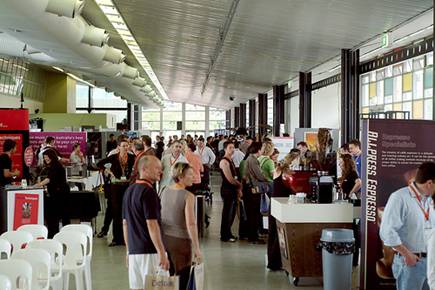
Virtual trade shows got their start by creating 2D graphical replicas of physical trade shows: exhibit halls, booths, auditoriums, lounges, etc.  Most users are “wowed” in their first experience attending a virtual trade show – they enjoy the quality of the user interface and often comment that they felt like “they were  there” at a physical event.

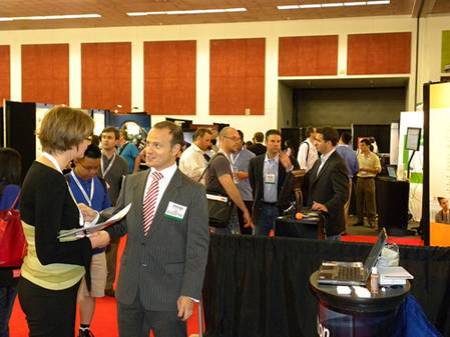
Exhibitors, too, find the virtual trade show experience to be quite enjoyable – at the same time, they often highlight important differences between exhibiting virtually vs. physically.  In a physical event, for instance, you have some amount of guaranteed foot traffic on the show floor – a portion of which will naturally wander into your booth.  The “efficiency” of a virtual event means that users only enter your booth by explicitly clicking into it.  In a physical event, exhibitors can greet prospects with a friendly handshake – in a virtual event, the exhibitor may never see the prospect’s face.

How can virtual event platforms incorporate aspects of the physical event experience?   Let’s consider a few ideas.

Source: flickr (User: ExhibitPeople)

How To: Gain Virtual Foot Traffic to Booths

On a crowded show floor at a physical event, an exhibitor knows that some percentage of attendees will visit their booth – additionally, exhibitors can increase their investment and receive strategic placement on the floor (e.g. near the entrance, near areas where food and drink are served, etc.).  In a physical event, as attendees walk towards (or past) your booth, there are tactics to catch their attention (e.g. making eye contact, telling them about a special sales offer, showing T-shirts that you’re giving away, complementing them on their laptop bag, etc.).  In a virtual event, you never see someone “passing by” your booth – they click directly to where they want to go.

The Guided Random Walk

Virtual event platforms could re-create the leisurely stroll down the show floor aisles.  Clicking on a “take me on a guided booth tour” button could allow the platform to become the auto-pilot and guide the attendee to the “store front” of randomly selected  booths.  At each  “stop”, the attendee is presented with an overview of the exhibitor, the products/services they provide and a list of staffers with whom they can engage.  The attendee can click to enter the booth – or, continue on with the “walk”.

Once they enter a booth, attendees would see a “resume walk” button to return to the guided tour.  Additionally, the virtual event platform could collect “interests” on the registration form (or on the attendee’s profile) to more efficiently recommend exhibitors (on the tour) to attendees.  Since most virtual attendees prefer to visit only those areas that interest them, this service would be completely optional.

Strategic Offer Placement

Virtual event platforms provide many avenues and areas for exhibitor branding and promotion (e.g. banner ads, jumbotron, etc.) – similar to a physical booth located near the food and drink, virtual event show hosts could map out the event hot spots (e.g. lobby, auditorium, etc.) and provide sponsorship opportunities for exhibitors.  For instance, the Auditorium could display banner ads that drive traffic to premium sponsors’ booths.  Since the virtual attendee is bound to navigate through key areas  (e.g. the Auditorium), promotions in those areas creates the equivalent of “passerby traffic” in a physical event.

Webcast Exit Actions

Imagine taking all attendees of a physical conference session and teleporting them to a specific sponsor’s booth at the conclusion of the session.  Well, a virtual event makes such teleporting possible.  If an exhibitor is presenting in one of the event’s Webcasts, have the virtual event platform provide an “exit action” to drive Webcast viewers to the exhibitor’s booth when it concludes.   Be sure to instruct the Webcast presenter(s) to inform viewers that additional questions can be addressed within the booth at the conclusion of the Webcast.  And, be sure those presenters also “exit” into their booth to provide the answers!

Source: flickr (User: SESConferenceSeries)

How To: Gauge Visitor Interest

When an attendee visits your physical booth, you can quickly judge their interest level based on facial expression and body language.  While these signals are not available from virtual booth visitors, you certainly can decipher interest based on the visitors’ mouse clicks.  Eloqua developed the concept of digital body language – and it applies directly to virtual booth visitors – “Digital body language can arm sales people with deep insights into the areas and levels of interest of every prospect.” (source: Eloqua)

The virtual event platform could provide real-time profiling of booth visitors, based on the actions they’re taking within the booths.  Inactive visitors can probably be left alone, whereas highly active users (lots of document views, document downloads, web site views, chat requests, etc.) may literally be raising their hand to engage in a conversation.

The virtual event platform could first characterize the nature of the prospect’s interest (e.g. map the requested documents to high level “interest categories” defined by the show host) and then place a subtle offer in front of the visitor (e.g. “An online representative is available to answer questions about telepresence – click here to engage in a 1:1 chat”).

Since this feature could be deemed too “Big Brother” by attendees, it would have to be tested (to gather feedback) and/or have an explicit opt-in setting that allows attendees to enable or disable the feature.

How To: Connect with Interested Attendees

During periods of high activity in a physical booth, visitors often walk up, see that all staffers are speaking with other attendees and decide to move on to the next booth.  Perhaps  later in the day, the same visitor returns to see if any staffers are available.  The observant exhibitor may recognize the visitor (from her prior visit) – and if so, provide special attention to her (since she made the effort to visit the booth and return a second time).

In a virtual event, all activity is tracked, which means that observant exhibitors need only turn to the services of the platform to let them know about repeat visitors.  Virtual event platforms ought to explicitly track repeat visitors and alert booth staff accordingly – perhaps the platform plays one audio alert for the first time visit  – and separate audio alert for the repeat visitor.

Additionally, the platform could allow exhibitors to build in rules and offers based on the amount of repeat visits.  For instance, on the fifth visit to the booth (within the same day), the visitor could be offered to download a free copy of the exhibitor’s software.  Exhibitors  could then leverage the resulting action to qualify the worthiness of the prospect (e.g. visited my booth 5 times + downloaded a copy of my software = have a sales rep follow up tomorrow).

Source: flickr (User: bilateral)

How To: Create Better Attendee Networking

One of the key attractions to an event is the ability for attendees to network with like-minded professionals – exchanging ideas, thoughts and business cards.  In a physical event, there are many “transitory phases”, where attendees migrate from one locale to another.  These phases create opportunities to meet or “bump into” random strangers.

That being said, meeting at a physical event is largely inefficient, based on the random nature of the meet-up.  Who knows if you’ll meet someone aligned with your interests or an uninteresting individual who’s there only for the free cocktails?  A virtual event can leverage the information available in user profiles to make meet-ups a bit less random – and far better “matched”.

In virtual, we can skip past the not-so-subtle glance at another attendee’s badge label – instead, we can auto-recommend like-minded individuals.  In my mind, the single most effective feature of LinkedIn is the “People You May Know” listing in the upper right of your LinkedIn home page.  Virtual events ought to create recommendations (of other attendees) with the same effectiveness.

The recommendation engine could be combined with an interface similar to ChatRoulette – whereby attendees enable their webcam and rotate through and chat with other attendees in roulette-type fashion.  It may not be quite the same as the physical experience, but the use of webcam can add a whole lot more than just text chat.

Conclusion

While it’s still true that virtual events can never replace the handshake – there are benefits of physical events that if modeled and implemented properly, can be a boon for virtual events.


How Virtual Events Can Adopt Location Based Services

January 28, 2010

These days, it seems the social web is like real estate – it’s all about location, location, location.  Foursquare, Gowalla and Loopt are gaining popularity as location based, mobile social services.  Yelp has rolled out Yelp Check-ins, which mirror a popular activity on the aforementioned services.  Twitter added location awareness to its API in 2009.  Facebook, some speculate, may enter the fray with their own location based services.

So how would it be possible to enable Location Based Services in a virtual event?  Well, consider that location tracking is inherent to the virtual event platform – in other words, it has a built-in GPS for all users!  I wrote previously about gaming in virtual events – that gaming can generate  retention, engagement, enjoyment and loyalty.  Location Based Services, in the form of competition and gaming, can achieve all of these benefits.  Let’s take a look at how.

Source: flickr (User: dvxfilmerdoug)

It Starts With The Buddy List

Users first need to build their social graph.  This can be accomplished with a virtual event platform’s “buddy list” feature – all users in your buddy list would receive status notifications from the location system.  The notifications would be sent to users within the virtual event (if you’re logged in).  Once you log out, you can opt to receive status notifications via email.  This way, even if you’re no longer in the event, you can receive updates (via email) on what your buddies are up to.

Build A Reward System

Next, a reward system serves as an incentive for users to participate.  The concept is similar to the becoming “mayor” of a location on Foursquare.  In a virtual event, perhaps you allow privileged users (who have achieved a certain status) to obtain a badge – whereby the badge can superimposed on their avatar image – or, listed on their profile page.  In addition to the badge system, a master leaderboard (and perhaps segmented leaderboards) should be utilized, allowing users to track their performance relative to other users.

The Virtual Trade Show

First, the notion of a social graph in a virtual trade show may be an upfront challenge.  At most trade shows, you may know a handful of colleagues or associates who are also attending – but for the most part, everyone else is a stranger (to start).  Thus, a system may need to be in place first to encourage users to add other users to their buddy list.

Assuming you can achieve decent-sized buddy lists, then the “check-in” becomes quite relevant in a virtual trade show.  Each visit that I make to an event area can be tracked (by the platform) as a check-in – allowing my buddies to know what areas I visited – and, where I am right now.  Secondly, I might leave a review or comment about a particular area – perhaps I enjoyed the content in an exhibitor’s booth – or, I didn’t find a Webcast to be all that useful.  When my buddies enter those same areas, they can then view the comments I left them from my prior check-ins.  Thus, when a buddy enters the same exhibitor booth, she knows that I visited earlier and enjoyed the content there.

Exhibitors could then sponsor areas of the event (besides their own booth) – the Lounge, Auditorium, Resource Center, etc.  Then, attendees can vie to become the “mayor” of a given area.  At the end of the live event, perhaps the mayor of the Lounge receives a prize that’s awarded by the Lounge’s sponsor – and to receive the prize, agrees to have a short conversation with that sponsor.  Already, you can begin to see how this location “app” can generate additional activity and engagement.

Source: flickr (User: Live Solutions)

The Virtual Sales Conference

In a virtual sales conference (and related corporate events), attendees naturally have a large list of potential buddies – the trick is to incent the attendees to populate that list within the virtual event.  Alternatively, management may choose to pre-select the buddy lists by organizing the sales force into teams – whereby your buddy list is pre-seeded with your fellow team members.  The location app is all about checking in (with each other) and sharing information towards gaining points for your team.  In this manner, the location app helps encourage learning and collaboration, making the virtual sales conference more effective.

Social Networks

For certain types of events (e.g. virtual trade shows), integrating the location system with users’ social networks can be powerful.  For instance, a check-in to the keynote presentation can auto-generate a tweet out to the attendee’s Twitter followers – providing a registration link to the event.  Similarly, a check-in at an exhibitor’s booth may prompt the user whether she wants to post an update to her Facebook wall.  In summary, the location service should facilitate sharing not just within the virtual event, but to external social networks as well.

Prevent Gaming (of the System)

The virtual events platform will need to carefully build the measurement and scoring methodologies to ensure that the “game is not gamed”.  In the real world, there is overhead involved in becoming the mayor of a watering hole – in the virtual world, clicking 50 times to enter an exhibitor’s booth is quite easy.  The scoring system ought to consider rate limits, as well as threshold values around selected activities.  Additionally, becoming “mayor” should factor in actions that are not as “game-able” as mouse clicks or visits.

Conclusion

There’s  probably a lot of work to enable the underlying platform to accomplish this – however, such a system can go a long way to achieving retention, engagement, enjoyment and loyalty.

Tweet this posting:


Improving The Virtual Event User Experience

January 20, 2010

Source: flickr (User: kamomebird)

The Airport Experience

To get to your flight, one embarks on a journey through the airport.  First, you park your car (or arrive via mass transportation).  Then you take an elevator, walkway or escalator and arrive at your terminal.  From there, you use a self service kiosk to check in to your flight and receive your boarding pass.  Perhaps you check in an item of luggage or two.  Then, you enter the security checkpoint line and have your carry-on items (and yourself) screened.

Once through, you walk towards your assigned gate, while stopping (if needed) to use the restroom, purchase a snack or pick up some reading material for the flight.  Once that’s all done, you may sit at the gate and relax for a bit before your flight takes off.  All in all, quite a complex journey – and, you’re no closer to your destination!  Believe it or not, however, the airport has provided subtle “tools” to make this journey a bit more efficient.

In the midst of one such journey (on a recent business trip), I drew comparisons between the airport experience and the virtual event experience.  Here are some tactics used at the airport that may improve the user experience for virtual events:

Navigation

Bookmarks for frequently visited locations in the virtual event – after I park my car in the airport parking garage, there are a stack of reminder cards by the elevator.  The cards list the garage that I’m in (e.g. Domestic Flights) and allow me to make a small tear mark (on the card itself) to indicate what floor and section I’ve parked in (e.g. 7th Floor, Section F).

Virtual event platforms should support a bookmarking capability to allow me to flag preferred areas of the event – and get me directly there.  Exhibitors could use this capability to find their way back to their booth in one click.  Attendees could leverage this to get them back to the Lounge or Auditorium – or whatever area of the event they frequent the most.

Source: flickr (User: trektheusa)

Auto-generated bookmarks for quicker navigation – at the airport, I use the “moving walkway”.  And I’m not one to stand there for the ride – I like to walk on the moving walkway to double my speed (like most people).  The basic idea is, “get me where I need to go – and fast”.  In a virtual event, the attendee wants to get where they need to go – and they don’t want to “figure it out”, nor are they interested in multiple clicks to get there.

Expanding upon the bookmarking concept, a virtual event platform could use data from the current session and past sessions (for that attendee), to auto-generate a set of recommended bookmarks.  If presented in an unobtrusive manner to the attendee (and, if the recommendations are on the mark), users would perform the one click and be taken directly where they want to go.  And, they’ll be much happier about their experience.

Notifications

When I pass through the security line at the airport, I usually view the monitors to confirm the Gate Number for my flight.  On my recent trip, I noticed prominently placed display monitors in the walk-way that had visual paging notifications (e.g. “John Doe, please meet your party at Gate 4”).  These notifications are typically communicated via audio announcements on the airport loud speakers – but for me, I’ve been trained to tune out those announcements.  The visual cue was much more effective.

At a virtual event, wouldn’t it be neat to have the show host leave notifications for attendees – and, for attendees to leave notifications to others.  If you’re expecting a colleague to attend the live event but don’t see her online, you can leave her a notification – then, when she logs in, she sees notification pop-ups from the show host – along with your’s.

Affinity Programs

Once through the security checkpoint, passengers are free to roam as they wish in the (secure) boarding area.  Passengers who belong to an airline affinity program, however, can show their credentials (e.g. frequent flyer membership card) to gain entrance into a Frequent Flyer Lounge.  I wrote about this previously – the notion of a virtual event affinity program to increase audience, engagement and “event loyalty”.

Source: flickr (User: tombihninc)

Convenience

The airport experience can introduce a lot of inconvenience, which means that any little thing (to create convenience for travelers) helps. Even though I had already packed properly, it was nice to see a pile of clear Ziploc bags available in the security check line – travelers who forgot to place their toiletries in a clear bag could grab one to become compliant.

In a virtual event, there are a number of system requirements (or plug-ins) that are needed for an optimal experience.  For convenience, perhaps the platform performs a check during the registration.  While the registration is being processed, the user is informed that a silent background check is being performed.  Then, upon successful completion of registration, the registration confirmation page provides the outcome of the system check, including links to install required software/plug-ins that were not found.  This way, the registrant has the opportunity to “get what she needs” prior to her arrival on the live event date.

Conclusion

With virtual events now beyond the “infancy” stage, I think a key for 2010 will be improving and enhancing the user experience.

Tweet this posting:


What Virtual Events Can Learn From The Airline Industry

November 14, 2009

Source: flickr (User: Globalist360)

It’s an industry much-maligned, the airlines – flyer satisfaction has suffered over the years, due to flight delays, lost luggage, unsatisfactory in-flight service – and most recently, extra charges for in-flight meals and checking in baggage.  The virtual event industry, in fact, has been a beneficiary of decreased air travel, as more and more attendees (and meeting planners) opt for virtual events.

That being said, the virtual events industry could stand to benefit in adopting programs pioneered by the airline industry.  Let’s consider a few.

aadvantage_img

Source: American Airlines

Frequent Flyer Programs

According to Wikipedia, “As of January 2005, a total of 14 trillion frequent-flyer miles had been accumulated by people worldwide, which corresponds to a total value of 700 billion US dollars”.  What are frequent flyer programs all about?  Creating active and loyal customers.  You’re naturally incented to build up your miles on a single airline, in order to qualify for a free flight, free upgrade to first class – or, credits that can be used to purchase goods and services.

Virtual events, on the other hand, are all too often “one and done”.  Yes, you may attend a great virtual event, but a week or a month later, you’ve moved on to the “next thing”.  You may return for the same virtual event later in the year (or, next year).  But you probably don’t re-engage with that event until it comes around again.

And, guess what?  When you do come back to next year’s event, you’re asked to enter a blank registration page (from scratch) all over again!  Virtual event platforms – and, virtual event show hosts, need to consider affinity programs for virtual events.  Such programs make a lot of sense for:

  1. Ongoing virtual events that repeat once (or more) per year
  2. Ongoing virtual communities that are open 365 days/year

If a virtual event is truly “one and done”, an affinity program makes no sense.  However, for the ongoing events and communities, affinity programs generate:

  1. Activity and engagement
  2. Loyalty – an attendee enrolled in a virtual event affinity program is more likely to attend the next event [compared to another attendee who did not enroll]

So how might you award “miles” in a virtual event?  Map event activities to “points” and allow attendees to view their real-time point score – activities that might generate points:

  1. Visit a booth
  2. Attend a session
  3. Chat with a booth rep
  4. Submit an in-show blog posting
  5. Submit an online event survey
  6. Rate a booth

Importantly, when you register members to your affinity program, re-use the same profile data for the subsequent events.  This not only provides a convenience to your members (e.g. seamless access into all subsequent virtual events without having to re-register), it generates loyalty and continued attendance (since it’s so convenient to attend each event).

UPDATE: additionally, encourage members of the affinity program to invite their colleagues and friends to join.  Reward them with additional points (or privileges) for each referral that turns into a new member.

For the ongoing community, the points structure serves to reward the more active community members – incenting them to keep logging in and participating.  The key here will be an incentive program that provides real value to those members who have achieved high point scores.  More on that in the next section.

Source: flickr (User: golden_toque)

Tiering of Services

First class, business class, coach.  Which one you travel in depends on how much you’re willing to pay and how loyal a customer you are (i.e. how many frequent flyer miles you’ve banked).  Either way, you know that the airlines create clear differentiation between these tiers of service.  First class travelers can board the plane first, sit in much wider and more comfortable seats and be treated to premium food and beverage (that’s included in their ticket).

In virtual events today, premium services tend to be exclusive content that’s available on a “pay per view” (individual content item) basis – or, by way of a premium attendee package, which costs more than the standard package (which may be free).  Virtual event platforms – and, virtual event show hosts, ought to consider additional tiers of service within an event.  The key will be to create features for which attendees will pay extra – or, for which they’ll perform additional actions to achieve premium status.

As such, virtual event show hosts will need to create the airlines’ first class service tier – e.g. something attendees will actually yearn for.  These premium services would allow the show host to generate additional revenue.  In addition, the premium tier could be bundled into affinity programs, incenting more activity and engagement (from attendees) in order to reach premium status.

So let’s say I’m a frequent contributor to a technical forum – or, I frequently visit the Lounge and help other attendees troubleshoot technical issues.  I’m basically generating a lot of “value” for other community members, on behalf of the show host.  As such, if I’m in the virtual event affinity program, I should be awarded points (for my actions) that build me up to premium status.

At the premium level, I might receive:

  1. Free access to exclusive content (which otherwise would have an associated charge)
  2. Access to an exclusive lounge area with audio/video chat access to experts, executives, thought leaders
  3. The ability to host my own chat room with a video stream of myself (increases my visibility within the community)
  4. A special avatar for premium members only

Reward your loyal and most engaged attendees and you end up encouraging others to join the fray.

skymall_img

Source: SkyMall

Convert a captive audience

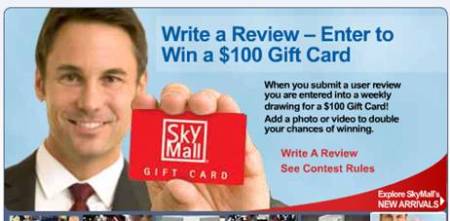
The industry (and, retailers like SkyMall) realized that they had a captive audience for the duration of a 2-hour (or 20-hour) flight.  Sure, there’s reading material, TV, movies (and increasingly, WiFi access), but there’s also a product catalog that’s neatly tucked into your seatback.  And when it’s near time to land and you need to “turn off all electronic devices”, it’s all too easy to grab the SkyMall and peruse through a product catalog.  Before you know it (for some of you), you’ve just charged $50 onto your credit card.

In virtual events, the active audience is a captive audience – attendees are busily viewing sessions, visiting booths, chatting with other attendees and chatting with exhibitors.  Show hosts and exhibitors need to provide this captive audience a valuable and convenient way to “convert” attendees.

Organize your content well – and provide tailored content to individual “personas” (e.g. “Storage Administrator’s Guide to Data Deduplication in the Financial Industry”).  Provide tools (e.g. an RFP requester) that allow attendees to conveniently reach out to multiple exhibitors at once.  Engaged attendees who are not converted from a “visitor” to an “opportunity” are merely lost opportunities.

In conclusion, I think the virtual events industry stands to benefit from adopting tactics used in the airline industry.  Now if only I could convert my virtual event attendances into frequent flyer miles!


Incorporate Gaming In Virtual Events

November 5, 2009


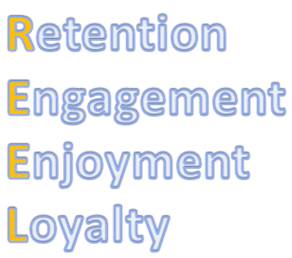
We’ve reached a point in the virtual events industry where users who have attended 1-5 events (or more) are starting to ask, “What’s next”?  If the industry doesn’t effectively answer that question, then users will eventually stop coming back and attendance will suffer.  One concept that makes a lot of sense is to introduce gaming into virtual events.  By doing so, you’ll achieve real results.  Why gaming?  It’s all about REEL:

REEL_img

Retention

Retention is a key objective of any virtual event – whether it’s a lead generation event (virtual tradeshow), partner education event or a virtual sales meeting, you want attendees to leave the event with a level of retention over the content you’ve provided (e.g. exhibitor product information, your own product and technology specifications or the the coming year’s sales priorities and initiatives).  Even in a virtual career fair, “retention” is about job candidates retaining information about your company and why they might want to work there.

With gaming, retention isn’t going to be achieved magically.  Rather, you’ll need to be very strategic in weaving your content message (and objectives) into the games themselves.  So you’re not providing games for 100% fun – but rather, crafting real business value out of participation in the games.  So first determine the messaging you want to convey to your attendees – and itemize the set of desired actions/outcomes you’d like to see them take in the virtual event.  Your tactics will then fall out from there, in terms of how to achieve your objectives within the games.  Sample tactics include:

  1. Place clues in the games that require participants to find and consume content in the show (e.g. view Webcasts, visit booths, etc.)
  2. Award game points based on participant actions
  3. Reward participants who successfully complete quizzes – whereby the questions are associated with content that can be found within the event

In summary, the structure of the game is all about driving business value – with attendees leaving your event with the desired level of retention.  The retention level translates into ROI on behalf of the event exhibitors, executive sponsors and show hosts.

Engagement

All virtual event hosts want to maximize engagement at their event – long session times, high attendee participation, etc.  The way this is achieved via gaming is not just in the sheer interaction with the game elements.  There’s also the factor of competition.  It’s natural for users to exhibit a competitive spirit – competition brings us validation (to know that we’re “better” than the “opponents”), recognition (to achieve a certain status or to see our name atop the leaderboard) and acclaim (to know that we’ve been crowned the champion).

So be sure to make competition a key element of your gaming, as it provides the constant “pulse” (heartbeat) behind the event.  With a leaderboard that’s updated in near-realtime, there will be constant buzz and activity as players jockey with one another for the top billing.

At the platform level, use the familiar video game tactic of “unlocking” certain features or capabilities based on levels you achieve in the game.  Perhaps it’s a special avatar or profile image (to designate your status) or a capability that puts me at an advantage against other gamers.  Lastly, provide compelling prize(s) to participants – otherwise, their incentive to compete may wane.

Enjoyment

When’s the last time you heard someone say they “had fun” at a virtual event?  Not too often, I’d imagine.  Well that’s a goal of gaming – while driving business value, you can simultaneously allow attendees to have some pure, old-fashioned fun.

Perhaps you create a game or two that has no (or very subtle) tie-in to your business objectives.  Or, you create a fun game that has business association, but is very fun to participate in (e.g. Jeopardy, Deal Or No Deal, Who Wants To Be A Millionaire, etc.).  If you’ve generated retention on the part of attendees – and they enjoyed the experience, then you’ve just created a win-win scenario.

Loyalty

An obvious point, but enjoyment lends itself to loyalty.  The more I enjoy an experience, the more I want to do it again.  With gaming, you have a real (or “REEL”) opportunity to create attendee loyalty, so that they come back for your next event.

Furthermore, in hosting an extended event (consider the case of an ongoing event that runs around the clock for a few weeks), the competitive aspect of the event keeps users coming back in to interact with the games, accumulate points and keep (or improve) their standing on the leaderboard.  As a virtual event host, loyalty is your pot of gold – loyal attendees means loyal exhibitors, sponsors, etc.

In summary, incorporating gaming into virtual events is a REEL opportunity that you should consider – if done right, all of your constituents will thank you for it.

Related links

  1. Gaming and Virtual Reality at Cisco’s Annual Sales Meeting (blogs.cisco.com)
  2. Cisco GSX — A Countdown to a Landmark Virtual Event (virtualedge.org)
  3. Marketing Lessons from Foursquare (rocketwatcher.com – observations on the mobile gaming service created by Foursquare)

College Recruiting 2.0: The Virtual Campus Experience

October 7, 2009

Source: flickr (User: Heidi SeraKorea)

Source: flickr (User: Heidi SeraKorea)

I read an interesting article in the New York Times this week – titled “M.I.T. Taking Student Blogs to Nth Degree“, the article describes how M.I.T. (and other colleges and universities) is leveraging student blogs as a recruiting tool.  The idea is that the blogs allow prospective students to get a glimpse into life on campus – and help them determine whether they’d like to apply for admission.

The dean of admissions at Haverford College was quoted in the article: “High school students read the blogs, and they come in and say ‘I can’t believe Haverford students get to do such interesting things with their summers.  There’s no better way for students to learn about a college than from other students.”

While I’m certainly a big fan of blogs, it occurred to me that virtual world and virtual event technologies could extend this concept to a whole new level.

3D Virtual Worlds

Hundreds of colleges and universities have a presence in Second Life (and other 3D virtual worlds).  Professors have been using 3D virtual worlds to complement their real-world classes – and in some cases, classes have moved entirely into a virtual world.  Universities who created 3D replicas of their campus (in Second Life, for example) could leverage the existing island(s) as a recruiting tool.  One could provide links from the student blogs, inviting high school students (who are so inclined) to enter the virtual campus for a real-time and interactive experience.

Recruitment activities you could facilitate in a 3D virtual world:

  1. Student-led virtual campus tour – the same exact concept as the real-world – prospective students meet the student guide at a designated place and time and the guide takes visitors (and their parents!) on a tour of the campus.  Of course, in a 3D virtual world, visitors would be required to download the client (if needed) and familiarize themselves with the user interface – they’d also need to teleport to the tour site and learn the basics of navigation / walking.  For colleges who built extensive campus replicas, however, the virtual tour gives prospective students a great feel for the real-world campus.  Later, prospective students can return at their own leisure to explore the campus at their own pace – and have random encounters with enrolled students or other prospective students.
  2. Student blogs -> 3D virtual dorm rooms – existing student bloggers can create “in-world content” to complement their blogs.  How about an in-world replica of your real-world dorm room?  It would come complete with in-world residents (you and your roomates), along with renderings of your wall posters, unwashed clothes (strewn across the floor), collection of beer cans, etc.  What better way to give a taste of campus life than taking prospective students into some 3D virtual dorms?

Virtual Event Platform

While the 3D virtual worlds facilitate outreach from enrolled students to prospective students, virtual event technologies could be leveraged by admissions and administration (of the university).  Instead of an immersive 3D environment, admissions and administration could utilize a 2.5D rendering of the campus in a virtual tradeshow fashion:

  1. University Departments as “booths” – Admissions, Administration, Law, Chemistry, Mathematics, etc. – each department could have a “booth” in the virtual environment, where they provide information on the department – and, representatives can staff the booth to greet and interact with prospective students via text or webcam chat.
  2. University Resource Center – a convenient one-stop-shop for all content placed in the department booths, allowing students to find the documents, web pages, videos, podcasts, etc. that interest them.
  3. Auditorium – allows your administration and departments to put a face and voice to your university – by way of live (or on-demand) video, podcasts, etc.  How about a monthly live videocast from your University president, provost or dean of admissions?  Prospective students would get a lot of value from that.
  4. “Lead” and engagement tracking – by requiring prospective students to provide a minimum amount of demographic information, you can use activity reports (provided by the virtual event platform) as a gauge of applicants’ interest level in your university.  This type of data may be quite relevant to the admissions department.

I don’t think that virtual worlds and virtual events will be adopted by all prospective students – there will still be quite a few who prefer the simplicity and low-overhead of browsing blogs.  That being said, those who are so inclined to participate virtually may signify the more “engaged” of the prospective student base – and next Fall, they’ll be the ones leading the virtual campus tour.


From Web 2.0 to Webinar 2.0

September 28, 2009

Source: flickr (User: Werkplay)

Source: flickr (User: Werkplay)

In this age of social sharing, participation, “users as publishers”, Facebook updates and Twitter tweets, the webinar is a seeming anachronism.  In your typical 60 minute webinar, the presenters speak for 45-50 minutes – and the only “participation” from the audience occurs when the presenter selects your question to be answered.  Users are not able to see questions submitted by other viewers – in fact, they rarely know how many other users are also viewing the webinar.

At the Feeding the SAP Ecosystem blog, there’s an interesting posting titled “SAP Virtual Events: A Work in Progress“.  Here’s a great quote about webinars:

Or the presenters drone on too long, overloading the audience with slides and not coming up for air until there is a few minutes left and the participants are too burned out to even attempt a last minute question. Webinars that incorporate reader chat and questions throughout the broadcast, rather than exiling them to a shrinking time slot at the end, are much more effective.

I agree wholeheartedly with this observation.  I believe that webinars can be much more engaging if they adopted an unconference model.  According to Wikipedia, “an unconference is a facilitated, participant-driven conference centered around a theme or purpose”.  As a webinar presenter (or sponsor), you’ll still want to define the topic and prepare a set of slides to reinforce your speaking points and presentation objectives.

But, what if you were to hand over some control back to the audience?  It requires a leap of faith, I know.  But when the audience is directly involved, I think you create a more rewarding user experience – and, you stand to benefit as well.  User involvement should directly result in engagement, retention and satisfaction.

Here are some simple ideas from Web 2.0 that can be applied to create Webinar 2.0:

  1. Audience drives the content selection – the presenter flips through two potential slides to the audience and then pushes out a survey to the audience.  The survey prompts the audience to select which slide they’d like to see covered.  The presenter then publishes the survey results and advances to the slide that won the vote.  This addresses one issue I’ve had with webinars – I attended the live webinar because the topic intrigued me; however, the content didn’t quite hit the mark.  If presenters gave more control and input to the audience, they’d have a better chance of giving viewers what they want.
  2. Audience members render their own slides – akin to a virtual meeting (e.g. WebEx, GoToMeeting, Adobe Connect), where the meeting host passes control to another participant, who then shares his/her desktop.  For webinar platforms that support this, imagine how powerful this could be.  Viewers would need to know to come prepared with slide content – but imagine the presenter asking for real-world case studies of a given technology and allowing a viewer to render a slide about his real-world implementation experience.  Again, this is a leap of faith and a “risk factor” in surrendering control of the content.  However, isn’t that what Web 2.0 is all about?
  3. Better balance between PowerPoint content and Q&A – a typical webinar has an 80/20 split (or more) between the PowerPoint presentation and Q&A.  I think it should be more like 50/50.  Scheduling frequent pauses (to answer questions) provides a lot of value to viewers – it means that they don’t have to wait until the 50 minute mark to have questions answered – and it signals to the audience that the presenters are “listening” to them.  Along these same lines, the webinar platform should allow all viewers to see all questions submitted by attendees.  And to cap it all off, follow up after the webinar by publishing an FAQ – list commonly asked questions along with their answers.
  4. Answer questions coming from the statusphere – define a Twitter hashtag for your webinar and have staff available to monitor the tweets – then, have presenters address and answer interesting questions that were posed via Twitter (and other social tools).  This allows you to extend the audience of your webinar – and engage with users who might not be able to attend.  Additionally, have staff members tweet back (with the answers), so that users monitoring the tweet stream know that you’re not only listening, but participating back.

I’m sure we’ve just gotten started – what tactics do you have to recommend for bringing Web 2.0 to Webinar 2.0?


The Importance Of The Virtual Event Debrief

August 30, 2009

postevent_review

Philosopher and essayist George Santayana was quoted as saying, “Those who cannot remember the past are condemned to repeat it”.  With virtual events, the “past” is fairly recent.  However, the spirit of Santayana’s quote holds true – we need to learn from our prior virtual event in order to make the next one better.

In the virtual events I’ve worked on, the conclusion of the virtual event is very much like crossing the finish line of a marathon – you’ve worked and trained hard and now it’s time to unwind, rest and relax.  The team that worked on a virtual event often has to move on to “the next project”, without much time to reflect on the event that just concluded.  As a virtual event show host, it’s your job to round up the team for a debrief meeting – you’ve all completed the marathon, but now it’s time for the half-mile cool-down jog to reflect back on the race.

The keys to a virtual event debrief:

  1. Define, measure and review virtual event goals and metrics – the first step in the debrief has to occur prior to the start of the project.  During or before your kick-off meeting, you and your team need to define the goals of the virtual event – and the associated metrics that you’ll use to quantify those goals.  Whether it’s “maximize sponsorship revenue”, “maximize user engagement” or “generate leads for exhibitors”, you’ll want to define measurable and non-subjective data points to serve as the basis of your virtual event report card.  So the first segment of the debrief is to review the data (i.e. the measured metrics).
  2. Review what worked – a combination of the metrics results – and, more subjective/anecdotal feedback regarding the overall event.  The key here is to understand why (or how) it worked and determine whether you want to repeat that success in your next event.  For the most part, what works in one virtual event should be carried over into the next.
  3. Review what didn’t work – again, a combination of metrics plus anecdotal feedback.  This is one of the most important components of the debrief – be honest in your assessments of what didn’t work – so that you are not “condemned to repeat it”.  My experience has been that when things don’t work, the reasons are usually “not enough lead time” / “too rushed”, “communications mix-up”, “human error” and “mismatch in expectations”.  Another category is “technology issue”.  I believe that all of these are correctable, with technology being the most straightforward and human error / communication / lead time being a bit trickier to nail down.
  4. Review and judge your constituents’ experiences – different event types will have difference constituents.  In a virtual tradeshow, the constituents include yourself (show host), attendees, exhibitors and presenters.  You may want to ask each constituent to complete a survey that’s specific to their experience.  Did attendees find the content useful?  How about the event experience – was it easy to navigate?  Did exhibitors have meaningful interactions with attendees?  For speakers, did they find the webcasting presenters’ interface intuitive?  Each constituent in a virtual event is important – if they were not 100% satisfied in this event, make it a goal to achieve 100% in the next event.

With the growth we’re seeing in this industry, chances are that when one virtual event concludes, you’re rushing off to your next one.  My recommendation is to stop and take a breath.  Take the time to gather the team and do a debrief.  Then, document the debrief and be sure to review it before you start planning the next event.