PHOTOS: My Visit to Twitter HQ

October 29, 2012

Image source: A photo tour from the San Francisco Chronicle.

Introduction

It helps to have friends in high places, especially when those places reside on the ninth floor of Twitter HQ in San Francisco.

After 12,815 tweets (consuming roughly 1,601,875 characters), I was excited to pay Twitter’s HQ a visit recently for a Halloween event. Twitter moved into its new digs (on 1355 Market Street) earlier this year and Mashable published some really neat photos at the time.

Photos from Twitter HQ

Dennis Shiao atop the green roof at Twitter HQ

Twitter HQ has an awesome green roof on which employees are welcome to take in sweeping views of San Francisco, while meeting with each other or doing work (the WiFi coverage extends to the roof). The roof is quite similar to the “Living Roof” that can be found at the California Academy of Sciences (also in San Francisco).

Drink dispenser (with Twitter logo)

Small kitchen areas provide drinks and snacks that employees can help themselves to any time. As I walked past this particular area, I was drawn to the intense glow of the Twitter bird.

Twitter's HQ is full of @names and hash tags

I saw more hash tags at HQ than at Twitter chats. And that’s not surprising, I suppose. Twitter ID’s (prefaced by the “@” symbol) can be found all over HQ, as well.

Twitter’s conference rooms are named after birds and the room names include the “@” symbol. I looked up some of the names on Twitter and discovered that they belong to “regular” users. So there must be plenty of users out there who don’t realize their Twitter ID is the name of a conference room at HQ.

Dennis Shiao in front of the "bird" at Twitter HQ

The shirt I’m wearing is the clothing item closest in color to the Twitter blue. I had a nice visit to HQ. I was so captivated by the experience that I … forgot to tweet about it!

Note: I invite you to connect with me on .


How to Avoid and Minimize Fake Social Media Reviews

October 22, 2012

Introduction

I was surprised to come across a press release from the research firm Gartner, which stated that “by 2014, 10-15 Percent of Social Media Reviews to Be Fake, Paid for By Companies.” As someone who relies on reviews to make purchasing decisions (e.g. on Amazon, Yelp, TripAdvisor and many other sites), this concerns me.

For actions such as views, Likes and followers, the “cost” (overhead) is low, while the action can be performed somewhat anonymously. A review, on the other hand, requires more “work,” and is often associated with some sort of identity (profile) of the reviewer.

In the press release, Gartner indicated that companies will emerge to assist brands: “Gartner analysts said they expect a similar market of companies to emerge specializing in reputation defense versus reputation creation.”

I have a better solution – and that’s to “attack” the root of the problem, which is the review site itself. Thankfully, many review sites are already structured to separate the quality reviews from the fake reviews.

Let’s look at some examples and consider some related ideas.

Review the Reviews.

“Meta,” according to Wikipedia, is “a concept which is an abstraction from another concept, used to complete or add to the latter.” To determine the worthiness of reviews, there’s nothing bet-ah (better) than meta (bad pun).

Let’s consider the reviews on Amazon. First, notice that the heading is “Most Helpful Customer Reviews.” Amazon allows users to indicate whether a review was helpful and then sorts their reviews list in order of “highest number of helpful review ratings” first.

The “Most Recent” reviews are listed off to the right column, in less prominent real estate. Also note that the reviewer is an “Amazon Verified Purchase,” which means that he purchased the book on Amazon.

Granted, one can still manipulate the system, as the New York Times detailed in a piece titled “The Best Book Reviews Money Can Buy.” But the Amazon system is effective because it relies on its users to tell us which reviews have been helpful. It also means that to display the “verified purchase” label, a fake reviewer would need to purchase the book on Amazon.

Establish “On-Site” Reputation.

In the Amazon example, the helpful reviews rose to the top, while the “non-helpful” reviews remained at the bottom. In this way, the Amazon reviews are similar to search engines, as few people click past Page 1 of search results pages (and the cream rises to the top).

In addition to rating the reviews, sites could establish reputation ratings for end users. eBay has been an innovator on this front, with their Feedback ratings. If you’ve ever purchased something on eBay, you probably viewed the seller’s ratings and read through comments (on that seller) left by other users.

Of course, an online review is a much different than an online purchase. Reviews won’t garner as much feedback as transactions. But the concept remains: allow users to establish reputation on the site, which will influence other users’ judgment on the published reviews.

Amazon, in fact, has a program called “Hall of Fame Reviewers” and Yelp has a program called the Yelp Elite Squad. Reviews that prominently display these sorts of reputation “achievements” (next to the reviewer) emphasize the “high reputation users” over those who may have ulterior motives (i.e. fake reviews).

Integrate Third Party Reputation Data.

Services such as Klout, Kred and PeerIndex aggregate public data (about you) to calculate online reputation scores. While not quite as useful as “on-site” reputation, linking reviewers to an online influence profile could help ward off fake reviews.

Influence equals credibility. And in considering whether a review is bonafide, I’d take an online influence score over nothing (i.e. an anonymous profile).

Deeper integrations between review sites and online influence services could tie “review topics” (e.g. books on Finance) to “influence topics” (e.g. Finance).

So, for instance, a review of a Finance book could link to the reviewer’s “Finance topic” page on the online influence site. Users reading the review could then determine how much weight to place on that particular review.

Integrate Third Party Social Identities.

Blogs and web sites use services such as Livefrye to conveniently integrate social identities (e.g. Twitter, Facebook, LinkedIn) to web site and blog comments. Tying reviews to a social identity is far better than anonymous reviews. At minimum, the reader can visit the social profile of reviewers to make a judgment on their worthiness.

Conclusion

Online reviews play an enormous role in worldwide purchasing decisions. As with any data source, effectiveness is closely tied to credibility.

If 10-15% of social media reviews are fake, then credibility suffers. And when that happens, people will look for other means of purchasing decision research. As such, web sites that provide reviews should look to successful examples from Amazon, Yelp, eBay and others to help avoid and minimize fake reviews.

Note: I invite you to connect with me on .


Unable to Attend an Event? 10 Ways Twitter Fills the Gap

October 15, 2012

Introduction

IMEX America, which describes itself as “America’s worldwide exhibition for incentive travel, meetings and events,” took place October 9-11, 2012 in Las Vegas.

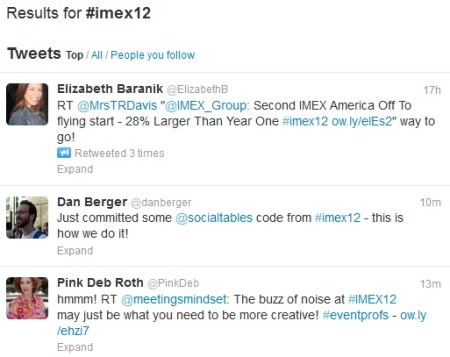
I didn’t attend the event, but noticed that 20+% of my Twitter #eventprofs friends were there. I knew about their attendance from their tweets, but also received additional “color” via the photos, videos, quotes, observations and shout-outs that they posted (on Twitter).

So even though I wasn’t anywhere near Sin City, checking the #imex12 hash tag during the day yielded the next best thing: feeling as if I were. I was able to see who was meeting up with whom, which organizations were there exhibiting and what the popular nightspots were.

Here are 10 ways Twitter helps “remote attendees” experience the sights and sounds of the on-site experience.

1) Take in the sights.

Images tell a story. It’s hard to imagine “following” an event on Twitter via words (text) alone. The images of attendees, exhibitors, speakers and the show floor give us a sense of the event’s character and personality. In addition, imagery adds to the feeling of “being there.”

2) Discover the key themes.

I don’t need an industry publication to tell me about the key themes of this year’s event, because it’s all right there in the tweet stream. Whether Twitter users share their own opinions or a quote from the keynote presentation, the tweet stream is the leading indicator of the event’s key topics.

3) Make new connections.

You’re sure to find interesting people at the event, by way of the tweets they’re sharing. You may choose to follow selected folks and they may decide to follow you back. In addition, by following the event’s hash tag and getting involved, you’re bound to pick up some followers by way of your interactions. I once attended a physical event and made new connections exclusively on Twitter. That’s right, we “met” on Twitter, but not face to face (it’s sad).

4) Gain nuggets of wisdom.

Miss out on a Sunday’s worth of NFL action? It’s OK, you can still watch the highlights that night. It’s similar with events: by reading the quotes shared on Twitter, you still get the nuggets of wisdom (from presenters) and get a feel for what particular sessions were all about.

5) Find exhibitors who provide solutions you may need.

For popular booths at physical shows, you may have to wait in line to speak to an exhibitor sales rep. Many of these same exhibitors are online (on Twitter), posting news and inviting on-site attendees to come visit their booth. If you’d like to obtain more information from an exhibitor, engage with them on Twitter – chances are they’ll respond back and get you connected to the right people.

6) Interact with onsite attendees by answering their questions.

Whether you’re 50 or 5,000 miles away, you can still be a valuable resource to the on-site attendees. How? By answering questions they might have. Provide a meaningful answer and you’ll likely pick up a few followers, too.

7) Learn about important industry news and announcements.

https://twitter.com/EliteMeetings/status/255773372733075457

Whether it’s an award, an exhibitor product announcement or news of a new industry partnership, chances are you’ll hear about it on Twitter.

8) Watch live video from the show floor.

Without Twitter, I wouldn’t have known about the live video interviews that were being conducted from IMEX America’s show floor.

9) Listen to a show’s podcasts as well.

Meetings Podcast, hosted by Mike McAllen and Jon Trask, was the official podcaster for IMEX America ’12. And how did I know that a new episode was up on the site? On Twitter, of course!

10) Discover recaps of the show’s happenings.

A great complement to the “Twitter commentary” are blog summaries that can go beyond 140 characters. Here’s an example of a great daily recap published by Anne Thornley-Brown on the Cvent blog.

Conclusion

I thought I’d conclude this post in 140 characters (or less):

Note: I invite you to connect with me on .


The Cost of Convenience on Social Networks

October 11, 2012

Introduction

Technology can do great things. It can save you time and save you money. With social media, it can connect you (via the device in your pocket) to people around the world – people you otherwise would never have “met.” But is there a drawback or cost to the convenience that technology provides?

An Example: The GPS

Consider the GPS (Global Positioning System). When I purchased my first GPS unit in 2005, I thought it was the world’s finest invention. Whether I was driving near home or in a remote town, I could plug in a street address and this magical device would take me there, turn by turn.

When I moved to the West Coast a few years later, my handy GPS helped me get around my new surroundings, from the department store to the movie theater to my new favorite restaurants. But now that I’ve been out West for five years, I’m finding a “cost” for the GPS that goes beyond the retail cost.

The “cost” was a dependence on this technological marvel, which meant that I didn’t truly know my own surroundings. Instead, I’d have the radio on, take the turns that the GPS called out, but not pay attention to the route I was taking (and, as a side note, I’ve since switched from a GPS device to the excellent Waze app on my iPhone).

Now, if I’m driving locally to a place I’ve never been before, I’ll plug the destination address into Google Maps and review the route. Then, I’ll drive to my destination without any technological guidance. And I find that curbing my dependence on the GPS has helped me better learn the local roads and routes. And not to worry, Waze – you’ll still come along for the ride when I go out of town.

Now, let’s consider the cost of convenience on social networks.

Liking a Comment on Facebook.

In 2010, Facebook rolled out the “Like” button on Comments. At first, I found this a bit curious: you have a button to “Like” the original post and now, Facebook is allowing you to “Like” interactions beneath that post. As I started using it, however, I discovered its elegance: you (the poster) could acknowledge interesting or witty comments with the click of a mouse.

The person whose Comment you Liked would see your action and perhaps they’d become more inclined to comment on your subsequent posts. There have been occasions where I ponder how to respond to a comment I’ve received. If it was a witty comment, I feel the need to return the favor with something equally witty. I’ll occasionally get “stuck,” and not know what to say. So instead I simply click “Like” (on the comment) and I’m done.

So what’s the cost? More substantial and meaningful interactions between you and the commenter.

Twitter’s Retweet Button.

In 2009, Twitter rolled out the retweet button (and function). The retweet (or, “RT” for short) was a capability conceived by Twitter’s users. And prior to the retweet button (or, the equivalent function in Twitter clients), users had to manually compose retweet’s by copying the tweet content, then sticking a “RT @USER” in front of the tweet.

The retweet function made it super convenient. With two clicks of the mouse (the first to retweet, the second to confirm it), you just published a tweet, while promoting the original tweet content. Because the retweet preserves 100% of the original tweet, the cost of this convenience is an absence of commentary (from you).

When I want to add my own thoughts (e.g. “Great post” or “Excellent points”) on a retweet, I’ll manually compose it (with a copy/paste of the original tweet), then change the “RT” to “MT” (for “Modified Tweet”). This makes the process less convenient, but I find the additional commentary worth it (and I bet the original tweeter may as well).

Location-based Checkins.

Location-based check-ins began on services like Foursquare. Their purpose was to alert friends (on the service) of your location. Perhaps you’re at Happy Hour and you see that some friends just checked in from the watering hole down the street. So you go there to find them.

So that was the original point – and a fine point it was. Soon, services such as Foursquare enabled you to broadcast your check-in to your social media accounts. And our tweet stream started to get filled up with tweets, like those shown above.

So the cost of the check-in convenience is a proliferation of rather trivial tweets. If I’m following you on Foursquare, then yes, a check-in is meaningful. However, if I’m following you on Twitter (only), your location at this particular point in time isn’t meaningful.

Facebook Check-ins

Similarly, Facebook has a check-in feature that enables you to list your location, along with tagging Facebook friends that you happen to be with. For friends and family on Facebook, I am, in fact, more interested in where you happen to be.

But, the convenience of the check-in means that more significant and meaningful descriptions (of  your location) go by the wayside. For instance, compare these two Facebook posts:

And here’s the more convenient one:

“Climbing to the peak – at Mount Everest”

Photo Uploads.

Don’t get me wrong: photos are great and pictures are, in fact, worth 1,000 words (or more). Sometimes, however, the convenience of uploading 50 pictures (to an album on Facebook) gives you the “excuse” that the pictures can tell the story (on their own). If a picture is worth 1,000 words, couldn’t you at least tag each one with 140 characters?

Conclusion

On the social web, we’re able to make connections and have interactions with people from across the globe. For me, that makes old fashioned, face-to-face interactions all the more meaningful. Similarly, the ease with which we can post, share, re-post and re-share on social networks means that we miss out on more meaningful dialog and interactions. This “cost tradeoff” is something to keep in mind as social networks continue to grow and evolve.

Note: I invite you to connect with me on .


33 Blogging Lessons from Publishing 333 Blog Posts

October 4, 2012

Introduction

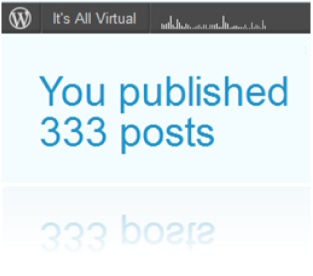
I recently published my 333rd blog post here at “It’s All Virtual” (this one is my 334th!).

It’s been a fun ride: thanks for coming along. In December 2012, this blog will turn four years old. So going with the theme of 3’s, I thought I’d share 33 lessons learned over my 3 (almost 4) years on this blog.

33 Blogging Lessons

  1. Blogging is a whole lot of fun.
  2. Your blog will be most effective if you write about what you’re most passionate about.
  3. When you think up ideas, write a few posts at once (rather than one at a time in sequence).
  4. Add social sharing buttons to your blog, so your readers can promote it on your behalf.
  5. Author guest posts on related blogs. It helps drive awareness of your own.
  6. Set aside dedicated, “turn off your devices and email” time for writing your posts.
  7. Place your blog’s URL in your Twitter profile.
  8. Configure you blogging software to tweet the link upon publishing.
  9. Tweet your blog content. Repeat those tweets later on, in case followers missed it the first time.
  10. Always respond to comments, even if they’re negative.
  11. Only delete comments that are obviously spam.
  12. Turn your blog into a book! There are a number of services that will do that for you.
  13. Turn selected blog postings (topically related) into an eBook. Publish the eBook on your blog.
  14. Use your blog as the foundation of your social media activities.
  15. Write once, publish many: turn blog content into videos, podcasts and webinars.
  16. Embed your YouTube videos, SlideShare presentations (and more) into posts. It’s so easy.
  17. Share selected blog postings with family members. They’ll get to know you even better.
  18. Use blogging to discover what you think.
  19. Ask yourself questions on your blog, then answer them. Why? It’s good for SEO. The question you ask yourself is the same term (question) someone may enter into a search engine.
  20. Keep a regular heartbeat to your publishing schedule. A blog that hasn’t been updated in weeks can be taken for dead, even when it’s not.
  21. Another reason to publish regularly: apparently search engines like that, so your SEO will be the better for it.
  22. Join a tribe on Triberr to help promote your posts.
  23. Invite the community to contribute relevant guest posts.
  24. Monitor blog stats regularly to help inform your future posts.
  25. When making cultural references, try to keep in mind that your blog has a global readership.
  26. You blog, therefore you are.
  27. Create a pinboard on Pinterest to feature images contained within your posts. This helps drive traffic to your blog.
  28. Publish contact info on your blog, as you may receive inquiries related to business or job opportunities.
  29. Think about SEO when crafting titles for your posts.
  30. Spend as much care and attention on your title as you do writing the post.
  31. Write your posts outside of your blogging software (I use Microsoft Word), then copy/paste in the text when you’re done. I find that this approach helps me focus.
  32. It’s OK to take a brief vacation from blogging.
  33. But, never stop blogging, it’s great!

Note: I invite you to connect with me on .