There’s A Sparkle (IM) In My Virtual Eye

March 31, 2009

Source: Genkii

Source: Genkii

Related coverage: TechCrunch – “Sparkle: The iPhone Gets Its First Virtual World (And It’s Completely 3D)”

There’s a sparkle in my eye – it’s from a Tokyo-based company named Genkii and the product is, of course, Sparkle.  Genkii announced two products – Sparkle IM and Sparkle 3D.

Sparkle IM is an app available in the iPhone App Store (for $4.99) and supported on both the iPhone and iPod Touch.  In essence, Sparkle IM is a lightweight gateway to Second Life and OpenSim.  So you get to send and receive IM’s with your Second Life or OpenSim avatar, but without the download of the thick client.  Instead, you do it all from your iPhone.  You can find a short YouTube video on the Sparkle web page: http://sparkle.genkii.com.

Why is this exciting to me?

  1. This is the first step in the placeshifting of virtual worlds experiences – analogous to what podcasts and portable MP3 players did for music consumption.  Now, you no longer need to be tethered to a laptop or PC to experience a virtual world – you go in-world from wherever your iPhone takes you (assuming adequate cell coverage).
  2. This could foreshadow virtual event support on PDA’s (see my prior blog posting on the notion of virtual events in a wireless world).  I’ve participated in many virtual events where exhibitors told me they were on the go – but, able to check in from their BlackBerry.  And today, what’s the most critical “application” in a virtual event?  Most would say it’s the chat application.  So apply the Sparkle IM “gateway” principal to virtual events – and presto! – virtual event chat on BlackBerry’s and iPhones.  Exhibitors would love it.

On to Sparkle 3D.  The TechCrunch post provides full details (with images).  Essentially, Genkii has developed their own 3D virtual world – for use on the iPhone and iPod Touch.  The support on the iPhone is interesting enough – but what might be the game changer here is Genkii’s vision of integration – they’re considering an integration with Sony’s Playstation Home virtual world and there’s speculation concerning integration with browser-based clients, the Nintento Wii and non-Apple phones, such as those running the Android OS.

Sparkle 3D can be quite powerful and pervasive if they’re able to integrate their platform this broadly.  No other virtual world is supported across this spectrum of devices and platforms (e.g. gaming systems, PDA’s, browsers), which could make Sparkle 3D the de-facto, cross-platform standard.  What other platform has been able to gain a footprint across an equally broad ecosystem?   Adobe’s Flash.


Newspapers: With Print Declining, Go Virtual

March 24, 2009

Source: GlobalPost

Source: GlobalPost

In a previous blog posting, I wrote that newspapers could leverage virtual event platforms to transform the reader experience from one of unidirectional consumption to an interactive community of participation and engagement.  In an article titled “A Web Site’s For-Profit Approach to World News “, the New York Times highlights Boston-based GlobalPost.  The good folks at GlobalPost are clearly thinking outside the “print box”, with an approach that mirrors (somewhat) some of the points I made in my original blog posting.

For one, GlobalPost has deployed a freemium model, built upon a wealth of freely available, advertising supported content.  The premium service comes into play with a service called Passport, which, as eloquently stated by GlobalPost, “offers an entrée into GlobalPost’s inner circle”.  According to the New York Times article:

Passport subscribers, who pay as much as $199 a year, can suggest article ideas. “If you are a member, you have a voice at the editorial meeting,” although the site will decide which stories to pursue, said Charles Sennott, a GlobalPost founder and its executive editor. He said Passport is meant to “create a feeling of community” for subscribers who might otherwise see newsrooms as “impenetrable and fortresslike.”

On the GlobalPost Passport web page titled “Benefits of Membership“, one can discover further detalis about the access afforded to Passport subscribers:

Passport also gives you a significant voice in the news. We invite you to join us in reinventing the media equation, empowering members for the Web 2.0 era. Instead of the old top-down model where editors decide what you need to read, as a Passport member you play an unprecedented role in shaping the stories that get covered, via ForeignDesk, Correspondent Calls and Newsmaker Interviews. Simply put, it’s access that gives you an edge.

While GlobalPost would need to find a business model to profitably support this – I can envision the use of a virtual event platform to serve as the foundation for their interactive community.  By “profitably support”, I mean that the additional cost (e.g. virtual event platform, higher costs for editorial staff, etc.) would need to be weighed against the additional revenue.

But that being said, the use of a virtual event platform could facilitate:

  1. Direct, interactive access from Passport subscribers to GlobalPost’s Editorial Staff – in the form of text chat (both private and group), webcam chat (both private and group), forums and blogs (in the platform), etc.  What better a way to shape the editorial focus than for the Passport members (the most loyal of readers) to engage directly with the folks responsible for producing the content.
  2. Direct engagement among Passport subsribers – generate and sustain subscriber loyalty and retention by allowing them to connect with one another.  After all, two subscribers who visit the “United Kingdom” section of GlobalPost.com likely have common things to discuss.
  3. Drive incremental revenue by upselling your Passport subscribers – one you have a loyal following of Passport subscribers, upsell them into higher and higher premium services – e.g. scheduled video chat sessions with your Publisher; access to exclusive content; access to all archived content, etc.

Kudos to GlobalPost on their somewhat contrarian model – and best of luck on the new site and success of Passport.


Call for Virtual World Executive Summaries

March 23, 2009

FountainBlue produces “monthly events for clean energy, high tech, and life science entrepreneurs in Silicon Valley (US / California)”. Earlier this month, FountainBlue held its first Virtual Worlds event, ” Virtual Worlds: The Hype, The Reality, The In-Between”. I attended the event and provided a summary of the virtual worlds panelists’ discussions. FountainBlue now plans to produce an annual virtual worlds event, with the first one on September 25, 2009.  According to FountainBlue:

This annual conference will showcase where we’ve been and where we’re going in virtual worlds, featuring key stakeholders, including entrepreneurs, intrapreneurs, and investors in this space. There will be two morning panels: one on Virtual Worlds – What is it, Where Has it Been? And the second one is on: Where Will Virtual Worlds Take Us. As part of this event, we will also feature Corporate Exhibits on Virtual World and profile Six Virtual World Entrepreneurs, the winners of this business plan competition.

Here’s a draft agenda of the September event:

8:00    Networking and Registration
8:30    Welcomes and Thank Yous, Audience Input On What They Would Like Covered
8:40    Presentation on Virtual Worlds – What is it, Where Has it Been?
9:00    Questions from the Audience
9:10    Panel Discussion: Where Will Virtual Worlds Take Us?
9:40    Questions from the Audience
9:50    Morning Break, Corporate Virtual World Tables on Display
10:20  Six Virtual World Fast Pitches, 15 minute rounds each
11:45  Awards, Closure and Networking
12:00  Adjourn

FountainBlue notes the following criteria for submitting an executive summary:

Early stage, funding-bound entrepreneurs and intrapreneurs are invited to submit their executive summaries by visiting http://www.acteva.com/booking.cfm?bevaid=180447, completing the questions on the registration page (following the format available at http://fountainblue.biz/images/Executive_Summary_Submission_Form.pdf) and paying the $20-$30 registration fee by noon on August 14.

Process for Submitting Plans

March 20    First Call for Exec Summaries
August 1    Last Call for Exec Summaries
August 14  Deadline for Exec Summaries Submissions (@ noon)
Sept 15      Announcing Six Finalists (by noon)
9/15-22      Informal Meetings with Finalists
Sept 25      Annual Virtual Worlds Event, with Presentation by Finalists

Process for Pitching During the Annual Event
The Six Virtual World Entrepreneurs will be conducting fast pitches, 15 minute rounds each, broken down as follows:

  1. 3-minute pitches
  2. 3-minutes Q&A with judging panel
  3. 2-minute feedback from judges
  4. 1-minute additional feedback from the audience

For more information on this event, contact: info@svvirtualworlds.com


Increase Your Virtual Event ROI: 10 Tips and Tactics

March 22, 2009

Source: Flickr (Ewan McIntosh)

Source: Flickr (Ewan McIntosh)

If you recently exhibited at a lead generation virtual event, then I’ve got some tips for you.  While most exhibitors consider the program “complete” at the conclusion of the live virtual event, your work is just beginning.  Outhustle your competition and you’ll generate more ROI, beating them to the punch on shared sales leads.  There are two primary strategies for generating a higher return on your investment:

  1. Leverage your existing investment to generate net new sales leads
  2. Better convert your existing sales leads

Leverage Existing Investment

  1. Convince the virtual event host to light up the environment – most virtual events remain “on demand” for 3 months after the live show date.  During those 3 months, you’ll see intermittent activity – some attendees return to visit your booth – some new leads sprinkle in, 1 here and 2 more a few days later.  Your event organizer should be incented to produce another “live date”, in which past attendees are invited to return – and, new registrants are invited to participate.  After all, the event organizer has fixed costs as well – and lighting up the show again means more revenue.  The organizer will want brand new content to draw users in (e.g. compelling Live Webcasts, like they used in the original event) – and you’ll want to leverage the same amount of booth reps to interact with attendees.
  2. Convince the virtual event host to support portable booths – you spent a lot of time getting your booth just right – selecting the right logo and Flash movie, finding relevant White Papers and producing some case studies just for the event.  Your booth is a great marketing vehicle and should be leveraged elsewhere – how about placing your booth on its own microsite – or, embedding the booth on your corporate web site?  The eco-friendly practice of re-use applies here as well.
  3. Syndicate booth content – for the White Papers, podcasts, Case Studies, etc. that you placed in your booth, syndicate them with the event organizer and related web and blog sites.  This broadens the reach of your content – and allows you to generate more sales leads.
  4. Syndicate Webcast content – if you had a speaking slot at the virtual event, ask the show host for a copy of the Webcast – then, host it on your corporate web site and syndicate it with the event organizer and related web sites.  Any content generated for the event should be re-used – it can generate new sales leads with minimal overhead or cost.
  5. Syndicate the supplemental Webcast content (in different forms) – convert your Webcast into an MP3 audio podcast and make that available on your web site along with the Webcast.  Syndicate the podcast as well, in case your target audience prefers the convenience of a download over the viewing of a streaming presentation.  Take the Q&A of the Webcast and transcribe that into a PDF or HTML document – and place this on your web site as well.  You get the idea here – spread your wings, without thinning the pocketbook.

Convert Existing Leads

  1. Find those Top 10 leads – whether you have an automated system or need to do this manually, comb through the wealth of engagement data that a virtual event provides and find those Top 10 leads.  These are the folks who Sales must call now.  Perhaps they downloaded 10 of your White Papers – or, perhaps they did a text chat with a booth rep and requested that a sales rep call.  Either way, they need immediate attention.  If you know the sales reps who should handle these leads, don’t be shy about personally walking the leads over to them and providing the details as to why the leads as so hot.
  2. Get the basics right in your follow-ups – if Inside Sales is following up by phone with some leads, make sure the reps have a script that covers the correct name of the virtual event – and arm them with some important details of the event (e.g. date, topics, speakers, etc.).  For email follow-up, be sure to include the virtual event title in the Subject line.  Always be sure to reference the context of the event in all of your touchpoints.
  3. Build customized follow-up paths based on prospect activity – again, whether it’s automated or manual, factor in the prospect’s specific activities within the live event and tailor the follow-up touchpoints based on that activity.  Study the 5 White Papers they downloaded and recommend a 6th that brings it all home.  Study the chat transcript with your booth rep and send an email follow-up that ties up any loose ends.  Believe me, the prospects will appreciate the personal attention and the value you deliver to them.
  4. Use the virtual event platform to faciliate your follow-up – your show host is keeping the environment open for 3 months – so it would be a shame not to leverage it for all its worth.  When you do secure a follow-up appointment – consider complementing your phone call by meeting your prospect back in the virtual event.  There, you can do text or webcam chat in an environment s/he is familiar with.  And perhaps you place some additional content in the booth for your prospect to review.
  5. Send small prizes to highly engaged prospects – not everyone could win a prize during the live event – so, find those top 10 leads – or, top 10 most engaged users (in your booth) and send them a memory stick or webcam.  As discussed, reference the context of the event in your communications.  Perhaps the memory stick contains additional White Papers that may be of interest.  Just make sure the touchpoint is personalized – and don’t send the prize just for the sake of sending something.

So there you have it.  Don’t forget that your campaign doesn’t end at the conclusion of the live virtual event.  That signals the starting point of the important phase – the one in which you’re head to head with the competition.  So make sure you score a higher ROI than they do.


Identity And Access Management In The Virtual World

March 18, 2009

In the physical world, it’s quite easy and simple to separate your work identity from your personnal identity.  Work is at the office – and for some, work stays in the office.  Your personal life and family are in your home.  Similarly, access rules apply within the same structure – you have access to work-related  information in the office (even though we know that’s extended to your PDA these days) and you spend quality time with family members around the home.  It’s simple, black and white.  As we spend more time online these days (and virtual), our worlds begin to merge and what was once black and white becomes gray.

There’s no better example of this merging world than the desktop or notebook you use for work.  Let’s list out the applications you run during the work day, segmented by business vs. personal:

Business

  1. Email client
  2. Instant messaging (IM) client
  3. Browser tabs: Intranet, corporate reporting system, CRM system, ERP system, etc.

Personal

  1. Email client (e.g. Yahoo Mail, Gmail, etc.)
  2. Instant messaging (IM) client [possibly the same client you use for business purposes]
  3. Browser tabs: Facebook, Twitter, eBay, NCAA picks, etc.

Now, let’s say I’m doing a desktop sharing session  – I’m running through a demo of a virtual event and I’ve forgotten to sign out of my personal IM client.  My mother, not knowing that I’m sharing my desktop, decides to send me an instant message.  What happens is that my audience of ten gets to see a reminder from Mom to call Uncle Jasper to wish him a Happy Birthday.  A bit embarassing, but all too possible when access to your business and personal profiles are enabled by a common resource (your PC).

To provide for a separation, one solution is to utilize virtualization – run one virtual machine (VM) with all of your business applications and a different VM with all of your personal applications.  The hassle here is the need to toggle between the two – but hey, perhaps you get more work done.

Now, let’s extend things a bit – as the business use of social media and virtual worlds grows, I think the same need for separation (e.g. identity and access management) applies.  For instance, many tell me that Facebook is strictly for friends and family, while Linkedin and Twitter are used strictly for business associates.  So users are using a manual configuration to separate their social network identities (and access to those identities).

But perhaps there’s a cleaner way – something I think of as identity virtualization.  Similar in concept to virtual machines, users of social networking and virtual worlds should be able to have a base profile (information that’s globally available and applies to all identities), along with specific identities suited for a defined purpose (e.g. business, personal, etc.).  Perhaps your virtual worlds identity (for business) uses your real name, whereas your virtual worlds identity (for personal) uses a fictional name (a la Second Life).

For this to work across your social network sites, they’d all need to work together against a common standard (for profiles).  In the meantime, this concept is precisely what Facebook was thinking, when they rolled out recent changes to help users better segment updates across their Facebook friends.  So while I certainly don’t have all the answers, my simple thought is that, as use of social networks and virtual worlds grows, the identity and access management issue will become more and more important.


Bringing Virtual Benefits To Business Travel

March 14, 2009

Source: Virgin America

Source: Virgin America

Recently, I embarked an a now-uncommon routine (for me) of a business trip – flying round trip on Virgin America, one of my favorite airlines.  Since most of my business these days is conducted virtually, the logistics of checking in at the airport, waiting in the security line, boarding the plane, checking into the hotel, etc. – gave me plenty of time to reflect on the dynamics of business travel.  Here are some observations:

  1. By its nature, business travel means that you’re constantly in close proximity to other businesspeople – some of whom are in your industry – or, could benefit you as a business partner (or vice versa)
  2. Those who are less outgoing / personable may only meet 2% of the fellow businesspeople they travel with – and really get to know only 1% (or less!)
  3. On my return flight to SFO, I’d guess that 1 out of every 15 people was a Silicon Valley entrepreneur.  If you were a start-up entrepreneur and on that flight, I’d guess that 1 out of every 25 on that plane was a Silicon Valley venture capitalist – or, someone who had funds to invest in your company

And while we’ve all heard stories about the sales deal or business partnership that was sourced by the “person next to me on the plane”, how many other business connections fall by the wayside because two or more individuals never connected?  Lots, I’m sure.  Technology helps flatten the world – but it can also be a further flattener to enable strangers in physical proximity to connect.

We do know that business travelers are quite active on social networks.  There are plenty of business travel blogs out there.  And, users of Facebook and Twitter are quite active while traveling.  They’re constantly chiming in from airports, conferences, hotels and restaurants.  They’ll also tell you whom they’re about to go in to meet with – and how it went.  So we know that busniesspeople are active on social networks during travel – but, how often are they engaging socially in person?

And there’s the irony – social media allows you to connect and socialize globally – but while you’re tweeting from your BlackBerry in the hotel lobby, might you be missing out on an introduction to a potential business partner who’s about to grab a cab to the same place you’re going?  Here’s where localized social media –  targeted at the local business traveler – could be a big win.

Some ideas:

  1. Virtual Flight Lounge, powered by Virgin America RED – when booking your Virgin America reservation online, Virgin asks you to opt in to their Linkedin connector – by opting in and supplying your Linkedin credentials, Virgin is able to capture key data from your Linkedin profile – and, obtain a list of your Linkedin connections.  Once on board, you pull up RED (Virgin’s in-flight entertainment system) and it displays Linkedin connections of your’s who are on the flight.  Additionally, it recommends business partners (with their seat numbers) based on a comparison of your profile against other profiles of passengers who also opted in.  If you’re interested, you can engage in RED’s seat-to-seat chat with your new-found friend.
  2. Marriott Virtual Lobby – when making your Marriott reservation online, you’re prompted to opt in to the hotel’s business networking feature.  You’re asked to provide information to populate a profile, such as what business you’re conducting, what business opportunities are you interested in, what are your food preferences, what are you in the market to purchase, etc.  Once you arrive at the hotel (and connect to the hotel’s paid wireless service, of course), you’re invited into a virtual lobby (similar to a virtual event), where you’re able to see all other guests who have opted in to the service.  You’re able to perform search, view guest profiles and participate in private and group chat (either via text or webcam).

In each scenario, the idea is that two or more potential business partners could discover one another (via their published profiles) – connect virutally and then arrange for the old-fashioned cocktail at the hotel bar or a steak dinner downtown.  That’s right, virtual begets physical.

Why would Virgin or Marriott do this?  The costs are fairly low (and fixed) – and can earn a high and recurring return – that being customer satisfaction and retention, which sure has a high ROI in this economic environment.  And what’s the value to the business traveler in opting in and using such a service?  Well, what’s the value of a new business partner or a new client?  I’m sure it’s much higher than the hard cost (zero) and worth the time and effort.

The concept here is similar to the popular “Who’s Close To Me” service provided by TripIt – but the difference is that here, you’re sourcing brand new business contacts, as opposed to discovering if your existing contacts are nearby.  So if I don’t bump into you in the security check at SFO, perhaps I’ll connect with you virtually and then grab a coffee with you in person.


Insights And Experiences From Virtual Worlds Experts

March 9, 2009

On Monday evening, I attended FountainBlue’s High Tech Entrepreneurs’ Forum at Microsoft’s Mountain View (CA) campus – the event was titled Virtual Worlds: The Hype, The Reality, The In-Between and was sponsored by Microsoft and TIPS Group.  FountainBlue, a “membership-based, for-profit, collaborative organization designed to positively impact the way people, businesses and organizations work,” has organized a new sub-group around virtual worlds, which officially launched coincident with Monday evening’s event.

FountainBlue landed a true All-Star panel of Virtual Worlds visionaries and experts.  Each panel member provided thoughts on virtual worlds and then took questions from the audience.  A summary of each panelist’s thoughts follows.

UPDATE: FountainBlue has posted a summary of this event on their blog.

Steve Nelson – EVP, Chief Strategy Officer, Clear Ink

Steve is EVP and Co-Founder of Clear Ink, an interactive agency based in Berkeley, CA, who has many “claims to fame” in Second Life development. Among their Second Life projects was a simulcast of the 2008 TED Conference (in Monterey), an appearance by Newt Gingrich in-world, the development of a virtual headquarters for Linden Labs and an in-world island in conjunction with the popular sitcom The Office.

Steve started with his definition of “virtual world” – a social platform that’s immediate and immersive – quite a relevant and apt definition, if you ask me.  Steve stressed the immersiveness of 3D virtual worlds by comparing a webinar viewed “standalone” with one viewed in-world.  Steve noted higher retention and recall rates of the in-world viewing – as viewers of traditional webinars are far from immersed – instead, they’re checking their email and multitasking with other apps on their workstation.

Steve noted that Clear Ink assists companies in virtual worlds via three e’s:

  1. Expectations
  2. Experience
  3. Experimentation

In closing, Steve noted five business models for generating revenue with virtual worlds:

  1. Own the virtual world platform
  2. Sell virtual goods
  3. Create virtual worlds tools and utilities
  4. Be an agency – design, consulting, etc.
  5. Use virtual worlds effectively as an enterprise – save money and be a more effective company

Robin Harper – Former VP of Marketing and Community Development, Linden Labs

Robin took us back to the very early days of Second Life and noted that in the initial development stage, Linden Labs thought the platform was about facilitating entertainment.  Fast forward to today and Robin believes that virtual worlds are so much more than entertainment.  In the past 18 months alone, Robin notes that growth in Second Life has been driven by education and enterprise (which each have grown by 2x in that period).  There is an increased use for simulation, prototyping, design and experiential learning.  60,000 residents are profitable (meaning they generate revenue that exceeds their land costs) and the top resident grossed over $1.7MM in US dollars (real money) by selling virtual shoes.

Robin notes that the power of virtual worlds lies in the collaborative tools that are provided with minimal constraints. She compared the development of virtual worlds to the development of third world countries – growth is facilitated by allowing residents to own their own land, own the intellectual property (of their land assets) and participate in an economy that fuels commerce.  Important areas of development today are “behind the firewall” applications, as well as interoperability across worlds.

UPDATE from Robin Harper: I’d like to clarify the statement attributed to me above. The figures I reported were originally estimates based on one quarter of data, so should not be taken as more than an annualized estimate. In addition, my reference to the sale of virtual shoes was in the context of the types of industries that are generating return in Second Life. In the top group of earners based on the estimates, most were involved in the land business, and a couple were in other businesses like events management and retail/virtual goods, including shoes. For more information, please see my blog: http://couldtherebewhales.blogspot.com/2009/03/correction.html

Michael Gialis – New Business Development, Sun Microsystems

Michael works in Sun Labs, with a focus on online gaming and virtual worlds.  Sun’s technologies in this space are Project Darkstar, Project Wonderland and Project Sun SPOT.  Michael notes that the #1 barrier to virtual worlds adoption is the non-intuitive nature of the client application.  Michael’s comments stirred some discussion among the panel regarding enhanced client capabilities, such as the use of sensors in lieu of keystrokes.  Robin noted that Mitch Kapor is experimenting with a 3D camera – when you smile, your avatar smiles. Some panelists, however, noted that some contexts may require separation between your true feelings and your avatar’s expressions – for instance, in a learning environment, you may not always want your true emotions to be on display.

Anne-Marie Roussel – Business Development Director, Microsoft

Anne-Marie manages Microsoft’s digital media portfolio, which includes Xbox, Zune and MediaRoom.  Anne-Marie noted Microsoft’s early efforts in the virtual world with its Flight Simulator game – which in turn led to the development of a product called Microsoft ESP (for 3D visualization).  Anne-Marie gave the interesting example of leveraging virtual worlds for training sales staff – if you sell Ferraris, then your clientele are much different from those buying Fords, so a virtual world can train sales staff on how to interact with prospective customers and face the sorts of questions/issues that Ferrari buyers are sure to present you with.  Anne-Marie spoke of Microsoft Virtual Earth and noted work being done to marry its 3D visual maps with crime scene data (to assist local law enforcement).

Susan Stucky – Manager, Service System Design, IBM Almaden Research Center

Susan noted that IBM’s involvement in virtual worlds is not to be a platform provider – instead, IBM is platform agnostic.  Susan’s interest in the virtual world is to achieve results that would be harder to accomplish in the real world.  One example noted was the practicing of negotiations of complex deals – reviewers (of the deal maker) could provide a virtual thumbs up or thumbs down.  Trainees could then replay the segment and view the feedback as it occurred.  Susan spoke of the need to capture data to better understand in-world behavior.  IBM Researchers developed technology to take audio chat, utilize voice-to-text to transcribe it and then perform unstructured text analysis to decipher patterns of behavior.  Susan also spoke of IBM’s Sametime 3D initiative and referenced the use of Second Life to facilitate a virtual meeting for IBM’s Academy of Technology.

If you’re interested in related events from FountainBlue, have a look at their events calendar.


IBM’s Second Life ROI: The Headline Beneath The Headline

March 4, 2009

Source: Linden Lab Case  Study

Source: Linden Lab Case Study

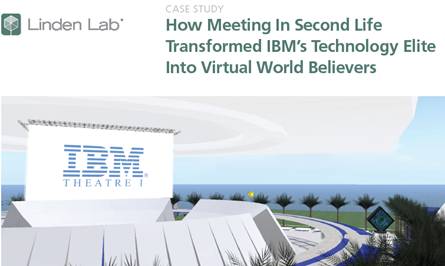
A Case Study published by Linden Lab (the company behind Second Life), documents IBM’s use of Second Life to hold a Virtual World Conference and Annual Meeting.  The meeting, organized by IBM’s Academy of Technology, brought together 200+ participants from across the globe (virtually) and had an ROI estimated (by IBM) to be $320K.

The $320K is derived from taking initial hard costs of $80K, then factoring in $250K in savings from travel and venue costs and $150K from productivity gains (since attendees participated from their desks – and could presumably do on-the-job tasks while in-world).  So that’s ($80K – $250K – $150K) = $320K in total savings.

So that’s the headline story – and what a great story it is.  I can understand why the Case Study led with this angle – in this economic environment, any talk of significant cost savings is going to score points with the CMO, CFO, CEO and Board.  And while I’m not one to diminish cost savings that’s simultaneously eco-friendly, what excites me most about the ROI equation here is the value add that virtual provides – the headline beneath the headline.

If IBM had convened this meeting at a physical location, I’m sure the event would have been equally valuable – but, at the event’s conclusion, the walls come down and participants leave with some photographs, business cards and memories – and may never be incented to re-gather and collaborate again, aside from the next scheduled (and organized) gathering.

With virtual, however, what IBM discovered was a build it once and reap the continued benefits phenomenon.  The island(s) built for this virtual event remain available on an ongoing, 7×24 basis.  So, participants who met and collaborated with specific colleagues may want to arrange for follow-on in-world meetings to further brainstorm their ideas together.

Additionally, IBM found a way to leverage the event to support an unrelated gathering – the Academy of Technology’s Annual General Meeting, originally scheduled in Florida.  The general meeting moved virtual and included live webcasting and videoconferencing – while leveraging the pre-built island in Second Life to support 120 poster sessions.  The beauty with the ROI equation here is that the more IBM can leverage what they’ve already built, the more “R” they generate in “ROI”.  And of course, this sort of re-use is eco-friendly.


Interview With Nic Sauriol, Venture Lead on Nortel’s web.alive Platform

March 1, 2009

Nic Sauriol, Venture Lead of web.alive

Nic Sauriol, Venture Lead of web.alive

Related Links:

  1. Lenovo eLounge
  2. Project Chainsaw
  3. My review of Lenovo eLounge

Amidst great fanfare in January at CES 2009, Lenovo unveiled the Lenovo eLounge virtual environment. Powered by Nortel’s web.alive platform, eLounge allowed users to enter a 3D virtual world to learn about Lenovo Thinkpad notebook computers (with an option to purchase), interact with other visitors and “meet” with representatives from Lenovo and Nortel.

Nic Sauriol is the Venture Lead for web.alive (also referred to as Project Chainsaw).  Nic co-founded the project a few years ago with Arn Hyndman, the chief architect.  I sat down (virtually) with Nic to get his thoughts on web.alive, eLounge, enterprise virtual worlds and more.  Here’s the interview.

If you met someone on the street, how would you describe (or explain) the web.alive platform to him/her?

Nic: web.alive is a collaboration platform designed to integrate into an existing website much like flash. When a web site has web.alive and people visit that site, they can experience a rich and immersive environment and interact with other users – including the website’s employees/staff who are also on that site . They can interact in an immersive and fluid way thanks to real world positional audio. Fundamentally, web.alive is about bringing live, immersive and interactive communications to connect people in real-time via the web.

It’s designed to be a very engaging and entertaining experience – great for social networking efforts. A social experience of the web where a group of friends could meet up on Facebook or LinkedIn and then go visit a few stores like the Lenovo eLounge, watch some shows in Hulu and then comment on the news at Yahoo is what web.alive is about in this context.

web.alive also offers tremendous potential as a tool to facilitate collaborative learning.  Gone are the days of an instructor broadcasting content in one direction – today’s learning requirements call for more collaborative work between instructors and students.  web.alive provides engaging and collaborative environments to make this mode of learning a reality.

In the enterprise, web.alive offers a new world of opportunities to change in a positive way how people communicate. Moving away from calendar based meetings and formal phone calls, to a much more dynamic means of interaction. A place where employees from all over the world can go, bump into each other, exchange ideas, grab a meeting room to discuss and collaborate etc. Simply embedding the web.alive client into existing intranet web sites, integrating into a UC [unified communications] solution (visit Nortel if you don’t already have one) and suddenly your employees are collaborating as though they were collocated.

Nortel and Lenovo received quite a bit of buzz regarding Lenovo’s eLounge and its use of Nortel’s web.alive platform – what do you view as the successes of the launch – and, what were some of the challenges that you had to address?

Nic: The beta launch at CES of the Lenovo eLounge was a tremendous success from our perspective. We saw a great opportunity to help Lenovo take their customer service to an entirely new level. Significantly more users than we had expected visited the beta launch (articles and blogs like yours were a significant factor) and most importantly we saw the kinds of metrics we could have only hoped for. I personally assisted a number of customers who toured the eLounge to browse Lenovo’s laptops. What is most important is that these  – for the most part  – were purchases that otherwise may not have happened, at least not on a traditional retail web site. In addition, we have seen excellent retention rates. Even when users don’t make purchases, they spend a lot of time surrounded by Lenovo’s brand – over time this will also help conversions.

Obviously there are customers that go to the Lenovo web site that intend to make a purchase, and various tools facilitate that. While we are excited to help in that regard, what we always hoped would happen was that users would visit the site that did not have a specific intention of making a purchase, and would otherwise have bought from a retail store (likely helping a competitor to Lenovo) and instead they make the purchase from the eLounge as a result of an unplanned/informal conversation with a sales person or some other person like myself who just happens to be there.

In terms of challenges, there have been many. While the majority of users have had a smooth experience, some users encountered a variety of different bugs which we are fixing as they arrive (users send us e-mails at support@projectchainsaw.com with their bugs). Most users were able to get in and navigate without any specific help, but here have been some that required assistance, so we are working to make interaction even more intuitive and fluid. One really notable challenge was that Lenovo sales staff had to adjust their mode of operation. Call centers wait for a customer to call to initiate a dialogue, unlike the real world where we can reach out to shoppers.

We had to spend time honing that skill to get the right balance of support (i.e. not jump in someone’s face when they first arrive, but make certain that they know you are there and available to assist if you need help). The biggest challenge of all is that people want more, a lot more.

Have there been any new developments with eLounge since the time of the CES 2009 launch?

Nic: Yes, there have been a number of new developments, some deployed others coming soon. Most importantly, Lenovo has seen the positive metrics we had hoped for and have committed to coming out of beta and doing a full supported launch (coming soon!). Changes that have been deployed include a large number of bug fixes, a few new features in the client (like notification when new users arrive via a desktop balloon) with many more coming. While there have been a few minor content updates, there will be many more coming when the site launches out of beta.

Tell us about other enterprise use of web.alive?

Nic: There has been a tremendous interest in web.alive from an enterprise perspective. Whether it be as a global water cooler (e.g. as an enterprise, place web.alive on your global internal home page to enable informal/accidental collaboration and discussion between your employees) or as an alternative for internal meetings (in particular those that would require travel). We have been particularly happy with the tremendous support and pull from within Nortel and have slowly been rolling out web.alive for internal use. We have also been building a number of features to better support internal collaboration beyond just positional voice and slides etc.

Our ultimate goal is to find ways that we can make web.alive collaboration more effective than face to face. The seams ambitious, but there are a number of challenges with face to face communication, let alone current telecommunication technologies that we believe we can address. The simplest example is knowing who you are speaking to or who is talking – this is often a challenge even face to face. More exciting examples include detecting and displaying emotion – there are people who don’t communicate very effectively because they are not skilled at detecting emotion (in the extreme, people with forms of autism) – we believe that over time we can augment and provide that kind of information.

Has there been any existing or planned consumer use of web.alive?

Nic: We are actively working on models to support low-end deployments of web.alive. I have always stated as a goal that my mother in-law should be able to embed web.alive in her personal web site. While technically we support a simple embed tag (in theory she could embed the eLounge on her page), we have yet to deploy a single environment built for this purpose. Most challenging of course if establishing the right business model for this, which is something we are actively working on. We will have something this year that will support small businesses.

What are customers telling you they’d like to see in web.alive?

Nic: This is a really difficult question to answer because we have talked to so many people, whether they be casual users in the eLounge or companies that we have talked with. Common themes would include a higher degree of interaction (e.g. shaking hands, more fluid and realistic animation, taking apart laptops etc.); more audio controls like the ‘cone of silence’ for private discussions; means to invite friends and better ways of staying connected.

What’s on the feature roadmap for web.alive?

Nic: We will be working to further optimize the new user experience (from client optimizations in size and speed to usability etc.), enable small businesses, enhance collaboration and make the whole experience much more immersive and interactive. We are also looking to start rolling out our community (user and developer) in 2009 to enable more contribution and an eco-system of value co-creation.

What does the future hold for enterprise focused virtual environments?

Nic: There is no question in my mind that immersive positional audio will fundamentally transform how we communicate. I believe we will start to see the kind of connectionless (from a user perspective) communications that happen in web.alive that enable “accidental collaboration” to permeate how enterprise users interact with each other, their suppliers and their customers. Eventually, calendar based meetings will become significantly less frequent as issues are resolved on the fly. Ultimately, I am convinced that virtual environments will facilitate this way of communicating by enabling rich immersive and dynamic collaboration. Just consider how an enterprise could use web.alive to improve their brand awareness by letting their customers hold virtual events or get-togethers with their network of friends, family and associates.

The best part if that we have a number of surprises (well, if you’re a techie like me they are surprises 🙂 – features that have not been rolled out but that we have built and are playing with. I won’t expand on what they are just yet, but we will roll some of them out over the coming weeks and months, and I assure you they are exciting. These features will really help incentivize enterprises into taking the leap and jumping into this kind of technology by doing things that can only be done with the kind of architecture.


Videos On Virtual Event Best Practices

February 26, 2009

I created an open Facebook group for Virtual Event Strategists – my goal with this group is to foster discussion and collaboration around virtual event strategies and best practices.  I’ve seeded the content on the group page by developing a series of Virtual Event Best Practices videos – short, 2-3 minute clips where I cover one particular best practice each day.

Since Facebook provides a very convenient video recording and upload utility (right there from the Group page – for anyone who has a webcam), my hope is that other group members will start contributing their own thoughts via video.  Or, start posing questions to the group via video (if not text).  A YouTube-like channel for Virtual Events sounds good to me!

I thought I’d post links to some of the videos I’ve produced to date.  Of course, to view subsequent videos, be sure to become a member of the Group – it’s open for anyone to join.

bestpract_2

In this first video (click on the image above), I talk about how to effectively use prize giveaways in your virtual event.

bestpract_3

In this video (above), I discuss the importance of “promotion source” tracking and data analysis.

bestpract_4

And in this final video (where I got all dressed up), I talk about ways to dress up your virtual event.

If you view the videos, be sure to let me know what you liked or disliked – thanks!