The ABC’s Of Lead Follow-Up For Virtual Events

July 4, 2009

Image Source: flickr (user: k1rsty)

Image Source: flickr (user: k1rsty)

Suggestion to Virtual Event Exhibitors: Don’t treat your lead list like a telemarketing list!

With the wealth of attendee engagement data generated (and stored) at virtual events, exhibitors have unique insights regarding the worthiness of their lead pool, giving them the ability to intelligently segment their leads and generate unique follow-up paths.  All too often, however, exhibitors treat their virtual event leads as a single pool, applying the same follow-up activities to the entire pool.  In a Virtual Edge posting titled “Don’t Overwhelm Your Attendees“, Michael Doyle writes about aggressive email follow-up by virtual event exhibitors.  I’ve observed the same behavior as Michael describes – in addition, I’ve attended a number of virtual events that resulted in follow-up via phone call.

A colleague of mine once received a follow-up phone call from a virtual event exhibitor – the call was placed by a telemarketing staffer, who had no knowledge of the virtual event (that my colleague attended).  The staffer simply had a name and phone number, with a goal of generating interest in the company’s products and services.  In my opinion, virtual event exhibitors will not be effective in handling lead follow-up in this manner.  Virtual event leads should not be treated like a generic lead list!

I recommend that exhibitors segment their leads into A, B and C categories.  Be forewarned – this is going to take some effort, but it will pay off in the long run with stronger ROI.  Here goes:

  1. The “A” leads – typically, your top 10% of leads.  They registered and attended the live virtual event.  They generated numerous touch points with your booth, your booth reps and your content (e.g. 8 booth visits, 20 document downloads, 5 chat sessions with your booth reps).  They generated at least one meaningful chat session with you – whether it was private, 1:1 chat with one of your booth reps – or, a meaningful chat/dialog via group chat in your booth or a lounge.  The “A leads” are requesting a follow-up engagement with your sales team – either implicitly with their level of engagement with you, or explicitly by requesting a sales follow-up via chat or email.
  2. The “B” leads – the bulk of your leads – they registered and attended the live virtual event and had at least one booth visit or one view/download of your content.  So yes, they interacted with you, but didn’t do enough to gain “A lead” status.
  3. The “C” leads – folks who registered but didn’t attend; attended but didn’t visit your booth; or, folks from other exhibitors or from the virtual event show host or vendor.  Note: based on the structure of the virtual event sponsorship tiers, you may or may not gain access to these leads.  Intelligent follow-up is based on intelligent segmentation – exhibitors should certainly review their lead list to identify leads they should not be following up with – and those leads should be removed from the “C lead” pool.  There’s no use in following up with attendees from other exhibitors, attendees from the virtual event host or the platform vendor company.  In fact, doing so only makes your company look disorganized.

Now that the important task of segmentation is complete, follow-up paths can be identified for each pool.  Here are my suggestions:

  1. A leads – schedule immediate sales engagements, via phone, virtual meeting or in-person.  If the “A lead” had extended engagement with a sales rep in the virtual event, have that sales rep present during the engagement, to continue the conversation and carry over the context from the virtual event.  If the “A lead” had great discussions with a product marketer or product manager, invite that person to join your sales rep(s) on that initial call.  For any explicit requests (pricing proposal, additional documents, etc.) – make sure to send the information over in advance of the engagement.  Think of the “A leads” as ROI waiting to happen – so treat them like royalty.
  2. B leads – it’s important to be strategic with the “B leads” – don’t hand them over to telemarketing for a vanilla phone call and don’t start sending them generic email blasts about your products.  Instead, study their behavior at the virtual event – what content interests them?  Then, create communications that deliver value and personalize the content based on their activities – for instance, send them a White Paper that provides additional information to the Case Study that they downloaded from your booth.  Again – this is going to take work on your part, but it’s work that’s well worth it.
  3. C leads – this may sound counterintuitive, but – don’t follow up with the “C leads”.  Instead, build a new profile in your CRM system (or, update the existing profile) and associate the information you learned [e.g. they’re interested in the topic of the virtual event, but did not attend].  Your job as a marketer, then, is to match subsequent interest (from the “C leads”) back to their user record.  What you’re trying to do is assemble an engagement profile over time – perhaps the “C lead” does attend the next virtual event and visits your booth – or, the “C lead” registers for a podcast you’ve syndicated with a tech publisher.  Now, you have so much more data for your sales team.  Don’t feel like the acquisition of a “first time C lead” gives you the right to start bombarding her with phone calls and emails.  Consider the “C leads” as potential – where the value is to be delivered (with subsequent engagements).

In summary, your sales team should receive only the “A leads”.  The “B and C” lead pool remains under the auspices of Marketing, until a point where any of them reaches an A list eligibility.  This approach should make everyone happy – Marketing, Sales and even the atttendees/leads!


The Convergence Of Physical Events And Virtual Events

July 1, 2009

convergence

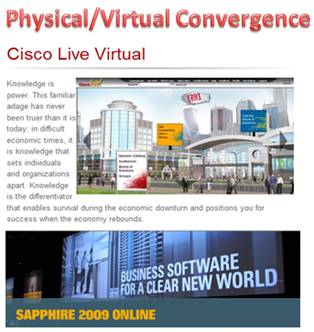
In May, SAP’s annual SAPPHIRE conference (SAPPHIRE 09) floored physically in Orlando, Florida, with a concurrent virtual event online.  This week, Cisco’s annual Cisco Live conference followed suit, with a physical event in San Francisco, California and a concurrent virtual event online.

Full disclosure: My company (InXpo) was the virtual event platform provider for both the SAPPHIRE and Cisco Live virtual events – and, I worked on the Cisco Live virtual event.

During a presentation at the Virtual Edge Summit in May, a presenter from SAP noted that considerations were made concerning the potential of cannibalization – whereby physical attendees may stay at home to attend virtually instead.  However, he noted that in reality, a combination of physical and virtual event extended the overall reach – and the virtual component served to augment the overall attendance count.  When combined (physical+virtual), this year’s attendee count for SAPPHIRE was the largest ever.

This week, I attended Cisco Live on-site, but spent most of my time online to support the virtual event.  However, in experiencing all the touch points of the event, it quickly occurred to me that the entire notion of physical vs. virtual is blurring – they’re coming together to form an aggregate attendee experience.

Some participants are not able to travel to the event’s venue – and as such, their only choice is to participate in a virtual component.  For those on-site, they can choose the attendee path that suits their preferences.  Perhaps that means attending the John Chambers keynote in person, grabbing a cup of coffee, visiting the World of Solutions (exhibit floor) and then returning to the hotel room to login to the virtual event, to follow up with a few exhibitors in their virtual booth.  Later, that same attendee may visit the customer apprecation event in Second Life, and then attend a tweetup at a nightclub (in person).  Here’s an image of my Second Life avatar at the Tuesday evening Second Life dance party:

The author's avatar with right hand raised

The author's avatar with right hand raised

To make this convergence really work, I believe the following should be done:

  1. Create a unique value proposition for each venue – virtual event, virtual world, physical event – do not simply re-purpose one into the other.  Dannette Veale explains it quite well in a Cisco Virtual Worlds blog entry, The Value of Virtual Events.
  2. Tie the venues together in a logical fashion – link the venues together where it makes sense.  Convergence should happen for a good reason – and not for the sake of convergence.
  3. Give the attendees freedom to choose – allow attendees to choose their own attendee path, without forcing them down any one direction.  Leave the hooks in place and each attendee will follow their own path.  Some physical event attendees may opt out of any convergence and focus 100% on the physical event.  Others may actively engage in the virtual event while on-site physically.  Either path is fine.
  4. Integrate social media across the spectrum – whether it’s Visible  Tweets displayed on a physical monitor or Facebook integration with the virtual event – integrating social media increases engagement within the attendee experience and also extends the reach of the event to networks of social networks.  Here’s an interesting example of user generated, social media at the physical event – a physical whiteboard that asked attendees to write about where they were in 1989:

whiteboard

In Cisco Live Virtual, elements of the physical event were streamed into the virtual event.  By doing so, virtual event attendees (who could not travel to San Francisco) were still able to get a taste of the physical event experience.  For instance, webcams were deployed throughout the physical event to stream in live feeds from the show floor – and to host personalized webcam chats with Cisco executives.  One of the webcams was pointed at this Solutions Theater – from which virtual event attendees had a continous live stream of presentations given throughout the day:

solutionstheater

Here are some of the ways I experienced physical/virtual event convergence:

  1. Watching John Chambers’ keynote presentation online, via a Live Webcast streamed into the virtual event (by On24).
  2. Viewing a Cisco Live Second Life session (LIVE!) from a booth in the virtual event – the session was broadcast by treet.tv in Quicktime – so users needed the Quicktime player but not the Second Life client application.
  3. Watching a live (physical) demo of Telepresence, which was broadcast via a Live Video Webcast, which was carried within the virtual event (many layers of convergence there).
  4. Participating in live chat sessions that Cisco executives (Carlos Dominguez and Padmasree Warrior [separately]) attended via webcam.  Attendees typed their questions (via text) and the executives answered via webcam / audio.  The executives answered just about every question posed, so it felt like a personal meet and greet with the executives.
  5. Walking past the NetQoS physical booth – and noticing one of their demo workstations displaying their booth in the virtual event.  Quite a good idea – host visitors to your physical booth and remind them of your presence in the virtual event.  That prospect can’t return to your physical booth next week (when the event is over), but they sure can visit your booth in the virtual event [at any time] to find the needed information.
  6. Reading one user’s in-show blog, where he asked physical attendees to name the “one [physical] booth that should not be missed”.  This particular user was not able to attend physically – but, he may be able to visit the virtual booths of the vendors recommended by his peers.

Moving forward, I expect to see many more events follow this model – whereby physical events will leverage virtual event and virtual worlds technologies to accomplish the following:

  1. Deliver additional value to the physical event
  2. Extend the reach of the event to a global audience
  3. Blend physical and virtual components to create a more compelling experience
  4. Drive stronger event revenue and ROI!

I hope to see you at a future event – I haven’t decided whether I’ll be there physically, virtually or both.


Draft The Right Team For A Successful Virtual Event

June 28, 2009

draft_team

Last week, the National Basketball Association (NBA) held its annual draft in New York City’s Madison Square Garden.  Some teams were looking for the missing link to their 2010 NBA title aspirations – while others were looking to build a new foundation from scratch.

In either case, it’s important to know what you need – and then make the right talent evaluations to select the players that best fit your needs.  Similarities exist when planning a virtual event – draft and assemble the right team and you have the potential to bring home the championship.  Build your team incorrectly and you’ll miss the playoffs.

Continuing with the basketball analogy, here’s how I’d assemble my virtual event team:

  1. The Center – for many teams, both the offense and defense revolve around the important center position.  For a virtual event, the Center is your content – the theme, the independent expert presenters, the presentations themselves, etc. Make this your number one draft pick – identify the target audience for your virtual event and then select the best players who will deliver the most compelling content to that audience.  Be sure to make this a slam dunk (pun intended).
  2. The Point Guard – the point guard is often considered the surrogate coach on the floor – s/he dribbles the ball up the court and commands the offense.  In a virtual event, the point guard is the Event Host or Event Planner – the person who’s responsible for coordinating all the various parties involved in the execution of the event.  Rookie point guards rarely excel in the NBA – so make sure you have a veteran player running point in your virtual event.  If you have rookies on board, have them play the understudy role, so that they can grow into a starting role for the next virtual event.  A virtual event is best produced by someone who’s run the show many times before.
  3. The Shooting Guard, Small Forward and Power Forward – these players round out your squad – in basketball, they do a combination of scoring, defending, shooting, passing and rebounding – just about everything.  In a virtual event, these are your production assistants, project managers, webcasting engineers, video engineers, campaign managers, quality assurance engineers, etc.  As with any top team, this portion of your roster needs to have talent and depth – when one player becomes unavailable, the next one must step right in.  Championships cannot wait – and neither can the virtual event that’s one month away.

As general managers are astutely aware, assembling the right pieces is no guarantee of success.  As in sports, virtual events depend on the following:

  1. Team Chemistry – if pairs of groups have worked well in the past, keep them together for subsequent events.   This way, they don’t have to re-learn each others’ working habits and personalities.  As in sports, team continuity improves the likelihood that you’ll win over and over.  On the client-facing side, identify team members whom specific clients love – and keep them on those same client accounts – they’ll thank you for it.
  2. The Front Office – in sports, a front office that puts a good team on the field often reaps the benefits of strong ticket sales.  In virtual events, the quality of the team is independent of attendee interest.  Here, you need talented and knowledgeable front office staff to handle the audience generation for the virtual event – email blasts, web site syndication, social media integration, etc.  The best  (execution) team on the planet is useless if your virtual attendance is poor – so the audience generation crew is critical.
  3. In-Season Moves – championships are often won and lost by in-season moves – trades, player signings, managerial firings/hirings, etc.  For virtual events, you’ll find many inflection points where critical decisions need to be made.  Whether it’s a shift in the audience generation strategy or a change to the content/theme – making the right decision can make or break the event.  Make sure you weigh all decisions as a team – and remember, virtual event decisions do not need to be approved by the league office (ha ha).

With the virtual event season in full swing – best of luck to you all – bring home a winner!


A Virtual Event For All Seasons

June 17, 2009

Scheduling of large physical events seems to follow a seasonal pattern.  With the exception of CES (Jaunuary 7-10 2010) and Macworld (February 9-13 2010), there are fewer events at the very start of a calendar year – many event planners are probably thinking that fresh off the holidays, potential attendees are less inclined to travel.

The event schedule then picks up a little steam in February and March and by spring time, we’re in full bloom.  The summer seems to get its fair share of events – but at the same time, some event planners may scale back on a summer schedule due to vacation schedules (and the fact that kids are home from school).  As we head towards the Thanksgiving holiday in the U.S., the event schedule seems to taper – and during the December holidays (Christmas, Hanukkah, etc.) there seem to be very few physical events scheduled.

Virtual events follow a similar seasonal pattern. There were virtual events in January and February of this year, but the pace seemed to pick up in March – with a build-up to June, which could be our high water mark for virtual events this year.  I maintain an informal Virtual Events Calendar, which lists 21 virtual events in June, with only 3 currently listed for July.

Seasonality

Do virtual events really need to follow seasonal patterns?  Here are my thoughts:

  1. Consider the convenience factors – virtual events are convenient for all parties involved (virtual event planners, exhibitors, attendees) – there are no travel arrangements to be made and no booth materials to ship.  For booth material, one can leverage existing White Papers, Product Collateral, etc. – and not have to send hundreds of documents to the color printer.  For exhibiting or attending, one can login from anywhere (in pajamas).  As such, the traditional danger zones (e.g. Thanksgiving week, Christmas week, etc.) may be less relevant for virtual.
  2. Use virtual to complement physical – would I place all my bets on a successful virtual event on December 23rd?  No.  But, I might want to floor a virtual event on December 23rd that complements another physical or virtual event.  Additionally, I may want to leverage the virtual event platform to power a business community that’s open year-round, rather than being “live” on a given date.

The key to the success of a virtual business community will be a critical mass of participants.  Live virtual events are successful because a critical mass of live attendees gather to view content and interact with one another.  If I login to an virtual community and no one else is online, it means I have no ability to interact with someone in real-time.

I’ll be able to view content and participate in message boards, blogs, etc. – but at that point, it’s no different from using a conventional social networking site.  All in all, the possibilities are very exciting.  I know that my own calendar is booked solid (virtually) through the end of the year.


Real-Time Search For Virtual Events

June 15, 2009

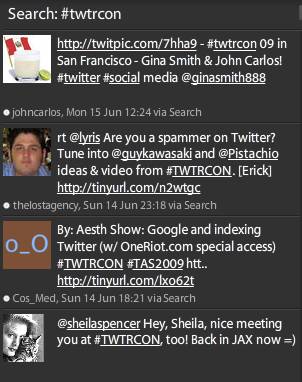
Among its many uses, Twitter has become an indispensable technology for event planners – whether the events are physical, virtual or mesh/hybrid.  Just about every event today defines a Twitter hashtag, which allows Twitter users (“tweeps”) to associate their tweets with the event.  If you want to follow comments about TWTRCON SF 09 (which is now over), just search for the hash tag “#twtrcon” in the Twitter client of your choosing.  Here’s how it looks for me in Tweetdeck:

tweetdeck_twtrcon

The great thing about Tweetdeck is that the “search view” updates in near-real-time, which means that as new tweets are posted with that hashtag, I see them appear in this particular search pane.  Periodically glancing at a hashtag search in Tweetdeck allows me to keep my finger on the pulse of a live event that might be occurring hundreds of miles away.

Similarly, I’ve attended physical events where I’ve spotted Tweetdeck running on attendees’ laptops – clearly, they’re tweeting about panel discussions, keynote presentations, etc. right there from the event itself.  Those who left their laptops tucked away are likely sending status updates from a Twitter client on their smartphone.

The beauty of Twitter is not just in its capability for organizing a global discussion around particular events – it’s also great for tracking what’s being discussed around a topic.  For a b-to-b marketer, you might want to know what’s being said about your products and services.  For a salesperson, you might want to know how the competition is positioning themselves.  Twitter allows you to search for that chatter in real-time – and, third party services (e.g. tweetbeep, twilert, etc.) allow you to set up agents to send you search results via email.

Now, let’s consider a virtual event.  With all due respect to great White Papers, Case Studies and Product Collateral, I find that the most interesting content at a virtual event is the group chat that occurs in booths and lounges (e.g. the Networking Lounge).  If microblogging content occurs in the statusphere, then I think of a virtual event’s chat content as the chat-o-sphere.

In a very active/engaging virtual event (e.g. lots of activity, plus a number of interesting Webcasts/Videocasts), it can be hard to keep up with all the interesting discussion in the chat-o-sphere.  If I’ve attended a 50-minute Webcast and return to the Lounge, I’ll often find 100 chat entries added since my last visit – it can be challenging to read through what I’ve missed.

Virtual event platforms may need to consider Twitter-like capabilities to search the chat-o-sphere in real-time – and, provide Tweetdeck-like widgets to keep real-time views on specific tags or search terms.  Exhibitors at a virtual event may be interested in real-time searches on the following terms (within a Lounge chat):

  1. Mentions of my company’s name
  2. Mentions of my own name
  3. Mentions of my competitor companies’ names
  4. Mentions of my products
  5. Mentions of my compentitors companies’ products

An exhibitor tracking these search terms can quickly send a product marketer, sales engineer, etc. into the Lounge to quickly address questions being posed – or, simply participate in the discussion.

What do you think about the chat-o-sphere in virtual events – is there value in real-time search against it?

Related Links

  1. NY Times: Hey, Just a Minute (or Why Google Isn’t Twitter)
  2. Blog posting: For Virtual Worlds Info, Here’s Whom I Follow on Twitter (and Why)
  3. Blog posting: Leverage Twitter for Virtual Tradeshow Outreach

Four Ways To Make Virtual Conferences Better

June 9, 2009

Nick Morgan, on the Conversation Starter blog at Harvard Business Publishing, wrote a recent posting titled “Three Ways To Make Conferences Better“.  To summarize, Nick’s suggestions are:

  1. Tell a unique story
  2. Make attendees active participants, rather than onlookers
  3. Leverage the gathered group to give something back to the community in which the conference is held

Nick’s blog posting served as inspiration for me – I’d like to cover ways to make virtual conferences better.  Virtual conferences (along with virtual tradeshows, virtual job fairs, etc.) do allow attendees to participate – in fact, some of the more interesting “content” in a virtual conference is the free form text chat that occurs in areas like the Networking Lounge.

And by its nature, a virtual conference gives back to the community in the form of carbon emission avoidance, time savings, convenience and productivity gains.  As for telling a unique story – that’s something I have not seen virtual conferences achieve.  But at the same time, I don’t think physical conferences do a good job of  this, either.

Without further ado, here’s my list:

  1. Leverage a Requests For Proposal (RFP) Tool for attendees – in a b-to-b virtual conference, you often find that the exhibitors offer a common set of products and services (they’re direct competitors).  As an attendee, the virtual conference affords me with a convenient and efficient means for comparison shopping.  So if I’m in the market for blade servers, I might want to spend time visiting numerous booths, downloading product collateral and chatting with some booth reps.  Instead, what if I could fill out an online form (within the virtual conference) and tell prospective vendors what I’m looking for?  Perhaps I need 1U blade servers with redundant power supplies and are remotely manageable.  I fill out my RFP form, check off the exhibitors that I’d like to receive my request and click “Submit”.  I then receive responses within the virtual conference environment from exhibitors – and start to create my short list, based on those responses.  As one can imagine, such a tool could greatly benefit attendees and exhibitors.
  2. Play some games – making games available within the virtual conference creates a sense of fun, which increases attendee satisfaction – this, in turn, increases retention and session time (attendees remain in the environment longer).  And of course, you’re not hosting the game solely for the sake of fun – you’re forcing participants to perform desired activities (e.g. visit a booth, view a Webcast, etc.) in order to advance within the game.  Again, win-win scenario – attendees and exhibitors benefit.
  3. Incorporate social media – attendees at physical conferences generate lots of Twitter, Facebook, etc. updates  from their PDAs.  In a virtual conference, it’s all too easy to remain well-connected with your social networks.  That being said, don’t force attendees to leave the virtual environment – instead, provide interfaces for them to post a status update directly from the virtual conference platform!  They should be able to tweet directly from the virtual conference, update their Facebook wall, etc.  This provides a convenience to the attendee and generates no-cost “PR” of the virtual conference across social networks.
  4. Embark with an Aardvark – a new service that describes itself this way —  “just send Aardvark a message through IM, like you do when talking to a friend.  Aardvark figures out who might be able to answer, and asks on your behalf — Aardvark is the hub.”  While it might be interesting to consider an integration directly from the virtual conference to the Aardvark service, it’s the concept that most interests me.  And that is, tapping into the collective wisdom assembled at a virtual conference in order to help attendees answer questions.  After all, most b-to-b virtual conference audiences login to the event with a common set of business or technical challenges.
Source: Aardvark (vark.com)

Source: Aardvark (vark.com)

Related Links

  1. Blog posting: Three Ways To Make Conferences Better
  2. Blog posting: Virtual Events And The Power Of Social Media (authored by me on my company’s blog)
  3. Blog posting: Cisco has integrated Twitter into their Cisco Live Virtual event
  4. About Us page: Aardvark

Virtual Event ROI

May 31, 2009

Virtual Edge 2009 Panel on Measurement & ROI

Virtual Edge 2009 Panel on Measurement & ROI

What’s a hot topic on the minds of virtual event marketers? I’ll give you a hint – it’s spelled R-O-I. At Virtual Edge 2009 in Santa Clara, CA, I participated in a panel discussion on the topic of virtual event ROI.  It’s pretty clear that virtual events are driving significant ROI today – signified by the interest in last week’s conference, the keen interest from marketers and the growth of the virtual event industry.  However, the audience questions from this panel discussion make it quite clear that ROI discussions and analysis need to advance to the next level.

Here were the 3 hot buttons raised by the audience:

  1. Tracking ROI via closed sales – yes, I know that virtual events will drive awareness, engagement and great overall statistics.  But at the end of the day, I need to know that my investment drove product sales.  And I’m just not sure I can quantify that today.
  2. Understanding user/activity profiles – my company wants to produce a virtual event for the C-level, but we just don’t know whether C-level employees will attend virtual events – and if they do, we certainly don’t know the typical activity profile of a C-level employee within a virtual event.  As such, we’re not sure we can recommend the investment to produce one.
  3. More meaningful engagement statistics – it’s great that I had 200 private chat sessions with attendees – but there’s a difference between a “I can’t find the auditorium” chat and a “can you provide me with pricing information” chat.  How do I make the distinction when analyzing my ROI?

Let’s address each of these hot buttons.

ROI via Closed Sales

Here’s where the platform provider needs to work hand in hand with the client.  First, the provider and client need to develop certain engagement patterns that are meaningful for the client.  One pattern may be as simple as, “attendee initiated a private chat with one of my booth reps”.  Another pattern might be, “attendee downloaded more than 5 documents from my booth and had more than 2 return visits”.  Once these patterns are defined, the following should occur:

  1. Platform provider – upon detection of a pattern match, insert (or update) a record in the client’s CRM system (e.g. Salesforce.com, Siebel, etc.).
  2. Client – have the processes and technologies in place for a timely response.  Then, have a secondary process to accurately track and measure the actions/outcome that result from the sales inquiry.

The job of the platform provider is to detect the engagement pattern and seamlessly update the client’s CRM system.  By handling the CRM import automatically, the platform provider is significantly accelerating the potential payoff (ROI) – since a marketer or sales rep is no longer required to manually import the sales opportunity from an Excel spreadsheet.

The client, then, needs a process to have the right person respond in a timely manner to the sales inquiry (e.g. Inside Sales, direct sales rep, etc.) and be able to track the eventual outcome.  The outcome then needs to be mapped back to the source (e.g. virtual event) – to complete the equation.  If these pieces work together, you’ll be able to track closed sales to your virtual event investment.

Activity Profiles

As noted during the Virtual Edge panel discussion, platform providers and clients will need to agree on the use of aggregate event data.  Today’s contracts specify that the client (event producer) owns all data on registrant profiles, activity data, etc.  To publish industry-wide data, it will be important for the lion’s share of clients and vendors to participate.

The data will not be as meaningful if large players (clients or vendors) are not part of the effort.  In addition, vendors and clients will need to agree on standard definitions – for instance, what is “C-level employee” defined as – and how do we map that definition back to registration fields?  A single vendor may have 10 clients – and 10 unique registration forms (with unique registration fields).

Unique registration fields make data aggregation challenging.  In addition, both clients and vendors will want to disclose (to virtual event attendees) that their activities will be utilized in reporting and analysis (at an aggregate level).  This discussion, in my mind, leads me to believe that an industry wide standards body is needed – an Internet Advertising Bureau (IAB) for virtual events.

More meaningful engagement tracking

On the specific topic of deciphering chat content, technology is beginning to emerge to perform natural language recognition.  In child-based virtual worlds, I’ve read that technology can attempt to detect the presence of child predators within virtual world environments (where text chat is occuring).  I believe this technology can be applied to the business setting of a virtual event – whereby the sales worthiness of a chat session can be rated.

Have a look at this very interesting article from The New York Times – Software That Guards Virtual Playgrounds.

On the disclosure side, I think we need to make attendees aware of the use of this technology – so that they understand that the private chat they engage in may be read by a computer.

These are all interesting topics for the industry to address – I believe that in doing so, we’ll advance the industry significantly – and generate even stronger growth than we’re already seeing.

Related Links

  1. Blog posting: Increase Your Virtual Event ROI
  2. Blog posting: Virtual Event Adoption by the C-Suite
  3. Blog posting: What CPL Should I Pay For VTS?

Day 1 Recap: Virtual Edge 2009

May 29, 2009

The ABC's of Virtual Events (Virtual Edge Session)

The ABC's of Virtual Events (with Kenny Lauer, GPJ & Kelly Graham, Cisco)

That’s right, even the Virtual Events industry has a need to meet face-to-face.  Thursday (05/28/09) marked Day 1 of Virtual Edge 2009 – a 2-day face-to-face “summit on virtual events, meetings and communities”, held at the Santa Clara Convention Center.  By my estimation, the event had over 150 attendees and approximately 50 exhibitors.

Most of the presentations and panel discussions had “standing room only” crowds.  Two of the noted presentations of Day 1 were “The ABC’s of Virtual Events, Meetings & Marketing” (featuring Kenny Lauer of GPJ and Kelly Graham of Cisco) and the keynote presentation, featuring Paul Salinger or Oracle and Sandy Carter of IBM.

The sessions were streamed live into the virtual world – a combination of live video (via Stream57) and live video in a 3D immersive world (via VirtualU from Digitell).  A physical event on virtual events, which was then simulcast virtually – neat!  The “concurrent virtual”  allowed global access to event, for folks who were not able to attend in person – and that included some speakers, who (of course!) presented their sessions virtually.

In the afternoon, I participated in a panel discussion titled  “Measurement, Tracking & ROI”.  Two of the main themes we heard from the audience were:

  1. Better measuring event engagement – sure, we know about registration-to-attendance ratio, number of live attendees, average session time, etc. And Stu Schmidt of Unisfair introduced the notion of a “virtual engagement index”.  The calculation of that index (or score), however, may need to get “smarter” – for instance with a chat session.  Dannette Veale of Cisco noted the difference between a “where’s the Auditorium” and a “can you send me pricing information” comment – whereby the latter should carry a higher score from an engagement or “prospect worthiness” point of view.
  2. Aggregate profiles by user type – customers are in the need for published profiles by user type, so that they can better plan targeted virtual events.  For instance, if an enterprise is interested in a virtual event for C-level employees, they need to see a published profile (e.g. what does the C-level do in a virtual event), to determine whether the event is worth pursuing (aka what’s the expected ROI).  The panel responded that there are data privacy issues that need to be worked out – since all data is “owned” by customers – and NOT by the virtual event platform vendors.

While I was able to sneak out to attend a session or two, I spent most of the day in the InXpo booth.  I had the pleasure of meeting (face-to-face!) with many colleagues in the industry and also spoke to countless attendees who are considering their first virtual event.  For attendees from corporations, many had already executed virtual events – and were there to learn best practices and refine their game.  On the other hand, I met several folks from the event marketing industry, who were looking to leverage virtual events to complement their clients’ physical event strategy.

For me, Day 1 marked a momentous occasion for the virtual events industry – the creation of a physical event speaks to the legitimacy of the industry – while the turnout speaks to the timeliness and interest in virtual events.  Today, our industry is like the TV sitcom Cheers (“Where everybody knows your name”).  I imagine that this industry will grow quickly enough that it will be challenging to remember everyone’s name – and in a few years, the venue will have to shift to the Moscone Center in San Francisco! Looking forward to Day 2 today.

Related links

  1. Virtual Edge 2009 program: http://www.virtualedgesummit.com/program.php
  2. Virtual Edge 2009 program – to attend virtually: http://www.virtualedgesummit.com/virtual-event-schedule.php
  3. Dean Takahashi covered Day 1 for VentureBeat: http://venturebeat.com/2009/05/28/virtual-events-draw-a-live-in-person-crowd/

Reflections Of A Virtual Events Blogger

May 27, 2009

In the 6+ months that I’ve been blogging about virtual events, virtual tradeshows and virtual worlds, I’ve learned a lot.  I’ve learned from the research that I’ve done in this arena, I’ve learned from insightful comments left here by readers and I’ve learned a bit about blogging.  I decided to skim through the nifty historical charting provided by WordPress and thought I’d share some insights into what’s worked well here.  Let’s start with the most obvious one – the top 5 blog postings (by page views – listed by top post first):

  1. Review: Lenovo’s eLounge Virtual World – what I learned here is to create timely blog content that associates with major events.  Lenovo unveiled their eLounge virtual world (powered by Nortel’s web.alive) at CES 2009.  I decided to download it, try it out and review it.  Because my posting was a relative first (in terms of eLounge reviews), it got the lion’s share of search engine traffic.  I saw this both in referral data and by tracking relative rankings on the search engines themselves.  Additionally, a large amount of traffic was sourced from a popular blog about Nortel (allaboutnortel.com).
  2. Interview With Nic Sauriol, Venture Lead on Nortel’s web.alive Platform – if you strike a chord with an interesting posting, ride the momentum and generate follow-on postings that provide more information (or additional insight).  Nic Sauriol provided me with a virtual tour of eLounge (for my original blog posting), so I followed up later with an interview, asking Nic to provide new information on web.alive since the eLounge launch.
  3. Insights And Experiences From Virtual World Experts – here, I summarized a panel discussion for which I was an audience member.  It featured top notch virtual worlds experts – and as a result, this blog posting received a great deal of referral traffic from related blogs (e.g. Wagner James Au’s New World Notes).
  4. How To Use Social Media To Stay Current On Virtual Events And Virtual Worlds – this posting had the benefit of being posted on StumbleUpon, which generated a nice spike in traffic.  Hard to say whether the traffic surge resulted in new, regular readers – or whether they were one-time, curious Joe’s.  Regardless, I learned how powerful a single referrer (e.g. StumbleUpon, digg, etc.) can be.
  5. Hey Kids! I’ve Got a Virtual World For You – much of the traffic for this posting is due to SEO – it contains terms that are popular in search (e.g. My Little Pony, Webkinz, Club Penguin, etc.) – while I did not write this with the intent to generate search engine traffic, it does demonstrate the importance of writing content with SEO in mind (if your goal is to generate traffic from SEO).

Here’s a chart that demonstrates the power of referrals:

Source: WordPress Data for It's All Virtual

Source: WordPress Data for It's All Virtual

Here are this blog’s Top 5 Sources of Referral Traffic:

  1. allaboutnortel.com
  2. StumbleUpon
  3. Twitter – I promote new blog postings to my Twitter feed, which is kind of like RSS for all of my Twitter followers.  If they’re not subscribed via an RSS reader, the tweet helps nudge them to come back here 🙂
  4. WordPress Dashboardvery interesting – other WordPress bloggers are finding this blog by clicking on links promoted/suggested by WordPress in the blogger’s dashboard
  5. WordPress Tags – tells you the importance of properly tagging your blog content

Top 5 Search  Terms (that resulted in traffic to this blog)

  1. Miscellaneous terms related to Lenovo eLounge
  2. Virtual Calendar
  3. Virtual Events
  4. Virtual Worlds
  5. All virtual worlds (I guess it’s good to have your blog name closely match a search term)

And finally, the Top 5 clicked-upon links (within my blog content):

  1. Overview/download page for Lenovo eLounge
  2. My Twitter page – shows the importance of a permanent/prominent placement [top right of this blog]
  3. Facebook Group (Virtual Event Strategists) – shows the importance of a permanent/prominent placement [top right of this blog]
  4. Project Chainsaw web page (for Nortel’s web.alive)
  5. YouTube video on Project Chainsaw

What’s worked well for you and your blogs?  Leave a comment below to let us know.


The Importance Of Knowledgeable Booth Reps At Virtual Tradeshows

May 24, 2009

Source: Flickr (NatalieMaynor)

Source: Flickr (NatalieMaynor)

I’ll admit it, I’m a bit crazy.  Over the Memorial Day Weekend, I went to the local farmers market.  When I walk down the aisles of a farmers market, I draw comparisons to Virtual Tradeshows.  Crazy, right?  Well, here’s how I make the analogy.  At a farmers market, I’m in the “market” for fruits, vegetables, drink, snacks, etc.  At a Virtual Tradeshow (VTS), I’m in the market for the products and services provided and sold by the exhibitors.  The assorted VTS booths are similar to the many stands at a farmers market.

And here’s a key point of farmers markets – the stands tend to sell the same varieties of fruits and vegetables.  In a VTS, the exhibitors sell the same types of products and services.  At the farmers market, I saw tomatoes, asparagus and corn at many stands.  At a VTS on “backup”, I’m bound to see many booths that highlight a vendor’s backup solution.  The challenge to the farmer is the same as the VTS exhibitor – how to stand out from the crowd?

At a VTS, content is obviously very important – your booth description, logos, Flash movies, White Papers on your products, Case Studies, Podcasts, on-demand webinars, etc.  Content will go a long way in differentiating your booth from your competitors’ booths.  But content can only go so far.  VTS attendees may have a hard time choosing between two baskets of strawberries that look quite the same.  This is where knowledgeable booth reps make a difference.

At the farmers market, a young farmer (selling strawberries) went into great detail on the difference in flavor between the Chandler and Camarosa variety of strawberries.  He was quite an engaging speaker and invited us all to sample each variety and make our own judgments on which was sweeter.  And I’ll tell you, if I came across two stands selling Chandler and Camarosa strawberries, I’m buying from the one with the more knowledgeable seller.

Source: Flickr (Annieta - travelling!)

Source: Flickr ('Annieta' - travelling!)

I next ventured to a stand selling cherimoyas, an oval-shaped fruit that’s indigenous to the Andes mountains in Ecuador and Peru.  I had never heard of this fruit, so it was helpful to hear a farmer provide a quick overview – nutritional value, taste, flavor, how to peel, etc.  This knowledgeable “booth rep” increased the likelihood that I’d buy or try some – if I had strolled past this stand and did not receive any information, I’d sneak a glance at them and continue walking.

The same holds true for a virtual tradeshow.  Spend the time making your booth look great and provide excellent content.  But, make sure you bring knowledgeable representatives to the event (e.g. Sales, Sales Engineers, Product Marketers, Product Managers, even Directors and VPs).  They’ll make a big difference in differentiating your crop of  products and services from the booth next door.