Crazy Idea: Let Attendees Define Your Event’s Sponsorship Packages

March 11, 2013

Let attendees define your event's sponsorship packages

Introduction

Combined with attendance fees (i.e. ticketing), event sponsorships are the economic fuel behind meetings, events and conferences. In a post titled “Questioning the Effectiveness of Conference Sponsorships,” Sean McGinnis (@seanmcginnis) raised an interesting question.

For McGinnis, conferences that charge for admission and sell sponsorships (at the same time) put attendees in the awkward position of being (a) a customer (of the conference) and (b) a product (for sponsors).

My solution? Let attendees define the event’s sponsorship packages.

The Role of Sponsors

Image source: User Phillie Casablanca on flickr.

McGinnis notes that in his 312 Digital business, his goal is to deliver digital marketing conferences without sponsorship. And this model is fine: the mission of your conference is to educate marketers and you can deliver on that mission, soup to nuts.

There are larger conferences and trade shows, however, whose objective is to bring together entire industries. These tend to be run by media companies and associations. Traditionally, sponsors have received a bad rap in these sorts of events.

Most attendees think of sponsors as the people who give out schwag and spend the event pitching their product. Sponsors can (and should) play a much more meaningful role. Consider industries such as technology, healthcare and finance and you quickly realize that sponsors provide the products and services the industry uses.

Sponsors, and by extension, the customers who purchase and implement the sponsors’ products, actually define some industries. The customers, after all, are the same people who attend these events.

Sponsors and The Information Ecosystem

I consider events and conferences an “information ecosystem,” with sponsors as an integral part of that ecosystem. Too often in events, there’s a wall: a separation of church and state between “organic” content and sponsor content.

Look no further than the booth. By definition, the partitions that designate the beginning and end of a booth tell us that “inside these partitions is where you engage with this sponsor.” To me, that’s unnatural. To create the most useful information ecosystem, we should get rid of booths and embed sponsor “education” (content) more naturally throughout the event.

Attendee-Driven Sponsorships: The Benefits

Image source: User Martina Photography on flickr.

Let attendees define your sponsorship packages. You’ll have final say, of course, but attendees define a set of packages from which you choose. Benefits will follow.

It puts attendees in charge.

By handing over a portion of the event planning, you give attendees more “buy in.” In addition, attendees will naturally propose sponsor interactions and programs that place the focus on the attendee experience (where it rightfully belongs). The result is a better event.

It increases engagement with sponsors.

Sponsors will see increased engagement with attendees, because both parties are engaged in activities defined by the attendees. When you allow attendees to determine the packages and they’ve “bought in” to shaping the event itself, all parties win: attendees, sponsors and event organizers (you).

How to Solicit Input from Your Attendees

First, you’ll need to define a basis for your conversations with attendees. Perhaps that’s last year’s sponsorship packages. Or, it’s a set of proposed packages that you’re considering for this year. Some ideas (and affordable tools) to solicit the input:

  1. Regular Google+ Hangouts, hosted by your staff.
  2. Wiki pages (PBworks is an option – and it’s free) that attendees can use to document their ideas.
  3. A tumblr microblog – publish proposed packages and allow attendees to “like” and comment on them.
  4. Create a public document on Google Docs and allow attendees to provide comments there.
  5. Host an Ask Me Anything (AMA) session on Reddit (if your target audience is active there).

Brainstorming Sponsorship Concepts

If I were asked to develop sponsorship packages for an event or conference I planned to attend, here are some concepts I’d suggest:

  1. Eliminate booths.
  2. Use game mechanics to award sponsors. Instead of “Top Chef,” you’d award a “Top Sponsor.”
  3. Attendees determine the game mechanics parameters.
  4. Ask attendees (in advance) for their top business challenges and make sponsors responsible for addressing them.
  5. Have attendees define the sponsor’s “function” they wish to engage with (e.g. Engineering, Executive, Sales, Marketing, etc.)
  6. Implement Donna Kastner’s suggestion on a 5 Smart Ways Theater, but allow sponsors to provide the presentations. Disallow sponsors from mentioning any of their products.
  7. Give attendees a limited number of “tickets” to schedule short appointments with sponsors. Learned a lot from a sponsor’s “5 Ways” talk and want to chat with them? Use one of your tickets. The relative scarcity of tickets will create higher quality interactions between attendees and sponsors.

Potential Roadblocks to Adoption

Image source: User Zahlm on flickr.

Having laid out a framework for how this all might work, I realize that it’s far from easy. Let’s consider a few roadblocks for making this happen.

Wanted: A Passionate and Active Attendee Base

Attendees may be passionate about your event. They look forward to it all year long. But that doesn’t mean they’re interested in taking action above and beyond the usual call of duty. Only highly passionate and active attendees will have the desire and energy to roll up their sleeves and define your event’s sponsorship packages.

Taking Risks

Let’s face it: this is an “outside the box” concept. Event organizers and sponsors like to mitigate risk, rather than increase it. In many cases, next year’s event doesn’t happen if the sponsors from this year’s event aren’t happy (i.e. don’t renew). Perhaps a phased approach is necessary. In year one, have attendees develop a single sponsorship package and see how that goes.

Conclusion

We like to think that “the attendee always comes first,” but sometimes economic realities get in the way of such pure and noble goals.

With the sponsorships you sell, sponsors will walk the fine line between “providing useful information” and “let me sell you my product.” Straying too far to the right (selling) leaves attendees with a bad taste in their mouths.

By providing attendees with an opportunity to define desired sponsor interactions, you’re truly “putting attendees first.” And, you may find that the quality of the resulting interactions make your sponsors more satisfied than ever.


An Open Letter to Marissa Mayer of Yahoo!

March 4, 2013

Image source: User gaku on flickr.

Dear Ms. Mayer,

First, a belated congratulations on the birth of your son. Congrats, as well, on your new job. Speaking of the new job, it seems your “no work from home” policy has generated a lot of commentary and discussion. Some are in your camp, while others disagree with you.

Image courtesy of Planning Startup Stories and Huffington Post

It seems most organization’s internal memos find their way “out,” so I was reading the one announcing the policy change (posted at AllThingsD). In the memo, a number of goals were outlined:

  1. We want everyone to participate in our culture and contribute to the positive momentum.
  2. To become the absolute best place to work.
  3. We need to be one Yahoo!

With respect – and, knowing what your goals are, here’s how I would have done it.

1) Create an awesome office environment.

Image source: Robert Banh on flickr.

Look to your competition (Google – a place you may know a thing or two about). They provide office environments that workers love (perhaps more than they love their homes). Google provides free food, of course (and many other free services), but it really goes beyond that. The free stuff provides a foundation on top of which a flourishing, in-office culture develops and grows.

How you create awesome office environments depends on Yahoo’s culture and personality. Just copying Google won’t necessarily work. But here’s the great thing about doing it this way: you’ll be able to draw in those remote workers because they’ll decide that the perks of being in the office outweigh the conveniences of working from home.

So don’t compel them to come into the office, but create an office environment so awesome that it’s hard for them to stay away. An awesome office environment will naturally lead to higher morale and job satisfaction scores. On the flip side: if your current office environment remains unchanged, but you compel employees to come in and work there, can you really expect to achieve great things?

2) Identify the teams for which collaboration is most productive.

To be a rock star in Accounts Payable, you don’t need to collaborate (with others) as much as the rock star in Development or Product Management.

And while I can understand that HR policies need to apply to the entire herd, I think the “spirit” of driving more collaboration should be aimed at the particular groups for which it’s most productive and valuable. I think these teams should sit in the same physical space:

  1. Engineering and Development
  2. Sales (based on region)
  3. Products (product management, product marketing)
  4. Marketing
  5. Customer and End User Support

I’m a firm believer that a great idea can surface from a product manager speaking to an attorney and an accounting director. So I understand why you want all groups in the office together.

To start, however, focus on initiatives to get particular groups collaborating – then, find opportunities for cross-collaboration (e.g. product management and customer support, to help build better products based on what customers are telling you).

3) “Hack” your way to new products (in the office, of course).

It’s a “what have you done for me lately” world and I’m sure you’re focused on delivering results now. But consider things like overnight hackathons and Google’s “20% time.”

Hackathons can produce long term gains, while adding fun, excitement and “bonding opportunities” to your office environment. After all, with a hackathon, employees are required to come into the office – but this time, there’s an explicit purpose or goal. It’s not just, “come in, go to your desk, thank you very much.”

With regard to the separate activity of “20% time,” recall that without it, the world may not have Gmail.

Conclusion

Full disclosure: I’ve never run my own company before. So take this advice with a grain of salt. While some have disagreed vehemently with your policy, you’ve taken a stand. Best wishes on achieving your goals. The new home page looks pretty nice.

Sincerely,

Dennis Shiao


10 Steps to Creating Blog Posts Your Readers Will Love

February 25, 2013

Blogs require ongoing care and feeding

Introduction

Blogging is like getting a puppy. You’re so excited the day you “bring it home.” You ask friends to come over and see it, then you snap pictures to share with the extended family. The next morning, reality hits, as you realize its needs to be walked at 6AM and find some accidents that it left you on the living room carpet.

In blogging, one of the most exciting moments is clicking “Publish” on your very first post. Soon, though, you come to realize that maintaining your blog (i.e. consistently churning out compelling blog posts) is like the family dog: it requires walks, love, nurturing, baths, brushing and visits to the vet.

To keep my blogging efforts going, I’ve developed a ten-step routine that I use to create each and every post. Here goes.

1) Find a topic.

This is the biggest blogging challenge for me. The more posts you publish, the bigger the challenge to find new things to write about. I’m quite discriminating with topics. The decisions you make with topics are closely linked to the overall quality of your blog. Lately, some of my topics have been driven by things I observe (and perhaps how they could be done differently or better).

2) Decide on a title.

I like to decide on the post’s title up front, because that guides the rest of the process. In the past, I paid a lot of attention to SEO-friendly titles (i.e. deciding on keywords I wanted to place in the title and where to place those keywords within it). These days, it seems Google is more interested in quality content. So I think in terms of key thoughts over keywords.

3) Assemble your thoughts: pen on paper.

Sketch out your blog posts on pen and paper

Pictured: here’s how I sketched out the outline for this post.

I find it extremely useful to close the laptop and assemble my thoughts on an old-fashioned notepad. Being “offline” helps me hone in on the key things I want to convey. The main objective is to map out the main themes of the post, rather than getting too deep in the weeds on any particular theme.

4) Take a break. Let it marinate.

Once the foundation is in place, go for a run, take a shower (or both). As I go off and do other things, the post will re-enter my mind and I’ll consider new ideas or new angles. This works quite well when I exercise. Then, go back to your trusty notepad and add the new ideas to your list. For my best posts, I’ve usually iterated via the notepad over a couple of days.

5) Find or identify the post’s main image.

The New York Times can get away with picture-less articles. Your blog can’t. Images are critical because they provide a nice balance (against all that text) and because they engage and sustain the attention of your readers. I like to use the clip art available in Microsoft Office and also search the Creative Commons area of flickr.

6) Ready to write? Use a word processor.

I compose my blog posts in Microsoft Word

I used to write my blog postings directly in WordPress. Now, I write them in Microsoft Word and it makes a big difference. Similar to “going offline” by using a paper notepad, writing in Word takes some pressure off me. For some reason, composing directly in WordPress made me more anxious. Writing in Word relaxes me. And, it helps me stay focused, since other browser tabs aren’t beckoning.

7) Look for additional images.

I like to avoid long blocks of text. It’s better (and more engaging for readers) to intersperse images throughout your post. So now it’s time to look for additional images that complement some of the main sections of your post.

8) On to your blogging platform.

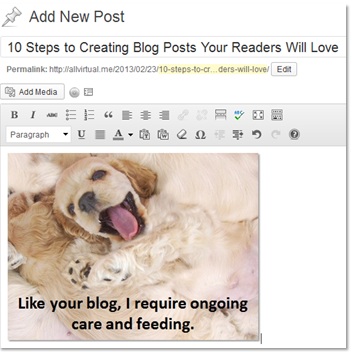
adding-a-new-post-in-wordpress

OK, now that your post is done in your word processor, it’s as easy as copy/pasting it into your blogging platform. I like to embed hyperlinks in the word processor, so that all I have to do is format the headings (e.g. <h2>, <h3> and the like) and upload the images.

9-Tag and categorize.

Select the “category” for your post, then add a number of tags. Your blogging platform generates pages related to your categories and tags. Making relevant tag and category selections helps build valuable content pages that search engines love. As an example, here’s my category page for social media and here’s my tag page for Twitter.

10-Schedule, then promote (when it goes live).

I write my posts on the weekends, but like to wait until Monday morning to publish. So I schedule the post and have WordPress set up to tweet the link when it goes live. I’m also a member of a few Triberr tribes, which allows tribe members to tweet my post to their followers. After all the work you’ve put in to write a great post, it’s important to let others know. Sometimes, they’re too busy to see that you’ve just published a new posting.

Conclusion

There you have it: a blog post your readers will love. I followed this precise series of steps to write this one, in fact (hope you love it). If there’s one thing you remember from reading this, make it the important step of “going offline” when developing the post. Close the computer, use pen and paper, then do your writing in a word processor. Happy blogging!


5 Reasons I Prefer Traditional Classrooms to Massive Open Online Courses

February 18, 2013

Traditional classrooms have benefits over MOOCs

Introduction

Don’t get me wrong: I’m a big fan of Massive Open Online Courses (MOOC). I’m fascinated by MOOC’s and believe they’ll shape the future of higher education. And if you couldn’t tell by this blog, I’m a proponent of online experiences.

That being said, I recently attended an intensive, classroom-based program (to get me trained on a particular vendor’s marketing software) and that experience made me further appreciate the value of the traditional (physical) classroom.

It’s All About Your Personal Learning Style

MOOC’s have the potential to reach a global audience – and for some, they’re perfect learning vehicles. Me? I’m easily distracted and inclined to multitask. When my team (the New York Giants) played in the 2012 Super Bowl, my attention was split between the larger screen (the game) and a smaller screen (the Twitter feed on my laptop).

While the shared experience of Twitter was rewarding, I knew that my attention and appreciation (in the game itself) was partially compromised. That was something I’m passionate about (sports). Now, imagine an instructional program to teach you to use software. It’s interesting, but doesn’t involve the same level of passion. Imagine the potential for distraction.

Let’s consider five ways MOOC’s may not work well with my learning style.

1) Inclination to multitask.

We all multitask online. Don't we?

Photo source: User Victor1558 on flickr.

Admit it. Whether it’s a web meeting or a webinar, you’ve often checked email, posted to Facebook or updated a spreadsheet while someone else was speaking. You’ve also been asked a question (while multitasking) and were forced to confess that you weren’t paying attention.

In my classroom training program, we performed hands-on training exercises with the software. So that meant our laptops were out, we were online and our browsers were open. So yes, I multitasked a bit, even in the traditional classroom setting.

However, the traditional setting forced me to focus, because of the other people in the room. I knew that falling off track could cause me embarrassment, while a lack of eye contact with the instructor would be rude. When you’re online, you can multitask and lose focus without much penalty or repercussion.

2) Lack of discipline and focus.

Being on the web makes it easy to multitask. And did you notice that ever since browsers introduced tabbed browsing, that multitasking within a browsing session becomes heightened? Hey, that means you! Please return from the other tab!

Beyond online or application multitasking, I also have an inclination to lose focus. If a particular learning topic doesn’t naturally engage me, I’ll start to get drowsy. Or, I’ll think about what to have for lunch. A traditional classroom setting, on the other hand, provides convenient ways to pull you back into focus.

First off, your brain tells itself, “I’m sitting in a classroom, so I’m here to learn. Let’s stay focused.” Next, you have the other folks in the room (learners and instructors), who keep you from putting your head on the table or going in the corner to read a book.

3) Multitasking beyond the computer.

If I was working from home and attending the same classroom session online, I’d be inclined to hit “pause” (if I could) and get a few things done around the house. Maybe the laundry is done and the clothes need to be put in the dryer. OK, so I’ll take my laptop with me and go do that.

Similar to tweeting during the Super Bowl, my attention has just been compromised. In a traditional classroom, there are barriers that prevent you from doing this (not to mention the fact that your laundry machine is back at home).

4) Limited “connection” with the instructor.

Some online learning modules use a PowerPoint presentation or desktop sharing (no video). Others present the instructor via webcam. Neither compare with the instructor being 10 feet in front of you. There’s no way (yet) for online learners to make eye contact with their instructor. In a traditional classroom, however, being in the same room creates a connection that helps reinforce focus and discipline.

5) Less effective for hands-on learning modules.

Instructors provide assistance in a traditional classroom setting

While online platforms are effective at assigning hands-on exercises to learners, there’s something about the classroom setting that you miss online. Our program was over 50% hands-on modules (which was great). If you had an issue with your assignment, you could raise your hand and the instructor would visit.

Often, it was a simple setting (or step) that needed to be adjusted. You could watch over your neighbor’s shoulder to understand their issue and how it was resolved. I imagine that this same sort of “instructor-led management” can be accomplished online. But being in the same room created a shared learning experience that’s hard to replicate online.

Conclusion

In The New York Times, Thomas Friedman wrote quite eloquently about MOOCs in a column titled “Come the Revolution.” And while I just got done writing about how MOOCs may not suit my learning style, count me a big fan of their potential.

After all, my training program was highly specialized. It was far different from the college lectures that MOOCs have focused on to date. In addition, it was a regional course. An overwhelming advantage of MOOCs is their ability to support an audience of geographically dispersed learners.

So, for Physics 101, I’ll see you online. For the marketing software boot camp, I’ll see you in the classroom.


Design Thinking for Meetings and Events

February 11, 2013

David Kelley speaks about design thinking on 60 Minutes

Introduction

Recently, I watched a 60 Minutes episode featuring David Kelley. Mr. Kelley is the founder and chairman of the global design consultancy IDEO and professor (and founder) of Stanford’s d.school.

Kelley is a leading thinker on “design thinking,” a methodology for designing products and procedures via empathy, diversity, collaboration and iteration. The program highlights many of Kelley’s (and his firm’s) great product achievements, including the design of the first mouse for Steve Jobs at Apple.

Design Thinking for Events

In a Harvard Business Review piece on design thinking, IDEO’s CEO (Tim Brown) writes:

“As more of our basic needs are met, we increasingly expect sophisticated experiences that are emotionally satisfying and meaningful … design thinking is the tool for imagining these experiences as well as giving them a desirable form.”

I suppose this blog posting was foretold by Mr. Brown: let’s use design thinking to create “sophisticated experiences that are emotionally satisfying and meaningful”!

Apparently, I wasn’t the only one thinking about design thinking for events:

Overview: Design Thinking

Design thinking components

Image source: SAP

The design thinking process can be broken down into three components: inspiration, ideation and implementation. To quote a design thinking article co-authored by Mr. Brown:

  1. Inspiration: “Think of inspiration as the problem or opportunity that motivates the search for solutions.”
  2. Ideation: “Ideation as the process of generating, developing, and testing ideas.”
  3. Implementation: “Implementation as the path that leads from the project stage into people’s lives.”

Here are some useful resources that provide overviews on the design thinking methodology:

  1. Stanford d.school’s crash course on design thinking
  2. An Introduction to Design Thinking from SAP
  3. From the Emergent By Design blog: What Is Design Thinking, Really?

Incorporating Design Thinking into Meetings and Events

I’ve taken a look at the tenets and methodologies of design thinking and considered how they could be applied to meetings and events. Let’s consider some.

Attend Your Own Event (Empathy)

Meeting and event planners should take off their “planning hats” and attend one of their events solely with their “attendee hats” on. After all, you can only have true empathy for your attendee if you put yourself squarely in their shoes.

And that means that you can have no part in planning the event. Go through the entire cycle of registration, travel, sessions, workshops, social events, etc. Practice further empathy by understanding how fellow attendees are experiencing the event.

Deepen (and Broaden) Your Team Roster

Design thinking introduces the notion of “multidisciplinary teams,” in which people of assorted backgrounds (and schools of thought) ideate, iterate and collaborate.

Consider it a blender, where what comes out is a fascinatingly tasty beverage. You need a group that creates divergent thinking, which, according to Mr. Brown of IDEO, “is the route, not the obstacle, to innovation.”

Mr. Brown suggests “architects who have studied psychology, artists with MBAs, or engineers with marketing experience.” While this may be a stretch for the typical event planner, I’d recommend adding folks from Finance, HR and Engineering.

They don’t have to be core members of the event planning team; however, their perspectives can be more valuable that you’d think.

Where No Idea is a Bad Idea

The scientist Linus Pauling once said, “To have a good idea you must first have lots of ideas.” (quote source: an SSI article co-authored by Mr. Brown). Design thinking teaches you that no idea is a bad idea. If you make an early judgment on the quality of an idea, you may have just squashed a “germ” that would develop into a breakthrough.

The ideation process is critical in creating the next breakthrough event.

Instead, design thinking teaches you to build upon each other’s ideas, sort of like the “yes, and..” methodology in improvisational theater. As a meeting planner, then, your role is to encourage ideation and “shepherd” the process so that no idea is left abandoned (too quickly). And to the earlier point, here’s where multidisciplinary teams can be a goldmine.

Meeting and Event Prototypes

Recall that part of the ideation phase is “testing ideas.” It’s an iterative process in which you deploy a prototype, collect “real user feedback,” determine what you learned, then ideate on product refinements (repeating the cycle all over again).

Let’s say you’re planning next year’s 5,000 person sales kick-off meeting and you have innovative new ideas for it. Create a prototype using 50 sales people and actually implement those ideas in a “real prototype” (event). Determine what worked, make adjustments, then plan another prototype. When the “real thing” comes around, you’ll have a much better “product.”

Potential Barriers to Adoption

Seasoned event and meeting planners (who’ve gotten this far in my post) may be calling me crazy. And I can understand that. What I’ve proposed (in concept) must be balanced against the realities of a meeting planner’s job. And the following barriers could come into play.

Budget, Timeline and ROI

Simply put, design thinking methodologies could add significantly to meeting and event costs, while extending the timeline to deliver them. The ideation phase of design thinking is intentionally non-sequential. Meeting planners are highly organized creatures who thrive on delivering against a sequential timeline. Additionally, meeting and event management may not be comfortable spending more without knowing the precise ROI on it.

Risk Mitigation

The meeting planner is like an NFL coach: every season (i.e. every event), your job can be on the line. In his article, Mr. Brown wrote, “One of the biggest impediments to adopting design thinking is simply fear of failure.” The natural tendency of the meeting and event planner is to be risk averse, which is very much the opposite approach of design thinking.

Conclusion

Design thinking is surely not applicable to all meetings and events. And as I’ve outlined, meeting and event planners will likely shudder at the very concept. What I hope to accomplish with this post, however, is to introduce its concept to meetings and events. It’s my belief that true breakthrough events and experiences can result from it.

Note: This post was originally published on the eVenues blog. Here’s a link to the original piece.


My BFF and I Agree: 10 Reasons Texting Has Taken Over the World

February 4, 2013

Why texting has taken over the world

Photo source: User kamshots on flickr.

Introduction

I used to think texting was something that teens did: a form of instant messaging to gossip, coordinate meet-ups and talk about cute boys (or girls).

Nowadays, however, I find myself using texting as a primary form of communication with my peers – I’m talking folks, like me, in their 40’s. It’s also prevalent in the business world, from the meeting room to the board room.

Texting as Your BFF

Admit it: texting is your BFF. And it’s taken over the world. I pondered this phenomenon when I exceeded (for the first time) my texting limit earlier this month:

Oops! I texted too much this month

With each subsequent text incurring an overage fee, I decided to stop texting until the start of the next billing cycle. But lo and behold, it couldn’t be stopped! Friends and family continued to text me. And I had to reply to them the old fashioned way: email.

Let’s consider how (and why) texting has taken over the world.

1) It’s asynchronous.

Consider the phone call. You dial your friend. She hears the ring and has to be available to answer it. She answers and you talk. What if you simply needed to tell her that you’re running 10 minutes late? Does that really require the dial-answer-communicate cycle? Or how about a text that says “Running late. Be there in 10”? Done.

2) It’s threaded.

I remember receiving text messages on first generation cell phones. The user experience was poor. We’ve moved light years ahead on smartphones. Now, my conversation with each contact has its own “record” and I can see the back-and-forth messaging in one place. It’s like a permanent instant messaging window, holding the entire history of our conversation.

3) It’s universal.

Texting is universal

Photo source: User oregondot on flickr.

Whether it’s an iPhone, an Android phone or my parents’ 90’s era flip phone, every cell phone supports texting. This is one “application” in which you and your friend don’t need to download the same app. The app is built in to your phone.

4) Its notifications receive valuable screen real-estate.

While some may change the notifications settings on their phones, for most of us, an incoming text message receives high “priority.” The message pops up as a notification, usually accompanied by an audio alert. To check email, you have to open your email client. Texts, on the other hand, are visible the moment they come in.

5) It’s great for sharing photos.

Texting is Instagram without the filters. Long before Instagram hit the scene, people were sending each other photos via text message. Take a cute photo of your kid? Send it to family via text. As mentioned (above) with “notifications,” family members will see that photo right away. If you sent it via email? They’d probably see it much later.

6) There’s an expectation of near-immediate response.

Let’s say you need to urgently reach a colleague and she’s in a meeting. Do you interrupt the meeting and pull her out of it? Do you call her cell phone? Maybe in days past. These days, you send her a text message (perhaps labeled as “URGENT”) and chances are she’ll take the needed action. Immediately.

7-It’s short, it’s Twitter-like.

Tweeting is like texting

140 characters or less. It’s a big part of Twitter’s popularity and charm. With text messages, you get an additional 20 characters, for a total of 160! Endless email chains. Friends who just can’t seem to stop talking. With text messages, you get none of that. Instead, it’s 160 characters (or less) and you move on.

8) You can text in groups (if you want).

Yes, your 1:1 conversations can be extended to groups of friends (or colleagues). In a work setting, this could be especially useful when traveling together to a conference: coordinating meals, meet-ups and the like. In addition, there are numerous apps available to help you send group text messages on the cheap.

9) It delivers the entire payload at once.

Many email clients have a “preview pane,” in which you can read the body of the email (or the first portion of it). With texting, the entire payload of the message appears in the message notification. Often, I’ll receive a text, read it (via the message notification), then put away my phone. This adds to the efficiency of texting. Unlike email, there are times you don’t even have to open the “application.”

10) It’s resilient.

During natural disasters, voice service may be down, data service may be down, but text messaging is likely to survive. So your email won’t get through, your web site will be unreachable, but you can still send that text message. I’m sure texting is an important tool used by relief organizations and first responders today – and its use cases are sure to grow.


How to Find a Job via Virtual Career Fairs

January 21, 2013

How to find a job via virtual career fairs

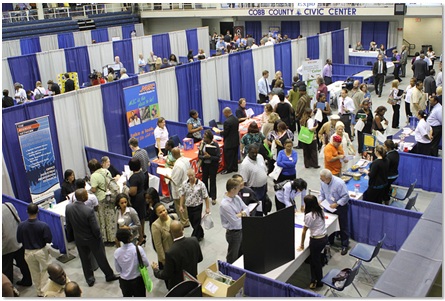
Photo courtesy of City of Marietta, GA on flickr.

The following is a guest post by Richard McMunn, Founder of How2become.

Introduction

We live in a world where it’s possible to get most things online, and the same goes for jobs. Localized job searches on recruitment websites, digital portfolios for creatives, and e. applications are already quite well established as tools for securing a job; the world of virtual job hunts is becoming more and more effective even as you read this.

Another extremely useful addition in the digital recruitment industry is the virtual career fair. It is all very well to have a progressive recruitment industry, but getting the most out of this digital recruitment environment means having to understand it and adapt to it.

Virtual Career Fairs Defined

Virtual career fairs are the same as ‘real world’ job fairs, except that they take place entirely on a virtual platform, where candidates and recruiters can interface using digital communications technology.

Most of us have used technologies like instant messaging, and video chat, but this is usually to connect with friends or family, and rarely in a more formal setting.

The world of informal and semi-formal internet communication is full of emoticons, ‘LOLs’, and OMGs, and that’s the kind of interaction we’re used to on an online platform. But a job fair is a completely different situation.

Granted, a virtual job fair seems innately friendlier and more casual than its physical world counterpart, but underneath all the apparent informality lays a strictly professional and formal affair.

Virtual Career Fair Code of Conduct

Many people forget this, to their own peril! The first step to getting your foot in the door in a virtual job fair is to conduct yourself professionally and appropriately at all times — whether it is through instant messaging or in a video ‘informal chat’ a.k.a sneaky interview.

This includes not just the way you communicate and address people, but also the way you dress. Just because you may be in the comfort of your own home does not mean you can be in your jammies.

Now let’s go further back in your virtual job hunt, the search process. When it comes to jobs, quality and quantity can both pay off, but if you’re going to take the quantity approach, you must be prepared to spend a lot of time on applications and rejections until you get hired. On the other hand, thorough research for different job fairs and recruiters, this can increase your chances of landing a job faster.

Preparing to Attend a Virtual Career Fair

When you do attend a job fair, remember to be prepared for it. The more you know about the companies and positions you have applied to, the more confident you feel, and the more information you have to orient yourself.

If you’re forgetful, keep important information on notes on your desktop. Keep relevant documents ready and nearby. Recruiters may ask specific questions about your previous work experience and skills, and leaving the interview to rummage through your drawer will result in delayed responses, which is not likely to make a very good impression.

Conclusion

Sending a thank you letter to a recruiter after an interview has been good practice for decades, so stick to it, and send out a follow up email to the companies you interacted with.

A virtual job fair is exactly like a traditional job fair, the only difference is the medium of interaction. It is important to remember this and do all the things you would do normally in a formal job fair.

About The Author

Richard McMunn of How2become

Richard McMunn is the director and founder of How2become; the UK’s leading career and recruitment specialist. For the last 7 years, How2become has helped applicants prepare for and pass recruitment processes and assessment centres in order to secure their dream job. You can also find How2become on Google Plus


2012 Blogging Review: It’s All Virtual

January 1, 2013

Introduction

I started this blog in late 2008 to write solely about virtual events. For the first two years, the posts I published were true to the blog’s name. Lately, though, the name has become a bit of a misnomer, as I’ve branched into a wide assortment of topics, from product marketing to social media to #GivingTuesday.

2012 In Review

WordPress generates an excellent annual report of blog activity. Here’s an excerpt:

4,329 films were submitted to the 2012 Cannes Film Festival. This blog had 30,000 views in 2012. If each view were a film, this blog would power 7 Film Festivals

Click here to see the complete report.

Top 5 Posts in 2012

Here are my top 5 posts in 2012. These didn’t necessarily receive the most page views, but are the posts I enjoyed writing the most. They’re listed in order of enjoyment:

  1. How The Westin Calgary (@WestinCalgary) Teamed Up with The Chef Table to Feed The Hungry
  2. How I Attended My 25th High School Reunion on Facebook
  3. What the San Francisco Food Bank (@SFFoodBank) Taught Me about Volunteerism
  4. How Social Media Can Create Lifelong Friends (That You Never Meet)
  5. So Just What Is Product Marketing?

Conclusion

Happy 2013. Thanks for visiting in 2012. Hope you return for more this year!


Tapping the Collective Wisdom of the Meetings and Events Industry

December 19, 2012

Industry thought collection (blog posting) via eVenues

Introduction

I’ve had the privilege of contributing to two “industry thought collection” pieces assembled by Kenji Crosland (@KenjiCrosland). Kenji assembled the pieces for one of his clients, eVenues, a marketplace for meeting and event spaces. You can find the two pieces here:

Biggest Trend in 2013? 21 Meetings Industry Leaders Give Us Their Predictions.

26 Meetings and Events Industry Leaders Share their Best Career Advice

These pieces provide great value to eVenues: traffic, awareness, thought leadership and perhaps sales leads and new business. To get some insights on how Kenji pulls it off, I did a Q&A with him.

Q&A with Kenji Crosland

Kenji Crosland (@KenjiCrosland)

Q: Tell us a bit about yourself.

A: Since I moved from Tokyo to Seattle about 2 years ago, I’ve been helping startups like eVenues with their SEO and content marketing strategy. I have been working with eVenues closely for over a year to help drive traffic to their site.

Q: Tell us about eVenues?

A: eVenues is an online marketplace for meeting spaces, bookable by the hour or day. Over the last three years the company has evolved from a instant booking service and scheduling system for participating venues, to a fast response lead generation system for venues and space seekers.

Not only do we list spaces, but we now have the “virtual concierge” technology to help renters find what they need without being overwhelmed by options. This last innovation has served us well and has propelled our growth.

Q: What inspired you to assemble these “industry thought collection” pieces?

A: I’m always on the lookout for great content in other industries that manage to get a lot of links/tweets/and shares. I saw a similar “industry thought collection” piece for a completely different industry and thought it would be a good fit for the meetings industry as well.

Q: What benefit have you (or eVenues) derived from them?

A: These pieces have helped establish our blog as an important resource for those who wish to keep abreast of the meetings industry. It shows to potential clients and customers that we aren’t “just another startup” trying to disrupt an industry that we don’t know anything about.

One secondary benefit of these posts is the number of links that they attract, thus helping boost our domain authority. The higher our domain authority, the higher our listings rank in the search results.

Q: How did you find and recruit contributors outside of your network?

A: The first place I looked was the list of eVenues’ twitter followers. While technically a twitter follower is already a connection it’s a relatively weak one. I sent very short direct messages asking influential followers in the meetings industry if they wanted to contribute to the post. Because they were already following eVenues, there was already a bit of credibility established. That made it easy to move forward.

I did, however, reach out to complete strangers outside of the eVenues network. I compiled a list of influential people in the meetings industry and used an email finding tool (http://linksy.me/find-email) to make the first approach. I’ve found this tool extremely helpful for content marketing outreach purposes. This tool is a marketer’s dream and I don’t share this it lightly because of the potential for abuse, but I figure the readers here will use it for good and not for evil.

Q: Do you edit any of the contributions?

A: I’ve had to shorten some submissions slightly and have made small wording and typo fixes. I make sure to send a preview to contributors before the post is published so they can see changes made if there are any.

Q: Are there any online tools you use that help you put these together?

A: I mainly use Gmail to keep submissions organized. When anyone sends me a submission to a post I’ll move it into a folder like “2013 trends post”. This makes it easy to keep track of who submitted and who I may need to follow up with. No special tools other than that.

Q: Approximately how much time does it take you to do one of these?

A: It takes about a week and a half to do all outreach, collect submissions and create the post.

Q: What’s the one piece of advice you’d give to someone looking to do something similar in their industry?

A: Most people, no matter how much of a big deal they may seem, are probably more accessible than you think. You’d be surprised how many of them are willing to take the time to share their knowledge and experience.

2013 Predictions for the Meeting Industry

Q: Let’s turn the tables: tell us your 2013 predictions for the meetings industry?

A: Three predictions:

  1. With a younger generation rethinking large events with such meetings as barcamps and unconferences, we’ll see small meetings take a bigger chunk of the pie. Although events will get smaller, they will likely become more frequent and informal, meaning a quicker turnaround when it comes to dealing with suppliers.
  2. The content of the event is much more likely to be recorded and distributed through online channels, either for SEO/content marketing purposes or selling the content itself.
  3. Finally, the industry will be surprised by the actual revenue generated by the “hidden planner”.  Typically these are planners that spend 1% of their time “planning a day meeting or event”.  eVenues has begun to partner with many and will continue to increase the marketing efforts to capture this data and report back to the industry.