Jack Dorsey’s Awesome Town Square Speech

June 9, 2011

Introduction

TechCrunch published an article about a “TownSquare” speech that Jack Dorsey (@jack), CEO of Square, gave to the company back in November 2010.  The article, “Jack Dorsey & The Golden Gate Bridge (Exclusive Video)” provides a video of the speech, along with the full transcript. As I read the transcript, I drew some parallels to virtual events.

Design is as Much Functional as Visual

To quote Dorsey’s speech, “Design is not just visual, design is efficiency. Design is making something simple. Design is epic. Design is making it easy for a user to get from point A to point B.”

Love it.

Dorsey’s point reminds me of a great book I read, “Design Is How It Works” by Jay Greene. Design can be “visually beautiful,” in the same way the Golden Gate Bridge is beautiful (as Dorsey describes in his speech). But the Golden Gate is also functional – it’s a bridge that Dorsey wants to cross and it’s an experience to do so (unlike other bridges, which are neither cross-able nor great experiences).

This is where we stand today with virtual events. In the beginning, we “designed” virtual events around a visual experience. We tried to make things look like a trade show, with a 2.5D lobby, lounge, auditorium and exhibit hall. These environments were not easy to navigate. We often failed to get the user from point A to point B with ease.

If early stage virtual events were a search engine, we created bells and whistles on top of your search, whereas users just wanted a Google experience, delivering them directly from search query to results page.

Everyone is a Designer

To quote Dorsey, “Every engineer in this room, every operator in this room, every customer service agent in this room, is a designer.”

Everyone involved in a virtual event (e.g. producers, speakers, exhibitors, support staff, AV staff, web developers, graphics designers, etc.) is a designer, because each person plays a part (some more than others) in the resulting attendee experience.

Another quote from Dorsey, which he relayed from colleague “Brian” – “support and feedback is what our customers are telling us, and product is what we’re telling our customers.”

In a virtual event, the attendee experience is the product.  Virtual event designers need to think of attendees as a form of customer – we must build such a good “product” that customers would part with their money for – and, we must create happy customers who will return and “purchase” again.

Building the Brand

Dorsey likes to read The Economist. To quote Dorsey, “The other thing to notice about this is that there are no bylines at all, there are no names in here, not event the editor has a name. It’s The Economist, they’re building The Economist, they’re writing articles for The Economist.”

As I read this quote, I wondered whether an event could take the route of The Economist. I’d find it odd if an event did not list the speakers, their titles and company affiliations. But then I considered that if an event were to do this, the event brand would truly rule the roost. The event that comes closest to this today are the TED conferences.

Conclusion

Dorsey’s speech was both fascinating and inspiring. While Dorsey’s speech focused on building a great product, many parallels can be drawn between great products and great events.

Related Links

  1. TechCrunch article, “Jack Dorsey & The Golden Gate Bridge (Exclusive Video)”
  2. Video of Dorsey’s speech on TechCrunch TV

Great Example of Audience Involvement

June 6, 2011

Introduction

Shortly after publishing my post on engagement models to build audience loyalty, I tuned in to Game 2 of the Stanley Cup Finals, with the Boston Bruins visiting the Vancouver Canucks. In my post, I outlined a “fully synchronous” engagement model, in which a webinar presenter provides a brief introduction, then invites the audience to speak.

The National Anthem

At Vancouver Canucks home games, the national anthem is performed by Mark Donnelly. He puts on a rousing performance in front of a highly engaged audience.

In fact, after singing the first verse, he stops singing, raises his microphone to the crowd and turns into a conductor, as the fans sing the next verse. Here’s a video of a recent performance – you can see Donnelly “pass the mic” at the 0:33 (33 seconds) mark.

Conclusion

Canucks fans are passionate about their national anthem – there are numerous videos on YouTube of fans singing the national anthem outside the arena before games. I wonder if the tradition of audience involvement in Vancouver increased fans’ intensity around the national anthem?

In either case – while this was a great example of fully synchronous engagement, we all know that audience loyalty (to the Canucks) has more to do with the product they put on the ice!


Engagement Models to Build Audience Loyalty

June 4, 2011

Introduction

Behind every great event is great content.  To generate great content, event professionals need to be publishers as much as planners.  And like any good publisher, you need content that connects with your audience.  We often use the word “attendees” to refer to event consumers – when building a content plan, however, think of them as your audience.

Don’t Broadcast Your Content, Crowdcast It!

All too often, event content is delivered via one-way broadcasts.  Even when the content is engaging, it misses out on engagement.  Involving your audience in the event content (i.e. allowing them to contribute to a session) creates a more rewarding experience and builds audience loyalty.

So be sure to avoid the broadcast – instrument “crowdcasting” instead. Crowdcasting creates a loyal audience, which becomes an annuity of sorts. It guarantees “future payout” in the form of attendance (at future events), referrals (to recruit colleagues) and activity (further participation).

Engagement Models

Let’s consider engagement models that you can apply to your next event.

Asynchronous / Non-Synchronous

I’m a loyal listener of podcasts from ESPN Radio. In some of the podcasts, the hosts answer emails submitted by the audience. Listeners who hear their question answered (on the podcast) are more likely to submit subsequent questions. They’re also more likely start tuning in every day, to see if their latest question gets answered.

How this could apply to virtual events: in the weeks leading up to your event, invite users to submit questions (to the presenters) and provide input to help guide the content of the presentations. Once users see that “they have a voice,” they’re more likely to tune in to your sessions at future events.

Pseudo-Synchronous

I commute to work in a car and often tune in to the radio.  I’ve noticed that more and more, radio hosts are engaging with listeners via social media. Hosts will post to the show’s Facebook page, then read users’ comments on the air. They’ll ask a question via Twitter and read tweets from listeners who responded.

I call this “pseudo-synchronous,” because the dialog unfolds slower than real-time and while the channel is open in both directions, it’s not directly connected. Instead of an instant messaging session, it’s like leaving comments on a blog posting.

How this could apply to virtual events: Webinar presenters make the audience a central component of the presentation. They allocate dedicated segments to review (and discuss) audience feedback and questions submitted via the webinar console and via social media channels. Like radio hosts, they ask questions of the audience and read selected answers.

Fully Synchronous

I’m a big fan of sports talk radio. While the program host can make or break a show, the best part of talk radio are the discussions brought on by the callers. For sports talk radio, I love to hear different fans’ perspectives (as crazy as some perspectives can be) and listen to the host provide his/her response.

Imagine a sports talk program, though, that took no questions from the audience. It wouldn’t work! But that’s how some presentations are structured.

How this could apply to virtual events: For selected sessions, the webinar model should be turned upside down. The “presenter” provides a 5 minute introduction on a topic, then turns into a radio talk show host. Webinar viewers are “passed the ball” (i.e. the presentation controls) and provide their perspective on an issue. As in talk radio, a “call screener” is used to review topics that interested users would like to discuss.

Conclusion

Your audience should be a central component of your “event content.” Allow the audience to have an active voice and it’s a win/win scenario. You win, and your audience wins. Crowdcast, don’t broadcast.

Let us know your thoughts – what are additional ways to engage your audience?


How Virtual Events Can Generate Leads, Launch New Products and More

June 2, 2011

Introduction

I’m excited to be providing an EMC Grassroots Innovation Program presentation titled “How Virtual Events Can Generate Leads, Fill Open Positions, Launch New Products and Facilitate Corporate Learning.”

You may be asking, “will virtual events also create world peace and solve world hunger?” Not quite, but the main point of my presentation will be around the many uses (applications) of virtual events – and more importantly, the benefits they create when used well.

Presentation Abstract

“Remember COMDEX? In 2010, it returned as a virtual event, COMDEXvirtual. Publishers, associations and corporations are increasingly turning to virtual events to generate sales leads, educate their members and workforce and launch new products.

In this session, Dennis will provide an overview of virtual events and discuss the business benefits they can provide. Whether you’re looking to fuel your sales pipeline, bring talented candidates into your organization or enable corporate-wide learning, virtual events can achieve real business goals, all while making the world a greener place.”

Presentation Details

Title: How Virtual Events Can Generate Leads, Fill Open Positions, Launch New Products and Facilitate Corporate Learning

Date: June 7, 2011

Location:

EMC Corporation
2831 Mission College Blvd
San Francisco Conference Room
Santa Clara, CA 95054

Refreshments (pizza, salad, cookies) will be served.

Agenda:

  1. Networking: 5:30 – 6:00 PM
  2. Speaker: 6:00 – 6:45 PM
  3. Questions: 6:45 – 7:00 PM
  4. Networking: 7:00 – 7:30 PM

If you’re interested in attending, visit the event’s registration page.

If you have questions, would like more information, or if you require assistance with your registration, please email Sheryl Chamberlain, Program Director, at elin@emc.com.


Virtual Events and Mainstream Adoption

May 21, 2011

Photo credit: FINALMETAL on flickr.

Introduction

Recently, I had time to spare before a flight home and decided to grab a bite and a drink at a restaurant’s bar at the airport.  While enjoying my food and beverage, I met two traveling salesmen in their 50’s.

We got to talking about our jobs and when it came my turn, I described virtual events. Neither of the gentlemen had heard of virtual events before and their reactions led me to think more about virtual events and mainstream adoption.

We’re Far From “There”

For those of us working in the industry day in and day out, it feels like we’re undergoing rapid growth and increasing adoption – and we are. But for mainstream adoption, “there” is more like the 600MM users on Facebook, not the few million people who have attended a virtual event (my very rough approximation).

In addition, my definition of “mainstream adoption” includes regular use of the technology (by the mainstream).  While there are plenty of “repeat users” across virtual events today, I believe the average user is one who attended a single virtual event and has not yet returned to a subsequent event.

Perception: The Technology is Complicated

Mainstream adoption means traveling salesmen. It means the postal carrier, the hair stylist and Mom and Dad. It doesn’t refer to early adopter, technology-savvy power users. The reaction of the first traveling salesmen at the bar was, “that sounds complicated.”

Now consider the typical, mid-50’s traveling salesman – and for the sake of this example, one who does not sell technology products. The salesman criss-crosses the country every other week and is more proud of his frequent flyer miles than his virtual crops in FarmVille. He uses a laptop for email, but isn’t particularly tech savvy.

To gain mainstream adoption, the user experience for a virtual event needs to be simple and easy.  A grandmother who can create a Facebook account and modify her Facebook profile ought to be able to do the same sort of activity in a virtual event. This would be an interesting scenario to study – could grandma modify her profile on today’s virtual event platforms?

Technology Displaces the Human Connection and … It’s Not Fun

The second traveling salesman conveyed his concern that today’s technologies can disrupt and displace face-to-face connections and interactions. Earlier in the day, he had lunch at a bar at another airport and arrived to find five other bar customers, each immersed in their smartphone. He commented, “I guess I’ll have to get out my device,” got everyone to chuckle and engaged with all of them, to the point where they put down their phones.

When this salesman heard about virtual events, he responded, “that doesn’t sound like fun.” And to a large degree, he’s right.  Virtual trade shows will never replace the handshake or the night out on the town.  This salesman will always choose the physical trade show. But what about his daughter’s college graduation? A virtual option can come in handy then.

Gaining adoption from this salesman will be less about any technology hurdle and more about finding him the right scenario and then making sure he has expectations set properly about what he’ll get out of the experience. Virtual attendance will allow him to experience the content (sessions, speakers, exhibitors, peers) in a convenient fashion, while skipping the cocktails and dinner.

Related: Introducing Virtual Trade Show 2.0

Conclusion

I love to describe virtual events to folks who have never heard of them. The reactions are varied and they tell me a lot about where our market is today and what hurdles we need to address to gain further adoption. Leave a comment below to share your thoughts on how virtual events can reach mainstream adoption.


Take a Survey on The Use of Virtual Technologies In The Workplace

May 12, 2011


Take the survey: http://bit.ly/k0DAoR

Introduction

Virtual Edge Institute (VEI) has announced a comprehensive survey to understand the work-related uses of virtual technologies and digital environments. The Professional Convention Management Association (PCMA) and UBM Studios have teamed up with VEI to conduct and analyze the data for the study.

Survey Details – And a Prize

This survey is dedicated to work-related use of virtual technologies like:

  1. Virtual event, meeting, and virtual learning technologies as well as video streaming, and webcasting
  2. Virtual environments (2D and 3D) such as virtual events, virtual trade shows, conferences, and perpetual (365 days per year) business environments.

According to Michael Doyle, Executive Director of Virtual Edge Institute (VEI), “VEI is giving away two iPads, as well as access to the survey results and our library of on-demand Virtual Edge Summit sessions to ensure strong participation.”

Take the survey: http://bit.ly/k0DAoR

Video: Example of Virtual Environments

The following video from VEI shows examples of the virtual environments covered in their survey.


Social Media Integration for Your Virtual Events

May 9, 2011

Integrate Social Networks into Your Virtual Events

Photo credit: seotips2011 on flickr.

Introduction

Aside from private, “invitation only” virtual events, most other virtual events can benefit from the integration of social media channels.  Integrating social media is a win/win because it increases and augments the degree of engagement within the event.

And, it enables your attendees to promote the event on your behalf.  Awareness extends to your attendees’ friends and followers.  A few retweets and likes later, and the visibility of your event can increase to “near viral” proportions.  Social media integration should not be about slapping up Twitter and Facebook icons throughout the event.  In this posting, I outline READ the FULL POST on the Event Manager Blog.

To Read the Remainder of This Post

The full post is available at The Event Manager Blog (from Julius Solaris).  You can read the full post here:

http://www.eventmanagerblog.com/marketing/virtual-events


For Virtual Events, The Mobile Revolution Has Arrived

May 4, 2011

Introduction

In the early days of virtual events (i.e. a few years ago), we used to say that users could attend a virtual event “from anywhere.” Of course, that wasn’t entirely true, as “anywhere” usually meant at a location with “fixed” (vs. roaming) Internet connectivity and “chained” to a desktop or laptop on a desk.

Tablet devices are quickly becoming pervasive and I believe (as do the analysts) that they’ll come to dominate the enterprise in short order.  Many of the emails I receive (at work) these days are stamped with “Sent from my iPad” or “Sent from my Android device”.

The Power of the Tablet

In the enterprise, we may very well be experiencing the last cycle for desktops and laptops. When the tenure of your current laptop “expires,” your IT Department may be moving you to a tablet device, such as the iPad, or one of the many Android-based tablets.  These tablets come packed with a number of key features:

  1. A form factor that further enables mobility
  2. A form factor that encourages simultaneous, “multi person” use
  3. Location awareness
  4. Pervasive connectivity, via 3G (and other) networks

What This Means for Virtual Events

For virtual events, this truly means that one can attend “from anywhere” – on the treadmill at the gym, walking along a sandy beach or sitting on your  train commute into the city.  Mobile access to virtual events mean added convenience for attendees – and, potentially higher ROI for event organizers and exhibitors.

Why?  Because mobile can create higher attendance rates.  And, exhibitors can now staff their booth and engage with visitors from anywhere.  In fact, at a hybrid event, a marketer can staff her physical booth, walk down the show floor (with tablet in hand) and staff the virtual booth at the same time!

Location Innovation

As more users attend virtual events from tablets, expect to see innovation in how events leverage users’ location data (when users opt in to share that information, of course).  Ever enter a virtual event’s Networking Lounge and observe how users are asking where everyone else is from?

Now, imagine a Google Map that shows where all virtual attendees are located geographically.  In addition, imagine hybrid events, where on-site attendees could use a tablet application to show virtual attendees where (on the show floor) they happen to be.

Demo Time

In the video (below), my INXPO colleague John Leahy shows how you can attend a virtual trade show from the iPad.


Chapter 6: Generate Sales Leads With Virtual Events

April 28, 2011

Introduction

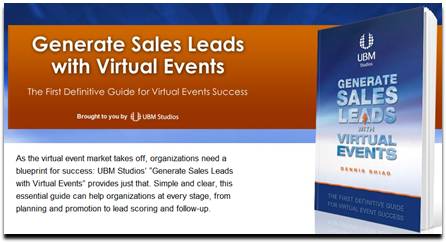
“As the virtual event market takes off, organizations need a blueprint for success: UBM Studios’ “Generate Sales Leads with Virtual Events” provides just that. Simple and clear, this essential guide can help organizations at every stage, from planning and promotion to lead scoring and follow-up.”

Chapter Excerpt

UBM Studios has published an edition of my book, “Generate Sales Leads With Virtual Events”. Chapter 6 of the book is titled “Engage with Virtual Event Attendees.”

One of the most critical elements of this chapter is the section that covers roles and responsibilities of your booth staffers. Especially for virtual events that draw large crowds, having a coordinated team leads to more goals in the net. And to continue that analogy, as the leader of your internal team, you need to serve as the head coach.

This entire chapter is now available to you. Visit the UBM Studios page for more info:

http://www.ubmstudios.com/sales_leads_book.htm


A Flight Attendant Call Button for Virtual Events

April 22, 2011

Introduction

On a recent flight, the passenger in front of me pressed the flight attendant call button as we neared cruising altitude.  As I heard the “ding” and saw the light turn on, a light bulb came on in my own head.  The pressing of the call button sends two signals:

  1. “I’m here”
  2. I need assistance (i.e. “Please engage with me”)

Let’s consider how a flight attendant call button can be added to virtual events.

Technical Support

To receive technical support in a virtual event, you need to go find help, usually in the form of a Help Desk.  On an airplane, it’s more efficient for the help to come to you – far simpler than having you get up, disturb the passengers in your row and walk down the aisle.  In a virtual event, you’re often busy viewing sessions, engaging with exhibitors or chatting with fellow attendees. Wouldn’t it be so much more convenient if the help would come to you?

Virtual events could include a “call button” that attendees could click.  Staffers providing technical support at the event would see the attendee added to a queue, along with an audio cue (the “ding”).  Attendees could be provided with the option of including a one-sentence description of their issue, prior to clicking the call button.  From here, support staff would connect directly with the requesting user, to assist them one-on-one.

Engage with Exhibitors

Similar to “technical support finding you,” attendees looking to engage with multiple exhibitors could opt in to invite exhibitors to connect with them.  An “exhibitor call button” could be clicked that would signal to all booth staffers that particular attendees could be contacted.

If an exhibitor engaged with a requesting attendee via private chat, the “call button” would be turned off, until that private chat concluded.  In many ways, this mechanism would be more efficient for attendees, compared to visiting assorted booths and engaging with the staffers in each one.  A more sophisticated call button could allow users to specify which type of exhibitors they’d like to engage with.

Engage with Attendees

Engagement with other attendees is typically done via group chat and private chat.  But how do you know whom you should have 1:1 chats with?  An attendee call button could let others know, “I’m here” and  “engage with me.”

The attendee call button could include a one-sentence description of the user’s interests.  All users who pressed the call button could be listed in a Lounge – and mousing over the users’ profile images could display their names, titles and one-sentence descriptions.  The attendee call button can spur more connections and networking than the typical Networking Lounge.

Conclusion

All too often in virtual events, we “venture out” to find people and information (e.g. exhibitors and attendees). Instead, a simple call button could turn the tables, allowing the people, at least, to come seek you out – and engage.

What do you think – would you use the call button feature  in a virtual event?  Leave a comment below.