ROI Case Study: Virtual Edge Institute’s Hybrid Event

July 28, 2010

Introduction

Virtual events have enjoyed phenomenal growth in demand and visibility.  Notable brands and associations have hopped aboard the virtual bandwagon, delivering innovative experiences and impactful results.  The first phase of the virtual event industry is what I call the “early dating period”.  As the industry evolves and matures, we are moving from early dating to an era of “meet the parents”.

That is, a phase in which we receive increased visibility and a challenge to prove and justify ourselves.  The parents, in our case, are the company executives who fund our virtual event campaigns (e.g. our bosses, our CFO, CMO, CEO, etc.).  To date, virtual events used for lead generation have been the most effective at demonstrating ROI.

Why? Because lead generation has existing methodologies and metrics on ROI (e.g. “cost per lead”, “cost per inquiry”, “cost per sales engagement”, etc.).  So a virtual trade show investment could simply “plug into” a corporation’s existing ROI methodology.  For other event types, however, ROI, impact and effectiveness have not been explicitly measured to date.

To evolve our industry, it’s crucial that event planners, platform vendors and ROI experts work together to define and implement methodologies to generate quantitative results for our virtual and hybrid event investments.

Michael Doyle of the Virtual Edge Institute (@virtualedge) is a firm believer in event ROI measurement.  The Virtual Edge Institute is “an international organization dedicated to advancing the development and adoption of virtual event and meeting technology and best practices for collaboration and marketing”.  Doyle hosts the Virtual Edge Summit, an annual hybrid event that brings together virtual event practitioners, experts and solutions providers.

For the 2010 Virtual Edge Summit in Santa Clara, CA, Doyle partnered with ROI of Engagement to measure the impact and effectiveness of the event.  The summit was a hybrid event, with on-site and virtual components running simultaneously.  As such, Doyle sought to study and measure feedback from each attendee group.

The study was based on ROI Methodology™, which ROI of Engagement describes as “a step-by-step approach to collecting data, summarizing and processing data, isolating the effects of programs, converting data to monetary value and calculating ROI”.  The methodology studies results along the following five levels:

  1. Level One: Reaction and Satisfaction
  2. Level Two: Learning and Understanding
  3. Level Three: Application
  4. Level Four: Impact
  5. Level Five: ROI

Virtual Edge Summit 2010 measured the first two levels.  The results of the study have been published here:

http://www.virtualedge.org/forum/topics/measuring-and-maximizing-the

On this page, you can download the White Paper, “Measuring and Maximizing the Impact of a Hybrid Event“.

Virtual Edge Summit 2011 is scheduled for January 2011 in Las Vegas and will be co-located with PCMA.  Doyle plans to apply valuable feedback from the 2010 ROI study to improve the experience for the 2011 event.

Doyle is focusing on consolidating the virtual component on a single platform (in 2010, there were several virtual platforms to choose from) and increasing networking opportunities for both on-site and virtual attendees.

In addition, the 2011 event will embark upon another ROI study – this time, the study will take advantage of all five levels in the ROI Methodology™.

Conclusion

It’s a great time to be in the events industry.  Never before has there been so many technology tools at your disposal (e.g. virtual event platforms and much more).  For continued growth in virtual and hybrid events, the industry will need thorough and proven ROI methodologies to demonstrate and quantify ROI, impact and effectiveness.  Event planners: look to the initiative from Virtual Edge Institute and ROI of Engagement and consider how similar methodologies apply to your next event.

international organization dedicated to advancing the development and adoption of virtual event and meeting technology and best practices for collaboration and marketing

Tweet this posting:


Event Planners “Check In” To Location Based Services

July 26, 2010

Introduction

Due to the rising popularity of Foursquare, Gowalla and related apps, location based services (LBS) is quite the buzzword both in consumer and technology circles.  Logically, the ability to “check in” at venues, connect with friends/associates and make new contacts has relevance to events and event planners.

Let’s highlight some of last week’s articles and blog postings on this topic.

Trade Show News Network

Michelle Bruno (@michellebruno) wrote an article in Trade Show News Network (@TSNN_com_US) titled “Checking Out ‘Checking In’ for Events“.  The article references Foursquare and Gowalla and then profiles a technology provider named Double Dutch.  According to its web site, Double Dutch provides “White label geolocation apps for your brand”.

Michelle references a key point regarding hybrid events, in which event planners support both physical and virtual venues.  Michelle writes, “If a virtual event is also taking place, live attendees can check in at the online and offline events for more recognition”.

Tracking and supporting check-ins across physical and virtual locations can build a more cohesive and compelling hybrid event.  In fact, it can serve to bridge the physical and virtual venues.

Virtual event platforms should look into this.  In fact, I blogged about location based services and virtual events previously.

Cisco Live

In Cisco’s Virtual Environments blog, Dannette Veale (@dveale) writes about virtual technologies that Cisco has incorporated into their Cisco Live (@CiscoLive) annual conference.  The 2010 Cisco Live event concluded recently – the physical component was hosted in Las Vegas, while a virtual component ran concurrently.

Disclosure: My employer (@INXPO) provided the virtual platform for Cisco Live

Dannette describes an innovative use  of Foursquare by Cisco Live’s event planners – a type of scavenger hunt, in which conference attendees received a clue (via social media channels) about a check-in location.  The first 75 attendees to check in at that location (and complete an additional task) would receive buttons, which could be used to redeem a daily prize at the Cisco Store.

The contest generated 802 checkins and allowed conference attendees to network and make connections with one another.

SCVNGR (Mashable)

SCVNGR, “a game about doing challenges at places”, this week announced the social check-in.  Two or more users can bump phones (or, wave them at each other in close proximity) and check in at the same time and place.  There are many ways event planners can leverage this technology.

In a trade show, attendees could be encouraged to perform social check-ins with each other – or, with exhibitors.  In a user conference, the social check-in could be used as a back-drop to a game that encouraged attendees to network with one another.  In a corporate setting, social check-ins could be used to encourage team building.

Conclusion

The concepts of “check ins”, location awareness and location tracking have natural uses for events.  While they’re a great fit for physical events, think about tie-ins between physical and virtual for your hybrid event.  And, think about ways in which “location tracking” (in a virtual event) can create connections, engagement and interaction.

Tweet this posting:


Virtual Events: Ready, Set, Go (eBook)

July 23, 2010

Announcing the availability of a FREE eBook (PDF):

Virtual Events: Ready, Set Go

This eBook was created from a collection of past blog postings that cover virtual event basics, such as planning, selecting a platform and building your virtual booth.  You can see most of the blog postings on this Virtual Events 101 page.

Note, this is in PDF format – it’s not the same type of “eBook” that you read on the Amazon Kindle, iPad or related device.

Here’s the chapter outline:

  1. What is a Virtual Event?
  2. Planning Your Virtual Event
  3. Selecting a Virtual Event Platform
  4. Building Your Virtual Booth
  5. Running a Virtual Event Command Center
  6. Organizing a Virtual Event De-Brief

Here’s the link to download your free copy:

Virtual Events: Ready, Set, Go

Enjoy – and, drop a comment below to let me know your feedback.  Thanks!

Tweet this posting:


Social Gaming And Virtual Events

July 19, 2010

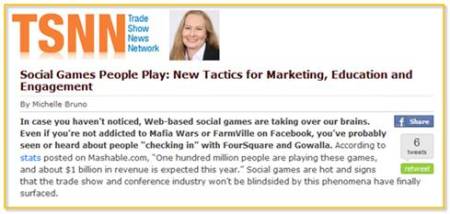
Michelle Bruno (@michellebruno) wrote an excellent article about social gaming in Trade Show News Network (TSNN.com) – I was interviewed by Michelle for the article.  Michelle covers the emergence of social games, including their incorporation into virtual events platform, like INXPO (my employer).

Michelle concludes her article with some compelling thoughts.  First, there’s this:

“As traditional methods of marketing and engagement wane in effectiveness and popularity, social gaming strategies fit nicely into two current trends in the event industry: the ‘social media-ization’ of nearly every technology solution and the blending of the online and offline event worlds.”

These trends play off one another nicely – as social media (and associated tools) are quite effective in blending online and offline event experiences.  I love Michelle’s closing line:

“Social gaming in the event industry could be the spark that ignites a new generation of trade show attendees.”

Love it.

Here’s the full link to the article: http://www.tsnn.com/blog/?p=2692

Tweet this posting:


How Vendors Should Evolve Their Virtual Event Platforms

July 10, 2010

The following is a collaborative posting by Miguel Arias, Steve Gogolak and Dennis Shiao.

Content creation and collaboration was facilitated by a PBworks wiki – the wiki page can be found here: http://allvirtual.pbworks.com/How-Vendors-Should-Evolve-Their-Virtual-Event-Platforms

To evolve their platforms for enhanced experiences and broader adoption, virtual event platforms should consider the following:

Make it easier to experience

Most virtual event platforms are easy to use – on a first-time visit, users tend to grasp the overall user experience and can figure out where to go (and how).  That being said, for wide scale adoption, virtual events needs to be as easy as Facebook.  That is, our grandmothers need to be able to access the site and figure things out.  On Facebook, grandmothers can update their profile, read their “friends” posts and write updates to their Walls.  Can a grandmother login to a virtual event, update her profile and participate in a group chat?  We’re not so sure.  Similarly, navigation and interactions need to be easier.  Most virtual events are intuitive to navigate (e.g. Lobby, Auditorium,  Lounge, etc.) – but may not be so intuitive with regard to message boards, chat, blogging, rating, etc.

Along with a simplification of interfaces and the use of usability and navigation conventions, many customers and users seem to be demanding more immersive environments. While presenting a brand and hosting an interactive experience in a convention centre, it seems an interesting field to add some real-time rendered environments using engines like papervision3D or Unity3D. This said, it is unlikely that avatar-based real time rendered environments will make it to a mainstream audience. Key considerations (or obstacles) are plugins or applets downloads, system performance and learning curve barriers.

Make it easier to find

The typical “location” of a virtual event is quickly becoming outdated – microsite with registration page, with no ability to experience the event prior to completing all mandatory registration fields. The registration page serves as a “wall” not only to potential attendees, but to search engines as well.  Virtual event platforms need to move “outside the wall” and expose their technology on Facebook, on blogs and on publisher web sites.  Platforms should widen their distribution via widgets, embed code and application programming interfaces (API’s).  Facebook is not limited to Facebook.com – it has Facebook Connect, Facebook Open Graph and much more.  Virtual events platforms, on the other hand, seem to be restricted to “VirtualEventPlatform.com”

Make it easier to access

The most relevant virtual event platforms will introduce, or already have, Facebook Connect and Twitter API, and they will need to move to even wider standards like OpenID.  For public events, ease of registration is a must.  Using open methods for registering and/or connecting social networks have three-fold benefits:

  1. Registration is faster because basic information can be provided by services like LinkedIn, Facebook, etc.  Shorter registration forms increase completion, period.
  2. Intelligence gathered by the platform about the user’s existing social graph can enhance the experience within the event by automatically creating connections with other attendees based on that user’s connection outside the platform.  This will lead to more networking and awareness of actual people within the environment.
  3. Users opting into connections at the point of registration allows platforms to create publishable actions that can be spit out to twitter and facebook news feeds that can increase viral awareness of the event.  Marketing automation at its best.

On the other hand, desktop or mobile widgets to control your stand usage, statistics and reporting will be a must. Lastly, the platforms will have extensive APIs to manage their integration with various social networks, corporate databases, physical event managing software, etc.

Make the experience available on more devices

Most virtual event platforms support Windows, Mac and Linux.  They need to support more platforms, especially mobile.  On the mobile front, it’s important to consider iPhone/iPad, Android, BlackBerry, Symbian, Windows 7 Phone and WebOS (listed in our order of importance).  To start, we don’t believe the entire virrual event experience needs to be “ported” to mobile devices -rather, vendors should determine the most critical features for attendees and exhibitors – and prioritize based on importance.  For instance, chat is an important element of virtual events, so why not make a mobile app that allows exhibitors to staff their booth via their smartphone.

The entire 3D environment does not need to be supported on a mobile device, but the networking tools (visit card managing, real time conversation, etc) and the reporting tools certainly do. On the other hand, it will be interesting to see what happens with Flash and Apple, and see which vendors will try to develop their platforms using HTML5.

One of the key areas where mobile can play a huge role is the “reminder” needs that come from tons of scheduled activities within virtual events.  If attendees have the ability to build out a personalized agenda before the event and opt-in to either SMS reminders or download some kind of app that will push notifications at them throughout the day, it would be much easier to create a flexible agenda.  Currently we’re cramming so much into the shortest amount of time because we’re afraid of losing people.  If only we had better planning and reminding tools, driven by devices that never leave our pocket!

Make the platform more adaptable and flexible

Related to our point about mobile support, platform vendors have important decisions to make regarding the development platforms.  Virtual event platforms today are based on Flash, Flex, Silverlight, Java and JavaFX.  Are those the “right” platform technologies for the future – or, should platforms move in the direction of HTML5?  Does a combination off HTML5, Javascript and Ajax create a more adaptable and flexible platform?  What do we “lose” by shifting away from Flash, Silverlight, etc.?  And what are the mobile implications with the chosen direction?  All good questions for the platform vendors to consider.

Make the platform more adaptable for different customer needs and different usage

There are so many different kind of virtual events: trade shows, conferences, job fairs, corporate events, webinars, congresses… that vendors should decide in which market niche they are going to play. We will see generic platforms and other vendors delivering a tailored solution for one or many of the previous choices. It will become more and more complex to provide physical event managers with the features they need to handle their hybrid events at the same time as the platform is able to cope with the extensive data handling of the virtual job fair, or the networking tools of a professional tradeshow.

Take a hint from Apple and FaceTime

Video chat will, without a doubt, increase the effectiveness of networking.  It is the one key element that can be introduced that will get critics to come around to the idea that networking in an online environment can be as effective as the cocktail hour of a physical event.

Tweet this posting:


Virtual Event Evolution

June 28, 2010

In a prior blog posting, I promoted a wiki that I created that allows us to collaborate on the evolution of virtual event platforms.  The wiki received some very thoughtful contributions.

Miguel Arias (IMASTE) added several insights via the wiki. In the paragraph “Make it easier to experience” he writes:

Along with a simplification of interfaces and the use of usability and navigation conventions, many customers and users seem to be demanding more immersive environments. While presenting a brand and hosting an interactive experience in a convention centre, it seems an interesting field to add some real-time rendered environments using engines like papervision3D or Unity3D. This said, it is unlikely that avatar based real time rendered environments will make it a a mainstream audience. Mainly considering plugin or applets downloads, system performance and learning curve barriers.

In the paragraph “Make it easier to experience” he writes:

The most relevant virtual event platforms will introduce or already have Facebook connect and twitter connect, and they will need to move to even wider standards like OpenID. On the other hand, deskopt or mobile widgets to control your stand usage, statistics and reporting will be a must. Lastly, the platforms will have extense APIs to manage their integration with various social networks, corporate databases, physical event managing software, etc.

Miguel then added a new paragraph:

Make the platform more adaptable for different customer needs and different usage

There are so many different kind of virtual events: trade shows, conferences, job fairs, corporate events, webinars, congresses… that vendors should decide in which market niche they are going to play. We will see generic platforms and other vendors delivering a tailored solution for one or many of the previous choices. It will become more and more complex to provide physical event managers with the features they need to handle their hybrid events at the same time as the platform is able to cope with the extensive data handling of the virtual job fair, or the networking tools of a professional tradeshow.

Steve Gogolak  (Cramer) also added several insights via the wiki. In the paragraph “Make it easier to access” he writes:

For public events, ease of registration is a must. Using open methods for registering and/or connecting social networks have three-fold benefits:

  1. Registration is faster because basic information can be provided by services like LinkedIn, Facebook, etc. Shorter registration forms increase completion, period.
  2. Intelligence gathered by the platform about the user’s existing social graph can enhance the experience within the event by automatically creating connections with other attendees based on that user’s connection outside the platform. This will lead to more networking and awareness of actual people within the environment.
  3. Users opting into connections at the point of registration allows platforms to create publishable actions that can be spit out to twitter and facebook news feeds that can increase viral awareness of the event. Marketing automation at its best.

In the paragraph “Make the experience available on more devices” he writes:

One of the key areas where mobile can play a huge role is the “reminder” needs that come from tons of scheduled activities within virtual events. If attendees have the ability to build out a personalized agenda before the event and opt-in to either SMS reminders or download some kind of app that will push notifications at them throughout the day, it would be much easier to create a flexible agenda. Currently we’re cramming so much into the shortest amount of time because we’re afraid of losing people. If only we had better planning and reminding tools, driven by devices that never leave our pocket!

In the paragraph “Make the platform more adaptable for different customer needs and different usage” that Miguel created, Steve writes:

Take a hint from Apple’s “face time”. Video chat will, without a doubt, increase the effectiveness of networking. It is the one key element that can be introduced that will get critics to come around to the idea that networking in an online environment can be as effective as the cocktail hour of a physical event.

To view the fruits of our collaboration, you can read the wiki page here:

http://allvirtual.pbworks.com/How-Vendors-Should-Evolve-Their-Virtual-Event-Platforms

By default, you’ll be taken to the “VIEW” tab – to contribute, click on the “EDIT” tab. We’d love to hear (read) your thoughts!

Tweet this posting:


Let’s Collaborate On: Evolution Of Virtual Event Platforms

June 21, 2010

Let’s collaborate on how virtual event platforms (and their associated experiences) should evolve.  I’ve set up a wiki on PBworks that will allow all of you to chime in with your thoughts.  Here’s the link to the wiki – I invite you all in, to add your thoughts and make edits:

Be part of a collaborative blog posting

http://allvirtual.pbworks.com/How-Vendors-Should-Evolve-Their-Virtual-Event-Platforms

To edit the wiki page, you’ll need to register for a free account with PBworks.  Suggested ways to participate:

  1. Edit any of the existing material
  2. Add new paragraphs or sections
  3. Delete existing material (although I’d rather you re-write existing material than delete it outright)

Below, I’ve posted the current text of the wiki page.  If you have thoughts on this topic, be sure to visit the wiki and chime in! Based on the amount of activity this week, I may choose the publish the final version of this post here on this blog.  All contributors will be acknowledged.  If you do not wish acknolwedgement, simply skip the inclusion of your name in the list (bel0w).

Lastly, if you’d like to contribute, but would rather not use a wiki, leave a comment below and I’ll apply your comment(s) to the wiki (with proper acknowledgement).

Initial Draft – Visit the wiki to add your thoughts

To evolve their platforms for enhanced experiences and broader adoption, virtual event platforms should consider the following:

Make it easier to experience

Most virtual event platforms are easy to use – on a first-time visit, users tend to grasp the overall user experience and can figure out where to go (and how).  That being said, for wide scale adoption, virtual events needs to be as easy as Facebook.  That is, our grandmothers need to be able to access the site and figure things out.  On Facebook, grandmothers can update their profile, read their “friends” posts and write updates to their Walls.  Can a grandmother login to a virtual event, update her profile and participate in a group chat?  We’re not so sure.  Similarly, navigation and interactions need to be easier.  Most virtual events are intuitive to navigate (e.g. Lobby, Auditorium,  Lounge, etc.) – but may not be so intuitive with regard to message boards, chat, blogging, rating, etc.

Make it easier to find

The typical “location” of a virtual event is quickly becomin outdated – microsite with registration page, with no ability to experience the event prior to completing all mandatory registration fields. The registration page serves as a “wall” not only to potential attendees, but to search engines as well.  Virtual event platforms need to move “outside the wall” and expose their technology on Facebook, on blogs and on publisher web sites.  Platforms should widen their distribution via widgets, embed code and application programming interfaces (API’s).  Facebook is not limited to Facebook.com – it has Facebook Connect, Facebook Open Graph and much more.  Virtual events platforms, on the other hand, seem to be restricted to “VirtualEventPlatform.com”

Make the experience available on more devices

Most virtual event platforms support Windows, Mac and Linux.  They need to support more platforms, especially mobile.  On the mobile front, it’s important to consider iPhone/iPad, Android, BlackBerry, Symbian, Windows 7 Phone and WebOS (listed in our order of importance).  To start, we don’t believe the entire virrual event experience needs to be “ported” to mobile devices -rather, vendors should determine the most critical features for attendees and exhibitors – and prioritize based on importance.  For instance, chat is an important element of virtual events, so why not make a mobile app that allows exhibitors to staff their booth via their smartphone.

Make the platform more adaptable and flexible

Related to our point about mobile support, platform vendors have important decisions to make regarding the development platforms.  Virtual event platforms today are based on Flash, Silverlight, Java and JavaFX.  Are those the “right” platform technologies for the future – or, should platforms move in the direction of HTML5?  Does a combination off HTML5, Javascript and Ajax create a more adaptable and flexible platform?  What do we “lose” by shifting away from Flash, Silverlight, etc.?  And what are the mobile implications with the chosen direction?  All good questions for the platform vendors to consider.

This article was developed collaboratively via PBworks.  Contributors to this article include:

  1. Dennis Shiao, Blogger at “It’s All Virtual”
  2. <YOUR NAME HERE>

Tweet this posting:


Mid-Year Report Card: 2010 Virtual Events Predictions

June 9, 2010

At the end of 2009, I posted my 2010 predictions for the virtual events industry.  Now that we’re nearly half done with 2010 (can you believe that), I decided to provide a self-assessment for my predictions.

Overall, I’ve decided on a grade of “B” (I’m an easy grader) – which may improve based on the second half of the year.  Let’s review the individual predictions.

Video Integration (Grade: B)

I wrote:

In 2010, I believe that the virtual event platforms will integrate with third party video conferencing technologies in a big way – stirred largely by client demand for it.

While video conferencing integration has not (yet!) been implemented on a wide scale, we witnessed the first occurrence of telepresence enablement in a virtual event.

The Sustainability Virtual Summit: Smart ICT was produced by G2 Events, “featuring telepresence enablement, allowing roundtable and panel discussions to be broadcast between panelists in remote locations worldwide (first in a virtual event)”.

I attended the event and viewed a number of telepresence-enabled sessions.  While impressive, it should be noted that my prediction was around “incorporation of multi-party, HD video conferencing”, whereas the Sustainability Virtual Summit event enabled telepresence via “simulive” playback of pre-recorded sessions.

Multi-party HD video conferencing over the public Internet is likely a few years away – instead, we’ll likely see multi-party (with virtual event integration) enabled in a corporate setting, with its tighter controls over available bandwidth – and, with the option to distribute the video conferencing streams via IP multicast.

Global Players (Grade: B)

I wrote:

I expect to see another European-based platform emerge in 2010, along with one or more in Asia Pac.

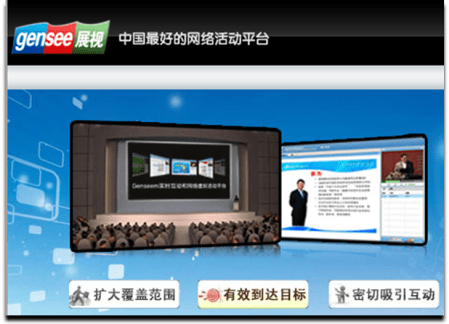
Gensee, based in China, provides a “Web Virtual Events Platform”.  The market for virtual events in China seems to be less developed than in the U.S. and Europe – as such, Gensee may be well positioned to capitalize on any uptick in adoption (in China), as their platform was built to serve a Chinese audience.

“China has more than 400 million internet users, with Flash based virtual games and social network services very popular, although with its own flavors and local providers”, notes Benjamin Chen, CEO of Gensee Technology.

Chen continues, “China has many economic centers and many enterprises have geographically dispersed customers and employees. I already see great demands to complement physical trade shows, expos, events and e-learning with virtual components”.

VisualMente is another European player in the virtual events space – they’re based on Spain and have done virtual event campaigns for BlackBerry, among others.

To be fair, both Gensee and VisualMente were around when my predictions were made, so I didn’t technically predict their emergence.  That being said, I do believe in the trend that more and more players will enter the space, with a growing number of vendors outside of the U.S.  The U.S. is the most developed market to date (relatively speaking) – which means that even larger opportunities lie abroad.

If you’re aware of additional virtual event players (outside of the U.S.), please leave information in the comments section below – thanks.

Source: Cisco Live and Networkers Virtual

Response Rates (Grade: A)

While I can’t provide insight for “relative response rates” on audience generation for virtual events in 2010, I did write the following:

Virtual event show hosts will need to consider the incorporation of gaming, the creation of affinity programs and more.

Cisco Live and Networkers Virtual is incorporating gaming into their upcoming event – Dannette Veale (Cisco) published a post regarding  objectives and considerations behind enabling gaming in that event.  I should disclose that I’m with INXPO, the virtual event platform that’s hosting this event – and we’re big believers in social gaming in virtual events.  So my prediction was a bit self serving.

I do believe in the effectiveness of gaming, especially in a virtual event or virtual business environment (e.g. for learning, retention, sponsor interaction, etc.) – as such, I expect to see an increasing amount of games (especially games with a social component) enabled in virtual events going forward.

Some vendors will integrate them into the core platform, while others will start by creating “one off” games that are loosely coupled with the underlying event platform.

Immersiveness (Grade: A)

In the U.S., the Virtual Edge Summit is the annual face-to-face event in the virtual events industry.  New this year was a “Business 3Di Track”, demonstrating the growing interest in immersiveness [see full program here].  I wrote:

Client interest and demand will drive some platforms to add immersive capabilities in 2010.  I don’t expect a software download, however – it would serve platforms well to support the immersive experience within their existing framework (e.g. Flash, JavaFX, Silverlight).

One of the exhibitors at Virtual Edge was Altadyn, who provides an offering called 3DXplorer – “the first ‘browser-based’ and ‘installation-free’ solution which enables a 3D interactive and fully immersive experience, accessible from any corporate or individual computer”.

In addition to Altadyn, one of the “pure play 2D event platforms” (at Virtual Edge) provided a demo of immersive capabilities they’ve incorporated into their platform.  I expect to see more experimentation and deployment in the second half of this year.

Consolidation (Grade: C)

I wrote:

We’ll see the merging or acquiring of virtual event platform companies.

Since neither of these has yet to come true in 2010, this grade really could be an “F” or an “Incomplete”.  I’m still holding firm on this prediction, however, as I do expect some M&A activity in the second half of the year.

Conclusion

The first half of 2010 sure has flown by – on the predictions front, I’m looking decent so far at the half-way mark.  I’m expecting an eventful second half (pun intended).  What are your expectations for the second half of this year in our industry?  Leave your thoughts below in the comments section.

Tweet this posting:


From Virtual Events To Virtual Business Communities

May 31, 2010

Increasingly, virtual event planners are keeping their virtual events “open” year-round.  The model is evolving from a focus on the annual live event to a focus on the overall business environment, which has live events scheduled throughout the year.

Hence the progression – first, the virtual environment is kept open year-round (“Come in, we’re open”).  From there, virtual event planners become virtual community managers to evolve the environment into an active and engaged community.

Your virtual business community is quite similar to a social network (e.g. Facebook, Twitter, etc.).  Thus, look to those social networks for effective community building and networking tactics.

Content

“Traditional” content forms the foundation of your business community: on-demand webcasts, videos, documents, articles, etc.  That being said “non-traditional” content is what makes a community shine and prosper – it includes other members and their associated user-generated content (e.g. 1:1 and group chat, message boards, blogs and old-fashioned community discussion).

Users may be drawn into your community for the professionally produced content – what makes them stay, however, are the connections with other members and the business conversations that unfold.

Draw them in – with Email

Some community sites (e.g. Facebook) are fortunate enough to have members login as their first stop on the web each day – today, it’s not likely that a virtual business community can achieve the same loyalty.  The key, then, is to provide community members with reasons to return, login and participate.

Email may be considered old fashioned by some, but it still works.  Want proof?   Look no further than Facebook, Twitter and LinkedIn, which all use email effectively to notify members of activity and bring members back into the community.  Examples:

  1. Facebook – I receive email when a Facebook friend has commented on my Wall posting – additionally, when I submit a comment on a friend’s posting, I receive email when subsequent comments are posted.
  2. Twitter – I receive email when new users follow me on Twitter; in addition, when a user sends me a “direct message” (DM), I receive an email with the text of the DM.
  3. LinkedIn – When I comment on a LinkedIn Discussion thread (in a LinkedIn Group), I can opt in to receive email notifications on subsequent comments posted.  This way, I’m instantly notified as other group members comment on my comment, with the email containing the text of the submitted comment.

For your virtual business community, utilize similar email notifications to alert members of new activity and draw them back in to the environment.

Once they’re in, keep them Engaged

Now that you’ve successfully drawn members into the community, keep them active and engaged.  Build tools like the Facebook Status Bar:

The Notification component of the status bar is an area that I check each time I login to Facebook – I want to know who’s “liked” my comment, picture, video or link – and what they wrote about it.

Notifications keeps you engaged once you’re in – and can even serve to draw you there (in the first place).  I occasionally login to Facebook solely to check for new Notifications!

Mobile Integration – Draw them in, from their device

Facebook, LinkedIn, Twitter, Foursquare, etc. provide a variety of mobile apps, developed by the companies themselves and by third party developers.  With mobile apps and mobile clients, members can stay constantly connected to their social networks and communities – they can always stay “in touch”, literally and figuratively.

With a virtual business community, mobile integration does not need to be about 3D spaces, multimedia or immersiveness – things we often associate with virtual events and virtual worlds.  Some day, we may be able to experience full immersiveness on a mobile device.  But in a business community, it’s more about user-to-user connections at a more basic level – e.g. the likes of Twitter @replies and Facebook wall discussions.

Conclusion

Our industry still centers around the occasion-based virtual event – as event planners begin to morph into event-based community managers, they’ll need to map out tools and technologies to keep their communities active, engaged and coming back.  Should be a fun ride.

Tweet this posting:


How To Leverage LinkedIn For Your Virtual Event

May 26, 2010

With over 65 million registered users worldwide, LinkedIn has become an essential destination where business professionals connect and network.  Make it easy for attendees to connect and engage with their LinkedIn network and virtual event planners have much to gain.

The good news is that LinkedIn provides several convenient integration points – there are LinkedIn Events, LinkedIn Widgets and a full-blown Application Programming Interface (API).  Let’s consider a few possibilities.

LinkedIn Events

To promote your event, create a LinkedIn Event – it’s easy to “Add an Event” once logged in to LinkedIn.  Complete a few input fields and within 5 minutes, your event record is created.  There is a check box for “This is a virtual event” – you’ll obviously want to select that.  Once created, your event will appear at http://events.linkedin.com and be searchable by all LinkedIn members.

Your next step is to generate awareness of your event to LinkedIn members.  On your LinkedIn Event creation confirmation page, you’ll have the option of sharing the Event with selected LinkedIn contacts – and/or advertising the event with LinkedIn’s DirectAds advertising system.  In addition to these options, consider promoting the event to relevant LinkedIn Groups, including those that your company has created – or is active on.

As LinkedIn members find your LinkedIn Event, you’ll begin to generate registrations – members can also denote whether they’re “Attending”, “Interested” or “Not Attending”.  If they’re “Attending”, they can further define their role at the event (e.g. “Attending”, “Presenting” or “Exhibiting”).

Note that a member can denote that they’re “Attending” your virtual event (on LinkedIn), but will still need to complete your event’s registration page, typically hosted on your site or your vendor’s site and separate from LinkedIn.

Once a few members denote that they’re “Attending” your virtual event, LinkedIn’s sharing features kick in – as you see above, I can “Browse Events” and view all upcoming events that a LinkedIn connection (or connections) is attending.  I can click on the LinkedIn Event record to view all attendees – and, I can view which of my connections plans to attend.

This could help in two ways – first, knowing that other like-minded professionals are attending may tip the scales in favor of my own registration and attendance.  Second, I now know (in advance) that one or more of my connections plan to attend, so I’ll be on the look-out for them within the virtual environment.  Or, I may email them on the live event date to ask for their early impressions.

Here’s a useful article: Promote Your Event Using LinkedIn Events Application

LinkedIn as Your Registration Page

Registration page abandonment is a concern for all virtual event hosts – use a form that’s too long and potential registrants may give up and never return.  LinkedIn has a Profile API that can be used to retrieve certain attributes from a LinkedIn member’s profile.

The first step for users, of course, is to authenticate to their LinkedIn account, granting the virtual event platform permission to access their LinkedIn profile.  Once authenticated, the virtual events platform can use the Profile API to obtain some profile attributes.  This should cover 40-50% of a typical event’s registration questions.

By making it convenient for registrants, you’ll see a higher conversion rate and generate more registrations.  You’ll need to balance that by collecting additional information (that exhibitors may need) once registrants login to the event (e.g. email address, which the Profile API does not provide, street address, zip code, qualifying questions, etc.).

LinkedIn Widgets

LinkedIn makes it easy for you to incorporate functionality by way of Javascript-based widgets – LinkedIn provides you with a few lines of Javascript and you embed the code on your web page (or virtual event page).  There are three widgets currently available: Company Insider (see how many connections you have at a particular company), Profile (display a user’s LinkedIn profile) and Share on LinkedIn (share content with your LinkedIn Connections or Groups).

Your virtual event’s registration page is a logical place to embed the “Share on LinkedIn” widget – users registering for your event can share it with their LinkedIn network – or, with particular LinkedIn groups to which they belong.  As shown above, members can share the page via status update (on LinkedIn), via a posting to a selected LinkedIn Group or by emailing selected connections.

The registration page is the one page where sharing makes sense – the rest of the event sits behind the registration page.  Thus, sharing pages from within the event are less useful, since recipients would first need to complete the registration page prior to seeing the “shared content”.

Searching for LinkedIn Connections within the event

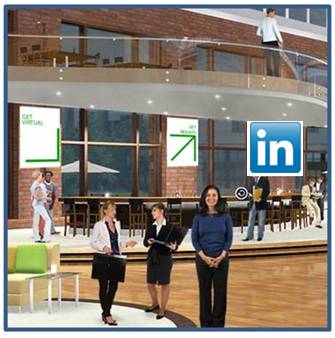
I occasionally attend a virtual event where I come across a former colleague in the Networking Lounge or in an exhibitor’s booth.  If not for the random encounter, I would have never known s/he was attending the same event.  The virtual event platform ought to provide me with the ability to search my LinkedIn Connections and then check to see if any of them are registered or online (right now!).

This would be useful for:

  1. Attendees – have the opportunity to connect with a former colleague or business partner, right there in the virtual event.  Additionally, be able to compare notes on exhibitors, sessions, etc. with folks you know.
  2. Exhibitors – invite contacts (connections) to visit you in your virtual booth and get them caught up on your latest product offerings.  Also, be alerted to existing customers and business partners who are attending – whom you may not have known were online in the environment.
  3. Show Hosts – be alerted to business contacts who are attending your event – and be able to check in with them (or connect with them afterwards) to ask about the event experience.

Conclusion

Leveraging LinkedIn can bring many benefits to a virtual event planner – you can generate awareness and additional registrations via LinkedIn Events and the “Share on LinkedIn” widget; you can create an accelerated registration process for your users (and generate additional registrations along the way) and you can create enhanced engagement within the event by allowing attendees to discover their peers and business partners.  Give some of these ideas a try and let me know how they worked out!

Tweet this posting: