Virtual Tradeshow Best Practices: Top 10 Exhibitor Tactics

May 20, 2009

At b-to-b virtual tradeshows (VTS), exhibitors compete for the attention and interest of the attendees.  And many times, the competition for attention occurs “against” the competitors of your business.  Thus, it’s even more important to make your mark, which places an onus on exhibitors to leverage new and creative ways to generate interest.  Here are Top 10 Exhibitor Tactics that I’ve observed while working with virtual tradeshow exhibitors.

  1. Set up a (physical) war room – it seems a bit contradictory, given that you’re exhibiting virtually, but if it’s practical to gather in a single location (physically), you’ll be more effective and coordinated.  As visitors pour into your booth and engage with you, it will be easy to shout aloud, “I’ll take this one” and have everyone immediately know what you’re referring to.  In addition, being together physically creates a buzz as the event goes on – you’ll hear cheers, shouts, jeers, etc. as activities unfold throughout the day.  I’ve participated in one and it does help with coordination and build camraderie.  Short of a physical gathering, another option is to keep a telephone conference bridge active throughout the day to coordinate activities.
  2. Send product experts into the Networking Lounge – you need to solicit your subject matter experts to participate in the virtual tradeshow in the first place.  And believe me, their presence will be worth it.  Send them into the lounge to soak in all the discussion – and encourage them to chime in.  The idea here is to demonstrate thought leadership and generate “organic interest” in your company and your company’s booth.  During one event I attended, an expert’s presence in the Lounge generated interest from an industry analyst, who set up a follow-up meeting (with the expert’s company) to further discuss their products and services.
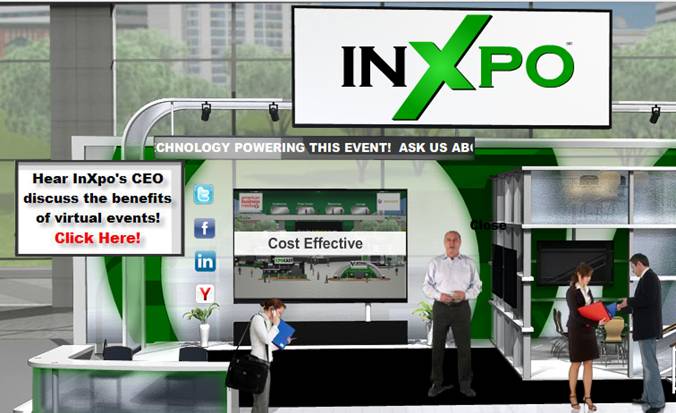
  3. Leverage a compelling booth welcome – always make a good first impression for that first-time visitor.  Create a Flash video for your booth’s “front screen” that’s unique to the VTS – or, have your CTO or CEO (via greenscreen video) greet visitors with a short video welcome.
  4. Ad-hoc prize giveaways – drop a surprise on attendees and let them know that you’re giving away prizes in your booth.  Got leftover giveaways from a physical event?  Distribute that excess inventory to your virtual event visitors.  Draw them into the Group Chat in your booth and ask them to answer questions posted there (about your products and services)  in order to win.  You’ll end up not just with some happy booth visitors – but you’ll also have educated others who observed the group chat.
  5. Be practical with booth displays – if you have scheduled chats occuring in your booth – or, if you have distinguished experts staffing your booth, let visitors know!  How about an animated image that displays in the front screen of your booth, which rotates through the miscellaneous activites scheduled there that day.  Sometimes, the simplest and most practical approach is the most effective.
  6. Staff your booth with your product experts – for those experts that you send into the Networking Lounge – be sure they’re available to interact with your booth visitors as well.  When your expert has won over the respect of an attendee, then that attendee becomes more comfortable with your company’s products and services.  I’ve witnessed a few experts field requests for pricing information or a follow-up sales call.  While that’s best handled by a salesperson, it clearly demonstrates the effectiveness of having your products experts in your booth.  Another observation: if your experts are having engaging interactions with booth visitors, their presence will encourage repeat visits.
  7. Invite your company executives to participate – a virtual tradeshow affords your company executives with an easy and convenient way to connect directly with customers and prospects.  The attendees find the interactions engaging, as it’s not often they have direct access to your executives.  Additionally, your executives gain further appreciation of the virtual event via their first hand participation, which makes budget approvals quicker for subsequent events.
  8. Got extra books?  Give them away as prizes – first, you need to find the right book for the particular audience – one that will generate strong demand.  Then, by giving away a large number of them (50, 100, etc.), you generate interest because of the likelihood of winning one.  One event I attended awarded a free book to the first 100 booth visitors.  The particular book was authored by an industry expert whom all attendees were familiar with.  The first 100 visits occurred within minutes of the opening of the event!  Later in the day, visitors will still coming into the booth, asking if the book was still available.
  9. Functional avatar images – some exhibitors select their avatar image from the event platform’s image library.  Others upload a picture of themselves.  One exhibitor went a different route and created custom images that denoted the functional expertise of each exhibitor. The image had the company logo as a background, with text overlaid on top (e.g. “Product Expert”, “Integration Expert”, etc.).  Since attendees can determine your functional domain (by your avatar), they can immediately determine whether to interact with you.
  10. Use a “call to action” image in the final slide of a Live Webcast – want viewers to visit your booth at the conclusion of your Live Webcast?  Make your closing slide an image of the virtual environment, with a big arrow pointing to your booth’s location on the Exhibit Hall.  Title the slide, “Got more questions?  Visit our booth”.

So there you have it.  Try some of these tactics at your next virtual tradeshow and let me know how it goes!


For Virtual Events, Globalization Means Localization

May 13, 2009

Source: Flickr (jasmine3)

Source: Flickr ("jasmine<3")

To meet a growing demand from international enterprises and event organizers, virtual event platform providers are focusing on support for multiple languages within their core platforms.  Some providers launched langugage support during 2008 – while others are focusing their efforts around language support in 2009.  Some providers support single byte languages, while others support (or plan to shortly support) both single byte and double byte.

Language support is clearly a relevant and important feature to have in the platform.  But for me, language is just the beginning.  It’s the pouring of cement into the foundation of a house – something you need to start with – but then build upon.  The focus today is on supporting a core set of languages.  Once this foundation is in place, I believe that in the near future, the new focus will shift from language to culture.

In the West, “real world” meetings between business partners will often begin (or conclude) with a handshake.  In other cultures, the extension of a hand (for a handshake) may not be culturally acceptable or of proper etiquette.  It’s my belief that as we extend meeting and event interactions online, culture remains nearly as relevant as in the real world.  And, culture can often span multiple languages or dialects – so again, platforms will want to focus beyond support for individual languages.

What might be some examples within the virtual world?  Well, let’s take text chat for one.  In the West, we grew up using AOL Instant Messenger, Yahoo Messenger, etc. – and we likely use it in a business setting as well (e.g. AOL IM, WebEx Connect, Lotus Sametime, etc.).  Other cultures may be less inclined to use a chat client.  Perhaps they want to connect with each other using SMS on their cell phones.  Perhaps they like to chat in a large group (e.g. group chat) rather than private chat.  Or, perhaps text chat is not considered meaningful, whereas webcam communication (a la Skype) is the norm.

Whatever the case, virtual event platform providers will want to adapt their features and capabilities to support the requirements and preferences of multiple cultures.  Additionally, I believe that platform providers will need to create customized templates and skins that are suited for individual cultures.  If you take the standard set of templates for the Exhibit Hall, Auditorium, Lobby, etc. that are used by North American virtual event producers – and use them in an event in the Far East, chances are it will look foreign to the audience (no pun intended).

So, to support globalization, platform providers will want to create a portfolio of templates that are relevant and meaningful to the cultural norms of the region.  An image of a male worker planted in a virtual booth may be fine in the West, but aspects of the individual (attire, expression, etc.) may be inappropriate in the Far East.

So as we look to grow this industry globally, I’d note that language support is certainly important – but the combination of language with culture will matter most.


June: A Hot Month For Virtual Events

May 12, 2009

june_cal

Think up some hot technologies in Enterprise IT – desktop and application virtualization; data center; unified communications; SharePoint.  Next, consider some key disciplines that gain prominence during a down economy – online demand generation and e-commerce.  Then, think about the red hot area of sustainability and clean technology. Finally, consider what a leading technology vendor (Cisco) is producing for their partners and customers.

Put it all together and what do you get?  A jam-packed month of virtual events in the month of June.  You can sell the full slate of virtual events scheduled this year on the Virtual Events Calendar that I maintain on this blog.  Here’s an excerpt from that page, which shows you all the excitement that June has to offer.  Here’s the list of June virtual events in chronological order:

  1. Cisco Virtual Partner Summit: https://www.ciscopartnerspace.com/virtualpartnersummit/ (06/02/2009 through 06/30/2009)
  2. All About eCommerce Virtual Conference & Expo: https://event.on24.com/eventRegistration/EventLobbyServlet?target=registration.jsp&eventid=141444&sessionid=1&key=766F81E957D10012B67D1FC70900312D (06/04/2009)
  3. Desktop and Application Virtualization (SearchVirtualDesktop / TechTarget): http://events.techtarget.com/virtualdesktop/ (06/04/2009)
  4. Transforming the Enterprise with Unified Communications (VoiceCon): http://www.voicecon.com/virtualevents/ (06/10/2009)
  5. SharePoint Virtual Expo 2009 (Quest Software): http://events.unisfair.com/index.jsp?eid=395&seid=30 (06/10/2009)
  6. 2009 State of the Data Center: Storage (Ziff Davis Enterprise): http://presentations.inxpo.com/Shows/ZiffDavisEnterprise/VTS/06-17-09/Website/home.htm (06/17/2009)
  7. BtoB’s Leading Edge: Demand Generation in the Digital Age: https://event.on24.com/eventRegistration/EventLobbyServlet?target=registration.jsp&eventid=137553&sessionid=1&key=1E4584C2A969E4AEFAA97CB93E4BB4C8 (06/23/2009)
  8. Virtual Energy Forum: http://www.virtualenergyforum.com/ (06/24/2009 and 06/25/2009)
  9. Cisco Live Virtual: https://www.ciscolivevirtual.com/portal/login.ww (06/30/2009 and 07/01/2009)

Do you plan to attend or exhibit at a June virtual event that’s not listed here?  If so, leave a comment below to let me know.


Virtual Event Adoption By The C-Suite (CIO, CMO, etc.)

May 8, 2009

In my former role as a b-to-b media industry product manager, I developed product packages that utilized audio podcasts for delivering IT-specific content to IT practitioners and IT managers.  The conventional wisdom at the time  (early on, at least) was, “CIO’s will not download and listen to podcasts”.  I wasn’t so sure about that – after all, podcasts made it easier for busy executives to consume content they wanted – when and where they wanted to consume it.  So why wouldn’t a busy executive leverage technology to make her day more efficient?

Lo and behold, a CIO speaker at an event I attended was asked about the different content types he leveraged to get his job done.  He mentioned that he takes a 30 minute ferry boat ride to and from work each day.  While most boat passengers are reading the daily newspaper, this CIO would listen to IT-specific podcasts on each ride – and, he insisted that each downloaded podcast be 30 minutes long (or less), so that he could listen its entirety on the ride.

With virtul events, I’ve heard from event organizers and event sponsors who wonder whether the CIO (and her companions in the C-Suite) will adopt virtual events and virtual tradeshows.  I think the answer is “yes”.  First, let’s characterize some of the C-Suite occupants:

  1. CEO – may be too busy to attend virtual events – but, will occasionally make the keynote appearance to kick off a virtual event.  Many CEO’s do not use a computer, but most carry PDAs.  This means that the path to CEO participation in virtual events may be via the PDA.
  2. CMO – they see the value of virtual events as a marketing and lead generation vehicle, so one of their key roles today is in funding and approving budget.  As for attendance, my feeling is that they’re interested in doing so.
  3. CIO – like with podcasts, virtual events enable and empower an executive.  The CIO can attend a virtual event to peer network with like-minded CIO’s and not miss a day in the office to do so.
  4. CTO – intimate with technology, the CTO is virtually a slam dunk to participate (pun intended).
  5. CFO – not so sure about CFO’s, but I will note that IBM Cognos produced a virtual event called Virtual Finance Forum 2009 that targeted finance executives.  Cognos produced the same event in 2008 as well.

B-to-B publishers have caught on to the notion that CIO’s will attend virtual events, as past virtual events have specifically targeted the CIO.  Two upcoming events are taking a similar approach:

  1. CIO Virtual Forum: Navigating Through Dynamic Times (May 19, 2009 – CIO.com and Cisco)
  2. CIO Summit:  Driving Business Value and Customer Value in the Global Economy (June 10, 2009 – InformationWeek)

In my experience with technology focused virtual events, I found that of all registrants, 7-9% had senior IT titles (CIO, CTO, VP of Technology, etc.).  So an event with 1,000 registrants would have 70-90 of them be CIO’s or CTO’s.  Why would the C-Suite attend a virtual event?  I think there are a few primary benefits:

  1. Conveniently network with like-minded peers – one of the draws of attending an event is the ability to network with other attendees.  With a virtual event, a busy executive can do so without losing a day outside the office.
  2. Efficiently connect with partners and customers – an online experience can’t re-create the dyamics of an in-person interaction, but it does allow a busy executive to connect with many more partners and customers than could have occurred in-person.
  3. Extend your social graph and social presence – some C-Suite execs have enthusiastically adopted Twitter, Facebook and other social networks.  Industry-specific virtual events allow the executive to further expand the social graph.  And of course, they’ll be tweeting about the event as soon as they login.

What has your experience been – has the C-Suite at your own company attended a virtual event?


Comparing Virtual Events and Virtual Communities

April 30, 2009

While virtual event platforms can certainly support a 365 day-per-year virtual community, my estimate is that 95% of the use case (today) on these platforms is for the single day or multi-day live virtual event.  I’ve seen some pick-up in the “ongoing community” concept and I believe that by this time next year, the 5% share (for virtual communities) will be more like 15 or 20%.  As I’ve written several times before, there are plenty of ways in which a virtual event platform can support a virtual community:

  1. The future of newspapers as virtual communities
  2. Online dating, powered by a virtual event platform
  3. An ongoing virtual crisis center to combat swine flu

There are important distinctions to keep in mind when considering a virtual community.  If you’re a veteran of virtual events and want to consider the community concept, I outline five key differences between the two – differences that will change the way you fundamentally plan and execute each one.

  1. Outbound marketing vs. inbound marketing – with a live virtual event, 90% of your registrant and attendee base will come from outbound marketing.  And today, most of that outbound marketing comes in the form of email blasts to assorted lists.  With a virtual community site that’s available 365 days a year, attracting an audience is more about inbound marketing – such as search engine optimization (SEO) to attract visitors to your community from search engines.  You’ ll want to complement the inbound marketing with some outbound promotion, but you’ll start to wear out your lists by promoting your virtual community site too often.  One common tactic is to use social media (e.g. Facebook fan page, Linkedin Events listing, Twitter, etc.) to drive visitors and attendees to your virtual event and virtual community.
  2. Local vs. global access – most live events take place during the course of a business day – and typically within a narrow timezone (e.g. the schedule is arranged around a US/Eastern or US/Pacific schedule for US-based events).  While I’ve seen attendance at North American work-day events from visitors across the globe, it’s the middle of the night for these folks – so 60-80% of the audience participate from the local timezone(s).  So for live events, the top priority of the virtual event platform is to support the local language at that timezone (e.g. English).  For a virtual community, access is 7x24x365, which means that all languages can apply.  As such, the virtual event platform ought to support rendering in as many languages as possible, both single and double byte.
  3. Concentrated vs. intermittent audience – live events are great, because a large and captivated audience can result in valuable interactions between attendee and attendee, as well as between attendee and exhibitor.  For a virtual community, a large, ongoing and engaged audience is nirvana – but, the more likely experience is that a few attendees will be in the environment at the same time you are.  This places more onus on the community organizer to provide compelling content and useful asynchronous tools (e.g. blogs, message boards, etc.) to keep the visitor from wandering away and logging out.
  4. Large staffing commitment vs. minimal staffing commitment – for a live event, you want an entire team of booth reps who can “man” your booth for the extent of the live show.  For a 7x24x365 virtual community, it’s not practical to have booth reps online in the environment around the clock.  Here’s where technology innovation can help – virtual event platforms that support an auto-attendant, for instance – a “chat bot” that engages visitors in text chat, which attempts to provide automated answers to common questions.  Or, perhaps some auto-triggered notifications to booth reps.  For instance, 5 visitors happen to be in my booth right now – so I receive an email alert that encourages me to login to the environment right away.
  5. Intra-day support vs. ongoing support – for the virtual event producer, the priority is to provide support for the duration of the live event.  For a virtual community, you want to ensure the service has 100% availability, but it’s not practical to personally monitor the environment at all times.  Here, you might want to rely on automation to continually monitor key indicators and send you email alerts (or text messages) when exceptions occur.

Here’s a thought – do a little of both (above) – think of your virtual event as an experience that has a repeatable schedule.  Once a live event has concluded, it transforms into a 7x24x365 virtual community.  And when it’s time for the next live event, you simply “light up” the live features within the community.  Then, when the live activities have concluded, you dim the lights and return to the community focus.  Either way, make sure you think about the importance differences I’ve outlined.  And have fun!


A Virtual Battle To Combat Swine Flu

April 28, 2009

Source: US Centers for Disease Control & Prevention

Source: US Centers for Disease Control & Prevention

The number of deaths in Mexico has surpassed 150.  The Department of Homeland Security has delcared a public health emergency in the United States.  The European Union’s health commission urged people to avoid non-essential travel to the affected areas.  Confirmed cases have now been reported in the Middle East and Asia Pacific regions.

Clearly, the rapid spread of swine flu has become a serious, global issue.  With scientists and government officials (across the globe) leaping into action, now is the time to leverage web and virtual technologies to faciliate the global effort to combat the disease and outbreak.

To get through a crisis, information sharing is paramount.  To combat swine flu, it will be critical to faciliate:

  1. Information distribution – real-time updates, to help all parties have a global view of the situation.  We need to understand where the illness has spread, along with in-country updates on how (and how severe) the illness is affecting the local population
  2. Information exchange – experts in the field of medicine, outbreak, crisis management, etc. need to provide their insights to those who need it
  3. Collaboration and dialog – related to information exchange – key parties need to have real-time dialog and collaboration to discuss current conditions and strategize on next steps

Here’s why a virtual event platform would be effective as a crisis management platform:

  1. Global access – with travel a limited option, participants can access this platform from any location with an Internet connection.
  2. Simple technical requirements – a basic PC (or Mac) with Adobe Flash should do the trick, which means that most Internet-connected computers will be fine.
  3. Tracking and transcripts – collaboration among participants can be tracked, with transcripts of communications saved for later review.
  4. Facilitates document sharing and access control – virtual event platforms can store, index and catalog documents, presentations, rich media, etc.  In addition, some platforms provide for user-level access controls, which allow the administrator to provide sensitive or confidential documents to a selected set of participants.  While I’d argue that in a crisis, all information should be shared, there may be certain information during this crisis that is provided early on to selected members, to review before others.
  5. Facilitates ad-hoc discussions – place 25 scientists and government officials into a text-based group chat area (giving some the option to participate via webcam) and I think that many benefits will follow.

Here are some of the primary components that the platform could offer:

  1. Resource Center – make the platform the “home page” for crisis management.  Have the US CDC (Centers for Disease Control and Prevention) and the WHO (World Health Organization) place updates, documents, links, presentations, etc. into a folder structure – and, provide a robust search capability for participants to find the information they need.  As new information becomes available, it is placed in the Resource Center.
  2. Auditorium – allow those same organizations to provide live, streaming broadcasts (audio or video) to participants, to cover breaking news, status of the outbreak globally, etc.  In addition, representatives from the pharmaceutical industry can provide updates on the development of a vaccine to combat swine flu.
  3. Lounge – create structured chat areas for participants to exchange information and collaborate.
  4. Private Chat – for conversation that need to happen outside of the Lounge, private, one-on-one chat can be faciliated.
  5. End User Search – during times of crisis, it’s often useful to find and connect with others, who may be able to provide information, assistance, etc.  You might need to find an in-country expert in Asia Pac to help assess the situation there.  Or, you might be in need of an expert to analyze conditions that are unique to your region.  With the virtual platform, a robust end user search (based on users’ profile information) can facilitate these connections.

What are your thoughts – would such a platform be useful to help battle swine flu – and, how could this be organized in order to faciliate global participation?

Note: The World Health Organization has a useful FAQ on swine flu here: http://www.who.int/csr/swine_flu/swine_flu_faq.pdf


How To Improve Virtual Event Interactions

April 19, 2009

Source: LiveOps

Source: LiveOps

In a recent New York Times article titled “Software That Monitors Your Work, Wherever You Are“, Damon Darlin profiles the technology and business model of LiveOps, a start-up based in Santa Clara, California.  LiveOps is in the call center business – without having a central call center.  Instead, they employ 20,000 home-based agents, who work as independent consultants for the company.  Sound different?  Well, it doesn’t end there.  The “brains” behind the service is software – what Darlin terms the “real middle manager”.

Maynard Webb, CEO of LiveOps, explains how the software works:

The software moves a company beyond simple cost-cutting. Mr. Webb says greater efficiencies can be found because the company’s software measures the results from each agent according to criteria determined by the client. If a client wants agents to persuade callers to buy additional products, the software tracks that — and then directs calls to the agents who do it best. Those agents prosper.

In the virtual events I’ve participated in, I’ve seen a wide variety of exhibitor personas.  The most effective exhibitors were the true subject matter experts – they have a wealth of information to share with prospects, potential partners and even competitors.  And they’re the rock stars of their virtual booth – highly in-demand and running a mile a minute trying to handle the influx of private and group chat requests.

What makes them rock stars is not just their expertise – it’s really their expertise combined with their desire to network, assist and collaborate.  They not only respond quickly to private chat questions, but they’re proactively commenting in group chats.  On the other extreme, I’ve seen the “don’t call one me” persona – analogous to the right fielder on the softball team who hopes the ball is not hit his way.  These exhibitors bring a limited scope of knowledge, combined with little desire to interact.

Perhaps virtual event platforms should adopt the LiveOps model – route the inquiries and chat requests to those exhibitors who are most likely to achieve the desired outcome.  Here’s how it might work:

  1. Build rating and request functions into the chat application – without some explicit indication from the attendee (booth visitor), the only way to know if the exhibitor (booth rep) was effective is to use natural language processing to interpret the content of the chat (which, indeed, would be a neat feature!).  Instead, build actions into the chat function, as dictated by the exhibitor.  One action might be “rate this chat session” or “rate this booth rep” – the data would be used to determine the worthiness of the rep for subsequent chats.  Another action might be “request more product information” – whereby clicks would increase the effectiveness rating of the booth rep.
  2. Define metrics to rate booth rep effectiveness – examples may include “mean time to answer a private chat request”, “mean time to a ‘request more info’ click” (where shorter times might be considered better) or “mean rating score”.  Of course, for booth reps who receive neither ratings nor requests for more info, perhaps the absence of action works against them.
  3. Distinguish the highest rated booth reps – just like department stores and supermarkets have the “Employee of the Month” parking spot or picture – virtual event standouts should be recognized as well.  Allow the highest rated booth reps to have a specially desigated avatar image (or logo) indicating that they provide excellent service.

Let me know what you think – would such a rating system help improve interactions between virtual event booth visitors and booth reps?


Virtual Event: Digital Marketing World (Spring 2009)

April 1, 2009

Source: MarketingProfs

Source: MarketingProfs

If you’re an online marketer, you might want to attend “Digital Marketing World – Spring 2009” today.  It’s free to attend and the only travel required is to click on over to it  (it’s a virtual event).  If you’re not already registered, there’s an event registration page that you can fill out – and then enter the show right away.  The event generated over 12,000 pre-registered users – so, come on in and join plenty of your online marketing colleagues.

David Plouffe, Campaign Manager for Barack Obama’s 2008 Presidential Campaign is doing a video keynote presentation to kick things off.  I’ve seen lots of excellent chat occuring while David was speaking – many of the comments were around David’s presentation material around social media:

Source: screenshot capture during MarketingProfs' virtual event

Source: screenshot captured during MarketingProfs' virtual event

I’m online as an exhibitor at this event – so if you decide to join, come say hi – I’ll be in the InXpo booth:

Source: InXpo's booth at MarketingProfs' virtual event

Source: InXpo's booth at MarketingProfs' virtual event


Newspapers: With Print Declining, Go Virtual

March 24, 2009

Source: GlobalPost

Source: GlobalPost

In a previous blog posting, I wrote that newspapers could leverage virtual event platforms to transform the reader experience from one of unidirectional consumption to an interactive community of participation and engagement.  In an article titled “A Web Site’s For-Profit Approach to World News “, the New York Times highlights Boston-based GlobalPost.  The good folks at GlobalPost are clearly thinking outside the “print box”, with an approach that mirrors (somewhat) some of the points I made in my original blog posting.

For one, GlobalPost has deployed a freemium model, built upon a wealth of freely available, advertising supported content.  The premium service comes into play with a service called Passport, which, as eloquently stated by GlobalPost, “offers an entrée into GlobalPost’s inner circle”.  According to the New York Times article:

Passport subscribers, who pay as much as $199 a year, can suggest article ideas. “If you are a member, you have a voice at the editorial meeting,” although the site will decide which stories to pursue, said Charles Sennott, a GlobalPost founder and its executive editor. He said Passport is meant to “create a feeling of community” for subscribers who might otherwise see newsrooms as “impenetrable and fortresslike.”

On the GlobalPost Passport web page titled “Benefits of Membership“, one can discover further detalis about the access afforded to Passport subscribers:

Passport also gives you a significant voice in the news. We invite you to join us in reinventing the media equation, empowering members for the Web 2.0 era. Instead of the old top-down model where editors decide what you need to read, as a Passport member you play an unprecedented role in shaping the stories that get covered, via ForeignDesk, Correspondent Calls and Newsmaker Interviews. Simply put, it’s access that gives you an edge.

While GlobalPost would need to find a business model to profitably support this – I can envision the use of a virtual event platform to serve as the foundation for their interactive community.  By “profitably support”, I mean that the additional cost (e.g. virtual event platform, higher costs for editorial staff, etc.) would need to be weighed against the additional revenue.

But that being said, the use of a virtual event platform could facilitate:

  1. Direct, interactive access from Passport subscribers to GlobalPost’s Editorial Staff – in the form of text chat (both private and group), webcam chat (both private and group), forums and blogs (in the platform), etc.  What better a way to shape the editorial focus than for the Passport members (the most loyal of readers) to engage directly with the folks responsible for producing the content.
  2. Direct engagement among Passport subsribers – generate and sustain subscriber loyalty and retention by allowing them to connect with one another.  After all, two subscribers who visit the “United Kingdom” section of GlobalPost.com likely have common things to discuss.
  3. Drive incremental revenue by upselling your Passport subscribers – one you have a loyal following of Passport subscribers, upsell them into higher and higher premium services – e.g. scheduled video chat sessions with your Publisher; access to exclusive content; access to all archived content, etc.

Kudos to GlobalPost on their somewhat contrarian model – and best of luck on the new site and success of Passport.


Increase Your Virtual Event ROI: 10 Tips and Tactics

March 22, 2009

Source: Flickr (Ewan McIntosh)

Source: Flickr (Ewan McIntosh)

If you recently exhibited at a lead generation virtual event, then I’ve got some tips for you.  While most exhibitors consider the program “complete” at the conclusion of the live virtual event, your work is just beginning.  Outhustle your competition and you’ll generate more ROI, beating them to the punch on shared sales leads.  There are two primary strategies for generating a higher return on your investment:

  1. Leverage your existing investment to generate net new sales leads
  2. Better convert your existing sales leads

Leverage Existing Investment

  1. Convince the virtual event host to light up the environment – most virtual events remain “on demand” for 3 months after the live show date.  During those 3 months, you’ll see intermittent activity – some attendees return to visit your booth – some new leads sprinkle in, 1 here and 2 more a few days later.  Your event organizer should be incented to produce another “live date”, in which past attendees are invited to return – and, new registrants are invited to participate.  After all, the event organizer has fixed costs as well – and lighting up the show again means more revenue.  The organizer will want brand new content to draw users in (e.g. compelling Live Webcasts, like they used in the original event) – and you’ll want to leverage the same amount of booth reps to interact with attendees.
  2. Convince the virtual event host to support portable booths – you spent a lot of time getting your booth just right – selecting the right logo and Flash movie, finding relevant White Papers and producing some case studies just for the event.  Your booth is a great marketing vehicle and should be leveraged elsewhere – how about placing your booth on its own microsite – or, embedding the booth on your corporate web site?  The eco-friendly practice of re-use applies here as well.
  3. Syndicate booth content – for the White Papers, podcasts, Case Studies, etc. that you placed in your booth, syndicate them with the event organizer and related web and blog sites.  This broadens the reach of your content – and allows you to generate more sales leads.
  4. Syndicate Webcast content – if you had a speaking slot at the virtual event, ask the show host for a copy of the Webcast – then, host it on your corporate web site and syndicate it with the event organizer and related web sites.  Any content generated for the event should be re-used – it can generate new sales leads with minimal overhead or cost.
  5. Syndicate the supplemental Webcast content (in different forms) – convert your Webcast into an MP3 audio podcast and make that available on your web site along with the Webcast.  Syndicate the podcast as well, in case your target audience prefers the convenience of a download over the viewing of a streaming presentation.  Take the Q&A of the Webcast and transcribe that into a PDF or HTML document – and place this on your web site as well.  You get the idea here – spread your wings, without thinning the pocketbook.

Convert Existing Leads

  1. Find those Top 10 leads – whether you have an automated system or need to do this manually, comb through the wealth of engagement data that a virtual event provides and find those Top 10 leads.  These are the folks who Sales must call now.  Perhaps they downloaded 10 of your White Papers – or, perhaps they did a text chat with a booth rep and requested that a sales rep call.  Either way, they need immediate attention.  If you know the sales reps who should handle these leads, don’t be shy about personally walking the leads over to them and providing the details as to why the leads as so hot.
  2. Get the basics right in your follow-ups – if Inside Sales is following up by phone with some leads, make sure the reps have a script that covers the correct name of the virtual event – and arm them with some important details of the event (e.g. date, topics, speakers, etc.).  For email follow-up, be sure to include the virtual event title in the Subject line.  Always be sure to reference the context of the event in all of your touchpoints.
  3. Build customized follow-up paths based on prospect activity – again, whether it’s automated or manual, factor in the prospect’s specific activities within the live event and tailor the follow-up touchpoints based on that activity.  Study the 5 White Papers they downloaded and recommend a 6th that brings it all home.  Study the chat transcript with your booth rep and send an email follow-up that ties up any loose ends.  Believe me, the prospects will appreciate the personal attention and the value you deliver to them.
  4. Use the virtual event platform to faciliate your follow-up – your show host is keeping the environment open for 3 months – so it would be a shame not to leverage it for all its worth.  When you do secure a follow-up appointment – consider complementing your phone call by meeting your prospect back in the virtual event.  There, you can do text or webcam chat in an environment s/he is familiar with.  And perhaps you place some additional content in the booth for your prospect to review.
  5. Send small prizes to highly engaged prospects – not everyone could win a prize during the live event – so, find those top 10 leads – or, top 10 most engaged users (in your booth) and send them a memory stick or webcam.  As discussed, reference the context of the event in your communications.  Perhaps the memory stick contains additional White Papers that may be of interest.  Just make sure the touchpoint is personalized – and don’t send the prize just for the sake of sending something.

So there you have it.  Don’t forget that your campaign doesn’t end at the conclusion of the live virtual event.  That signals the starting point of the important phase – the one in which you’re head to head with the competition.  So make sure you score a higher ROI than they do.