How I Use Twitter in 2011

May 14, 2011

The Many Uses of Twitter

Introduction

I use Twitter much differently today than I did in 2008. Three years ago, I was just getting my feet on the ground, trying to understand the difference between an at-reply and a direct message. My primary goals were to share content on a single topic (virtual events) and to drive traffic to this blog, which I had just launched. Fast forward to 2011 and I look to Twitter as a swiss army knife – many, many uses.

Notable Changes Since 2008

My mindset on Twitter has been evolving. Some notable changes since 2008:

  1. Mix it up.  I wanted my tweetstream to be focused on virtual events content, so I maintained a 98/2 balance on virtual events and “other” tweets. Today, the balance is more like 85/15, in favor of “other.”
  2. Open up.  I used to stay laser focused on business topics, fearing that including personal interests would cause me to lose followers. But then I saw prominent tweeps (on the business side) do otherwise, so now I’ll include occasional tweets about my Yankees (MLB) or Sharks (NHL) – or, other personal interests.
  3. Make people laugh or think.  10% of my tweets are now conceived while I’m in the shower, where I generate random thoughts (ask a though-provoking question) or random observations (make you laugh [or so I hope!]).
  4. Follow back and interact.  I used to believe that “followers” should be a far greater count than “following.” I also believed that I just couldn’t keep up when following 250+ tweeps. Then I realized that by not following, I’d be missing out. So now I follow back many users who follow me. And, I use at-replies more often, to engage directly with other tweeps.

My other uses of Twitter…

Content Sharing

Whenever I read something interesting, I like to share it with on Twitter. The topics I share tend to be on events (virtual, face-to-face and hybrid), social media and start-ups.  2010 was a big step forward for my sharing abilities, due to a key new feature from Twitter: the tweet button (which you now find on most web sites).

Now, sharing is done with one click. When I share, I like to add my a thought or comment, so that it’s a bit personal and customized. Of course, other tweeps are finding great content, too. So when I see something I find interesting, I’ll often retweet (“RT”). I like to use the official retweet function (from Twitter), so that I don’t have to worry about keeping the RT under 140 characters.

Content Discovery

Being part of “Twitterville” allows me to discover great content. But the most powerful aspect is discovering the content by way of interesting people.  So for me, “discovery” is as much about the people I follow (and connect with) as it is about the wisdom they share.  In this way, Twitter has changed the world.

Twitter’s “unidirectional” following model (i.e. I can follow you without you following me) means that people can share thoughts and insights with “me”, which otherwise would never have happened.

Yes, Hollywood celebrities are cool to follow, but for me, it’s the founder of a great company, the author of a book I’ve just read or an A-list blogger. In fact, Twitter has turned some users into celebrities in their own right, with larger (and more engaged) followings than the celebrities from Hollywood.

Sidebar: Following New Tweeps

As an aside, here’s how I follow new tweeps:

  1. Content: When I read an interesting article, I look to see if the author’s Twitter handle is listed. If so, I immediately follow. If not, I’ll Google the author’s Twitter handle and follow her.
  2. Businesses: If I see “interesting” businesses (or brands) active on Twitter, I’ll follow them.
  3. Athletes: It’s great to see so many athletes take up Twitter in a big way. If my favorite teams have active Twitter users, I’ll follow those athletes.

Events

When I attend an event, whether it’s face-to-face or digital, the first thing I check for is the event hash tag. Twitter has forever changed events, in a good way. It allows me to put a finger on the pulse of the event, from the attendees’ point of view. I’ll find a session that I otherwise would have missed and I’ll often find 20-30 new people to follow. For weeks after the event is over, I’ll continue to watch the hash tag for interesting content. Twitter has helped extend the shelf life of events.

Selling Books

In 2010, I wrote a book on virtual events and placed a link to the Amazon listing page in my Twitter profile. The topic of the book piqued the curiosity of Adam Penenberg (@Penenberg), so we exchanged a few Twitter direct messages (DM) about it. The DM exchange concluded with Adam writing, “Just bought it, you can thank Twitter for the sale.”

Adam listed his own book (“Viral Loop”) in his Twitter profile. Adam’s book “examines the engine driving the growth of web 2.0 businesses,” which aligned perfectly with my interests.  So I bought his book (here’s my review of Viral Loop). It’s fascinating what Twitter enables: content discovery, people discovery and book sales.

Conclusion

First and foremost, thank you, Twitter – you’ve been a big part of my life the past few years. I’m excited to continue using (and adapting) the service and curious to see, in 2013, what I’ll write about regarding my usage patterns.

Leave a comment below, to share thoughts on how you use Twitter. And finally, feel free to follow me – I’m @dshiao. Chances are good that I’ll follow you back.


Take a Survey on The Use of Virtual Technologies In The Workplace

May 12, 2011


Take the survey: http://bit.ly/k0DAoR

Introduction

Virtual Edge Institute (VEI) has announced a comprehensive survey to understand the work-related uses of virtual technologies and digital environments. The Professional Convention Management Association (PCMA) and UBM Studios have teamed up with VEI to conduct and analyze the data for the study.

Survey Details – And a Prize

This survey is dedicated to work-related use of virtual technologies like:

  1. Virtual event, meeting, and virtual learning technologies as well as video streaming, and webcasting
  2. Virtual environments (2D and 3D) such as virtual events, virtual trade shows, conferences, and perpetual (365 days per year) business environments.

According to Michael Doyle, Executive Director of Virtual Edge Institute (VEI), “VEI is giving away two iPads, as well as access to the survey results and our library of on-demand Virtual Edge Summit sessions to ensure strong participation.”

Take the survey: http://bit.ly/k0DAoR

Video: Example of Virtual Environments

The following video from VEI shows examples of the virtual environments covered in their survey.


Second Annual Trends in Data and Security Event

May 10, 2011

Disclosure: I’m a FountainBlue Program Adviser.

Introduction

FountainBlue’s annual trends in data security and storage event will feature the latest advances in technologies and business processes in the storage and security space. We will feature a corporate panel, speaking on its strategic direction and innovations, and an entrepreneur panel, featuring some up-and-coming technology in the storage and security space.

Overview

FountainBlue’s Second Annual Trends in Data and Security Event

Date & time: Friday, May 27, 2011, from 8:30 until 11:30 a.m.
Location: EMC, 2831 Mission College Boulevard, Santa Clara
Cost: Register by May 25 at noon: $32 members, $42 partners, $52 general
Late and On-Site Registration: $52 for members, $62 for non-members

Members and Prospective Members can register at http://fountainblue.shuttlepod.org/hightech
Registration Link: http://www.sventrepreneurs.com

To add questions, answers and resources on this and other FountainBlue topics, visit our crowdsourcing resource at Quora http://www.quora.com/Linda-Holroyd/questions

Audience: Entrepreneurs, Intrapreneurs and Investors only. No service providers please.

Agenda

8:30    Registration and Networking
9:00   Welcomes and Thank Yous
9:15   Today’s Storage and Technology Innovations: An Update on What’s New and What’s Coming

Facilitator Sheri Osborn, MineSeeker
Panelist Sheryl Chamberlain, Senior Director, Strategic Alliances, EMC
Panelist Gerhard Eschelbeck, CTO, WebRoot
Panelist Nasrin Rezai, Senior Director, Information Security, Cisco
Panelist Prasenjit Sarkar, Research Staff Member and Master Inventor, IBM Almaden Research Center
Panelist from VMWare, to be confirmed

10:15  Morning Break
10:30  Entrepreneurial Storage and Security Solutions

Facilitator Sandy Orlando, VP Marketing, IP Infusion
Panelist Tyler Bengston, Director of Product Management, IronKey (secure thumb drives)
Panelist Anthony Gioeli, EVP, Sales and Marketing, PanTerra Networks (cloud-based SaaS services)
Panelist Andrés Kohn, Vice President of Technology for Proofpoint (secure e-mailing and archiving)
Panelist Ryo Koyama, CEO, YOICS (remote computer and network management)
Panelist from IronKey to be confirmed (secure thumb drives)
Panelist from WatchDox to be confirmed (secure file storage)

11:30  Adjourn and Further Networking until 12:00

About FountainBlue’s High Tech Entrepreneurs’ Forum

FountainBlue’s High Tech Entrepreneurs’ Forum was launched in March 2006 and provides ongoing networking and program benefits for 40-150 entrepreneurs, intrapreneurs and investors across Silicon Valley and beyond.

For this series, we run an annual high-tech funding trends panel in January, an annual cloud and security event in May, an annual virtual worlds conference in September and a bimonthly business analytics series, culminating in an annual business analytics trends event in December. Each event will feature either one or two panels of entrepreneurs, intrapreneurs and investors speaking on challenges and opportunities, providing advice for information to all.


Social Media Integration for Your Virtual Events

May 9, 2011

Integrate Social Networks into Your Virtual Events

Photo credit: seotips2011 on flickr.

Introduction

Aside from private, “invitation only” virtual events, most other virtual events can benefit from the integration of social media channels.  Integrating social media is a win/win because it increases and augments the degree of engagement within the event.

And, it enables your attendees to promote the event on your behalf.  Awareness extends to your attendees’ friends and followers.  A few retweets and likes later, and the visibility of your event can increase to “near viral” proportions.  Social media integration should not be about slapping up Twitter and Facebook icons throughout the event.  In this posting, I outline READ the FULL POST on the Event Manager Blog.

To Read the Remainder of This Post

The full post is available at The Event Manager Blog (from Julius Solaris).  You can read the full post here:

http://www.eventmanagerblog.com/marketing/virtual-events


Introducing Virtual Trade Show 2.0

May 7, 2011

Photo credit: “LAUNCH Music Conference” on flickr.

Introduction

In the virtual extension of this booth (above), will I be able to play all those cool-looking guitars?

Previously, I wrote about ways in which the physical event experience can be brought to virtual events.  Then, I attended one of the world’s largest and most prominent trade shows, NAB Show in Las Vegas.  Based on that experience, I’ve concluded that there’s so much more that virtual trade shows should be offering.

There’s nothing quite like the face-to-face experience of a physical trade show. Whether you’re producing a 100% virtual trade show or providing a digital extension to your physical trade show, I build upon my previous  post to consider additional ways to bring face-to-face experiences online.  That’s right, it’s Virtual Trade Show 2.0.

Private Meeting Rooms for Key Clients & Prospects

Physical trade shows are great for providing TLC for your VIP (“tender love & care” for your “very important people”).  When your executives invite key prospects, clients or partners into a private meeting room, it results in some “intimacy” (away from the hustle and bustle of your booth) and it signals to visitors that they’re important. In this way, trade shows are great for establishing, and then developing relationships.

In a virtual trade show, private meeting rooms could be a feature for premium-level exhibitor sponsorships. They’d allow you to have “multi party” dialog (i.e. your executives and your visitors), in an area that’s separate from the virtual booth.  To encourage the “intimacy,” all parties should be encouraged to enable their webcam, so that they can be seen and heard. Sight and sound builds relationships better than the keyboard.

Touch and Feel the Products


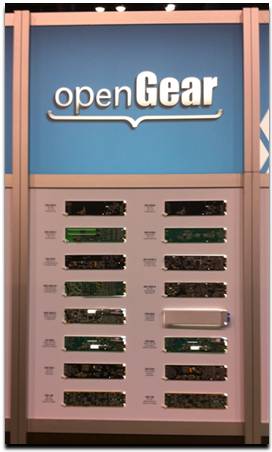
What do you sell?” – in a virtual trade show, you explain your product offerings – or, you point to documents and links in your booth. In a physical trade show, you bring your products to the prospects and have them touch and feel them. Throughout NAB Show, exhibitors were doing demos of their software, removing line cards from servers and showing off their latest chips, devices and doo-dads.

Virtual trade shows need to provide a better “touch and feel” experience.  Exhibitors should have the capability of placing 2D, interactive representations of their products in their virtual booth and allow exhibit staff to show visitors how the product works.  To date, virtual trade shows are all about the “tell”, but they should move to the “show and tell” and then the “show, tell and play.”

Relevant Technologies

Some technologies that may enable this include Equipment Simulations, LLC – check out their LiveDrive demo, which allows you to interact with a fire engine.  Another technology to watch is Kaon v-Stream – Kaon pioneered the use of interactive kiosks and v-Stream now enables a similar experience, delivered over the web.

Exhibitors Make an Impact by Delivering Core Services

Too often in virtual trade shows, there’s a “wall” that separates the core elements of the show from the exhibitors. The problem here is that exhibitors “fund” the show, which means that the show won’t go on without happy exhibitors.  As such, exhibitors ought to be integrated into the experience, so that they become “core” to the show.

As an example, the image (above) is not the food court at NAB Show. It’s one half of an exhibitor’s booth!  Judging by the crowd that stopped by for a bite or a drink, this exhibitor became a “core element.”  And you can bet that after many visitors finished their snack, they walked across the way to learn more about the exhibitor’s products and services.

Virtual trade show producers will need to find ways to integrate exhibitors into the core experience, without allowing the exhibitors to be too promotional (it’s a delicate balance).  Sponsoring a “virtual food court” would be one thing, but having exhibitor staff “hound” all visitors with private chat requests would not be wise.

Conclusion

Trade shows have a rich history that goes back hundreds (thousands?) of years.  Virtual trade shows have a history of less than ten years. It’s time to draw upon history to help shape the future.  Leave a comment below and share your thoughts on how you’d design virtual trade show 2.0!


For Virtual Events, The Mobile Revolution Has Arrived

May 4, 2011

Introduction

In the early days of virtual events (i.e. a few years ago), we used to say that users could attend a virtual event “from anywhere.” Of course, that wasn’t entirely true, as “anywhere” usually meant at a location with “fixed” (vs. roaming) Internet connectivity and “chained” to a desktop or laptop on a desk.

Tablet devices are quickly becoming pervasive and I believe (as do the analysts) that they’ll come to dominate the enterprise in short order.  Many of the emails I receive (at work) these days are stamped with “Sent from my iPad” or “Sent from my Android device”.

The Power of the Tablet

In the enterprise, we may very well be experiencing the last cycle for desktops and laptops. When the tenure of your current laptop “expires,” your IT Department may be moving you to a tablet device, such as the iPad, or one of the many Android-based tablets.  These tablets come packed with a number of key features:

  1. A form factor that further enables mobility
  2. A form factor that encourages simultaneous, “multi person” use
  3. Location awareness
  4. Pervasive connectivity, via 3G (and other) networks

What This Means for Virtual Events

For virtual events, this truly means that one can attend “from anywhere” – on the treadmill at the gym, walking along a sandy beach or sitting on your  train commute into the city.  Mobile access to virtual events mean added convenience for attendees – and, potentially higher ROI for event organizers and exhibitors.

Why?  Because mobile can create higher attendance rates.  And, exhibitors can now staff their booth and engage with visitors from anywhere.  In fact, at a hybrid event, a marketer can staff her physical booth, walk down the show floor (with tablet in hand) and staff the virtual booth at the same time!

Location Innovation

As more users attend virtual events from tablets, expect to see innovation in how events leverage users’ location data (when users opt in to share that information, of course).  Ever enter a virtual event’s Networking Lounge and observe how users are asking where everyone else is from?

Now, imagine a Google Map that shows where all virtual attendees are located geographically.  In addition, imagine hybrid events, where on-site attendees could use a tablet application to show virtual attendees where (on the show floor) they happen to be.

Demo Time

In the video (below), my INXPO colleague John Leahy shows how you can attend a virtual trade show from the iPad.


Why B2B Webinars Stink And How To Change Them

April 30, 2011

Pictured: Audience members in a typical B2B Webinar.

Introduction

We all attended lectures in college that seemed to go on for hours without end. The professor was dry and not engaging.  Today’s B2B webinars are similar to college lectures – they’re long, they’re often dry and they do not invite attendees to participate (aside from those 10 minutes of Q&A at the very end). In today’s world of social engagement, B2B webinars should be more Twitter chat than college lecture.

The Need for Change

Too many of today’s B2B webinars amount to a product pitch.  If you’re fortunate enough to have 10% of your audience be “late stage” leads (for your product offering), then a product pitch may be effective, if it delivers the information needed to make a final decision.

What about the other 90%, however?  They range from early stage to mid-stage, so they’re not ready for a product pitch. Instead, they probably have some questions that your presenter(s) could answer. So instead of lecturing to them, invite them to join you in a conversation.

How to Change: Engage Your Audience Ahead of Time

I don’t know why some webinar presenters guard their presentation like it contains the secret location of The Fountain of Youth. These days, transparency rules, so why not show your potential audience what you plan to talk about? You’ll gain valuable feedback to ensure that your message delivers on what your audience wants.

So post the preso on the web.  Allow anyone to comment on each slide.  Then, allow users who have registered for the webinar (perhaps you’ll need to assign them a login/password) the ability to edit your slide a la wiki (i.e. so that changes can be tracked and backed out). Now, you’re really onto something: a presentation tuned to what your audience wants. And, by engaging your audience beforehand, you increase the chances that they’ll attend the webinar.

How to Change: Conversations, Not Presentations

Your webinar viewers could be twiddling their thumbs or typing away on their keyboards (back to you). The choice is your’s, which would you prefer? Webinars should evolve to conversations, not presentations.  Similarly, the slide deck should evolve, too.  The new slide deck doesn’t include deep information about your products.  Instead, it lists “topics for discussion,” that cover issues relevant to your prospects. If you’ve engaged with your audience beforehand, then you already know what topics they’d like you to cover.

Of course, presenters should still have the opportunity to tell their story, but the story should enable the conversation and not define it. So tell a short story, have it seed the discussion and then invite your viewers to join the conversation.  Do this by embedding chat rooms, tweet streams and other relevant social networks directly into the webinar console. Your viewers will thank you – and, they’ll learn a lot from the other viewers, too.

The Benefits of Change

  1. Pre-webinar engagement can lead to higher registration and attendance numbers.
  2. Your viewers leave happier.
  3. You generate engaged prospects, not a generic list of leads.
  4. By engaging with your prospects, you’re able to better qualify them!
  5. By starting a conversation, you enable your sales team to continue that conversation.

Demand Generation Conference

I’ll be speaking at DemandCon in San Francisco on May 20, 2011, on the topic of demand generation and virtual events. In my session, I hope to avoid the same sins that I’ve outlined in this posting.


Chapter 6: Generate Sales Leads With Virtual Events

April 28, 2011

Introduction

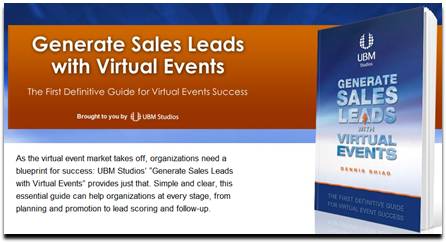
“As the virtual event market takes off, organizations need a blueprint for success: UBM Studios’ “Generate Sales Leads with Virtual Events” provides just that. Simple and clear, this essential guide can help organizations at every stage, from planning and promotion to lead scoring and follow-up.”

Chapter Excerpt

UBM Studios has published an edition of my book, “Generate Sales Leads With Virtual Events”. Chapter 6 of the book is titled “Engage with Virtual Event Attendees.”

One of the most critical elements of this chapter is the section that covers roles and responsibilities of your booth staffers. Especially for virtual events that draw large crowds, having a coordinated team leads to more goals in the net. And to continue that analogy, as the leader of your internal team, you need to serve as the head coach.

This entire chapter is now available to you. Visit the UBM Studios page for more info:

http://www.ubmstudios.com/sales_leads_book.htm


Case Study: Trade Show Lead Generation with American Express OPEN

April 26, 2011

Introduction

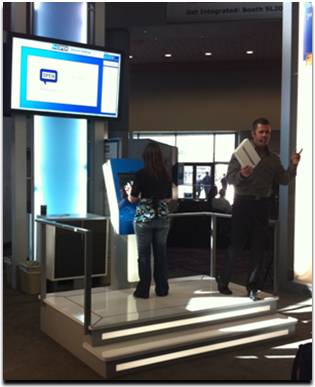
At NAB Show 2011 in Las Vegas, American Express OPEN (@OPENForum) created a game-based attraction in a lobby area that generated nearly a thousand (my estimate) sales leads.  Attendees were invited to play a Memory Match game, with an iPad 2 awarded to each day’s top performer. Read further for my thoughts on what made their approach so effective.

How They Attracted a Crowd

At any trade show, whether it’s physical or virtual, you want to attract a crowd to your space (or booth). To attract interest, location sure helps. The OPEN attraction was located in the lobby, right beyond the entrance and adjacent to the Information Desk.  Location goes only so far, however – you need to give attendees a reason to walk over to see what’s going on. OPEN achieved this with a prominent physical structure, along with an engaging host.

The host engaged simultaneously with the player and the audience, rooting the player along, while playing things up to the crowd, to generate excitement. Since the host spoke into a microphone, he garnered the attention of attendees who were walking by.

How They Tapped Into Attendees’ Competitive Juices

The brilliance of OPEN’s Memory Match game was the “score” (the time it took you to complete all matches – the lower the time, the better) and the leaderboard.  If the top score was “35 seconds,” then each contestant knew that they had to beat 35 seconds in order to win the iPad 2 (or, at least to attain the top spot on the leaderboard).

With a typical booth giveaway, you drop your business card in a fishbowl and hope that your name gets picked. The OPEN giveaway was different, because it tapped into the competitive spirit in all of us.  Contestants feel like they can control their destiny, unlike the random pick out of a bowl.  And, they’re presented with a clear goal in mind.

The game dynamic created a byproduct: an intense amount of excitement each time someone set the new “record”.  A woman who obtained the top time of the day jumped and screamed her way off the platform, as the crowd roared. It was like Tiger Woods sinking a birdie putt at The Majors – and, it drew further interest from passersby.

How They Captured Leads

Before beginning the Memory Match game, contestants needed to enter their information on the game console – the process was quite similar to filling out a registration page.  While leads from viewers (in the “audience”) were presumably not captured, all attendees who played the Memory Match left their name and contact information.  By providing a fun experience to visitors, OPEN can expect a stronger response from sales prospects compared to a more conventional show presence (i.e. without the game).

How They Provided Instant Gratification

Only a single visitor would win the iPad 2 each day, which means that 99% of visitors would go home empty handed. Not so with OPEN: they occasionally handed out $10 Starbucks cards to those contestants who showed their AmEx card. A great way to send visitors away happy, and to reinforce the notion that “membership has its privileges.”

Conclusion: Apply This to Your Virtual or Physical Trade Show Booth

Things to consider for your next trade show, whether it’s virtual or physical:

  1. Figure out how to attract attention.
  2. Tap into the competitive spirit of your visitors.
  3. Make sure your visitors have fun.
  4. Make sure a portion of your visitors leave happy.
  5. Optimize your lead gathering process.

A Flight Attendant Call Button for Virtual Events

April 22, 2011

Introduction

On a recent flight, the passenger in front of me pressed the flight attendant call button as we neared cruising altitude.  As I heard the “ding” and saw the light turn on, a light bulb came on in my own head.  The pressing of the call button sends two signals:

  1. “I’m here”
  2. I need assistance (i.e. “Please engage with me”)

Let’s consider how a flight attendant call button can be added to virtual events.

Technical Support

To receive technical support in a virtual event, you need to go find help, usually in the form of a Help Desk.  On an airplane, it’s more efficient for the help to come to you – far simpler than having you get up, disturb the passengers in your row and walk down the aisle.  In a virtual event, you’re often busy viewing sessions, engaging with exhibitors or chatting with fellow attendees. Wouldn’t it be so much more convenient if the help would come to you?

Virtual events could include a “call button” that attendees could click.  Staffers providing technical support at the event would see the attendee added to a queue, along with an audio cue (the “ding”).  Attendees could be provided with the option of including a one-sentence description of their issue, prior to clicking the call button.  From here, support staff would connect directly with the requesting user, to assist them one-on-one.

Engage with Exhibitors

Similar to “technical support finding you,” attendees looking to engage with multiple exhibitors could opt in to invite exhibitors to connect with them.  An “exhibitor call button” could be clicked that would signal to all booth staffers that particular attendees could be contacted.

If an exhibitor engaged with a requesting attendee via private chat, the “call button” would be turned off, until that private chat concluded.  In many ways, this mechanism would be more efficient for attendees, compared to visiting assorted booths and engaging with the staffers in each one.  A more sophisticated call button could allow users to specify which type of exhibitors they’d like to engage with.

Engage with Attendees

Engagement with other attendees is typically done via group chat and private chat.  But how do you know whom you should have 1:1 chats with?  An attendee call button could let others know, “I’m here” and  “engage with me.”

The attendee call button could include a one-sentence description of the user’s interests.  All users who pressed the call button could be listed in a Lounge – and mousing over the users’ profile images could display their names, titles and one-sentence descriptions.  The attendee call button can spur more connections and networking than the typical Networking Lounge.

Conclusion

All too often in virtual events, we “venture out” to find people and information (e.g. exhibitors and attendees). Instead, a simple call button could turn the tables, allowing the people, at least, to come seek you out – and engage.

What do you think – would you use the call button feature  in a virtual event?  Leave a comment below.