How To Effectively Generate Virtual Event Registrations

September 4, 2010

International Freelancers Day is “the biggest ever (FREE) online conference exclusively for solo professionals.”  Want to know how to effectively generate virtual event registrations? Follow this event’s lead.  They make it easy for you to sign up.  And once you do, they provide you with compelling value well before you attend the live event.

Prominently feature of a short video on the event home page

You can’t visit the home page for this event without noticing the prominent video.  It’s short and effectively markets the event (e.g. why should I attend?).  You’ll notice that the home page is not heavy on text that describes this event – instead, the messaging and background is contained within the video.  A well-produced video can describe and promote your event better than any paragraph of text can do.

Make registration easy

Registering for a virtual event typically requires the user to complete a registration page with 10-15 questions (or more!).  Ever wonder why registration counts are down? Could be the complexity of the registration process itself.  With International Freelancers Day, I simply enter my email address.

The event used a “double opt-in”, which means that I received an email, which prompted me to click on a link to confirm my registration.  This is a good protective measure, as a single opt-in would allow anyone to register any other user (email address) for the event, without that user’s knowledge.

In addition to this model, I expect to see virtual events adopt “social registration”, allowing users to register via Facebook, Twitter, LinkedIn, etc. That would also make virtual event registration very easy.

PROVIDE VALUE on your confirmation or welcome page

All too often, a virtual event’s registration confirmation says “thank you” and “see you at the live event.”  That’s it?  Instead, build a page that provides value to the registrant.  These days, attendance rates at virtual events (e.g. free virtual conferences or virtual trade shows) are 50% or lower.  That means that half or your registrants (or more!) never attend.

Your challenge, then, is to demonstrate value to the user as soon as they register.  Consider the confirmation/welcome page a big opportunity.  International Freelancers Day does a great job:

Pre-Event Training Videos

What a great idea – provide content to the registrants, in the form of videos from experts.  Registrants are provided access to 6 training videos.  The first 3 videos had these titles:

  1. A Simple System for Landing More of the Work You Quote
  2. How to Pick the Right Target Niche
  3. Ask Better Questions

Videos #4 through #6 are not yet available, but if you’ve registered for the event, you’ll receive an email when they become available.  Another great tactic – a steady, pre-event flow of content, which keeps you coming back.  That, in turn, keeps the event “top of mind” with registrants.

If users enjoy these videos, they’ll gain confidence in the value of the live conference, which means they’ll be more likely to attend live.  Finally, each video was hosted on a unique URL and allowed comments to be posted.

Video #1 had 17 comments, which means that registrants are viewing the videos – and, they’re already starting a dialog with the event host (and each other) prior to the live event!

Allow registrants to promote the event on your behalf

This event’s welcome page also included the following:

  1. A link to the International Freelancers Day Facebook Page
  2. A “tweet button”, allowing you to share the event with your followers on Twitter – and, a mention of the event’s hash tag (#IFD10)
  3. A snippet of HTML code, so that you can “add the International Freelancers Day badge to your website or blog”
  4. The Twitter ID’s of the event’s co-founders

Conclusion

I’m not a freelancer and yet this event registration process has me sold!  Generating registrations and attendees to your virtual event is a two-tiered process.

You first need to generate registrations.  Then, you need to get those registrants “through the door” (to attend live).  Use effective tactics, like those employed by International Freelancers Day, and you can excel at both.

Tweet this posting:


Stanford Media X Event: Virtual Worlds Entrepreneurs Show The Way

August 20, 2010

Introduction

Media X at Stanford University hosted a workshop titled “Cashing In on Virtual Worlds: Entrepreneurial Insights for the Healthcare Industry.” The workshop was organized by Parvati Dev and Laura Kusumoto, who combine leading edge research, expertise and hands-on experience with virtual worlds and virtual worlds platforms.

In her introductory remarks, Ms. Kusumoto provided a perspective on the current state of virtual worlds. While the consumer-focused virtual worlds have seen notable platform closures (e.g. Google Lively, Metaplace, There.com, etc.), there has been positive activity on the enterprise side of virtual worlds, including virtual events and virtual trade shows.

Virtual Worlds: On An Upswing?

Kusumoto referenced a recent Gartner Hype Cycle Report that positioned “public virtual worlds” in a phase of “Trough of Disillusionment.”  The good news is that the subsequent phases are called “Slope of Enlightenment” and “Plateau of Productivity.”  Web 2.0, Tablet PCs and Wikis are positioned in this “Slope of Enlightenment” phase in Gartner’s cycle.

In the afternoon, we heard 5-minute pitches from entrepreneurs who were looking to launch virtual worlds businesses related to health care. These entrepreneurs showed me how virtual worlds (and notably, the surviving virtual worlds platforms) can embark on an upward path towards enlightenment.  Here’s my view on how virtual worlds are evolving:

Circling back to the Gartner Hype Cycle, I look back at the following progression:

  1. Technology Trigger: Artists and Hobbyists discover this technology for self-expression
  2. Peak of Inflated Expectations: Fortune 500 brands enter the mix, expecting a transformation of marketing and advertising
  3. Trough of Disillusionment: An assortment of virtual worlds platforms fold
  4. Slope of Enlightenment: Entrepreneurs develop innovative businesses that ride on top of virtual worlds platforms

The entrepreneurs who presented are leading the way towards enlightenment and the virtual worlds platforms (e.g. Second Life, Unity, OLIVE, etc.) stand to benefit.  The new business model is the purchasing of virtual land (or, the licensing of virtual world platform technology) that entrepreneurs leverage to drive monetization and revenue.

In a sense, this is similar to the smartphone app store – the entrepreneur creates intellectual property that rides on top of a “platform”.  The entrepreneur then leverages that platform to drive revenue to a direct sales channel (customers).

Noted Entrepreneurs

I’d like to highlight some of the presenting entrepreneurs (and their businesses).

Club One Island

Lose weight in a virtual world, on Club One IslandCeleste DeVaneaux gave a fascinating overview of how participation in a virtual world program can facilitate habit change.  It’s one thing to urge people to eat slower – it’s another thing to show them how.  And, to have their own avatars practice the habit of doing so.  Club One Island runs on top of the Second Life platform.

Related: How I lost 20 pounds in Second Life (featuring Club One Island – by Hypergrid Business)

CliniSpace


CliniSpace is a collaborative virtual medical environment created by Innovation in Learning, Inc. (the company led by Parvati Dev, one of the event’s organizers).  The goal of CliniSpace is to provide virtual world-based training to physicians, nursing students, etc.  A virtual patient can start out completely healthy, but then be programmed to worsen, such that s/he requires CPR within 15 minutes.  The service runs on top of the Unity platform.

InWorld Solutions


InWorld Solutions “incorporates a wide range of avatars, content and features specifically designed to facilitate clinical and educational applications.”  InWorld can facilitate treatment for substance abuse by having patients in a virtual world, with their doctors observing from the same physical space – or, from within the virtual world.  Patients can experience peer pressure (virtually) and be advised and coached on how to respond.  InWorld runs on top of Forterra’s OLIVE platform.

Conclusion

These were just a few of the innovative business concepts brewing in one particular industry (health care) around virtual worlds.  As more entrepreneurs launch virtual worlds businesses, the platform vendors (e.g. Linden Lab / Second Life, Unity, Forterra / OLIVE) stand to benefit.  And importantly in this vertical, another entity stands to benefit: the human condition.

Tweet this posting:


Virtual Events As Sonar Fish Finders

August 13, 2010

Victor Kippes (@vkippes) wrote a guest posting on the Experient blog titled “Fishing for Qualified Leads: Which Strategies Yield the Biggest Catch“.  Victor covers lead capture at events and conferences – he outlines the “fishing pole” strategy (being selective in which leads you engage with) and the “fishing net” strategy (cast the net wide and engage with any and all leads).

I commented to Victor on Twitter that I prefer to use the fishing pole strategy.  I prefer to work with a small set of highly qualified leads, versus a large (and perhaps unmanageable) pile of leads.  The large pile results in more work for me, as I need to then separate the wheat from the chaff.  If I stick to a fishing pole strategy from the start, then I make the best use of my (and my fellow exhibitors) time at the event.

Now, let’s consider the virtual event.

Virtual Events: Get to Know Your Guests

When exhibiting at a virtual event, I like to stick to the fishing pole strategy.  Build your booth well and allow visitors to enter, browse around and engage with your content.  Give them a gentle welcome (as you might in a physical event), but then let them approach you.  Ah, but wait.  In a virtual event, I can review the profile of each visitor!

I can click on the profile image of any booth visitor and see their first name, last name, title, company and other attributes that the virtual event organizer chooses to “expose”.  I’ve just upgraded my fishing pole, as I now know where to cast my line.  I know that I don’t need to spend much time talking to the university student, but I should zone in on the CIO who just entered.

Rather than bombard the CIO with private chat invitations, I’d review his actions (e.g. how many times did he visit and which documents did he view) and let your colleagues know that he visited.  This way, your entire team is on alert should anyone have a subsequent interaction with the CIO.

Virtual Events: Activate your Sonar Fish Finder

Next, activate your sonar fish finder – you know, those “GPS for fishes” devices that tell you where the fish are swimming?  In a virtual event, this is the Search (or Advanced Search) feature – something that’s highly underutilized by exhibitors.  Search for companies on your target list and see whether any attendees (from those companies) appear in the search results.

Next, determine whether those attendees are online (right now!) or offline.  Introduce yourself to a particularly “attractive” lead by sending your vCard.  This may be a more subtle step than immediately inviting leads to a private chat.  Some virtual event platforms provide an Advanced Search, which allows you to search by attendee vs. exhibitor, online vs. offline, attendees vs. booths.  In addition, you may be able to search against certain registration attributes (e.g. seniority, title, country, etc.).

The end result is that you more precisely target the leads at the virtual event, making your team more efficient in the use of their time and energy.  The more time your team spends engaged with your lead “targets”, the more leads you’ll qualify and hand over to Sales.

Conclusion

Exhibiting at events, whether physical or virtual, requires a strategy and plan going into the event.  For virtual events, exhibitors should leverage the information and tools that the virtual platforms provide.  If done right, you’ll be sure to reel in plenty of big catches.

Tweet this posting:


Top 5 Virtual Event Posts Of 2010

August 5, 2010

Here are the Top 5 posts (on this blog) for calendar year 2010.  The Top 5 List is in descending order and based on the number of page views per blog posting.

#5: Virtual Events 101: Tips For Building Your Virtual Booth

My guess is that many readers built their first virtual booth during 2010.  This posting provided tips planning and objectives, content strategy and booth staffing.  In addition, it provided tips on content presentation, “search optimization” and how to stand out from the crowd.  This posting is part of a broader Virtual Events 101 page that provides tips on virtual events.

#4: Bringing The Physical Event Experience To Virtual Events

This posting did some brainstorming on features that virtual event platforms could provide to bring physical event experiences to virtual events.  Then, it covered tips for virtual events, including how to gauge attendee interest, how to connect with interested attendees and how to create better attendee networking.

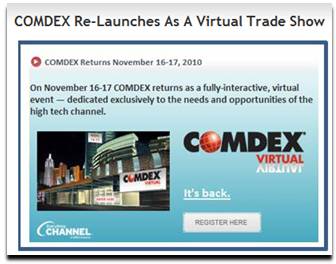
#3: COMDEX Re-Launches As A Virtual Trade Show

This was big news back in March, that the famed COMDEX show would return as a virtual event in November 2010.  I’m looking forward to seeing what’s in store this November at COMDEX Virtual.

#2: How 3D Virtual Worlds Can Be More Like Twitter And Facebook

Twitter and Facebook have taken the world by storm – this post received a lot of traffic by association.  I thought it was logical that 3D virtual world platforms could adopt some of the principles developed by Twitter and Facebook, such as the pervasive “Like” feature from Facebook.  I posited on some new concepts, such as closed circuit TV and on-demand TV for virtual worlds.

Finally, I guess I foreshadowed “Second Life Shared Media”, when I suggested that web content be embedded in-world – Linden Lab announced that feature a few short months after my blog posting.  More recently, I wrote about Second Life being at an important crossroads.

#1: The Future Of Virtual Events

There’s always something about the “future” that generates interest and curiosity.  I’m still a believer in the vision of the future (for virtual events) that I painted here.  While none of it has come to fruition, it’s just a matter of time.  In the future, that is!

Tweet this posting:


Top 3 Ways To Improve Virtual Event Experiences

July 30, 2010

We need to create better and more engaging virtual event experiences.  We need to better approximate the valuable face-to-face encounters and experiences that physical events create.

1: Create a stronger feeling of “there”

There’s nothing like walking into an over-crowded trade show floor and hearing the buzz of attendees and exhibitors.  It’s similar to walking into a popular restaurant or bar.  The buzz permeates the environment.  If I were to login to the world’s most popular virtual event, there’s hardly an indicator to tell me so.

The closest thing we have today is a list of avatars (also known as profile images) in a given event area.  If I see a long list of other attendees listed, then I know the area is quite popular and there must be something going on (e.g. perhaps there’s a live chat session occurring).  Beyond that, it’s hard to tell that “there’s a ‘there’ there”.

To address this, event platforms and event planners should consider augmenting the experience with sensory stimulation.  The two relevant senses are sight and sound.  With sight, one could imagine  “heat maps” that signal to attendees where the action lies.  Or, animation to direct users to a popular area – or, that something is important is happening in a given location.

Incorporating sound can be a challenge in a B2B environment, since many users mute their computer speakers while at work.  So perhaps one uses visuals to encourage attendees to enable their sound.  Then, platforms could “inject” show floor chatter into the environment, adjusting the level of intensity based on the amount of activity or people present.

Better yet, platforms could allow attendees to speak into a common audio channel.  If I’m in the Networking Lounge, I’m then able to converse with others (via audio) in addition to text chat.  Perhaps the system allows for comment moderation, so that one person is enabled to speak at any one time (a challenge that takes care of itself when folks assemble in person).

2: Create stronger person-to-person interactions

Text chat is great, but virtual events need to go beyond text to create richer and more engaging person-to-person interactions.  That means audio (as outlined above) as well as video.  Bandwidth availability varies depending on where you’re located – but if you have sufficient bandwidth, virtual events should allow you to network and connect with others the “old fashioned way” – with a smile, a greeting and a hello.  Not with a “LOL” or a smiley.

In addition, virtual event experiences need to better enable a community to form.  This is done with effective tools to connect like-minded individuals – and, applications to encourage and foster person-to-person interactions (e.g. blogging, status updates, etc.).

3: Use imagery to strike a deeper emotional connection

In any event experience (whether physical or virtual), imagery can be used to strike a deep, emotional connection with attendees.  In a virtual event, we all too often create this effect:

That is, the imagery that may create that emotional connection is covered by functional elements overlaid on top.  What you’re left with is edges of the “pretty picture” – that is, the small segments that are not covered by the functional elements.  A few options to address this:

Combine imagery and function

Build the functional elements into the imagery.  For Flash-based platforms, the images and the functional areas occupy the same SWF.  There are cost and “repeatability” considerations in going this route, so other options can be considered.

Determine function element placement up front

Before the creative team designs an image, determine what functional elements are included in the event area.  Size these elements (by pixel counts) and then have the creative team design around that.  For instance, if you’re designing at a width of 1024 pixels and you embed a chat window 512 pixels wide, then you have 256 pixels on each side of the chat area.

Have your designers make the most of each 256-pixel segment, rather than designing an elaborate image that has its most compelling 512 pixels covered and never seen.

Conclusion

I’ve listed 3 ways that virtual event experiences can be improved.  Drop a comment below to let us know how you’d improve virtual events.

Tweet this posting:


ROI Case Study: Virtual Edge Institute’s Hybrid Event

July 28, 2010

Introduction

Virtual events have enjoyed phenomenal growth in demand and visibility.  Notable brands and associations have hopped aboard the virtual bandwagon, delivering innovative experiences and impactful results.  The first phase of the virtual event industry is what I call the “early dating period”.  As the industry evolves and matures, we are moving from early dating to an era of “meet the parents”.

That is, a phase in which we receive increased visibility and a challenge to prove and justify ourselves.  The parents, in our case, are the company executives who fund our virtual event campaigns (e.g. our bosses, our CFO, CMO, CEO, etc.).  To date, virtual events used for lead generation have been the most effective at demonstrating ROI.

Why? Because lead generation has existing methodologies and metrics on ROI (e.g. “cost per lead”, “cost per inquiry”, “cost per sales engagement”, etc.).  So a virtual trade show investment could simply “plug into” a corporation’s existing ROI methodology.  For other event types, however, ROI, impact and effectiveness have not been explicitly measured to date.

To evolve our industry, it’s crucial that event planners, platform vendors and ROI experts work together to define and implement methodologies to generate quantitative results for our virtual and hybrid event investments.

Michael Doyle of the Virtual Edge Institute (@virtualedge) is a firm believer in event ROI measurement.  The Virtual Edge Institute is “an international organization dedicated to advancing the development and adoption of virtual event and meeting technology and best practices for collaboration and marketing”.  Doyle hosts the Virtual Edge Summit, an annual hybrid event that brings together virtual event practitioners, experts and solutions providers.

For the 2010 Virtual Edge Summit in Santa Clara, CA, Doyle partnered with ROI of Engagement to measure the impact and effectiveness of the event.  The summit was a hybrid event, with on-site and virtual components running simultaneously.  As such, Doyle sought to study and measure feedback from each attendee group.

The study was based on ROI Methodology™, which ROI of Engagement describes as “a step-by-step approach to collecting data, summarizing and processing data, isolating the effects of programs, converting data to monetary value and calculating ROI”.  The methodology studies results along the following five levels:

  1. Level One: Reaction and Satisfaction
  2. Level Two: Learning and Understanding
  3. Level Three: Application
  4. Level Four: Impact
  5. Level Five: ROI

Virtual Edge Summit 2010 measured the first two levels.  The results of the study have been published here:

http://www.virtualedge.org/forum/topics/measuring-and-maximizing-the

On this page, you can download the White Paper, “Measuring and Maximizing the Impact of a Hybrid Event“.

Virtual Edge Summit 2011 is scheduled for January 2011 in Las Vegas and will be co-located with PCMA.  Doyle plans to apply valuable feedback from the 2010 ROI study to improve the experience for the 2011 event.

Doyle is focusing on consolidating the virtual component on a single platform (in 2010, there were several virtual platforms to choose from) and increasing networking opportunities for both on-site and virtual attendees.

In addition, the 2011 event will embark upon another ROI study – this time, the study will take advantage of all five levels in the ROI Methodology™.

Conclusion

It’s a great time to be in the events industry.  Never before has there been so many technology tools at your disposal (e.g. virtual event platforms and much more).  For continued growth in virtual and hybrid events, the industry will need thorough and proven ROI methodologies to demonstrate and quantify ROI, impact and effectiveness.  Event planners: look to the initiative from Virtual Edge Institute and ROI of Engagement and consider how similar methodologies apply to your next event.

international organization dedicated to advancing the development and adoption of virtual event and meeting technology and best practices for collaboration and marketing

Tweet this posting:


Event Planners “Check In” To Location Based Services

July 26, 2010

Introduction

Due to the rising popularity of Foursquare, Gowalla and related apps, location based services (LBS) is quite the buzzword both in consumer and technology circles.  Logically, the ability to “check in” at venues, connect with friends/associates and make new contacts has relevance to events and event planners.

Let’s highlight some of last week’s articles and blog postings on this topic.

Trade Show News Network

Michelle Bruno (@michellebruno) wrote an article in Trade Show News Network (@TSNN_com_US) titled “Checking Out ‘Checking In’ for Events“.  The article references Foursquare and Gowalla and then profiles a technology provider named Double Dutch.  According to its web site, Double Dutch provides “White label geolocation apps for your brand”.

Michelle references a key point regarding hybrid events, in which event planners support both physical and virtual venues.  Michelle writes, “If a virtual event is also taking place, live attendees can check in at the online and offline events for more recognition”.

Tracking and supporting check-ins across physical and virtual locations can build a more cohesive and compelling hybrid event.  In fact, it can serve to bridge the physical and virtual venues.

Virtual event platforms should look into this.  In fact, I blogged about location based services and virtual events previously.

Cisco Live

In Cisco’s Virtual Environments blog, Dannette Veale (@dveale) writes about virtual technologies that Cisco has incorporated into their Cisco Live (@CiscoLive) annual conference.  The 2010 Cisco Live event concluded recently – the physical component was hosted in Las Vegas, while a virtual component ran concurrently.

Disclosure: My employer (@INXPO) provided the virtual platform for Cisco Live

Dannette describes an innovative use  of Foursquare by Cisco Live’s event planners – a type of scavenger hunt, in which conference attendees received a clue (via social media channels) about a check-in location.  The first 75 attendees to check in at that location (and complete an additional task) would receive buttons, which could be used to redeem a daily prize at the Cisco Store.

The contest generated 802 checkins and allowed conference attendees to network and make connections with one another.

SCVNGR (Mashable)

SCVNGR, “a game about doing challenges at places”, this week announced the social check-in.  Two or more users can bump phones (or, wave them at each other in close proximity) and check in at the same time and place.  There are many ways event planners can leverage this technology.

In a trade show, attendees could be encouraged to perform social check-ins with each other – or, with exhibitors.  In a user conference, the social check-in could be used as a back-drop to a game that encouraged attendees to network with one another.  In a corporate setting, social check-ins could be used to encourage team building.

Conclusion

The concepts of “check ins”, location awareness and location tracking have natural uses for events.  While they’re a great fit for physical events, think about tie-ins between physical and virtual for your hybrid event.  And, think about ways in which “location tracking” (in a virtual event) can create connections, engagement and interaction.

Tweet this posting:


Virtual Events: Ready, Set, Go (eBook)

July 23, 2010

Announcing the availability of a FREE eBook (PDF):

Virtual Events: Ready, Set Go

This eBook was created from a collection of past blog postings that cover virtual event basics, such as planning, selecting a platform and building your virtual booth.  You can see most of the blog postings on this Virtual Events 101 page.

Note, this is in PDF format – it’s not the same type of “eBook” that you read on the Amazon Kindle, iPad or related device.

Here’s the chapter outline:

  1. What is a Virtual Event?
  2. Planning Your Virtual Event
  3. Selecting a Virtual Event Platform
  4. Building Your Virtual Booth
  5. Running a Virtual Event Command Center
  6. Organizing a Virtual Event De-Brief

Here’s the link to download your free copy:

Virtual Events: Ready, Set, Go

Enjoy – and, drop a comment below to let me know your feedback.  Thanks!

Tweet this posting:


Social Gaming And Virtual Events

July 19, 2010

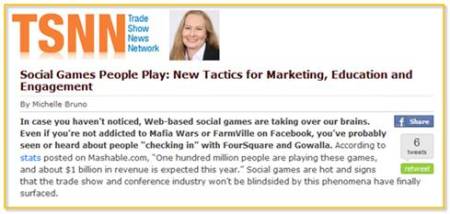
Michelle Bruno (@michellebruno) wrote an excellent article about social gaming in Trade Show News Network (TSNN.com) – I was interviewed by Michelle for the article.  Michelle covers the emergence of social games, including their incorporation into virtual events platform, like INXPO (my employer).

Michelle concludes her article with some compelling thoughts.  First, there’s this:

“As traditional methods of marketing and engagement wane in effectiveness and popularity, social gaming strategies fit nicely into two current trends in the event industry: the ‘social media-ization’ of nearly every technology solution and the blending of the online and offline event worlds.”

These trends play off one another nicely – as social media (and associated tools) are quite effective in blending online and offline event experiences.  I love Michelle’s closing line:

“Social gaming in the event industry could be the spark that ignites a new generation of trade show attendees.”

Love it.

Here’s the full link to the article: http://www.tsnn.com/blog/?p=2692

Tweet this posting:


Let’s Collaborate On: Virtual Events Frequently Asked Questions (FAQ)

July 14, 2010

I’m inviting the community to engage in a PBworks wiki – the idea is to maintain a living FAQ (Frequently Asked Question) document on virtual events.

Ask any question you like – if it’s appropriate and relevant, the virtual events community will answer it.  If the question is not relevant or inappropriate, one of us is likely to delete it.

You can find the wiki here:

http://allvirtual.pbworks.com/Virtual-Events-FAQ-%28Frequently-Asked-Questions%29

How can you participate?  Let me count the ways:

  1. Ask a new question!
  2. Edit existing content
  3. Add new questions to the FAQ
  4. Add new “topical categories” to the FAQ
  5. Answer questions that have not yet been answered

Below, I’ve listed the initial “skeleton” of the FAQ.  Please view the wiki and participate!

General

  1. What is a virtual event?
  2. What are the different types of virtual events?
  3. What are the benefits of virtual events?
  4. Why are virtual events popular?
  5. What’s the difference between a virtual event and a virtual world, such as Second Life?

Technology

  1. What are the technical requirements (prerequisites) for attending a virtual event?
  2. What technology serves as the foundation of virtual event platforms?
  3. Can virtual events incorporate live video streams?
  4. What third party technologies do virtual event platforms integrate with (e.g. CRM, ERP, etc.)?

Technology Providers

  1. What companies provide virtual event platforms?
  2. What companies provide complementary technologies to virtual event platforms?
  3. Are there any independent analyst reports on the virtual event platform providers?
  4. What criteria should I use to evaluate virtual event platforms?
  5. Are there any independent measurement providers (e.g. like a Keynote for virtual event platforms)?

Resources

  1. Where do I go to get more information on virtual events?
  2. Are there any online communities around virtual events?
  3. Are there any good introductory White Papers on virtual events?
  4. How do I experience a sample virtual event?

Tweet this posting: