Project Planning For Your Virtual Event

September 18, 2010

Planning and executing a virtual event can be a juggling act – moving parts include people, deliverables, technology, content, people, support, sponsorships, exhibitors, presenters, executive sponsors and more.  More than an “event” or a “project”, virtual events are a journey.  When crossing the finish line of a virtual event, some feel like they’ve just completed a marathon.

This leads to an interesting question – what tools do virtual event planners use to manage this journey?  My belief is that most teams use the basic ones.  The most prevalent is probably Microsoft Excel, in which a date and owner-based task list is used.  For a more robust project plan, some teams may use Microsoft Project, which (among other things) allows you to better build in dependencies and critical path items.

In addition to the project planning tools, virtual event teams need to collaborate and coordinate, both within the team and outside their organization (e.g. experts, speakers, technology providers, exhibitors, booth representatives, etc.).  The team may have the benefit of SharePoint or Lotus within their company, but that doesn’t solve the challenge of coordinating with outside parties.

I came across a few articles this week that highlight interesting project management tools.

At Forbes.com, Gene Marks wrote an article titled “Project Management Software That Brings Order To Chaos.”  Tools mentioned by Gene were:

Desktop Software

  1. Microsoft Project 2010
  2. Primavera P6 Project Management (Oracle)
  3. OpenProj (Serena Software)

Hosted Software

  1. Basecamp  (37 Signals)
  2. Zoho Projects
  3. Central Desktop

Basecamp sounds particularly neat – as Gene writes, “Basecamp’s functions include milestone management, collaborative file sharing, time tracking, messaging and integration with the company’s Campfire group-chatting software.”

Group chatting could be useful and efficient compared to numerous phone calls and conference calls.  I’ve surely used a lot of AIM and Skype when coordinating my events – and having a system that all team members can standardize on (for chat) could be a win.

At Entrepreneur.com, Jonathan Blum wrote an article, “The Web-Based Scheduling Tool That’s One Step Ahead of You.”  The article highlights a project planning tool called TheDeadline – a hosted application that integrates with Google Apps.  The neat thing about this tool is that it attempts to predict which tasks you need to work on next.

However, it sounds better suited to an unsequenced task list – so, the current version may not be the best fit for planning a virtual event, where there’s an ordered list of deliverables and tasks that have a pre-deteremined sequence.  I do think it’s something to keep an eye on – imagine entering some tasks into a system and having the tool tell you that speakers’ presentations are due today!

Leave us a comment below – what tools are you using to plan and execute your virtual event?


What Virtual Events Really Do

September 9, 2010

In the book “Duct Tape Marketing” by John Jantsch (subtitle: “The World’s Most Practical Small Business Marketing Guide”), there’s a paragraph in Chapter 2 titled “What You Really Sell.”  Here’s an excerpt of that paragraph:

“Here’s the funny thing about business. You don’t sell what it is you claim to offer.  You sell what the eventual buyers think they are going to get from your product. For instance, insurance sales folks don’t sell insurance; they sell peace of mind.  Chiropractors don’t sell neck adjustments; they sell some form of relief.”

Virtual event platforms sell a lot of things.  To some degree, the term “virtual events” is an injustice (or misnomer), based on the wide variety of applications supported by today’s platforms.  In fact, I wrote previously in a “virtual events futures column” that the term “virtual events” would disappear by 2011.

I don’t know whether my 2011 prediction will come true, but I do expect that by later this year, the “virtual” qualifier will start to be dropped, in favor of broader names.  With that being said, and in the spirit of Duct Tape Marketing, here’s my Top 10 List of what virtual “events” really do:

  1. Sales Pipeline Fueler
  2. Learning Platform
  3. Analyst Relations Venue
  4. Product Launch System
  5. HR Recruitment Engine
  6. Partner Community Enabler
  7. Corporate Training System
  8. Content Distribution Platform
  9. Revenue Generator
  10. A Marketer’s Ultimate Dream

Each of these terms better describes “what the eventual buyers think they are going to get from your product” than the term “virtual event.”

Share with us your thoughts – when you “purchase” a virtual event, what is it you’re really getting?


How To Effectively Generate Virtual Event Registrations

September 4, 2010

International Freelancers Day is “the biggest ever (FREE) online conference exclusively for solo professionals.”  Want to know how to effectively generate virtual event registrations? Follow this event’s lead.  They make it easy for you to sign up.  And once you do, they provide you with compelling value well before you attend the live event.

Prominently feature of a short video on the event home page

You can’t visit the home page for this event without noticing the prominent video.  It’s short and effectively markets the event (e.g. why should I attend?).  You’ll notice that the home page is not heavy on text that describes this event – instead, the messaging and background is contained within the video.  A well-produced video can describe and promote your event better than any paragraph of text can do.

Make registration easy

Registering for a virtual event typically requires the user to complete a registration page with 10-15 questions (or more!).  Ever wonder why registration counts are down? Could be the complexity of the registration process itself.  With International Freelancers Day, I simply enter my email address.

The event used a “double opt-in”, which means that I received an email, which prompted me to click on a link to confirm my registration.  This is a good protective measure, as a single opt-in would allow anyone to register any other user (email address) for the event, without that user’s knowledge.

In addition to this model, I expect to see virtual events adopt “social registration”, allowing users to register via Facebook, Twitter, LinkedIn, etc. That would also make virtual event registration very easy.

PROVIDE VALUE on your confirmation or welcome page

All too often, a virtual event’s registration confirmation says “thank you” and “see you at the live event.”  That’s it?  Instead, build a page that provides value to the registrant.  These days, attendance rates at virtual events (e.g. free virtual conferences or virtual trade shows) are 50% or lower.  That means that half or your registrants (or more!) never attend.

Your challenge, then, is to demonstrate value to the user as soon as they register.  Consider the confirmation/welcome page a big opportunity.  International Freelancers Day does a great job:

Pre-Event Training Videos

What a great idea – provide content to the registrants, in the form of videos from experts.  Registrants are provided access to 6 training videos.  The first 3 videos had these titles:

  1. A Simple System for Landing More of the Work You Quote
  2. How to Pick the Right Target Niche
  3. Ask Better Questions

Videos #4 through #6 are not yet available, but if you’ve registered for the event, you’ll receive an email when they become available.  Another great tactic – a steady, pre-event flow of content, which keeps you coming back.  That, in turn, keeps the event “top of mind” with registrants.

If users enjoy these videos, they’ll gain confidence in the value of the live conference, which means they’ll be more likely to attend live.  Finally, each video was hosted on a unique URL and allowed comments to be posted.

Video #1 had 17 comments, which means that registrants are viewing the videos – and, they’re already starting a dialog with the event host (and each other) prior to the live event!

Allow registrants to promote the event on your behalf

This event’s welcome page also included the following:

  1. A link to the International Freelancers Day Facebook Page
  2. A “tweet button”, allowing you to share the event with your followers on Twitter – and, a mention of the event’s hash tag (#IFD10)
  3. A snippet of HTML code, so that you can “add the International Freelancers Day badge to your website or blog”
  4. The Twitter ID’s of the event’s co-founders

Conclusion

I’m not a freelancer and yet this event registration process has me sold!  Generating registrations and attendees to your virtual event is a two-tiered process.

You first need to generate registrations.  Then, you need to get those registrants “through the door” (to attend live).  Use effective tactics, like those employed by International Freelancers Day, and you can excel at both.

Tweet this posting:


Virtual Recap: Recent Postings On Virtual Events And Virtual Worlds

August 26, 2010

Virtual Events eBooks

  1. Virtual Events: Ready, Set, Go – download the eBook
  2. Social Media and Virtual Events – download the eBook

Across the Industry

  1. My guest post at PR Meets Marketing, “Go Virtual for your Next Press Event” – how virtual events can be an effective platform for PR and marketing simultaneously
  2. Ken Heyward (vcopious) with a guest post on this blog, “Flexible Platforms in a Virtual World,” which addresses considerations for SaaS vs. on-premise software for virtual events
  3. ROI for Virtual Events,” a posting I authored on the INXPO blog, with insights on virtual events ROI from thought leader Todd Hanson from ROI of Engagement

Virtual Worlds

  1. Stanford Media X Event – Virtual Worlds Entrepreneurs Show The Way
  2. Stanford Media X Event – Summary of IMVU Presentation from Brett Durrett, VP Engineering at IMVU
  3. FountainBlue Event – Annual Virtual Worlds Conference hosted by Cisco (Milpitas, CA)

Virtual Events Calendar

  1. There were a few virtual events in August as summer winded down – but look at what’s scheduled for September – events on luxury travel, natural products, publishing, higher education, autos, wireless technology, cruise shipping and eBooks.  Glad to see virtual events being leveraged across so many distinct industries

Your Guide to Social Media and Virtual Events

August 19, 2010

Announcing the next in our eBook series – the latest is:

Your Guide To: Social Media and Virtual Events

This eBook utilizes the following outline:

Chapter 1: Twitter

How to promote your virtual event using Twitter; how to utilize Twitter Lists; how to provide end user support via Twitter

Chapter 2: Facebook

How to incorporate Share on Facebook, Live Stream Box and Facebook Open Graph

Chapter 3: LinkedIn

How to leverage LinkedIn Events and LinkedIn Widgets

Download your free copy and leave a comment below with your feedback!

Tweet this posting:


Go Virtual For Your Next Press Event

August 17, 2010

I authored a guest post on the influential blog “PR Meets Marketing”, which explores the intersection of PR and Marketing.

The title of my post is “Go Virtual for your Next Press Event“.  I outline the many benefits of a virtual press event:

  1. Global Reach
  2. Convenient access to your executives
  3. Seamlessly include your customers and prospects
  4. Use activity paths to follow up effectively

I concluded the posting by writing this:

I believe virtual events can be the definition of ‘PR meets Marketing’. As PR and Marketing look to Web 2.0 to broaden reach and engagement, consider virtual events as one more tool in your arsenal.”

Here’s a link to the full posting:

Go Virtual for your Next Press Event

Go Virtual for your Next Press Event


Flexible Platforms in a Virtual World

August 16, 2010

The following is a guest posting by Ken Heyward, CEO of vcopious, a leading “virtual environment” software platform company.

As demand in the SaaS market grows, the number of vendors has significantly increased, making the choice of vendor a difficult one. Technology norms are shifting at a rapid pace and IT departments must strategically react.  At first blush, IT departments may be overwhelmed by the scenario of having to deal with two separate and seemingly competing platforms, SaaS and On-Premise. However, making a hard and fast decision as to which one of the two options to choose may not be necessary. A flexible solution, which incorporates both SaaS and On-Premise, might be most appropriate.

Realistically, most companies realize that at least some SaaS-based solutions will be a permanent part of their application portfolio. SaaS-based solutions address urgent software needs, start-up costs are low, and a lack of IT infrastructure and integration with other in-house systems is not an issue.  On the other hand, On-Premise models do a better job of securing data, as the platform is owned by the user and installed on a company’s own network.  In addition, system crashes, reboots and downtime are limited because applications are in isolated mode.

Is one really better than the other?

Before making the decision between SaaS or On-Premise platforms, companies must assess their business and financial needs as well as their infrastructure. Then, the question isn’t whether SaaS or On-Premise is better, but rather, how to find a balance between both delivery models and adapt accordingly? Rather than limit possibilities, finding a single vendor that has the ability to offer multiple solutions allows a company to maximize the benefits of both SaaS and On-Premise platforms.  This flexible platform allows companies to deploy each platform in a manner that meets their evolving needs. Flexible deployment also allows companies to run the licensed software in both environments and even port the platform back and forth as business requirements evolve. With this option, companies even have the ability to run reports on data in both locations from one centralized dashboard.

Conclusion

As Cloud Computing evolves, IT departments will continue to be presented with an increased number of vendors and solutions from which to choose. By taking a long-term approach in assessing business, financial and infrastructure needs, it becomes obvious that choosing a vendor who can offer a flexible platform allows companies more control to choose for themselves the most appropriate model to meet their needs.

To download the white paper “Flexible Platforms in a Virtual World,” which includes a case study on SAP and the 2010 SAPPHIRE NOW conference, please click here.


Virtual Events As Sonar Fish Finders

August 13, 2010

Victor Kippes (@vkippes) wrote a guest posting on the Experient blog titled “Fishing for Qualified Leads: Which Strategies Yield the Biggest Catch“.  Victor covers lead capture at events and conferences – he outlines the “fishing pole” strategy (being selective in which leads you engage with) and the “fishing net” strategy (cast the net wide and engage with any and all leads).

I commented to Victor on Twitter that I prefer to use the fishing pole strategy.  I prefer to work with a small set of highly qualified leads, versus a large (and perhaps unmanageable) pile of leads.  The large pile results in more work for me, as I need to then separate the wheat from the chaff.  If I stick to a fishing pole strategy from the start, then I make the best use of my (and my fellow exhibitors) time at the event.

Now, let’s consider the virtual event.

Virtual Events: Get to Know Your Guests

When exhibiting at a virtual event, I like to stick to the fishing pole strategy.  Build your booth well and allow visitors to enter, browse around and engage with your content.  Give them a gentle welcome (as you might in a physical event), but then let them approach you.  Ah, but wait.  In a virtual event, I can review the profile of each visitor!

I can click on the profile image of any booth visitor and see their first name, last name, title, company and other attributes that the virtual event organizer chooses to “expose”.  I’ve just upgraded my fishing pole, as I now know where to cast my line.  I know that I don’t need to spend much time talking to the university student, but I should zone in on the CIO who just entered.

Rather than bombard the CIO with private chat invitations, I’d review his actions (e.g. how many times did he visit and which documents did he view) and let your colleagues know that he visited.  This way, your entire team is on alert should anyone have a subsequent interaction with the CIO.

Virtual Events: Activate your Sonar Fish Finder

Next, activate your sonar fish finder – you know, those “GPS for fishes” devices that tell you where the fish are swimming?  In a virtual event, this is the Search (or Advanced Search) feature – something that’s highly underutilized by exhibitors.  Search for companies on your target list and see whether any attendees (from those companies) appear in the search results.

Next, determine whether those attendees are online (right now!) or offline.  Introduce yourself to a particularly “attractive” lead by sending your vCard.  This may be a more subtle step than immediately inviting leads to a private chat.  Some virtual event platforms provide an Advanced Search, which allows you to search by attendee vs. exhibitor, online vs. offline, attendees vs. booths.  In addition, you may be able to search against certain registration attributes (e.g. seniority, title, country, etc.).

The end result is that you more precisely target the leads at the virtual event, making your team more efficient in the use of their time and energy.  The more time your team spends engaged with your lead “targets”, the more leads you’ll qualify and hand over to Sales.

Conclusion

Exhibiting at events, whether physical or virtual, requires a strategy and plan going into the event.  For virtual events, exhibitors should leverage the information and tools that the virtual platforms provide.  If done right, you’ll be sure to reel in plenty of big catches.

Tweet this posting:


Top 5 Virtual Event Posts Of 2010

August 5, 2010

Here are the Top 5 posts (on this blog) for calendar year 2010.  The Top 5 List is in descending order and based on the number of page views per blog posting.

#5: Virtual Events 101: Tips For Building Your Virtual Booth

My guess is that many readers built their first virtual booth during 2010.  This posting provided tips planning and objectives, content strategy and booth staffing.  In addition, it provided tips on content presentation, “search optimization” and how to stand out from the crowd.  This posting is part of a broader Virtual Events 101 page that provides tips on virtual events.

#4: Bringing The Physical Event Experience To Virtual Events

This posting did some brainstorming on features that virtual event platforms could provide to bring physical event experiences to virtual events.  Then, it covered tips for virtual events, including how to gauge attendee interest, how to connect with interested attendees and how to create better attendee networking.

#3: COMDEX Re-Launches As A Virtual Trade Show

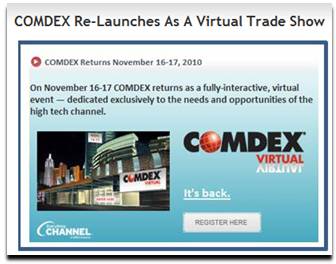
This was big news back in March, that the famed COMDEX show would return as a virtual event in November 2010.  I’m looking forward to seeing what’s in store this November at COMDEX Virtual.

#2: How 3D Virtual Worlds Can Be More Like Twitter And Facebook

Twitter and Facebook have taken the world by storm – this post received a lot of traffic by association.  I thought it was logical that 3D virtual world platforms could adopt some of the principles developed by Twitter and Facebook, such as the pervasive “Like” feature from Facebook.  I posited on some new concepts, such as closed circuit TV and on-demand TV for virtual worlds.

Finally, I guess I foreshadowed “Second Life Shared Media”, when I suggested that web content be embedded in-world – Linden Lab announced that feature a few short months after my blog posting.  More recently, I wrote about Second Life being at an important crossroads.

#1: The Future Of Virtual Events

There’s always something about the “future” that generates interest and curiosity.  I’m still a believer in the vision of the future (for virtual events) that I painted here.  While none of it has come to fruition, it’s just a matter of time.  In the future, that is!

Tweet this posting:


Top 3 Ways To Improve Virtual Event Experiences

July 30, 2010

We need to create better and more engaging virtual event experiences.  We need to better approximate the valuable face-to-face encounters and experiences that physical events create.

1: Create a stronger feeling of “there”

There’s nothing like walking into an over-crowded trade show floor and hearing the buzz of attendees and exhibitors.  It’s similar to walking into a popular restaurant or bar.  The buzz permeates the environment.  If I were to login to the world’s most popular virtual event, there’s hardly an indicator to tell me so.

The closest thing we have today is a list of avatars (also known as profile images) in a given event area.  If I see a long list of other attendees listed, then I know the area is quite popular and there must be something going on (e.g. perhaps there’s a live chat session occurring).  Beyond that, it’s hard to tell that “there’s a ‘there’ there”.

To address this, event platforms and event planners should consider augmenting the experience with sensory stimulation.  The two relevant senses are sight and sound.  With sight, one could imagine  “heat maps” that signal to attendees where the action lies.  Or, animation to direct users to a popular area – or, that something is important is happening in a given location.

Incorporating sound can be a challenge in a B2B environment, since many users mute their computer speakers while at work.  So perhaps one uses visuals to encourage attendees to enable their sound.  Then, platforms could “inject” show floor chatter into the environment, adjusting the level of intensity based on the amount of activity or people present.

Better yet, platforms could allow attendees to speak into a common audio channel.  If I’m in the Networking Lounge, I’m then able to converse with others (via audio) in addition to text chat.  Perhaps the system allows for comment moderation, so that one person is enabled to speak at any one time (a challenge that takes care of itself when folks assemble in person).

2: Create stronger person-to-person interactions

Text chat is great, but virtual events need to go beyond text to create richer and more engaging person-to-person interactions.  That means audio (as outlined above) as well as video.  Bandwidth availability varies depending on where you’re located – but if you have sufficient bandwidth, virtual events should allow you to network and connect with others the “old fashioned way” – with a smile, a greeting and a hello.  Not with a “LOL” or a smiley.

In addition, virtual event experiences need to better enable a community to form.  This is done with effective tools to connect like-minded individuals – and, applications to encourage and foster person-to-person interactions (e.g. blogging, status updates, etc.).

3: Use imagery to strike a deeper emotional connection

In any event experience (whether physical or virtual), imagery can be used to strike a deep, emotional connection with attendees.  In a virtual event, we all too often create this effect:

That is, the imagery that may create that emotional connection is covered by functional elements overlaid on top.  What you’re left with is edges of the “pretty picture” – that is, the small segments that are not covered by the functional elements.  A few options to address this:

Combine imagery and function

Build the functional elements into the imagery.  For Flash-based platforms, the images and the functional areas occupy the same SWF.  There are cost and “repeatability” considerations in going this route, so other options can be considered.

Determine function element placement up front

Before the creative team designs an image, determine what functional elements are included in the event area.  Size these elements (by pixel counts) and then have the creative team design around that.  For instance, if you’re designing at a width of 1024 pixels and you embed a chat window 512 pixels wide, then you have 256 pixels on each side of the chat area.

Have your designers make the most of each 256-pixel segment, rather than designing an elaborate image that has its most compelling 512 pixels covered and never seen.

Conclusion

I’ve listed 3 ways that virtual event experiences can be improved.  Drop a comment below to let us know how you’d improve virtual events.

Tweet this posting: